Create lifelike AI videos instantly with customizable avatars and multilingual voiceovers.
HeyGen is an AI-powered video generation platform that transforms text, images, or audio into high-quality videos featuring realistic AI avatars. It offers advanced customization including avatar creation from photos or videos, natural voiceovers, and support for over 175 languages with accurate lip-sync and translations. Designed for marketers, educators, and sales teams, HeyGen streamlines video production, localization, and personalization without the need for cameras or editing expertise.
Last updated: Nov 26, 2025
No reviews yet. Be the first to share your experience.
Share your experience
Help others decide, your insights matter
No reviews yet. Be the first to share your experience.
Create lifelike AI avatars from a single photo, video, or choose from thousands of stock avatars with customizable expressions, gestures, and clothing.
Generate complete videos by simply inputting a script; the AI produces synchronized voiceovers, visuals, and avatar animations automatically.
Turn any photo or image into a talking video with natural lip-sync, multiple voice options, and background music without manual editing.
Translate videos into over 175 languages and dialects with AI voiceovers, subtitles, and perfect lip-sync to maintain original tone and pacing.
An intuitive text-based video editor that allows users to easily create, customize, and manage videos from draft to final production.
Upload brand assets like logos, colors, fonts, and images to ensure consistent branding across all videos.
Enable team collaboration with live editing, commenting, and tagging features to align on messaging and brand voice.
Automate personalized sales outreach with avatar-led videos, PDF/PPT to video conversion, and interactive AI avatars acting as virtual sales reps.
| Plan | Price | Highlights |
|---|---|---|
| Free Plan | $0 | Access to text-to-video and AI video generation
|
| Pro Plan | Contact Sales | Full access to all avatars and voice styles
|
Hands-on notes from our editorial team.
✅ Our Test
We signed up on the website through our Google account authorization. The website proposed to select the plan, and we selected a free one with monthly limits and a watermark.
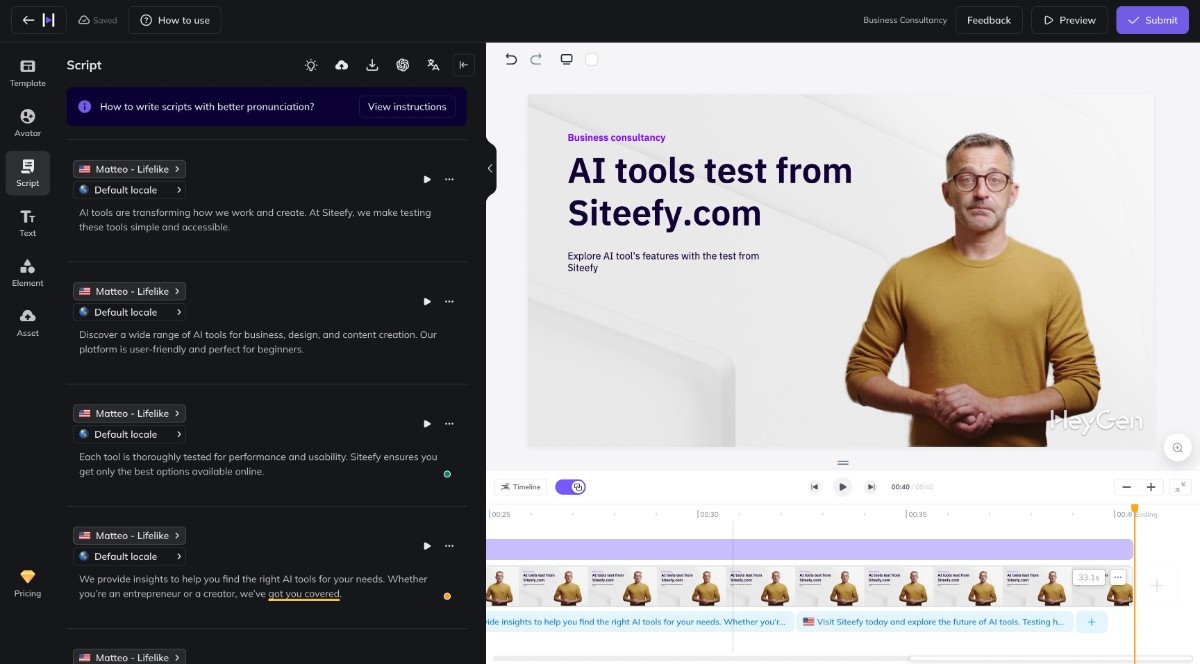
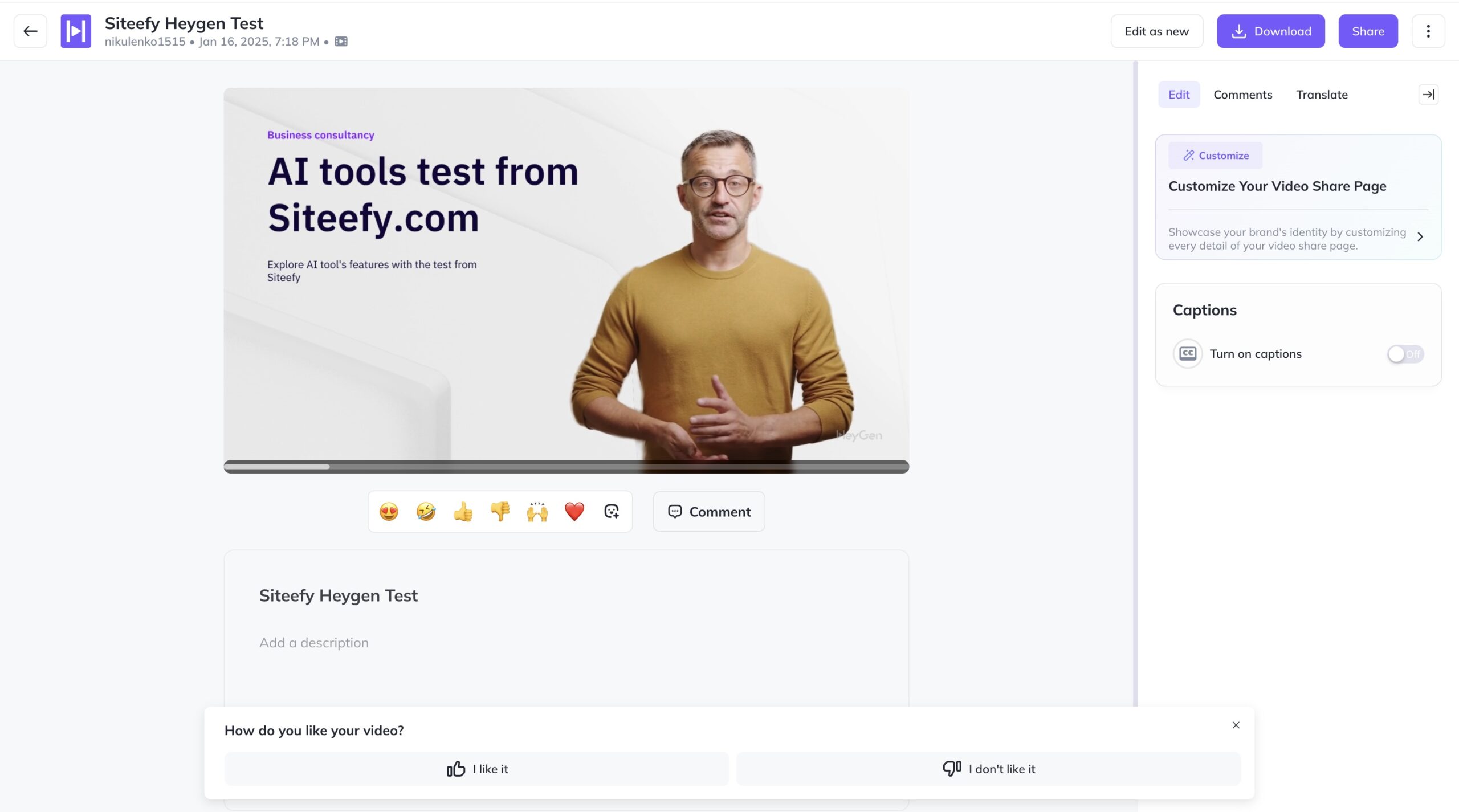
Then we accessed a template library where we selected one to start work with. This template was a part of the “Advertisement” templates category. The website directed us to the video editor page, where the AI avatar, scripts with chapters, and text were ready. We customized some scenes on the editor page, replaced the text on the video, and then edited the scripts. We also left the avatar’s voice as default since it was the best option for this avatar.

When everything was ready we viewed our new video and exported it in the MP4 format after a click on the “Download” button.


No reviews yet. Be the first to share your experience.
Share your experience
Help others decide, your insights matter
No reviews yet. Be the first to share your experience.

Top rated tools from the same category.
Create stunning animated videos from photos and text instantly with advanced AI.
Create unique faceless AI videos from text and other media effortlessly to maximize your revenue.
Transform static images into dynamic, high-quality videos effortlessly with AI-powered generation.
Video-first AI generator with image support, powered by top models
Meet AI Studios (by DeepBrain), an AI tool for generating videos and AI avatars.
Seedance 2.5 is an AI video generator producing native 4K videos up to 30 seconds with multimodal input and synchronize…