Siteefy
New
Categories
Tools
Siteefy
New
Categories
Tools

Company

  • About
  • Contact
  • Blog
  • Newsletter

Resources

  • Submit Tool
  • Categories
  • Use Cases
  • All Tools

Siteefy Tools

  • AI Writer
  • AI Prospecting Tool
  • AI Humanizer
  • AI Content Checker

Legal

  • Privacy Policy
  • Terms of Service

Popular Categories

  • Video40
  • Productivity21
  • Audio & Music20
  • Generative AI20
  • Content & Writing20
  • Photography17

Stay Updated

Get the latest AI tools and insights delivered to your inbox.

Subscribe to Newsletter
Siteefy
Discover the best tools
© 2025 Siteefy. All Rights Reserved.
Siteefy
New
Categories
Tools
Home/Freepik AI Image Generator
Rate
Visit Website
Freepik AI Image Generator

Freepik AI Image Generator

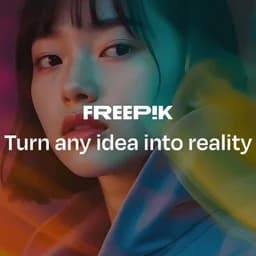
Create stunning, photorealistic images instantly from text prompts with diverse styles and unlimited creativity.

Freemium
Categories
Images/AI Image Generation
#Text-to-Image Generation#Creative Style Customization#Image Enhancement#Marketing Visuals#Digital Art Creation

Overview

Freepik AI Image Generator is an advanced AI-powered platform that transforms text prompts into high-quality, realistic images in real time. It offers a wide range of premade styles, creation history for reuse, and style guidance features to help users craft unique visuals effortlessly. Suitable for marketers, designers, and creatives, it supports unlimited image generation for premium users and integrates additional AI tools for image enhancement.

Category
ImagesAI Image Generation
Pricing Model
freemium
Last Updated
2025-12-01

Featured Video

Video via YouTubeWatch on YouTube

Key Features

1

Real-Time Text-to-Image Conversion

Quickly creates photorealistic images from user-provided text prompts with continuous scrolling for seamless exploration.

2

Diverse Premade Styles

Apply various premade styles categorized by style, color, framing, and lighting, which can be combined for unique artistic effects.

3

Creation History and Reuse

Review and reuse past image creations with the ability to generate multiple variations from a single prompt.

4

Unlimited Creative Access

Premium users enjoy unrestricted image generation with no usage limits, enabling extensive creative exploration.

5

Style and Composition Guidance

Use existing images as references for style or composition to maintain consistency and inspire new creations.

6

Prompt Enricher

Enhance text prompts by adding narrative details to produce richer and more detailed visual outputs.

7

Integration with FLUX AI Model

Leverages the advanced open-source FLUX AI model to generate realistic and high-quality images.

8

Complementary AI Tools

Includes AI Image Upscaler, AI Background Remover, and AI Photo Editor to further improve and refine generated images.

Who It's For

Audience 1#1

Marketing Campaigns

Create custom images tailored for specific marketing campaigns to visually communicate brand messages and engage audiences.

Audience 2#2

Social Media Content

Generate unique and eye-catching visuals for social media posts, stories, and advertisements to boost engagement.

Audience 3#3

Blog and Website Graphics

Produce high-quality images to accompany blog posts and web pages, enhancing visual appeal and user experience.

Audience 4#4

Product Design and Mockups

Visualize product concepts with realistic images for presentations, mockups, or client proposals, accelerating design workflows.

Audience 5#5

Creative Art Projects

Experiment with various styles and concepts to produce original artwork for personal or professional creative projects.

How to Use

1

Sign Up

Create an account on Freepik AI Image Generator to access the platform.

2

Enter Text Prompt

Provide a clear and detailed text description of the image you want to generate, specifying colors, mood, and style.

3

Adjust Lighting and Style

Experiment with different lighting options and select a premade style that aligns with your creative vision.

4

Set Framing and Aspect Ratio

Choose framing options like close-ups or panoramic views and select the appropriate aspect ratio (square, portrait, landscape).

5

Generate and Download

Generate the image, review creation history if needed, and download your final image. Optionally, use Freepik Picasso for further editing.

Pricing

Pricing details are gathered from the official Freepik AI Image Generator website and are provided for reference only. Always confirm the latest information directly with the vendor.

PlanPriceHighlights
Free VersionFree

Generate up to 20 images per day

  • Access to limited styles
  • No infinite scroll feature
Individual Plan$19.99

Unlimited image generation

  • Access to all premade styles
  • Creation history and reuse
  • Priority support
Teams Plan$10.75

All Individual Plan features

  • Designed for 5 users
  • Collaboration features
  • Admin controls
Found a change in pricing? We welcome corrections. Reach out so we can keep this listing accurate.

Pros & Cons

Pros

  • Uses advanced FLUX AI model for realistic, high-quality images.
  • Quick and easy image creation with intuitive text prompts.
  • Extensive selection of premade styles for customization.
  • Unlimited image generation for premium users.
  • Additional AI tools available for image enhancement and editing.

Cons

  • Upscale feature can be slower at times.
  • Limited free access may hinder beginners from fully mastering the tool.
  • No infinite scroll in free version limits exploration.
  • Some advanced features require premium subscription.
  • May require detailed prompts for best results, which can be challenging for new users.

Frequently Asked Questions

How do I create images with Freepik AI Image Generator?
Simply describe what you want in the text prompt and click generate. The AI will create images based on your input.
Can I use images for commercial projects?
Yes, images can be used commercially as long as you comply with Freepik's Terms and Conditions and copyright laws.
Is there a free version available?
Yes, the free version allows you to generate up to 20 images per day with limited styles and features.
Can I customize the look of AI-generated images?
Yes, you can apply various premade styles to customize the appearance of your images.
What AI model does Freepik AI Image Generator use?
It integrates the FLUX open-source AI model to produce realistic and high-quality images.

Ratings & reviews

Use Cases

Explore tools grouped by use case so you can keep researching without losing momentum.

6 tools

Text-to-Image Generation

View use case
2 tools

Creative Style Customization

View use case
6 tools

Image Enhancement

View use case
1 tool

Marketing Visuals

View use case
3 tools

Digital Art Creation

View use case

Alternatives

Compare other vetted products our editors see buyers evaluate alongside Freepik AI Image Generator.

Dezgo

Dezgo

freemium

Dezgo is an AI-driven online platform that generates images and videos from text descriptions using advanced neural network models. It offers multiple AI modes tailored for different styles and media types, including text-to-image, text-to-video, image-to-video, and image editing capabilities. Users can create unique, commercially usable media for websites, marketing, social media, and personal projects, with options for free use or paid upgrades for enhanced features.

AI Image Generation
#Image Editing#Prompt Weighting#Commercial Media Creation+1
View Details
Decohere

Decohere

freemium

Decohere is an advanced AI-powered platform that enables users to generate images, videos, and AI characters instantly using state-of-the-art AI technology. It offers a real-time AI image generator with infinite variations, creative upscaling, and video generation capabilities, all accessible directly from a web browser. Decohere caters to hobbyists, content creators, and professionals with flexible pricing plans and commercial licensing options.

AI Image Generation
#AI Character Creation#Real-time Image Generation#Image Upscaling+2
View Details
BlueWillow

BlueWillow

free

BlueWillow is a free AI art generator that transforms user text prompts into unique digital images, including logos, characters, and photo-realistic graphics. Designed for ease of use, it allows users of any skill level to generate, refine, and share AI-created artwork quickly. The platform also fosters a community experience through its Discord channel and offers ongoing updates and tutorials via newsletter.

AI Art Generation
#AI Image Generation#Digital Art Creation#Creative Design+2
View Details
Bing Chat

Bing Chat

paid

Meet Bing Chat, a conversational AI chatbot developed by Microsoft for generating text and image-based responses. Explore Bing Chat functionality, features, pricing, and more!

AI Chatbots
#Natural Language Processing#Conversational AI#Text-to-Image Generation+2
View Details
Craiyon

Craiyon

freemium

Craiyon is a free AI-powered image generation platform that converts detailed text prompts into unique artworks and visuals. It offers features like negative prompts to exclude elements, style selection, and background removal, all accessible without sign-up. The platform supports creative projects, digital art, content enhancement, and more, with optional paid plans for faster generation and fewer ads.

AI Art Generation
#Text-to-Image Generation#AI Image Customization#Background Removal+2
View Details
DeepSwap

DeepSwap

paid

DeepSwap is a professional AI-powered face swap platform that enables users to create hyper-realistic face swaps on videos, photos, and GIFs with over 90% similarity accuracy. It supports challenging scenes like occlusion, various angles, expressions, and lighting conditions, providing 4K HD quality output and ultra-fast processing using high-performance GPUs. The platform also ensures user privacy by not collecting data and offering easy data deletion.

AI Photo Generation & Editing
3.2
(5)
#Face Swapping#Video Editing#Image Enhancement+2
View Details

Other tools people mention

These entries need a full review before we can publish deep dives, but they're worth a look if you want a broader shortlist.

dezgodecoherebluewillowbing-chatcraiyondeepswap

Share your experience

Sign in to rate this tool and help the community understand how it fits into their workflow.

Community reviews (0)

No reviews yet. Be the first to share your experience.