The most powerful AI suite for creatives to generate, enhance, and edit images, videos, and 3D objects with ease.

The most powerful AI suite for creatives to generate, enhance, and edit images, videos, and 3D objects with ease.
KREA is an all-in-one AI creative platform offering cutting-edge tools for generating photorealistic images, videos, and 3D meshes from text prompts. It supports ultra-fast generation speeds, multiple advanced AI models, and extensive customization including fine-tuning with your own data. Designed for both professionals and beginners, KREA provides seamless workflows with features like real-time rendering, upscaling, generative editing, and comprehensive asset management.
Generate high-quality images from simple text prompts using over 64 AI models including proprietary Krea 1, supporting native 4K resolution and 1000+ styles.
Create AI-generated videos up to 60 seconds with models like Veo 3, Runway, and Luma, including animation of static images and viral social media content creation.
Experience market-leading real-time image generation with photorealistic results in under 50 milliseconds, enabling live creative exploration and instant previews.
Enhance and upscale images up to 22K resolution and videos up to 8K with frame interpolation up to 120fps, restoring old media or improving quality for professional use.
Edit images with generative AI models to add/remove objects, change expressions or lighting, and merge images seamlessly within a simple interface.
Train custom AI models with just a few images to generate specific faces, products, or visual styles on demand, supporting both image and video fine-tuning.
Manage files and assets efficiently with Krea Asset Manager, supporting easy organization and sharing of AI-generated content and LoRA models.
Access the latest AI models on release day with ultra-fast inference infrastructure, enabling generation of multiple images or videos in seconds.
Create a free account on KREA.ai and log in to access the AI creative suite.
Select from image generation, video creation, 3D object generation, or editing tools based on your project needs.
Describe the visual you want to create using text prompts or upload images to guide the AI generation.
Apply styles, adjust aspect ratios, or fine-tune parameters to shape the output to your vision.
Generate images or videos, then use variations, editing, or upscaling features to perfect your content.
Organize your creations in the asset manager and export them for commercial or personal use.
Pricing details are gathered from the official KREA website and are provided for reference only. Always confirm the latest information directly with the vendor.
| Plan | Price | Highlights |
|---|---|---|
| Free | $0 | Limited daily generations
|
| Basic | $10 | ~1,010 Flux images
|
| Pro | $35 | ~5,048 Flux images
|
| Max | $60 | ~15,142 Flux images
|
| Business | Contact Sales | Unlimited team members
|
| Enterprise | Contact Sales | Everything in Business plan
|
Hands-on notes from our editorial team.
✅ Our Test
We went to the website and signed up with our Google account.
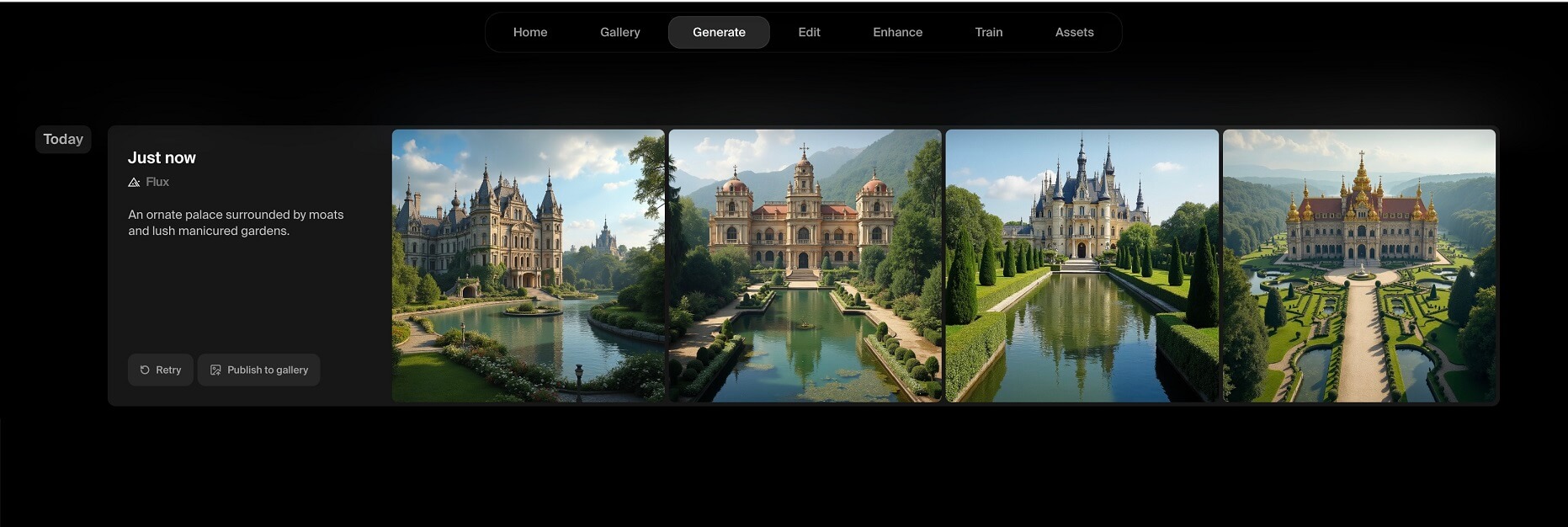
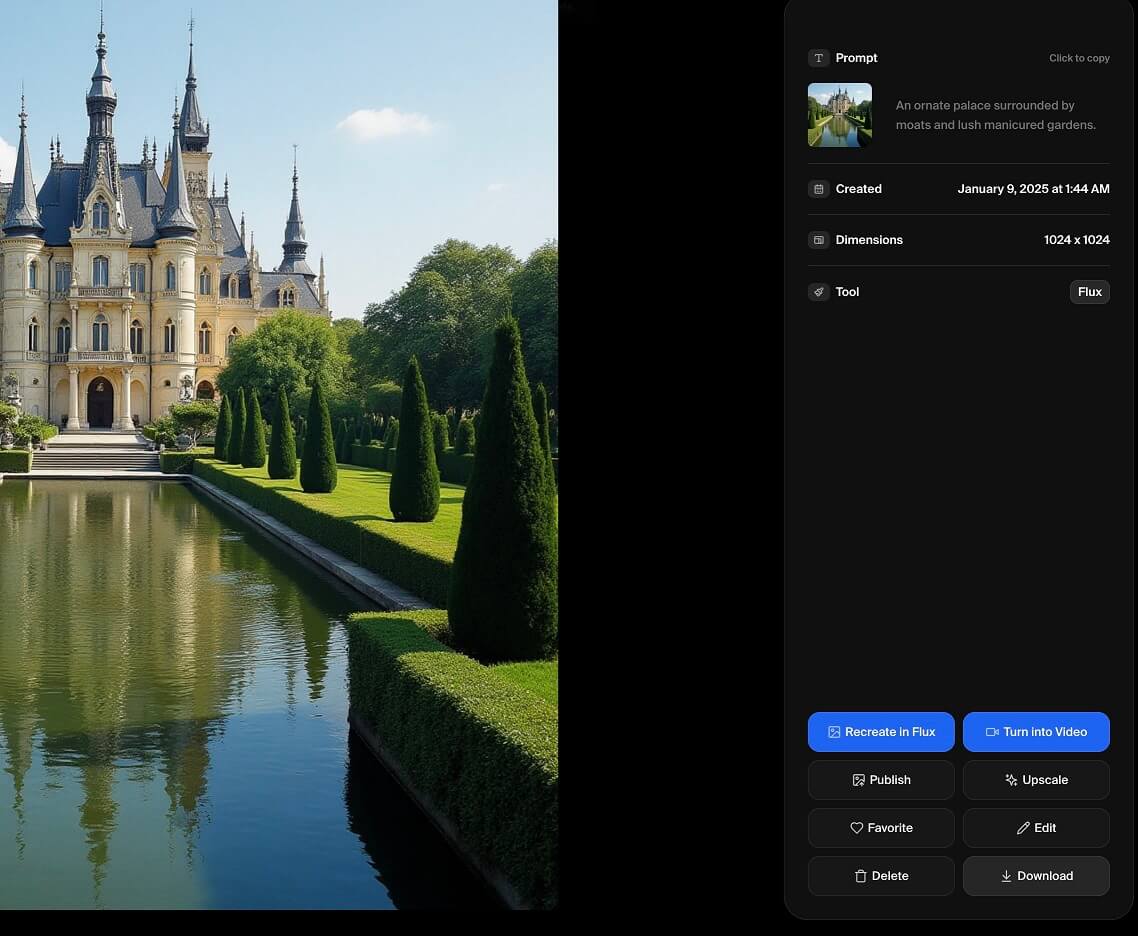
Then, to test one of the main features, on the main dashboard page we clicked “Generate” and then “Picture”. The website directed us to the “Flux” tool’s page and asked us to write a prompt for future images. After submitting a prompt, we just clicked the “Generate” button right near the text box, and AI created four beautiful picture variants. The pictures were automatically saved to our assets gallery.

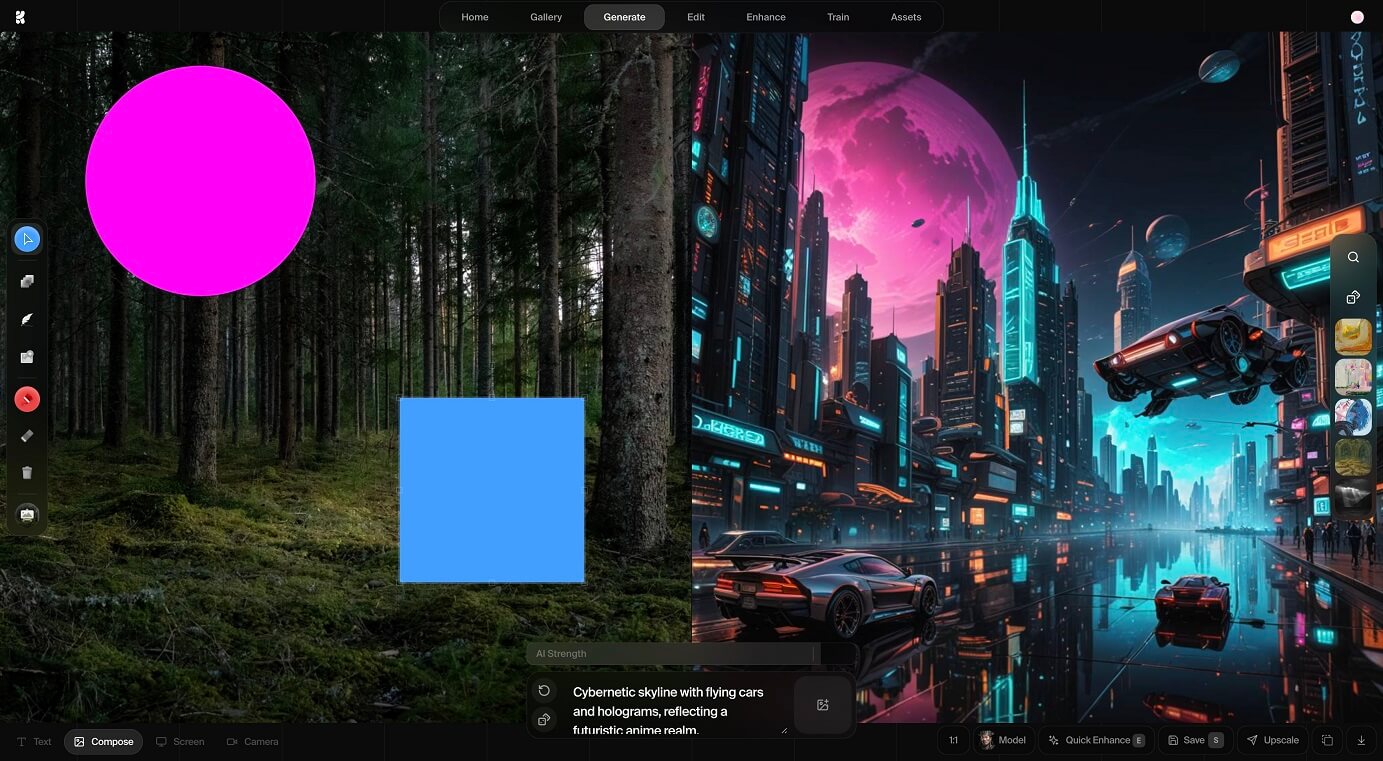
As the next step, we tried another interesting tool that instantly generates a picture depending on your customization moves. We clicked on the “Realtime” tool’s icon on the main page, and our journey started. After entering a prompt in the text box, the left side of the split screen allowed us to customize the future picture through adjustments to the main object icons (geometric figures). Remember, every small customization step will affect the result instantly, even the object's icon color. Finally, the picture was saved to our assets gallery after selecting the “Save” button**.**

When results were saved to the gallery, the last step was only to export them. We moved right to the asset gallery and selected the pictures we wanted to export one by one. Simply clicking on the selected images and then the download button, we easily exported them in .jpeg and .png formats.

Explore tools grouped by use case so you can keep researching without losing momentum.
Compare other vetted products our editors see buyers evaluate alongside KREA.