Siteefy
New
Categories
Tools
Siteefy
New
Categories
Tools

Company

  • About
  • Contact
  • Blog
  • Newsletter

Resources

  • Submit Tool
  • Categories
  • Use Cases
  • All Tools

Siteefy Tools

  • AI Writer
  • AI Prospecting Tool
  • AI Humanizer
  • AI Paraphraser
  • AI Content Checker

Legal

  • Privacy Policy
  • Terms of Service

Popular Categories

  • Video40
  • Productivity21
  • Audio & Music20
  • Generative AI20
  • Content & Writing20
  • Photography17

Stay Updated

Get the latest AI tools and insights delivered to your inbox.

Subscribe to Newsletter
Siteefy
Discover the best tools
© 2025 Siteefy. All Rights Reserved.
Siteefy
New
Categories
Tools
Home/Voicenotes
Rate
Visit Website
Voicenotes

Voicenotes

AI-powered platform for effortless voice note taking and meeting transcription.

Paid
Categories
Productivity/AI Note Takers
#Voice Transcription#Meeting Summarization#Speech Recognition#Productivity Enhancement#Collaboration Automation

Overview

Voicenotes is an AI-driven voice platform designed to help users record, transcribe, and organize their notes and meetings efficiently. It leverages artificial intelligence to convert spoken content into accurate, searchable text, enhancing productivity and collaboration. Ideal for professionals and teams, it simplifies capturing and managing important information from conversations and meetings.
Category
ProductivityAI Note Takers
Pricing Model
paid
Last Updated
2025-12-02

Key Features

1

AI-Powered Voice Recording

Capture voice notes and meetings with high-quality audio recording powered by AI technology for clear and accurate capture.

2

Automatic Transcription

Convert recorded audio into text automatically with advanced speech recognition algorithms for quick and reliable transcription.

3

Meeting Summaries

Generate concise summaries of meetings to highlight key points and action items, saving time on manual note-taking.

4

Searchable Notes

Organize and index transcriptions to allow easy searching and retrieval of specific information within notes and meetings.

5

Multi-Device Synchronization

Access and manage your voice notes and transcriptions across multiple devices seamlessly for convenience and mobility.

6

Collaboration Features

Share notes and transcripts with team members to facilitate collaboration and ensure everyone stays informed.

7

Secure Data Handling

Ensure privacy and security of your recordings and transcriptions with encrypted storage and compliance with data protection standards.

8

User-Friendly Interface

Intuitive and easy-to-use platform designed for quick onboarding and efficient note-taking workflows.

Who It's For

Audience 1#1

Business Meeting Documentation

Automatically record and transcribe business meetings to ensure accurate records and easy follow-up on action items.

Audience 2#2

Lecture and Seminar Notes

Students and educators can capture spoken content during lectures and seminars for efficient study and review.

Audience 3#3

Interview Transcriptions

Journalists and recruiters can transcribe interviews quickly to focus on analysis rather than manual note-taking.

Audience 4#4

Personal Voice Memos

Individuals can record and organize personal notes or reminders using voice commands and AI transcription.

Audience 5#5

Team Collaboration

Teams can share meeting notes and summaries instantly to keep everyone aligned and informed.

How to Use

1

Sign Up and Log In

Create an account on Voicenotes and log into the platform to start using the service.

2

Record or Upload Audio

Use the built-in recorder to capture live voice notes or upload pre-recorded audio files for transcription.

3

Automatic Transcription

Allow the AI to process the audio and generate a text transcription automatically.

4

Review and Edit

Review the transcription for accuracy and make any necessary edits or annotations.

5

Organize and Share

Save your notes, organize them into folders or projects, and share with collaborators as needed.

Pricing

Pricing details are gathered from the official Voicenotes website and are provided for reference only. Always confirm the latest information directly with the vendor.

PlanPriceHighlights
Free Trial$0

Limited transcription minutes

  • Basic recording features
  • Access to note organization tools
Pro Plan$15

Unlimited transcription minutes

  • Advanced meeting summaries
  • Multi-device synchronization
  • Priority customer support
Enterprise PlanContact Sales

Custom transcription volume

  • Dedicated account manager
  • Enhanced security and compliance
  • Integration support
Found a change in pricing? We welcome corrections. Reach out so we can keep this listing accurate.

Pros & Cons

Pros

  • Automates voice note taking and transcription to save time.
  • Provides accurate and searchable meeting transcripts.
  • Enhances collaboration by sharing notes easily.
  • Supports multi-device access for flexibility.
  • Improves productivity with AI-generated meeting summaries.

Cons

  • Pricing details are not explicitly provided on the website.
  • May require internet connection for AI processing.
  • Limited information on supported languages or accents.
  • No detailed information about integrations with other productivity tools.
  • Potential learning curve for users new to AI transcription platforms.
OT

Our Test

Hands-on notes from our editorial team.

✅ Our Test

⬇️ Sign Up

Here we signed up with our Google account.

⬇️Record Something

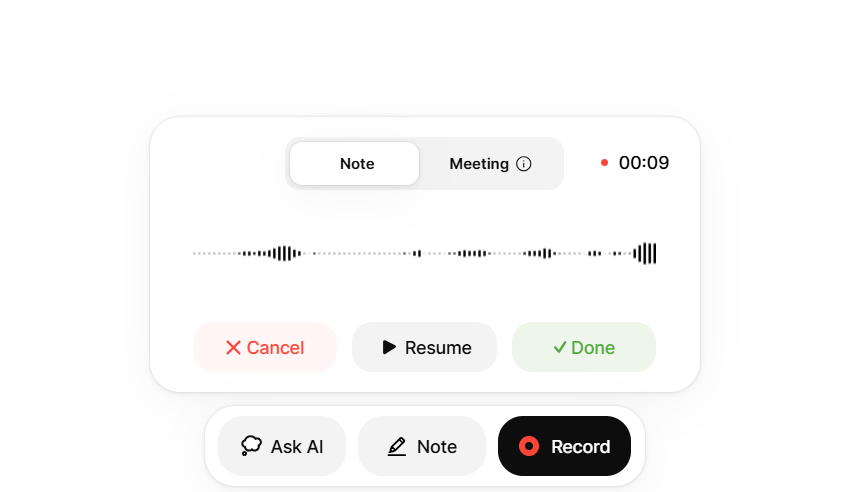
On the main dashboard page, we clicked the "Record" button to start recording a voice note. For the voice note, we took a snippet from one of our videos

⬇️ Wait and Get a Transcription of Your Notes

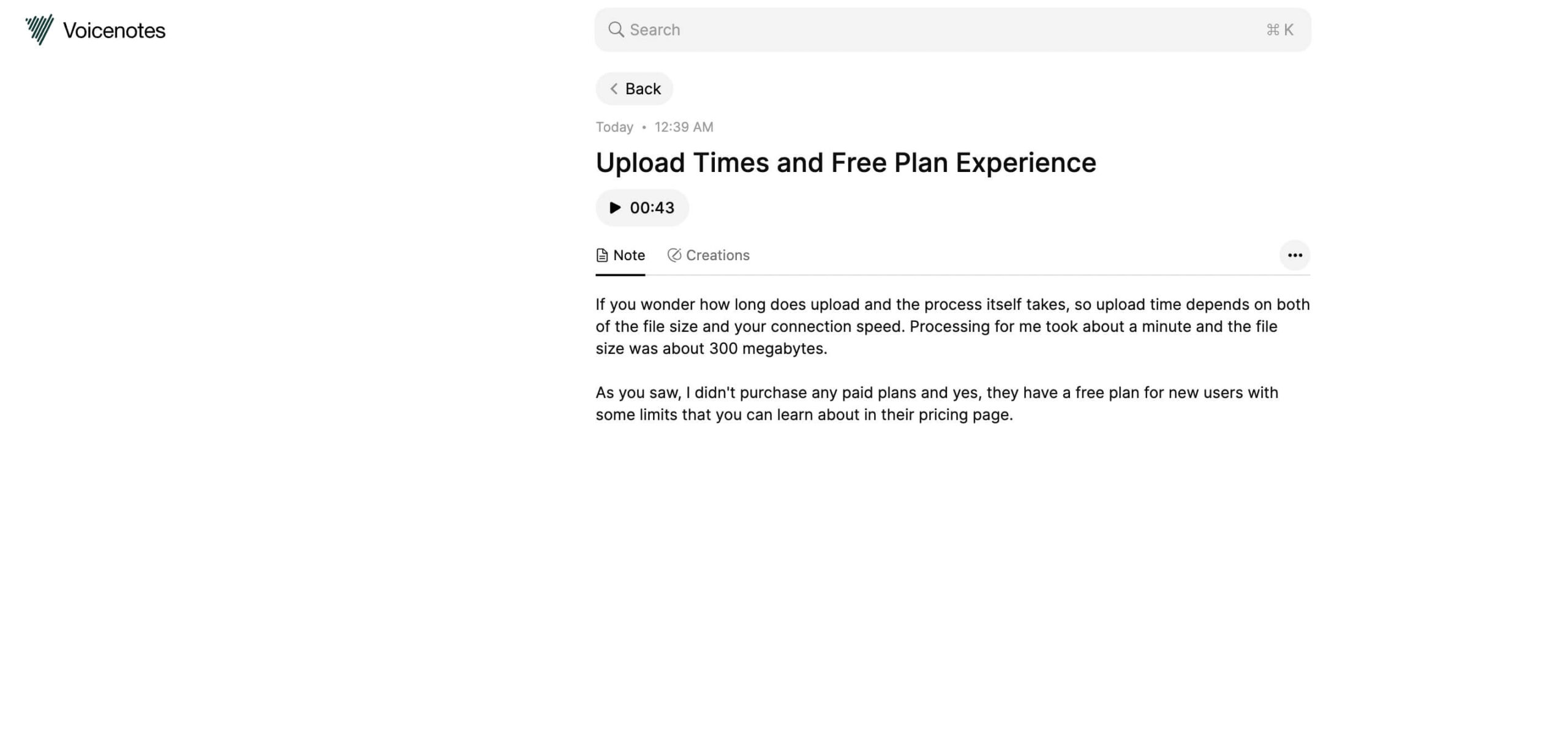
After some seconds, AI detected a speech language automatically and provided us with a very accurate transcription of this voice note.

⬇️Ask AI for Help

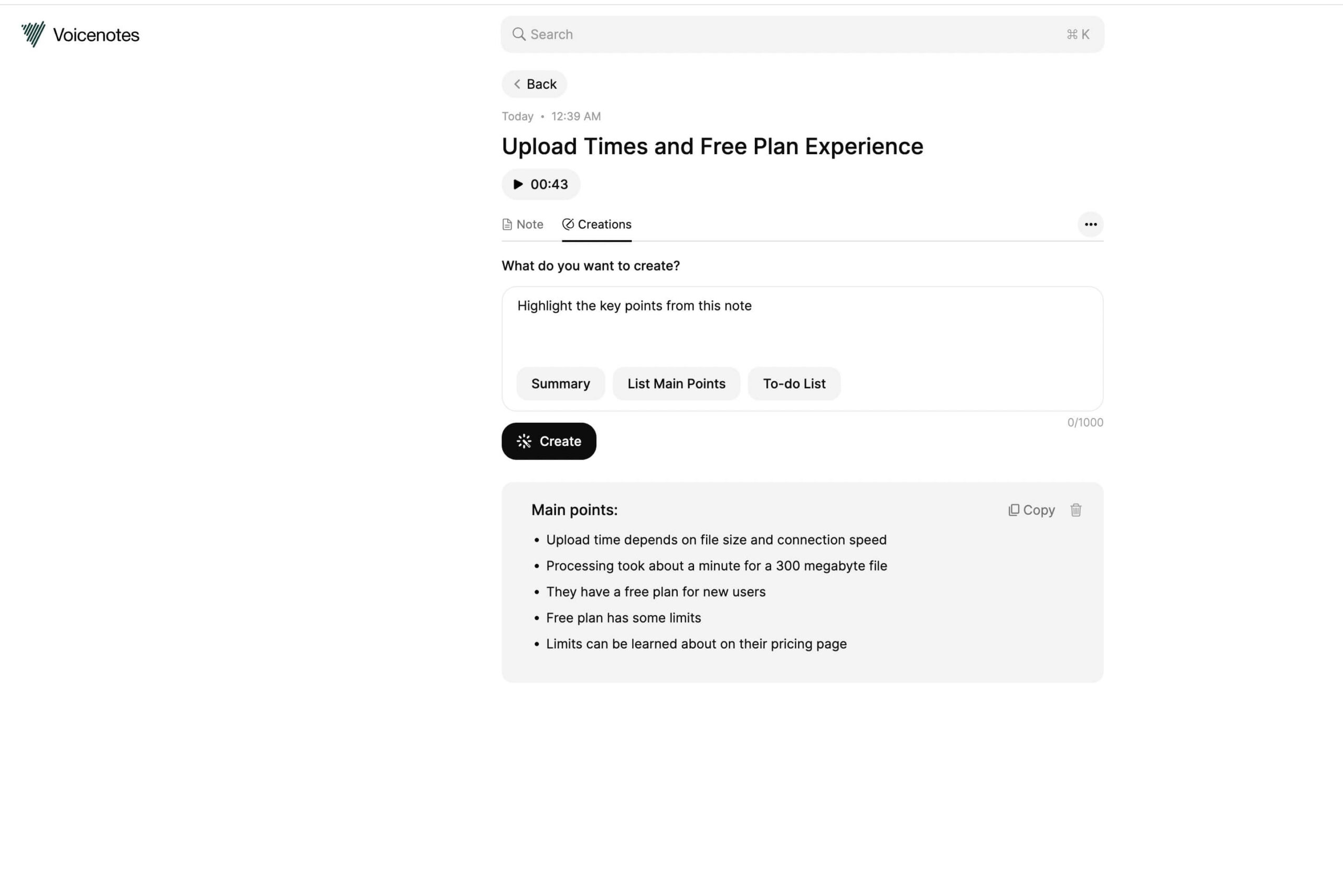
We noticed the “Creations” button there after getting a transcription, and of course, we clicked on it! There was a text box where we could ask AI to create us something from this voice note. And we asked it to “List Main Points”. You can view the results below. We think for the bigger notes, this function can be more helpful.

Frequently Asked Questions

Does Voicenotes support multiple languages?
While the website does not specify all supported languages, Voicenotes primarily supports major languages with advanced speech recognition. Contact support for detailed language availability.
Can I use Voicenotes offline?
Voicenotes requires an internet connection for AI transcription processing, but you can record audio offline and upload it later for transcription.
How accurate is the transcription?
Voicenotes uses advanced AI algorithms to provide high accuracy, but accuracy may vary depending on audio quality and speaker clarity.
Is my data secure with Voicenotes?
Yes, Voicenotes employs encrypted storage and follows data protection standards to ensure your recordings and transcriptions are secure.
Can I share my notes with others?
Yes, Voicenotes includes collaboration features that allow you to share notes and transcripts with team members or collaborators easily.

Ratings & reviews

Use Cases

Explore tools grouped by use case so you can keep researching without losing momentum.

1 tool

Voice Transcription

View use case
2 tools

Meeting Summarization

View use case
3 tools

Speech Recognition

View use case
3 tools

Productivity Enhancement

View use case
1 tool

Collaboration Automation

View use case

Alternatives

Compare other vetted products our editors see buyers evaluate alongside Voicenotes.

Otter

Otter

freemium

Otter.ai is an AI-powered meeting assistant that provides real-time transcription, automated summaries, action item capture, and AI chat capabilities to enhance meeting productivity. It integrates seamlessly with popular video conferencing and collaboration tools to streamline workflows and ensure teams stay aligned. Designed for individuals and enterprises, Otter.ai helps users save time by automating note-taking and follow-ups, making meetings smarter and more efficient.

AI Note Takers
#Meeting Transcription#Automated Summaries#Action Item Capture+4
View Details
N

Notta

freemium

Notta is an AI-powered meeting note taker that automatically transcribes meetings, interviews, and recordings into searchable text. It offers real-time transcription, AI-generated summaries highlighting decisions and action items, and seamless collaboration features. Notta supports 58 languages and integrates with popular tools like Slack and Salesforce to streamline workflows and enhance team productivity.

AI Note Takers
#Meeting Transcription#Collaborative Notes#Multilingual Transcription+2
View Details
MinutesLink

MinutesLink

freemium

MinutesLink is an AI-powered meeting assistant that automatically records, transcribes, and summarizes online meetings on platforms like Zoom and Google Meet. It delivers precise, human-level accurate meeting minutes, action items, and searchable transcripts in over 50 languages, helping teams boost productivity and collaboration. The tool works quietly in the background, allowing users to focus on discussions while ensuring no detail is missed.

AI Note Takers
5
(1)
#Meeting Transcription#AI Summarization#Remote Team Collaboration+2
View Details
Mapify

Mapify

paid

Mapify is an AI-powered application that converts various types of content—including PDFs, YouTube videos, web pages, podcasts, and meeting recordings—into structured mind maps within seconds. Leveraging advanced language models like GPT and Gemini, it helps users summarize, organize, and visualize information efficiently. The platform supports multi-format exports, collaborative features, and cross-device syncing to enhance learning, brainstorming, and work processes.

AI Note Takers
#Mind Mapping#Content Summarization#AI Transcription+2
View Details
Hedy

Hedy

freemium

Hedy AI is an advanced AI-powered assistant designed to enhance meetings and classes by providing real-time insights, automatic transcription, and actionable summaries. It supports over 30 languages, offers privacy-first on-device processing, and integrates with other tools via API and Zapier. Hedy helps users formulate questions, spot critical issues, and organize meeting content across devices for improved collaboration and productivity.

AI Note Takers
#Meeting Transcription#Multilingual Support#AI Summarization+2
View Details
Fireflies AI

Fireflies AI

freemium

Fireflies.ai is an AI-powered meeting assistant that automatically records, transcribes, and summarizes meetings across multiple platforms. It supports over 100 languages, identifies speakers, and provides detailed AI-generated notes, action items, and analytics to enhance team collaboration and productivity. With integrations to popular tools and enterprise-grade security, Fireflies.ai helps teams capture and unlock knowledge buried in conversations effortlessly.

AI Note Takers
#Meeting Transcription#Conversation Analytics#AI Summarization+4
View Details

Other tools people mention

These entries need a full review before we can publish deep dives, but they're worth a look if you want a broader shortlist.

otternottaminuteslinkmapifyhedyfireflies-ai

Share your experience

Sign in to rate this tool and help the community understand how it fits into their workflow.

Community reviews (0)

No reviews yet. Be the first to share your experience.