Take full control of your visuals with CGDream's AI image generator, creating stunning images with text, images, and 3D models.
CGDream is an advanced AI-powered image generation platform that transforms text prompts, images, or 3D models into high-quality, customizable visuals. It offers extensive features including 3D rendering, image upscaling, inpainting, and over 300 unique filters, catering to artists, marketers, game developers, and NFT creators alike. With an intuitive interface and flexible subscription plans, CGDream makes professional-grade AI image creation accessible to both beginners and experts.
Generate images from text prompts, existing images, or 3D models, providing versatile input options for creative projects.
Control and render 3D models into images from any angle, adjusting perspective and size for perfect visuals.
Convert any 2D image into a 3D model to expand creative possibilities and design workflows.
Enhance images with over 300 unique filters, styles, and effects to customize and stylize visuals uniquely.
Improve image quality and detail with advanced upscaling technology for high-resolution outputs.
Modify or correct any part of an image using AI-powered inpainting for polished and precise results.
Leverage cutting-edge AI models developed with Black Forest Labs for faster generation, style fidelity, and accurate results.
Join the CGDream Discord AI Art Community and participate in AI Art Challenges to share work, learn, and win prizes.
Generate eye-catching visuals from text prompts or photos to enhance social media marketing campaigns.
Create concept art and 3D rendered images for game environments and character design.
Produce unique, high-resolution images and upscaled art for NFT projects with commercial rights.
Design professional-grade images for advertising campaigns, product visuals, and promotional materials.
Use the platform’s intuitive tools and community challenges to explore AI art generation and improve skills.
Start by selecting whether to generate an image from text, upload an existing image, or use a 3D model as input.
Apply filters, styles, and effects from the extensive library or adjust 3D model parameters in the viewer.
Use the AI engine powered by Flux Dev or Flux Pro to create your image based on your inputs and customizations.
Refine your image by modifying specific areas with inpainting and enhance quality using the upscaler.
Download your final image, use it commercially if on a paid plan, or share it with the CGDream community and participate in challenges.
Pricing details are gathered from the official CGDream website and are provided for reference only. Always confirm the latest information directly with the vendor.
| Plan | Price | Highlights |
|---|---|---|
| Free | $0 | 3000 Monthly Credits
|
| Basic Annual | $8 | 10000 Monthly Credits
|
| Pro Annual | $24 | 40000 Monthly Credits
|
| Premium Annual | $48 | 90000 Monthly Credits
|
Hands-on notes from our editorial team.
✅ Our Test
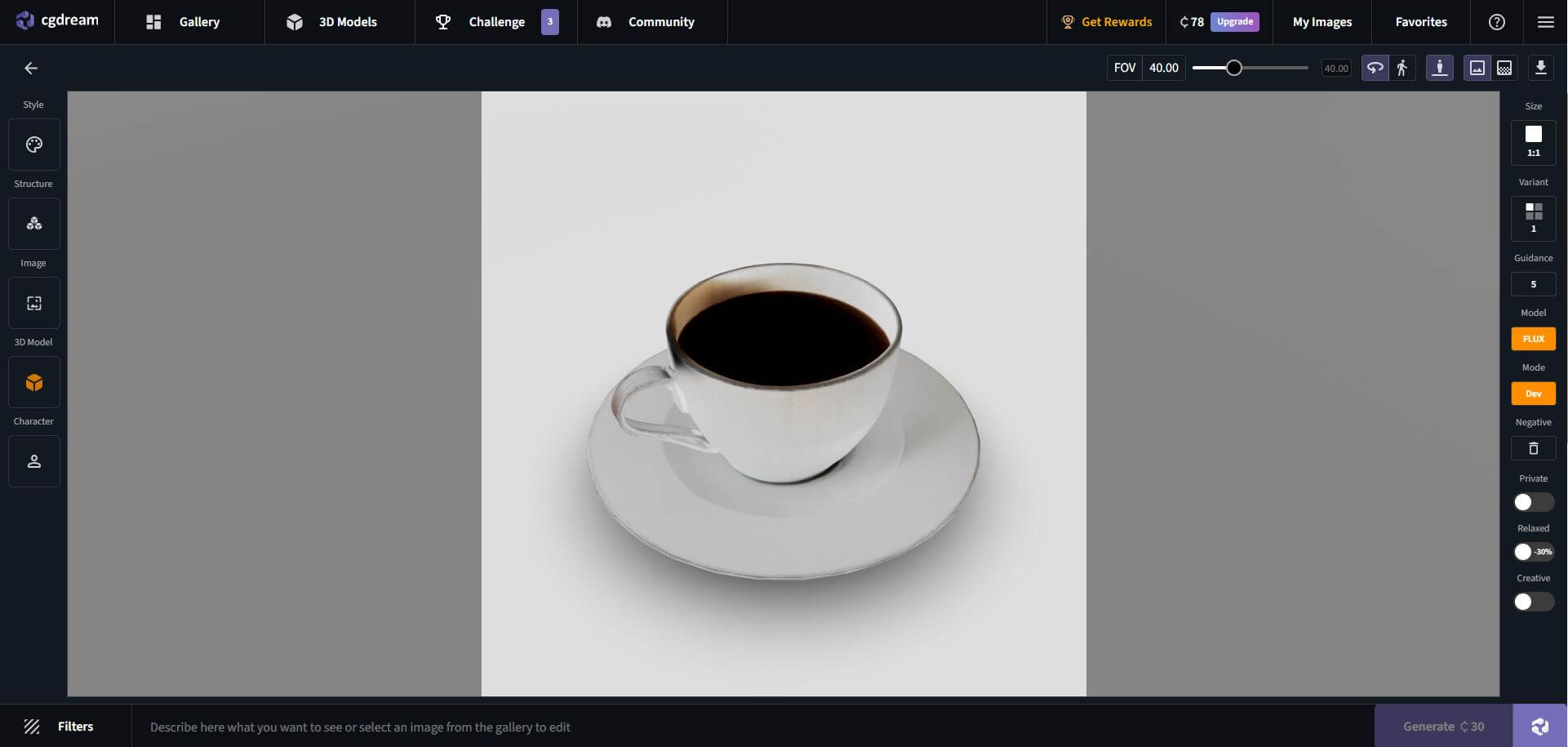
We created an account on the CGDream website using an email and password. The platform was visually appealing and easy to navigate. We decided to test the 2D-to-3D generation feature and selected the 3D Model Generation section to proceed.
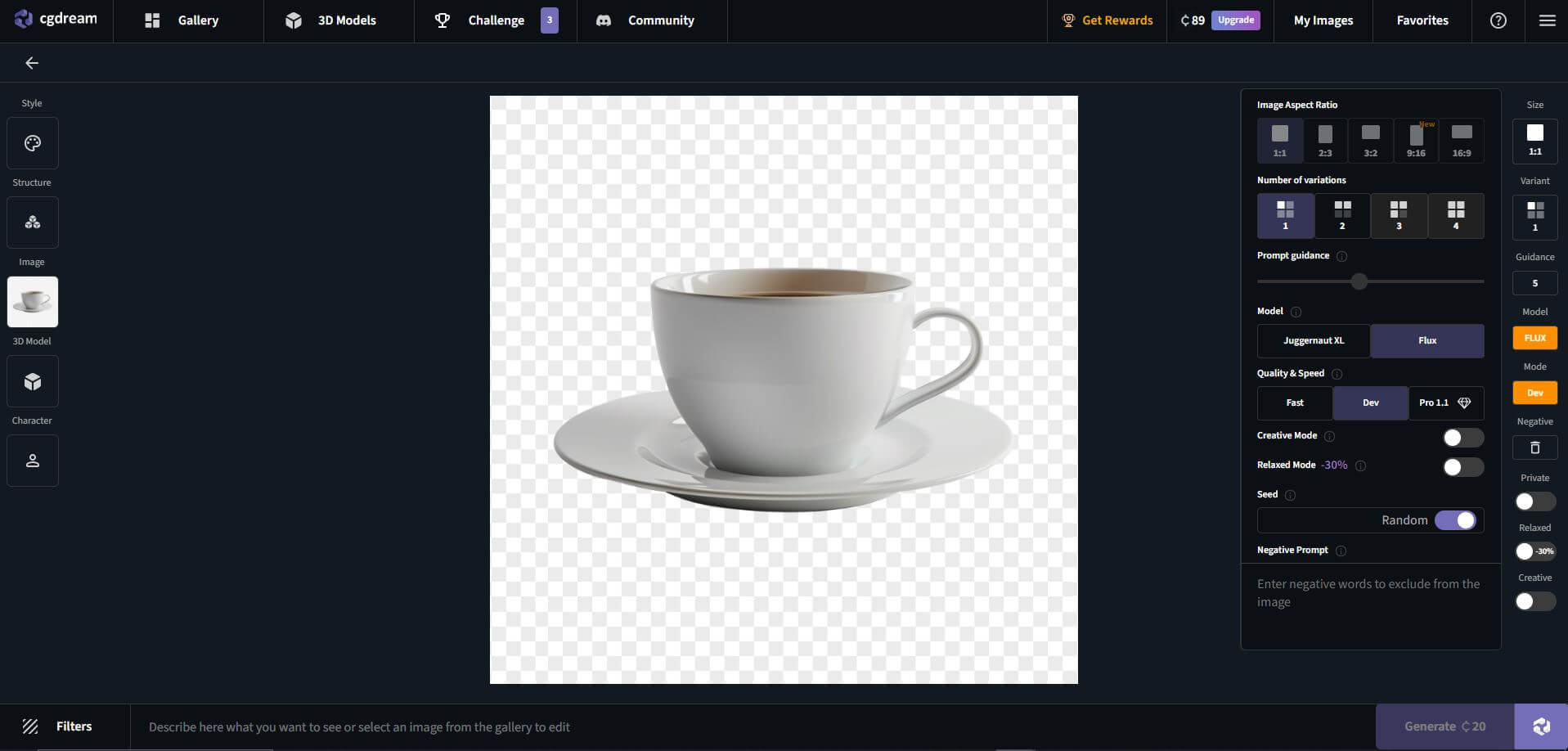
The tool supports JPG and PNG formats. We uploaded a clear frontal view of an object (a coffee mug) for conversion.

The AI took around 2–3 minutes to generate the model. The tool provided a 3D preview with basic rotation controls. The model closely resembled the original image but had minor texture inconsistencies.

The platform allows minor adjustments, such as smoothing, scaling, and texture mapping. However, detailed manual editing is not available. After making some small adjustments, we exported the model in GLB format. While the export process was smooth, users needing precise manual refinements may require external 3D software.
Compare other vetted products our editors see buyers evaluate alongside CGDream.
Cutout.Pro leverages advanced artificial intelligence and computer vision to provide a comprehensive suite of visual content creation and editing tools. It offers features such as background removal for photos and videos, AI video generation, photo enhancement, cartoonizing, and more, catering to individuals and businesses seeking efficient, high-quality visual content solutions. The platform supports bulk processing, API integration, and offers specialized tools for e-commerce, printing, and interior design applications.
Clipdrop is an AI-driven platform that enables users to quickly create and enhance visuals through a suite of image editing and generation tools. It offers features such as background removal, object cleanup, image upscaling, and uncropping, all powered by advanced AI algorithms. Additionally, Clipdrop provides an API for seamless integration of its AI capabilities into other applications, making it versatile for both individual creators and developers.
Meet BetterPic, a tool that turns selfies into professional headshots. Explore BetterPic functionality, features, pricing, and more! Key capabilities: 4K Studio-Quality Headshots, 150+ Styles & Outfits, AI Studio Editing Tools. Pricing snapshot: Free Plan — Not available.
BlueWillow is a free AI art generator that transforms user text prompts into unique digital images, including logos, characters, and photo-realistic graphics. Designed for ease of use, it allows users of any skill level to generate, refine, and share AI-created artwork quickly. The platform also fosters a community experience through its Discord channel and offers ongoing updates and tutorials via newsletter.
Meet AI SuitUp, an AI-powered tool designed for creating professional headshots. Explore AI SuitUp functionality, features, pricing, and more! Key capabilities: AI Headshot Generator, Style Customization, High-Quality Output. Pricing snapshot: Free Version — Available for quick background editing. However, AI headshot generation is currently on a waitlist.
These entries need a full review before we can publish deep dives, but they're worth a look if you want a broader shortlist.
No reviews yet. Be the first to share your experience.
Share your experience
Sign in to rate this tool and help the community understand how it fits into their workflow.