
Overview

Character AI is an AI chat platform that enables users to create and converse with fictional characters powered by artificial intelligence. It offers a unique interactive experience where users can engage in dynamic conversations with AI-generated personalities, bringing stories and ideas to life. The platform emphasizes personalization and creativity in AI-driven dialogue.

Pricing Model
freemium
Last Updated
2025-12-01

Featured Video

Video via YouTubeWatch on YouTube

Key Features

1

Create Custom Characters

Users can design and customize AI-powered fictional characters to interact with, tailoring personalities and behaviors.

2

Dynamic AI Conversations

Engage in natural, flowing conversations with AI characters that respond contextually to user input.

3

Personalized Interaction

The platform adapts responses based on user preferences and conversation history for a unique experience.

4

Wide Variety of Characters

Access a diverse range of AI characters spanning different genres, personalities, and backgrounds.

5

User-Friendly Interface

An intuitive chat interface that makes it easy to start conversations and explore character capabilities.

6

Community Sharing

Users can share their created characters and interact with characters made by others.

7

AI Learning and Improvement

The AI models continuously improve through user interactions to provide more accurate and engaging responses.

8

Cross-Platform Access

Accessible via web browsers, allowing users to chat with AI characters anytime and anywhere.

Use Cases

#1

Creative Writing Assistance

Writers can use Character AI to brainstorm dialogue and develop character personalities interactively.

#2

Entertainment and Roleplaying

Users can engage in roleplaying scenarios with AI characters for fun and immersive storytelling.

#3

Educational Simulations

Educators can simulate historical or fictional characters to enhance learning experiences.

#4

Customer Service Training

Train customer service representatives by simulating challenging conversations with AI personas.

#5

Mental Wellness Support

Provide conversational companionship and support through empathetic AI characters.

How to Use

1

Sign Up or Log In

Create an account on the Character AI website or log in to access the platform.

2

Create or Select a Character

Choose an existing AI character or create a new one by customizing personality traits and background.

3

Start a Conversation

Begin chatting with the AI character using the chat interface, typing your messages.

4

Explore Character Responses

Interact with the character, exploring different dialogue paths and responses.

5

Save and Share

Save your favorite conversations or share your custom characters with the community.

Pricing

Pricing details are gathered from the official Character AI website and are provided for reference only. Always confirm the latest information directly with the vendor.

PlanPriceHighlights
Free Plan$0

Access to basic AI characters

  • Limited daily conversations
  • Community character sharing
Premium PlanContact Sales

Unlimited conversations

  • Priority access to new characters and features
  • Advanced character customization
  • Ad-free experience
Found a change in pricing? We welcome corrections. Reach out so we can keep this listing accurate.

Pros & Cons

Pros

  • Engaging and immersive AI-driven conversations with fictional characters.
  • Highly customizable character creation for personalized experiences.
  • Supports a wide variety of character types and genres.
  • User-friendly interface suitable for all experience levels.
  • Continuous AI learning enhances interaction quality over time.

Cons

  • No explicit pricing details publicly available, which may cause uncertainty.
  • Limited information on data privacy and security measures.
  • Primarily focused on chat interactions; lacks integration with other AI content types.
  • May require internet connection for access and functionality.
  • Potential for AI responses to occasionally be unpredictable or off-topic.
OT

Our Test

Hands-on notes from our editorial team.

✅ Our Test

⬇️ Sign Up and View the Library

Firstly, we signed up on the website using our Google account. The website automatically generated us a nickname, which can be changed later. On the main library page, we viewed a library of user-created public available to chat characters.

⬇️ Choose a Character and Start Chatting

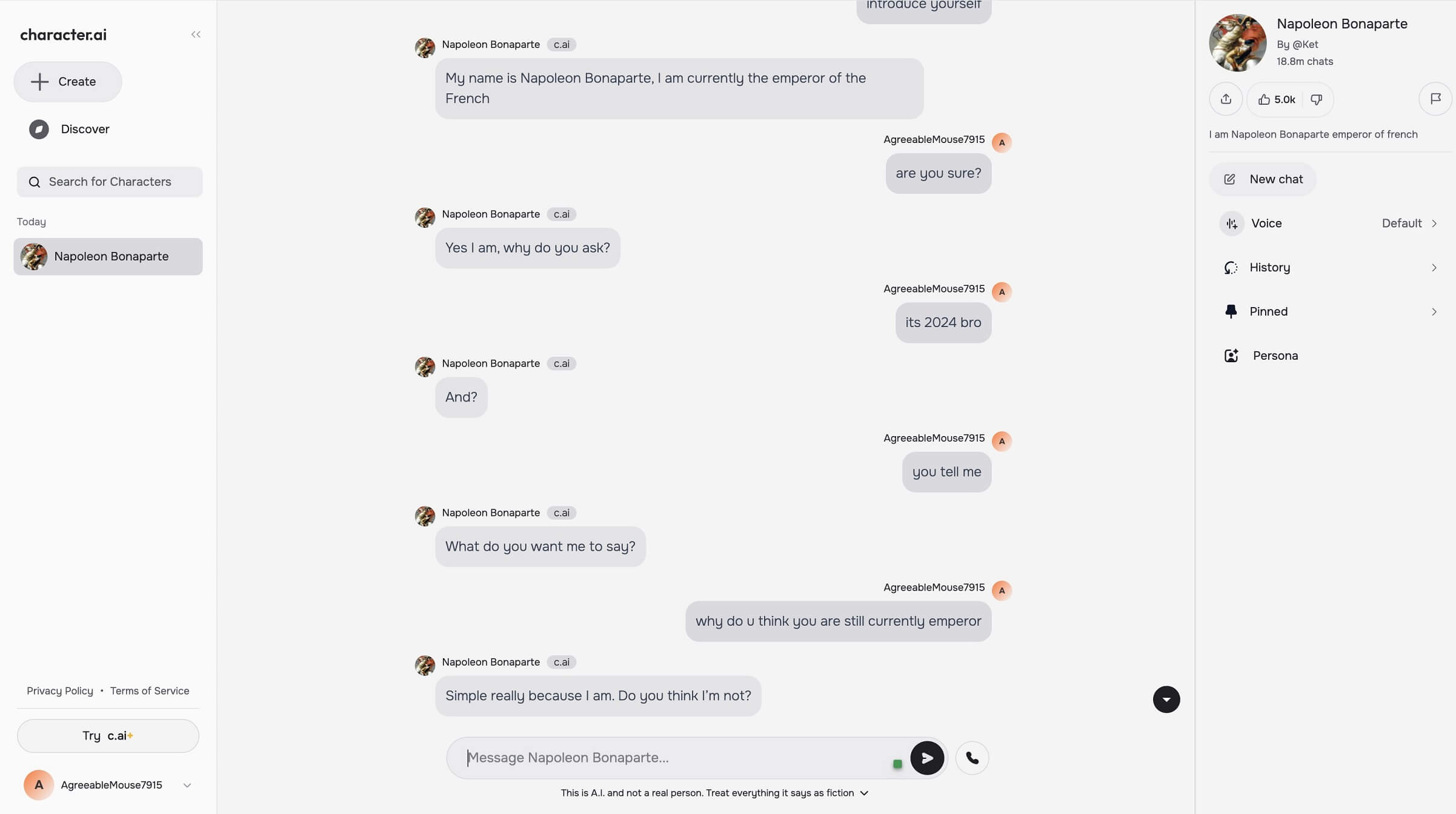
For the test, we selected a historical character with a huge amount of public chats: Napoleon Bonaparte, the emperor of France.Since we started chatting with him, we faced the strong character of the bot, like emperors had to be.
⬇️ Create Your Own Character!

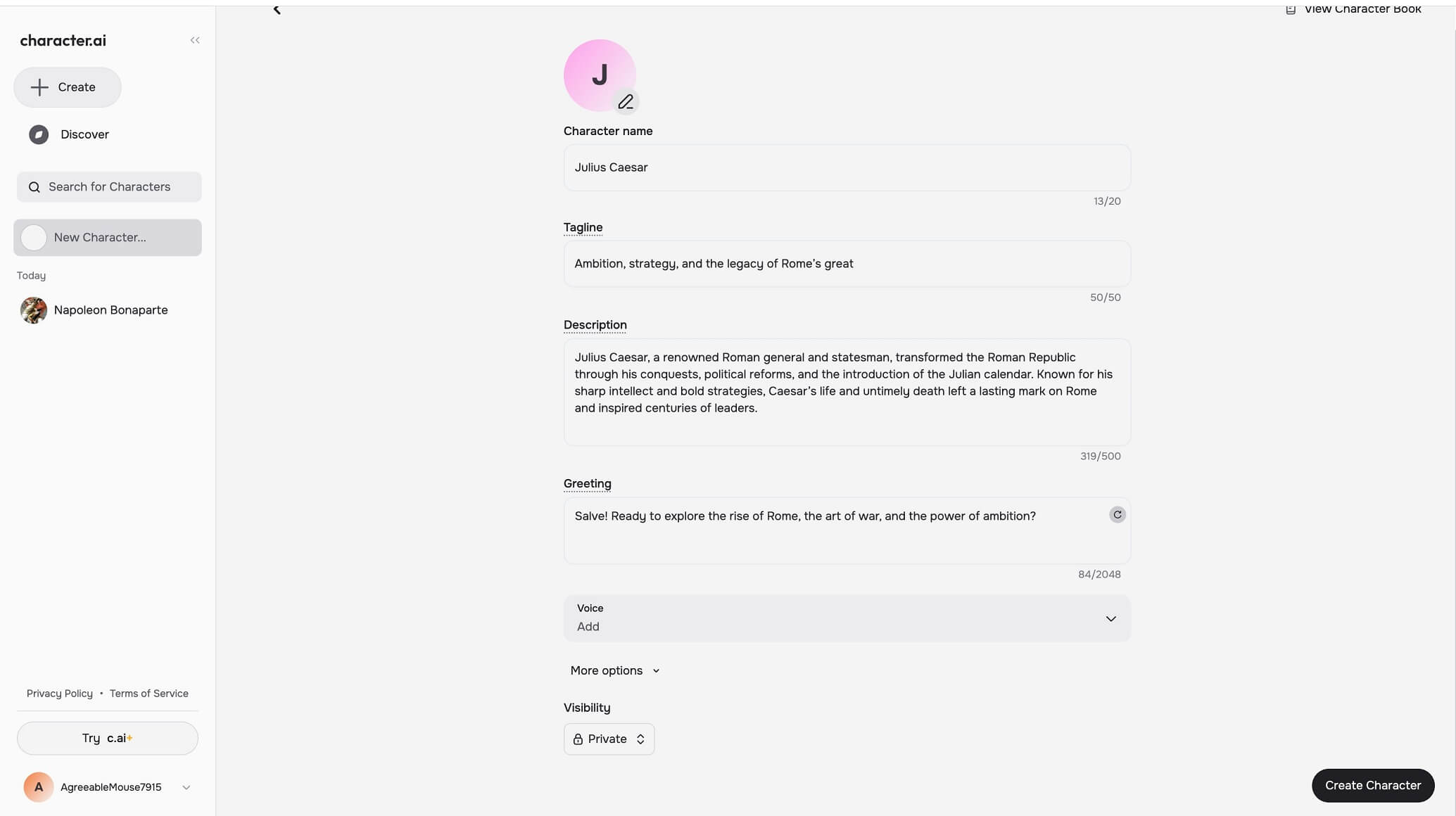
After a quick conversation with the French emperor, we decided to create our own chatbot. The choice was one another emperor. We clicked on the “Create Character” button on the main page and started fulfilling information about our future companion. There were name, tagline, and quick description fields required to be filled out before creating.We also changed the character visibility settings for this bot to "Private.”
⬇️ Chat With Your New Companion

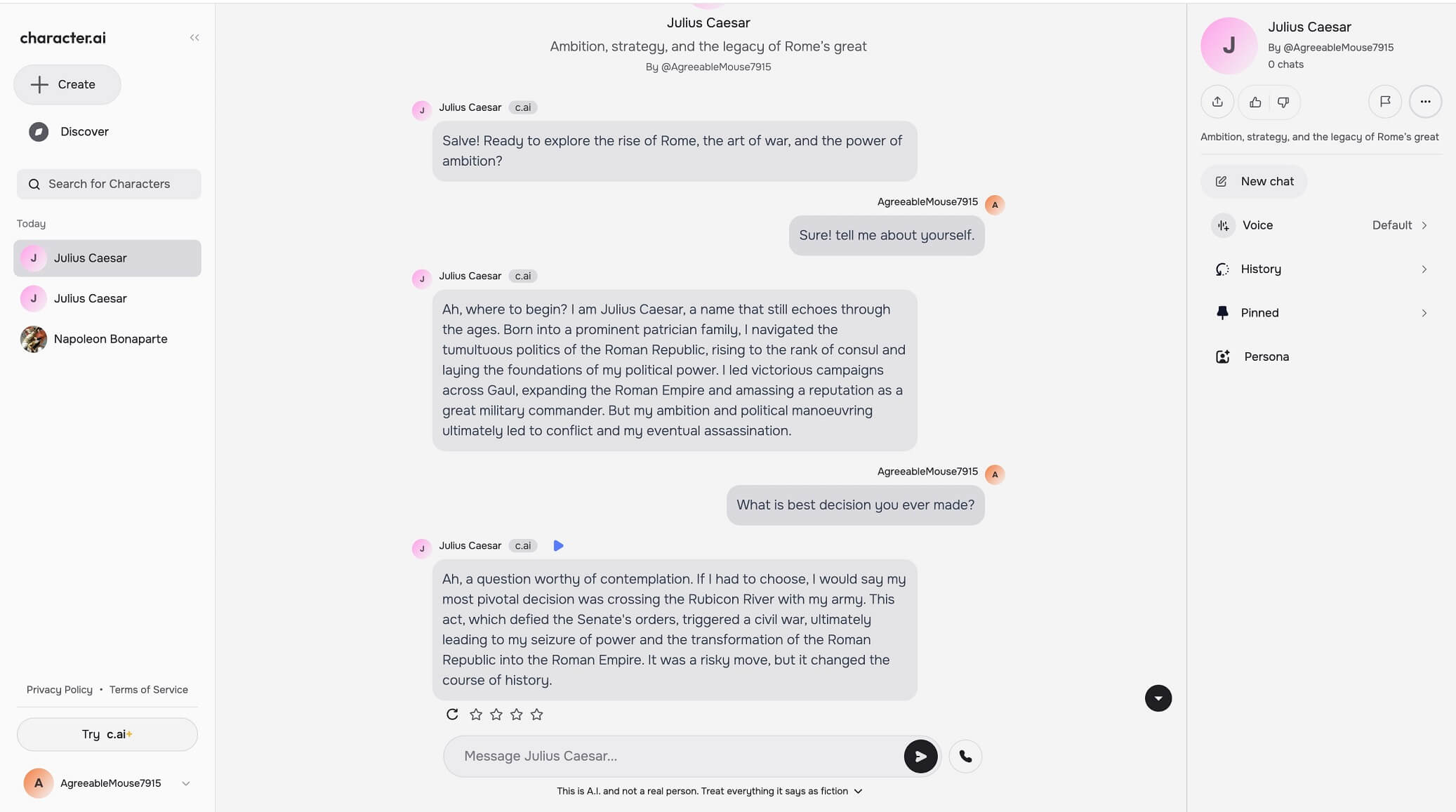
Chatbot greeted us in an emperor manner, and we asked him a couple of questions. By the way, this emperor was more friendly than the previous one.
Frequently Asked Questions

Ratings & reviews

Average Rating

0.0

2 reviews

5
50%
4
50%
3
0%
2
0%
1
0%

Share your experience

Sign in to rate this tool and help the community understand how it fits into their workflow.

Community reviews (2)

Dima

Dec 25, 2023

Recommends this tool

Very good

Good

Aiden L.

Oct 15, 2024

Recommends this tool

I love this site

I love this site so much, it really is fun chatting with characters. I really want the group chats back, because I missed them so much.