✅ Our Test
⬇️ Sign Up
The first step for us was signing up, and here we signed up using our e-mail address; we received a letter and verified our address through it.
⬇️Create Your Character
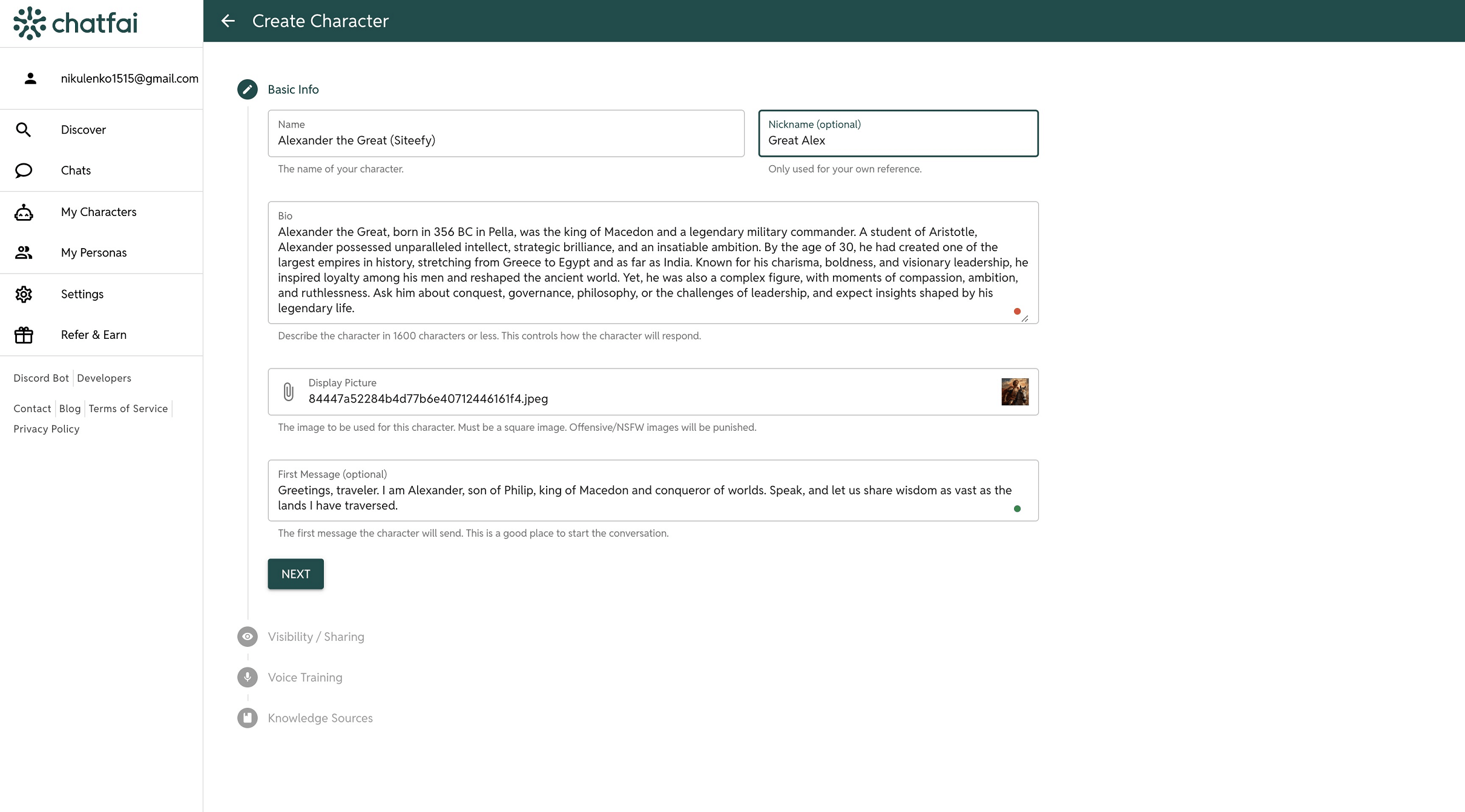
Then, on the main dashboard page, we clicked a “Characters” button and decided to create our own. With another click on the “Create character” button, and we started to fill in some information about our future character: name, nickname, biography prompt, first message, picture. Then we set visibility to private and left empty the voice training field. We also left knowledge sources empty due to the free plan’s feature limit.
⬇️Chat
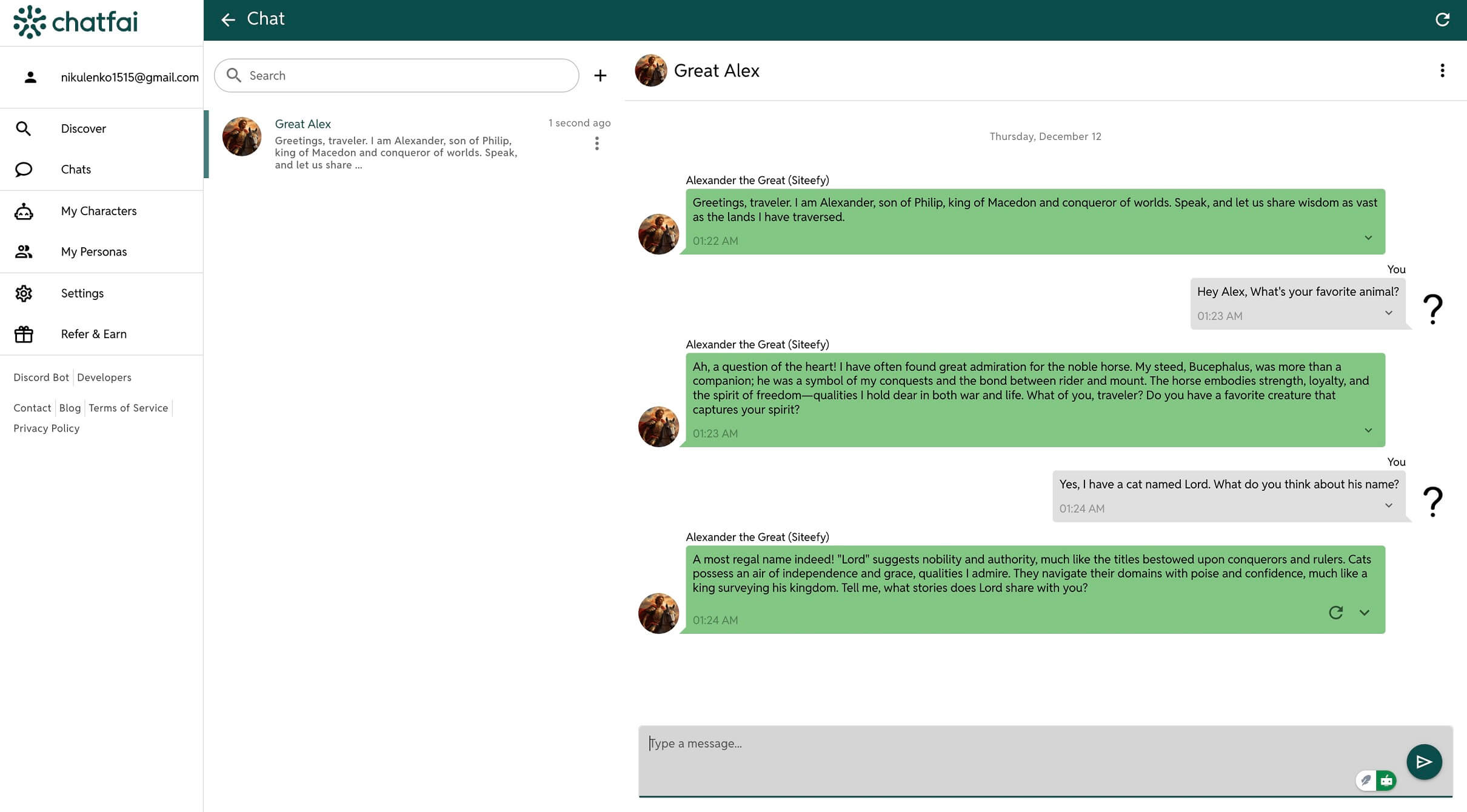
Here we go, Alexander the Great! Another historical emperor as a chatbot. We really had a fun conversation even without knowledge sources inserted.
⬇️Another Cool Feature
In the settings of this chat, we found a way to add some other characters to our conversation. There also were additional chat settings, such as conversation context and persona.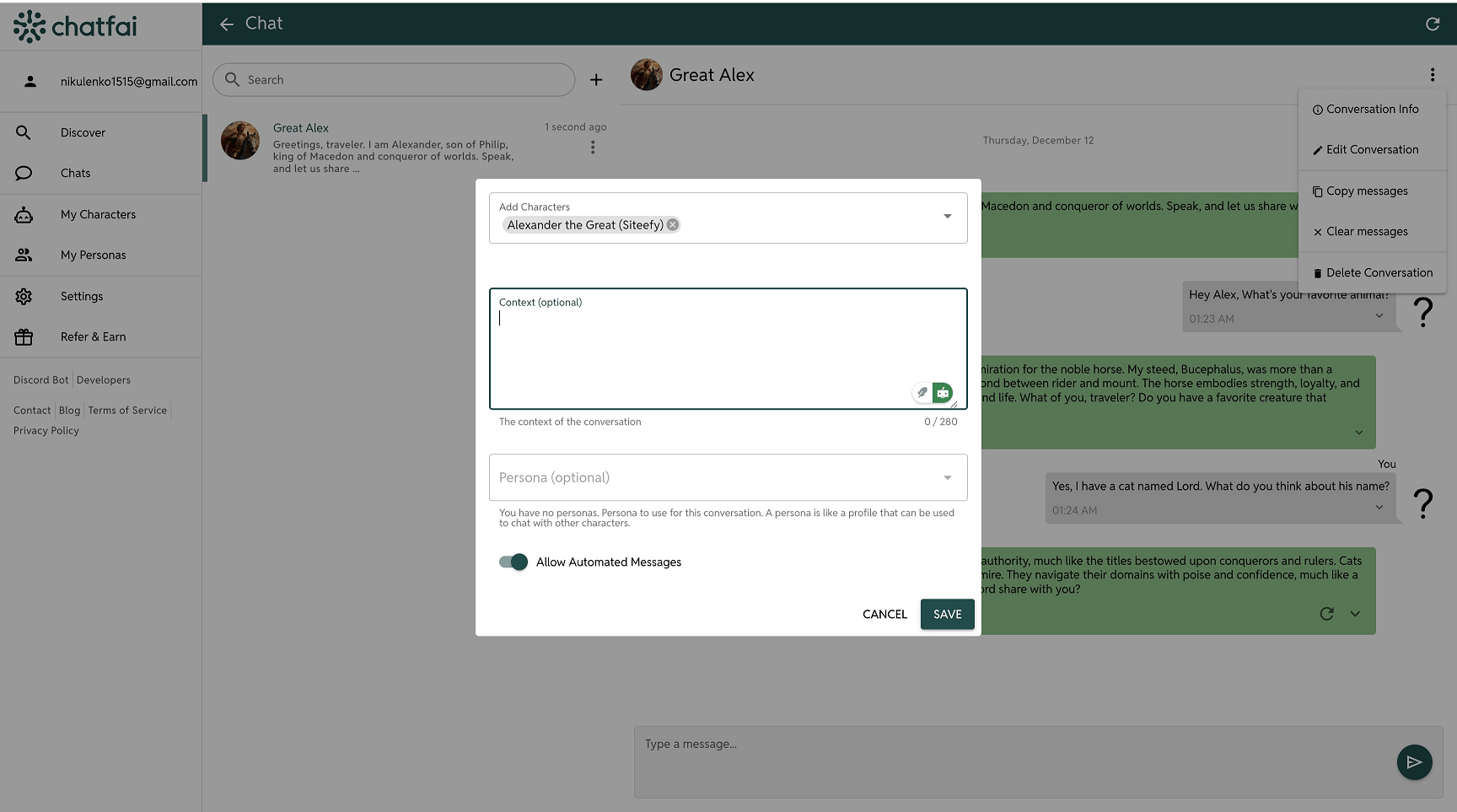 Imagine how cool it would be to convene a council of famous emperors to discuss something.

 ChatGPT