D-ID

D-ID

Create lifelike AI-generated videos and digital avatars to transform digital communication and engagement.

Freemium·
1.0(1)

Overview

D-ID is an AI-powered platform that enables businesses and creators to produce photorealistic digital avatars and AI-generated videos at scale. It combines deep-learning face animation, text-to-video, and multilingual voice synthesis to create personalized, interactive AI Agents and video content for marketing, sales, education, and customer experience. Accessible via a self-service studio, API, and integrations, D-ID helps organizations humanize digital interactions with scalable, multilingual, and customizable AI avatars.

Pricing Model
freemium
Last Updated
2025-12-01

Featured Video

Video via YouTubeWatch on YouTube

Key Features

1

AI-Powered Digital Avatars

Create lifelike AI avatars from photos or videos that can speak and animate realistically for personalized video content.

2

Multilingual Video Translation

Automatically bulk translate videos into over 120 languages with different voices and accents to reach a global audience.

3

Interactive AI Agents

Build conversational AI agents that reflect your brand’s look, voice, and tone to engage customers in real-time across platforms.

4

API and Integrations

Leverage D-ID’s API to integrate AI avatars and video generation into your own applications, with support for Microsoft PowerPoint, Canva, and Google Slides.

5

Creative Reality™ Studio

A self-service platform combining deep-learning face animation, LLM text generation, and text-to-image capabilities for creating AI videos.

6

Personalized Video Campaigns

Use tailored video interactions to enhance email marketing outreach with scalable and personalized video content.

7

Voice Cloning

Enterprise-level customers can clone voices for avatars, enabling unique and consistent voice branding in videos.

8

Layered Video Editing

Add backgrounds, videos, texts, and control avatar expressions and positioning within the video canvas for customized content.

Use Cases

#1

Marketing Personalization

Create personalized AI avatar videos for email campaigns and social media to boost engagement and conversion rates.

#2

Sales Enablement

Use AI presenters to deliver product demos, presentations, and multilingual content that guide prospects through the sales journey.

#3

Learning & Development

Produce scalable, lip-synced AI avatar video lessons localized for global learners and deploy AI tutors for on-demand learning.

#4

Customer Support

Deploy AI agents for 24/7 multilingual customer service videos and interactive support to improve satisfaction and loyalty.

#5

Content Creation

Scale video production with AI avatars for internal communications, training materials, and explainer videos without expensive production.

How to Use

1

Upload or Generate Avatar Image

Upload a photo or video to create an AI avatar or use the text-to-image generator to create a new face.

2

Add Voice or Script

Type the script, upload audio, or use the text generator to create the avatar’s speech. Enterprise users can clone voices.

3

Customize Video Elements

Add backgrounds, text layers, and select avatar expressions and positioning to tailor the video content.

4

Generate Video

Create the video using the Creative Reality™ Studio or API, with video length up to 5 minutes.

5

Translate or Localize

Optionally bulk translate the video into multiple languages to reach a global audience.

Pricing

Pricing details are gathered from the official D-ID website and are provided for reference only. Always confirm the latest information directly with the vendor.

PlanPriceHighlights
TrialFree

Limited minutes for video creation

  • Full-screen D-ID watermark on videos
  • Access to basic AI presenters
  • No voice cloning
  • No premium avatars
Lite$XX

More video minutes per month

  • D-ID logo watermark on videos
  • Access to standard AI presenters
  • Basic text-to-video features
  • No voice cloning
Pro$XX

Increased video minutes

  • Generic AI watermark on videos
  • Access to premium AI presenters
  • Voice cloning (1 voice)
  • API access
AdvancedCustom Pricing

High video minutes allocation

  • Customizable AI watermark
  • Multiple voice clones (3 voices)
  • Priority support
  • Full API access and integrations
EnterpriseCustom Pricing

Unlimited video minutes

  • Custom AI watermark options
  • Custom voice cloning
  • Dedicated support and onboarding
  • Custom integrations and SLAs
Found a change in pricing? We welcome corrections. Reach out so we can keep this listing accurate.

Pros & Cons

Pros

  • Enables creation of photorealistic, lifelike AI avatars from photos or videos.
  • Supports over 120 languages and accents for global reach.
  • Offers API access and integrations with popular platforms for seamless workflow.
  • Allows personalized video campaigns to increase engagement and conversion.
  • Provides voice cloning for consistent brand voice at enterprise level.

Cons

  • Video length limited to 5 minutes per video.
  • Watermarks are present on videos for trial and lower-tier plans.
  • Image and audio uploads have size limits (10MB).
  • Some advanced features like voice cloning are restricted to enterprise customers.
  • Credits for video generation do not roll over month to month.
OT

Our Test

Hands-on notes from our editorial team.

✅ Our Test

⬇️ Sign Up To Get Free Credits

After signing up on the website with our Google account, we received free 20 credits.

⬇️Upload Your Avatar and Select the Voice

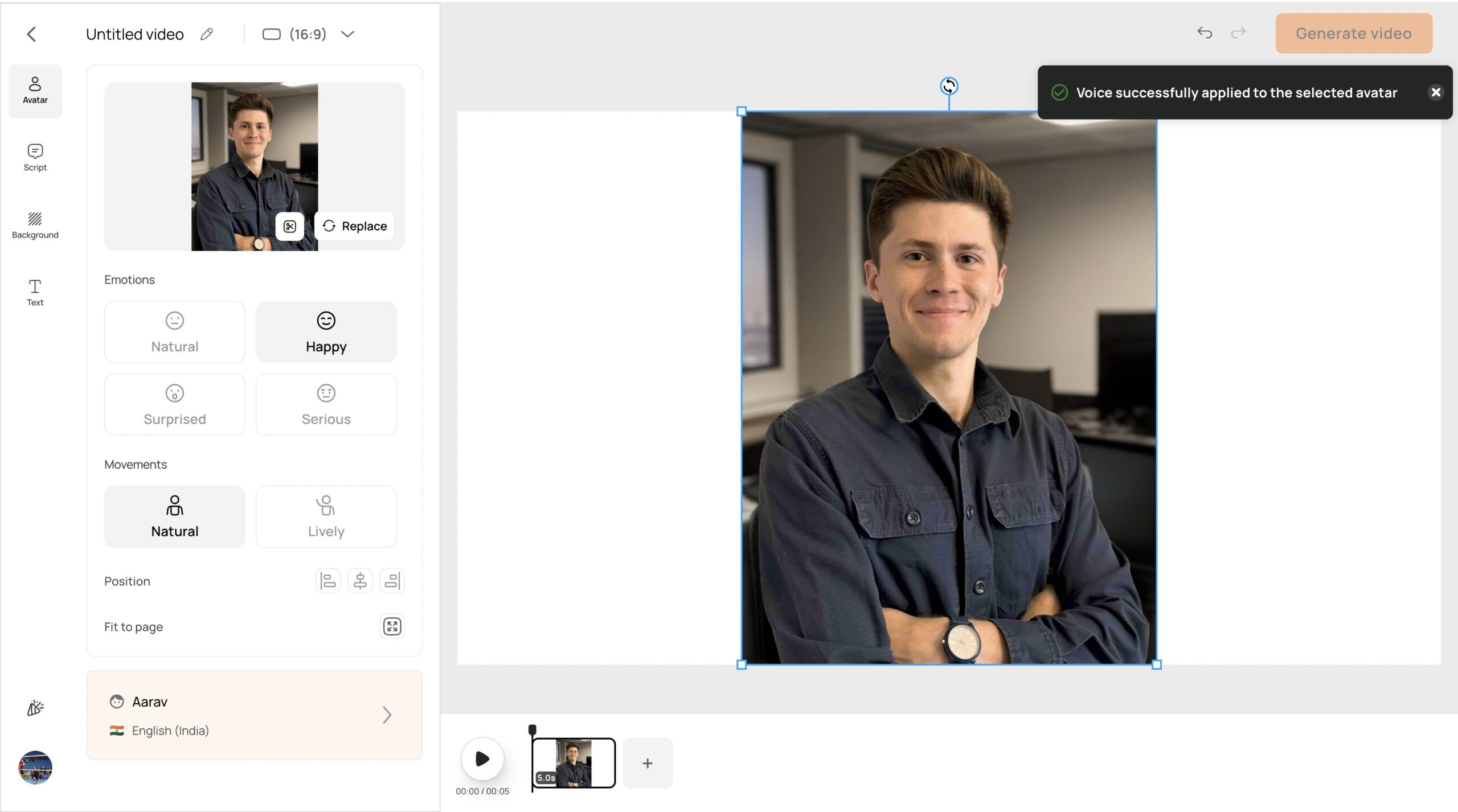
Then, on the “Video Studio” page, we clicked the “Create video” button. There we uploaded an image for our future avatar and adjusted some settings such as video size, avatar emotions, movement, position, and voice. D-ID creating a video

⬇️ Write a Script and Generate

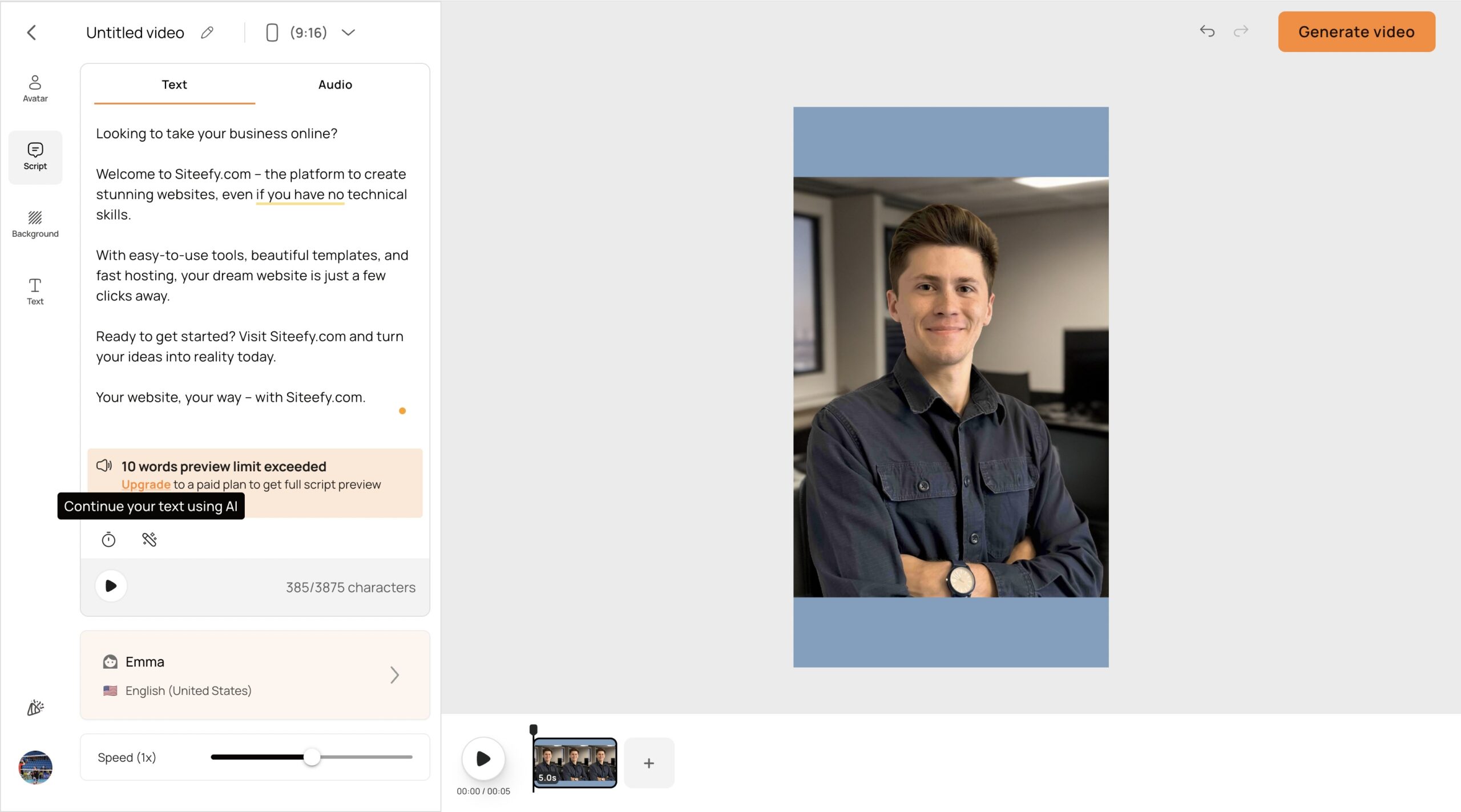
Then with the help of in-built A, we wrote a small promotional script for the future video. The next step was to click the “Generate video” button and wait about a minute before it was ready. It cost us 2 credits to create a short 30-second video, so we made three different videos with different voice and emotion settings. D-ID writing a script

⬇️Export From the Studio

When our videos were ready, we exported them one by one after a click on their icons on the main “Video Studio” page. Since we were the free plan users, there were a lot of watermarks on our videos. D-ID exporting results

Frequently Asked Questions

Ratings & reviews

Average Rating

0.0

1 reviews

5
0%
4
0%
3
0%
2
0%
1
100%

Share your experience

Sign in to rate this tool and help the community understand how it fits into their workflow.

Community reviews (1)

Amber Thompson

Nov 1, 2024

Does not recommend

D-ID’s hidden non-rollover policy and lack of flexibility, especially during hardships, make it a poor choice for individual users.

I had a disappointing experience with D-ID. They charged me over $100 for less than 5 minutes of video, and they don’t allow roll-over credits – a fact they hide in their terms of service rather than making it clear up front. As most people don’t have time to comb through terms of service, this feels misleading. Despite the recent natural disasters here in Florida, they still refuse to refund me. It seems like they’re profiting off of individuals who may not have the corporate resources to complete projects within their strict timelines. In my opinion, this is poor business practice, and I’d advise others to consider alternatives