Dezgo

Dezgo

Free online AI-powered image and video generator for creative media from text prompts.

Freemium·No reviews yet

Overview

Dezgo is an AI-driven online platform that generates images and videos from text descriptions using advanced neural network models. It offers multiple AI modes tailored for different styles and media types, including text-to-image, text-to-video, image-to-video, and image editing capabilities. Users can create unique, commercially usable media for websites, marketing, social media, and personal projects, with options for free use or paid upgrades for enhanced features.

Pricing Model
freemium
Last Updated
2025-12-01

Key Features

1

Text-to-Image Generation

Generate unique images from detailed text prompts using various AI models tailored for different artistic styles and levels of detail.

2

Text-to-Video Generation

Create AI-generated videos from text descriptions with multiple video models offering enhanced quality, prompt adherence, and cinematic realism.

3

Image-to-Video Conversion

Transform existing images into videos using AI-powered models to add motion and dynamic effects.

4

Image Editing Capabilities

Includes features like background removal, upscaling, inpainting from text, and editing images directly from text instructions.

5

Prompt Weighting and Control

Adjust the importance of specific words or phrases in prompts to influence the AI's focus and output style using simple syntax.

6

Power Mode Upgrade

Optional paid upgrade that removes usage limits, disables ads, allows higher resolution outputs, and provides a history feature for managing generated content.

7

Multiple AI Models

Access a variety of AI models optimized for different media types and styles, such as Flux, XL Lightning, WAN, Sora, Veo, and Kling versions.

8

Commercial Usage Rights

Users own the rights to generated outputs and can use them commercially under the CreativeML Open RAIL-M license.

Use Cases

#1

Content Creation for Websites and Social Media

Generate unique images and videos to enhance website visuals, social media posts, and marketing campaigns without needing graphic design skills.

#2

Marketing and Advertising Materials

Create custom illustrations, product images, and promotional videos tailored to brand messaging and campaign themes.

#3

Creative Projects and Art Exploration

Experiment with AI-generated art and video to inspire creativity, storytelling, or personal artistic endeavors.

#4

Book Illustrations and Visual Storytelling

Produce detailed illustrations and cinematic videos to accompany written content in books or digital media.

#5

Rapid Prototyping of Visual Concepts

Quickly visualize ideas and concepts for presentations, pitches, or client proposals using AI-generated media.

How to Use

1

Select AI Mode

Choose the desired AI generation mode from the menu, such as Text-to-Image or Text-to-Video.

2

Enter Text Prompt

Type a detailed description of the image or video you want to generate in the input field.

3

Adjust Parameters (Optional)

Open the 'More Options' panel to tweak settings like prompt weighting, style, resolution, or negative prompts.

4

Run Generation

Click the 'Run' button to start the AI generation process and wait for the output to be created.

5

Review and Download

View the generated media, and download or save it. Use Power Mode history to retrieve past results if needed.

Pricing

Pricing details are gathered from the official Dezgo website and are provided for reference only. Always confirm the latest information directly with the vendor.

PlanPriceHighlights
Free Version$0

Access to basic AI models

  • Limited resolution and quality
  • Rate limits on usage
  • Ads displayed during use
  • No access to advanced video models
Power ModePay-as-you-go

No rate limits or ads

  • Higher resolution and quality
  • Access to all AI models including advanced video
  • History feature for 30 days
  • Prepaid account funding with real-time pricing
Found a change in pricing? We welcome corrections. Reach out so we can keep this listing accurate.

Pros & Cons

Pros

  • Free version available without registration for casual use.
  • Supports both image and video generation from text prompts.
  • Multiple AI models allow style and quality customization.
  • Commercial rights granted for all generated outputs.
  • Power Mode offers flexible, pay-as-you-go pricing and removes limitations.

Cons

  • Some advanced video models and features are restricted to paid users.
  • No explicit pricing plans publicly detailed on the website.
  • Rate limits and capped quality in the free version.
  • No dedicated mobile app; usage is web-based only.
  • Limited documentation on API or integration options.
OT

Our Test

Hands-on notes from our editorial team.

✅ Our Test

⬇️ Visit the Website and Write Your Prompt

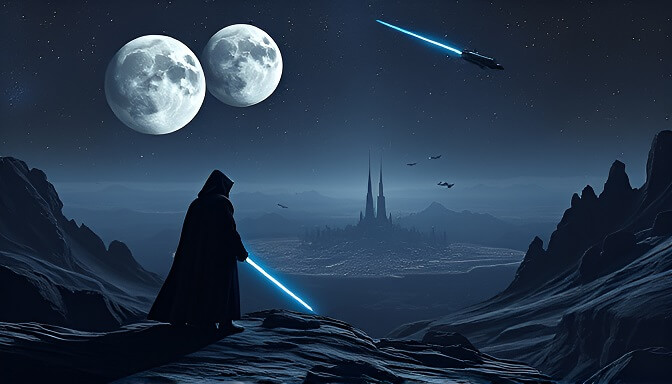
There was no sign-up required to start performing the tool. We askedChatGPTto generate two accurate prompts. The first was Star Wars-themed, and the second one was about a DNA lab employee.

⬇️Confirm Your Settings

Then we adjusted some available settings, like transparency, resolution, and image format.
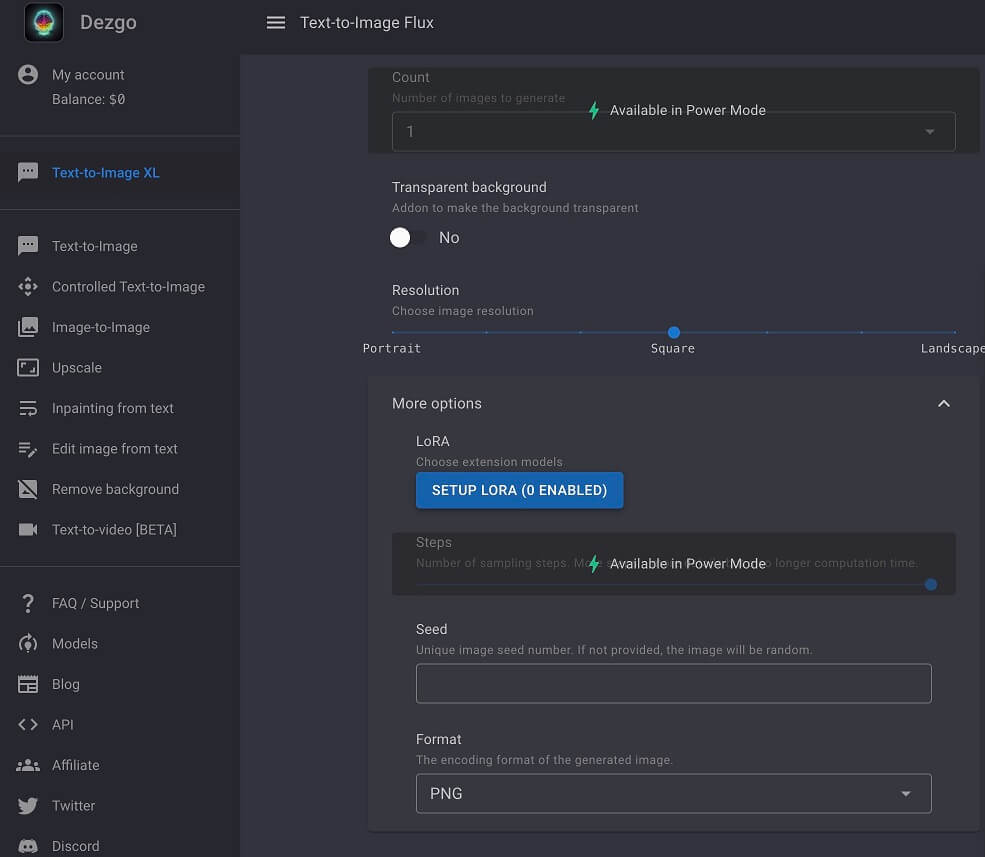
⬇️ Generate and Download

After that, clicking on the green-colored “Run” button, AI generated images, which you can view and compare with the prompt we used below. It took up to 30 seconds to generate each one. Here's the 1st image generated with Dezgo: Here's the 2nd image generated with Dezgo:

Frequently Asked Questions

Ratings & reviews

Ratings & reviews

No reviews yet. Be the first to share your experience.

Share your experience

Sign in to rate this tool and help the community understand how it fits into their workflow.

Community reviews (0)

No reviews yet. Be the first to share your experience.