Easy-Peasy AI

Easy-Peasy AI

All-in-One AI Platform to Work Smarter, Create Faster, and Achieve More Without Tech Skills.

Paid·No reviews yet
Categories

Overview

Easy-Peasy AI is a comprehensive AI platform offering a wide range of generative AI tools including text generation, image and video creation, transcription, text-to-speech, and custom AI chatbots. It empowers teams and individuals to automate content creation, customer support, and data analysis with support for over 40 languages and integration capabilities. Designed for both creative and business users, it consolidates multiple AI functionalities into one platform to boost productivity and streamline workflows.

Category
Pricing Model
paid
Last Updated
2025-12-01

Featured Video

Video via YouTubeWatch on YouTube

Key Features

1

AI Workflows

Chain multiple AI operations visually to automate complex tasks involving text, image, and video generation in one seamless workflow.

2

Text Generation

Access a wide variety of advanced language models including GPT-5, Claude, Gemini, and more for generating high-quality text content.

3

AI Image and Video Generation

Create stunning images and videos from text prompts or images using state-of-the-art AI models like DALL-E 3, Midjourney, and Veo 4.

4

Custom AI Chatbots and Agents

Build and deploy custom AI agents trained on your data for customer support and interactive experiences, with easy integration on websites and messaging platforms.

5

Audio Transcription and Text-to-Speech

Accurately transcribe audio content and generate natural-sounding speech in multiple languages and voices for voiceovers and accessibility.

6

Collaborative Team Features

Enable team collaboration with shared prompt libraries, real-time long-form editor, image sharing, and workspace sharing to boost productivity.

7

Brand Voice Customization

Maintain consistent brand messaging by customizing templates and tones across all AI-generated content.

8

Security and Compliance

Ensures data security and compliance with global standards such as ISO27001, SOC2, GDPR, and HIPAA for enterprise-grade trust.

Use Cases

#1

Marketing Content Creation

Generate blog posts, social media captions, email campaigns, and ad copy quickly to accelerate marketing workflows.

#2

Customer Support Automation

Deploy AI chatbots and agents trained on company data to provide instant, accurate customer service 24/7.

#3

Multilingual Content Localization

Create and translate content into multiple languages to reach and engage global audiences effectively.

#4

Creative Visual Content Production

Produce AI-generated images, videos, and animations for branding, presentations, and social media without needing design expertise.

#5

Team Collaboration on Content Projects

Use shared prompt libraries, collaborative editors, and image sharing to streamline teamwork and maintain brand consistency.

How to Use

1

Sign Up and Choose a Plan

Create a free account on Easy-Peasy AI and select a pricing plan that fits your content generation needs.

2

Select AI Tools or Workflow

Pick from various AI tools such as text generation, image creation, video generation, or build custom workflows chaining multiple AI operations.

3

Customize Content Parameters

Set your desired tone, style, language, and brand voice to tailor the AI output to your requirements.

4

Generate Content

Input prompts or upload files to generate text, images, videos, or audio transcriptions using the selected AI models.

5

Collaborate and Share

Use team collaboration features to share generated content, prompts, and workflows with your team for feedback and refinement.

Pricing

Pricing details are gathered from the official Easy-Peasy AI website and are provided for reference only. Always confirm the latest information directly with the vendor.

PlanPriceHighlights
Free$0

1,000 words text generation

  • 1 image credit
  • 1 audio transcription
  • 1,000 characters text-to-speech
  • 1 bot
  • 170+ templates
  • Generated images are public
  • No parallel execution
  • No credit card required
Starter$8

25,000 words with GPT-5 or 50,000 with Sonnet 4.5

  • 200 image/video credits
  • 20 audio transcriptions
  • 25,000 characters text-to-speech
  • 2 bots
  • 3 brand voices
  • 200+ templates
  • 35+ languages
  • Unlimited usage
Standard$12

Unlimited standard model usage

  • 50,000 words with GPT-5 or 100,000 with Sonnet 4.5
  • 300 image/video credits
  • 30 audio transcriptions
  • 50,000 characters text-to-speech
  • 3 bots
  • Unlimited brand voices
  • 300+ templates
  • 35+ languages
  • Unlimited usage
Premium$16.5

Unlimited standard model usage

  • 100,000 words with GPT-5 or 200,000 with Sonnet 4.5
  • 400 image/video credits
  • Unlimited transcription
  • 75,000 characters text-to-speech
  • 4 bots
  • Unlimited brand voices
  • 300+ templates
  • 35+ languages
  • Enhanced audio transcription
  • API access
  • Access to newest features
  • Priority support
Found a change in pricing? We welcome corrections. Reach out so we can keep this listing accurate.

Pros & Cons

Pros

  • Comprehensive all-in-one platform covering text, image, video, audio, and chatbot AI capabilities.
  • Supports over 40 languages enabling global content creation and localization.
  • Collaborative features designed for teams to share prompts, visuals, and workflows seamlessly.
  • Offers a wide selection of cutting-edge AI models for diverse content generation needs.
  • Strong security and compliance certifications suitable for enterprise use.

Cons

  • Generated images are public on the free plan, which may limit privacy for some users.
  • Parallel execution is not available on the free tier, restricting simultaneous task processing.
  • Some advanced AI models and features require higher-tier paid plans.
  • Pricing details are complex due to multiple AI models and usage limits, which may confuse new users.
  • No explicit mobile app mentioned, limiting on-the-go access.
OT

Our Test

Hands-on notes from our editorial team.

✅ Our Test

⬇️ Sign Up or Log In

We visited the Easy-Peasy AI website and signed up using a Google account. The platform also allows registration via Facebook and email.

⬇️ Exploring the Dashboard

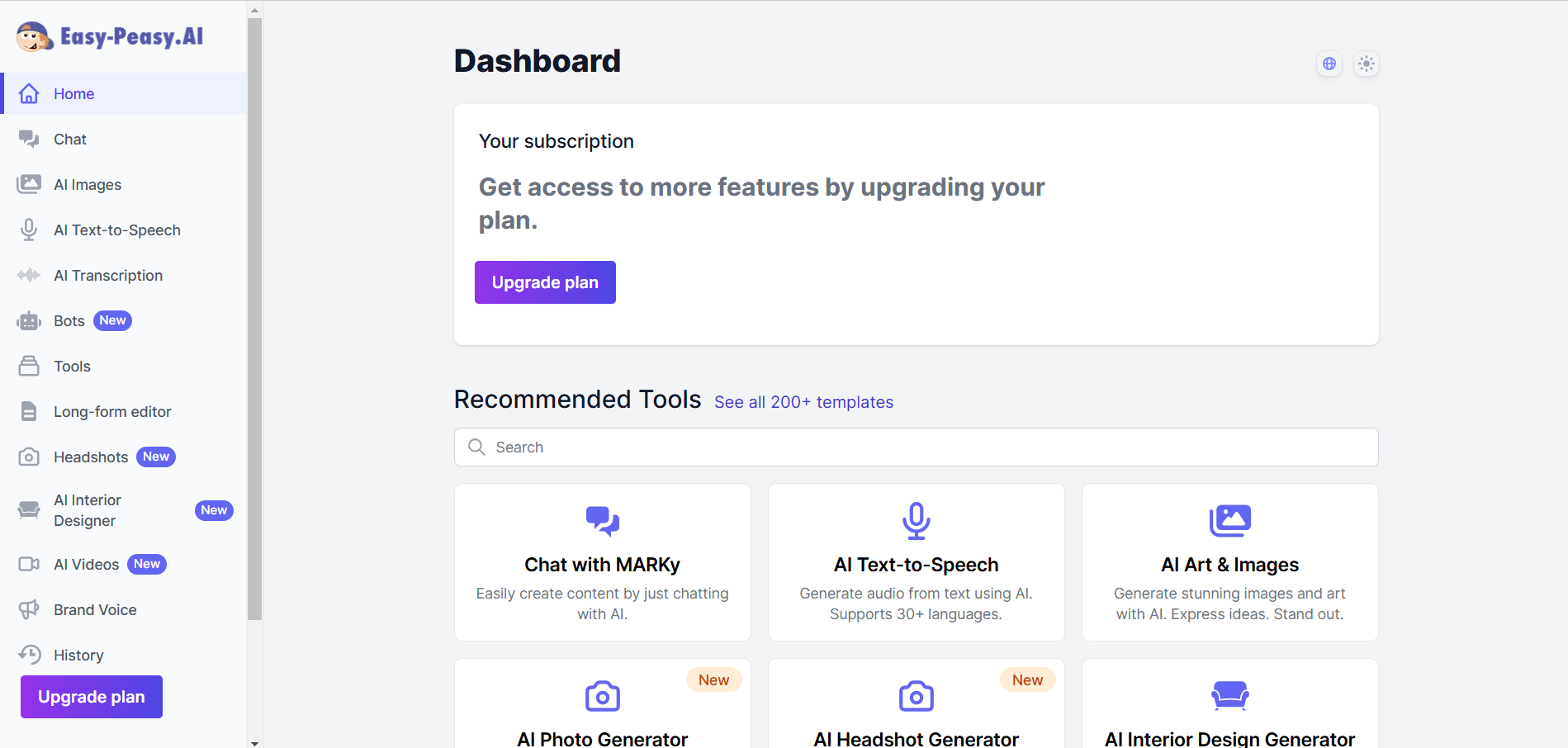
After logging in, we arrived at the dashboard, where all the AI tools are neatly organized. There are over 200 templates for different tasks, making it easy to find the right tool for our needs. Easy-Peasy dashboard
⬇️ Testing Text Transcription

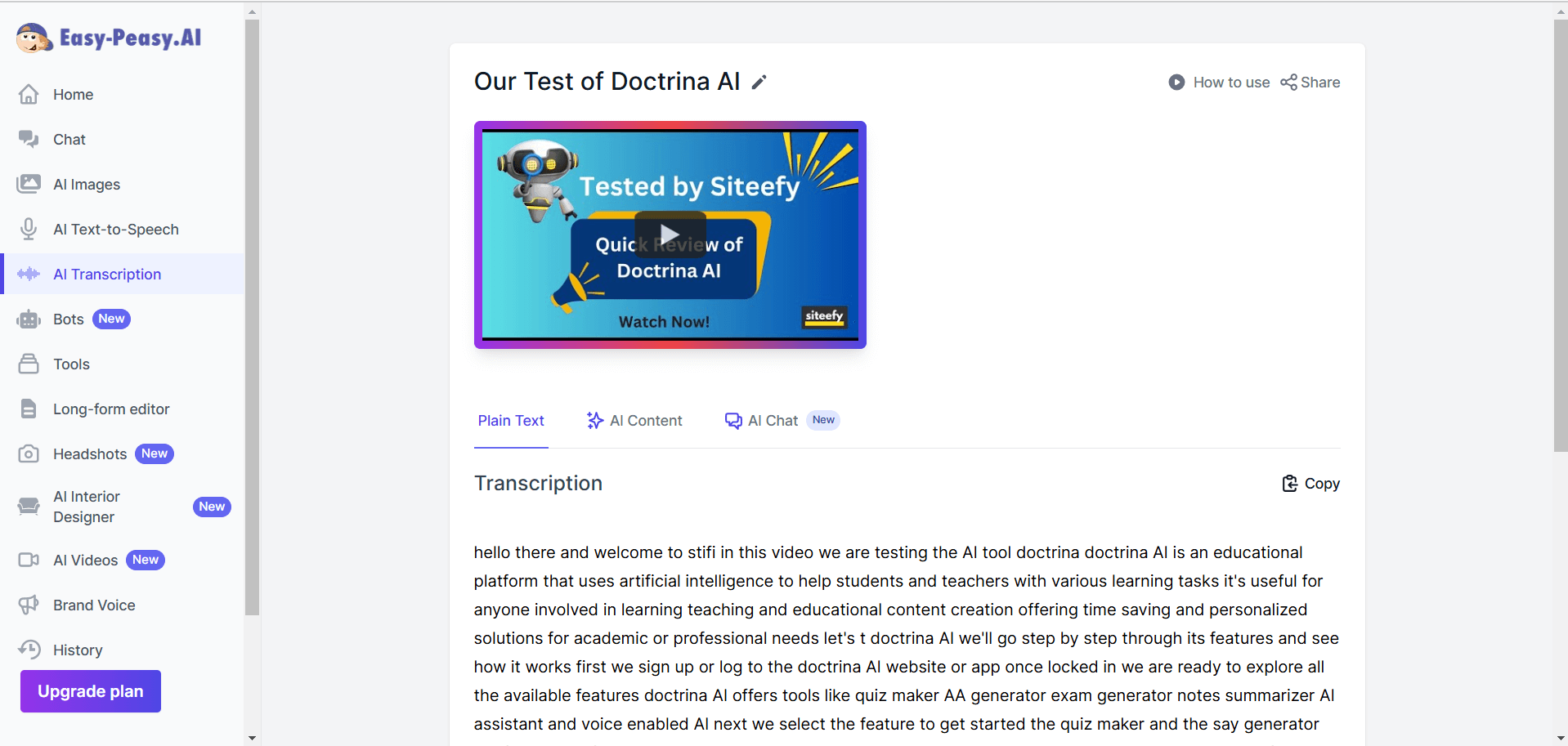
We chose to test the AI transcription tool, we had an option to record audio directly on the platform or upload a file/YouTube link for transcription. We decided to transcribe a YouTube video. After entering the video URL, we selected the type of content and specified the spoken language.

⬇️ Reviewing the Transcription Output

The platform generated a plain text transcript. However, while we could copy the transcript, there was no option to edit it directly within the platform. Easy-Peasy transcription
⬇️ Testing AI Content and Chat Features

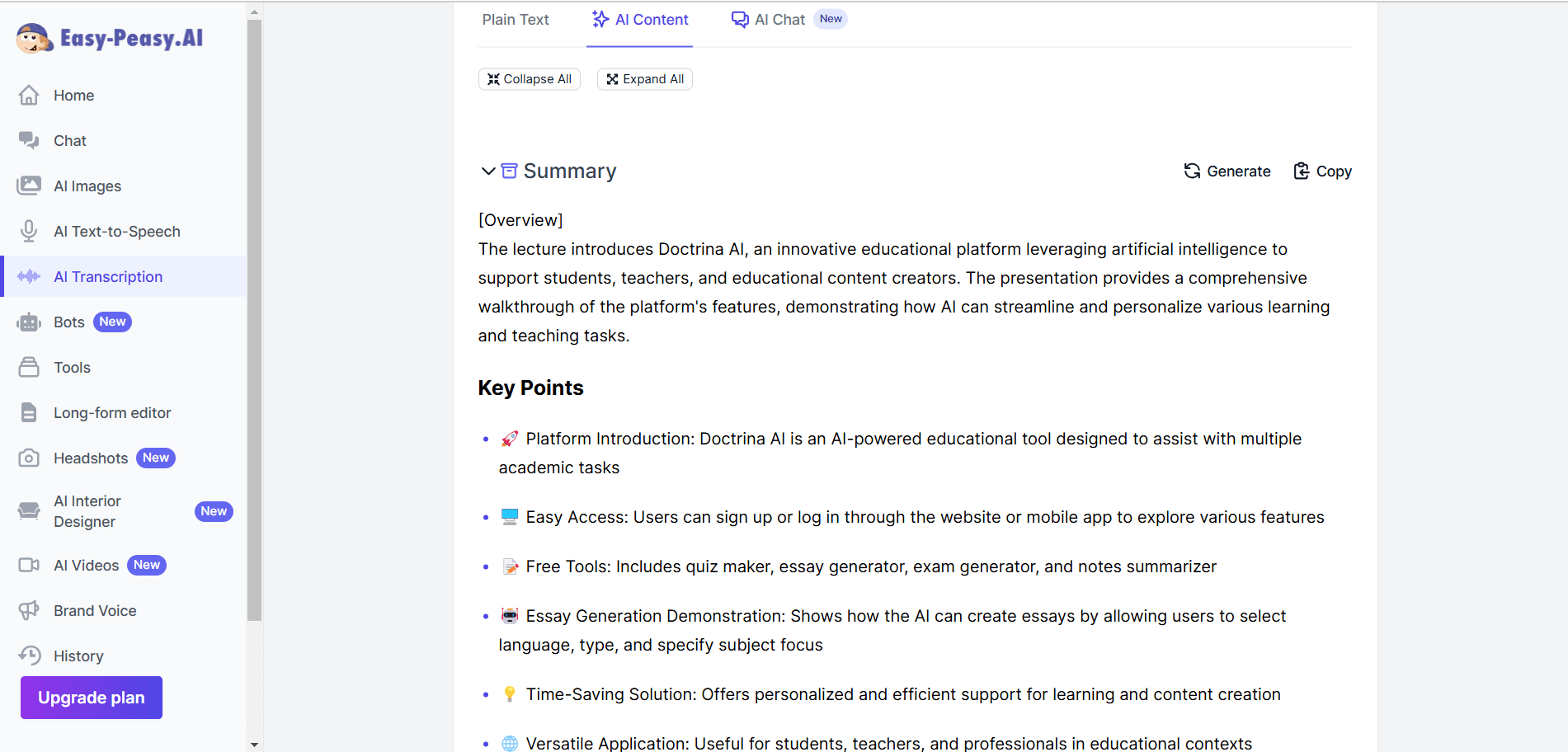
Besides the transcript, the platform also provided AI-generated insights, including a summary of the video, a timestamped overview for easy navigation, an episode description and title suggestions, a breakdown of the topics covered, and a list of important keywords. Additionally, there’s an AI chat feature that lets users ask questions about the video content. Easy-peasy AI Content
Frequently Asked Questions

Ratings & reviews

Ratings & reviews

No reviews yet. Be the first to share your experience.

Share your experience

Sign in to rate this tool and help the community understand how it fits into their workflow.

Community reviews (0)

No reviews yet. Be the first to share your experience.