

Vexub
PaidCreate unique faceless AI videos from text and other media effortlessly to maximize your revenue.
Verified

Turn text into engaging videos with ultra-realistic AI voices and avatars.
Fliki is an AI-powered platform that transforms text into professional-quality videos with natural-sounding voiceovers and lifelike AI avatars. It supports over 80 languages and 2500+ voices, enabling users to create diverse video content such as social media videos, training materials, presentations, and product demos quickly and easily. With features like voice cloning, blog-to-video conversion, and AI video editing, Fliki streamlines content creation without requiring design or video editing expertise.
Updated Oct 15, 2026
No written reviews yet. Be the first to share your experience.
Fliki's text-to-video AI writes the script, picks visuals, adds AI voiceover, music, and subtitles - and gives you a publish-ready video with consistent characters in minutes.
Generate voiceover for any video, dub into any language, or clone your own voice from a short sample and use it anywhere.
Our AI video generator plans your next videos, writes the scripts, and has them ready when you need them - so you stay consistent on TikTok, YouTube, and Shorts without the daily scramble.
Fliki creates a digital twin - an AI version of you that presents, teaches, and speaks in 80+ languages, with the same face and voice in every scene.
Fliki's voice cloning works in 70+ languages and stays consistent across every video you make with it.
Create videos for social media in seconds by entering your prompt and let AI turn it into stunning videos with AI voices.
Powered by state-of-the-art AI video models, it automatically generates the script, voiceover, subtitles, captions, animations, and background music - no video editing experience required.
Experience the next generation of text to speech technology with our ultra-realistic AI voices. Choose from over 2000 voices in 80+ languages and 100+ accents, perfect for creating YouTube and podcast content.
Translate any video into 80+ languages with native voiceover, lip-synced mouth movement, and translated captions. Voice cloning across 30+ languages.
Dub videos in 80+ languages with native-sounding voices and lip-synced mouth. Clone your own voice once and ship every dub in your real voice across every language.
Repurpose your Powerpoint by converting it to Video. Just upload your PPT, and Fliki auto-generates scripts and adds AI avatars, lifelike voiceovers, and music in seconds.
Free
Custom
on request
No written reviews yet. Be the first to share your experience.
Top rated tools from the same category.
View all AI Video Generators tools
Create unique faceless AI videos from text and other media effortlessly to maximize your revenue.

AI-powered platform for generating creator-style UGC video ads for DTC brands without filming or creators.

Transform static images into dynamic, high-quality videos effortlessly with AI-powered generation.

Video-first AI generator with image support, powered by top models
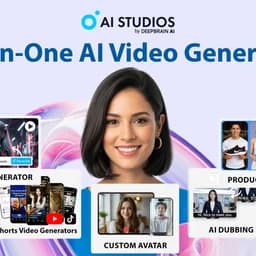
Meet AI Studios (by DeepBrain), an AI tool for generating videos and AI avatars.

Seedance 2.5 is an AI video generator producing native 4K videos up to 30 seconds with multimodal input and synchronized audio.