Spline AI

Spline AI

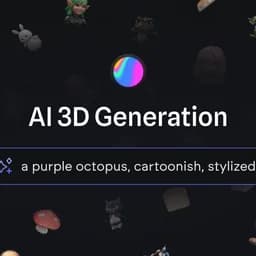
Generate stunning 3D objects effortlessly using AI from text prompts and images.

Paid·No reviews yet

Overview

Spline AI 3D Generation empowers users to create 3D models quickly and intuitively by leveraging AI technology. Users can generate multiple 3D variants from simple text descriptions or 2D images, remix previous creations, and build a personalized 3D library. The platform supports seamless integration and multi-platform publishing, making it ideal for designers, developers, and creatives seeking to bring their ideas to life without prior modeling experience.

Pricing Model
paid
Last Updated
2025-12-02

Featured Video

Video via YouTubeWatch on YouTube

Key Features

1

Text to 3D Generation

Create up to 4 different 3D model variants from simple text prompts, enabling rapid ideation and visualization.

2

Image to 3D Conversion

Use front-facing 2D images to influence and generate detailed 3D models effortlessly.

3

Remix & Variant Generation

Easily generate new 3D variants by remixing and referencing previous AI-generated results for creative exploration.

4

Beginner Friendly Interface

Designed for users with no prior 3D modeling experience, allowing intuitive prompting and fast generation.

5

Integrated Platform Workflow

Generate 3D models directly from the editor or dashboard, streamlining the creative process and project management.

6

Multi-Platform Publishing

Export interactive 3D content for web embedding, Apple platforms, and Android with ready-to-use code snippets and projects.

7

3D Library Creation

Build and maintain a unique library of AI-generated 3D assets for use in various projects and workflows.

8

Fast Generation Speed

Bring models to life within seconds, significantly reducing the time required for 3D content creation.

Use Cases

#1

3D Product Design

Quickly generate 3D prototypes and product concepts from text descriptions or images to accelerate design iterations.

#2

Interactive Marketing Content

Create engaging 3D assets for websites and campaigns that can be embedded across multiple platforms.

#3

Educational 3D Visualizations

Develop interactive 3D models for teaching complex concepts in science, medicine, or technology.

#4

Game Asset Creation

Generate stylized 3D characters and objects to use as assets in game development and animation projects.

#5

Brand and Logo Design

Design animated 3D logos and brand elements to enhance visual identity and digital presence.

How to Use

1

Sign Up and Access Dashboard

Create an account on Spline and log in to access the AI 3D generation dashboard.

2

Choose Generation Method

Select either 'Text to 3D' or 'Image to 3D' generation based on your input preference.

3

Input Prompt or Upload Image

Enter a descriptive text prompt or upload a front-facing 2D image to guide the AI generation.

4

Generate and Review Variants

Generate multiple 3D variants and review the results to select or remix your preferred model.

5

Export or Integrate

Export your 3D model for web, Apple, or Android platforms or continue editing within the Spline editor.

Pricing

Pricing details are gathered from the official Spline AI website and are provided for reference only. Always confirm the latest information directly with the vendor.

PlanPriceHighlights
Free$0

Limited files

  • Unlimited viewers
  • Web exports with watermark
  • Access to Spline templates
Starter$12

Everything in Free

  • Unlimited 3D & 2D files
  • Upload video
  • No watermark on web exports
  • Higher resolution image exports
  • Access to material & audio library
Professional$20

Everything in Starter

  • Unlimited folders and projects
  • Video export
  • Unlimited scenes per file
  • Apple & Android exports
  • Code & self-hosted exports
  • Upload audio
  • File version history
  • Unlimited variables, APIs & webhooks
Spline AI Add-on$5

2000 AI credits per month

  • AI 3D Generation and more
EnterpriseCustom pricing

Everything in Professional

  • Centralized licensing and billing
  • Multiple teams with privacy
  • SAML Single Sign-On
  • Custom onboarding and training
  • Priority support
  • Legal and security onboarding support
Found a change in pricing? We welcome corrections. Reach out so we can keep this listing accurate.

Pros & Cons

Pros

  • Enables 3D model creation from simple text or images without modeling skills.
  • Supports remixing and variant generation to enhance creativity.
  • Multi-platform export options including web, Apple, and Android.
  • Integrated workflow with editor and dashboard for efficient project management.
  • Fast generation speeds accelerate ideation and prototyping.

Cons

  • AI-generated models may require manual refinement for complex projects.
  • Pricing requires paid subscription for full features and AI credits.
  • Limited to front-facing images for image-to-3D generation.
  • Advanced 3D animation and rigging features are not the primary focus.
  • Dependent on internet connection and cloud-based AI processing.

Frequently Asked Questions

Ratings & reviews

Ratings & reviews

No reviews yet. Be the first to share your experience.

Share your experience

Sign in to rate this tool and help the community understand how it fits into their workflow.

Community reviews (0)

No reviews yet. Be the first to share your experience.