Imagine Anything
Create and edit professional AI-generated images, videos, music, voiceovers, and sound effects using natural language.
Overview
Imagine Anything is a comprehensive AI content generation platform that enables users to create high-quality images, videos, music tracks, voiceovers, and sound effects simply by entering natural language prompts. It offers both free and pro subscription plans, providing users with generation credits, editing tools, and commercial licensing options. The platform supports workflows with pre-built templates and advanced editing features like upscaling and background removal, catering to amateurs and professionals alike.
Featured Video
Key Features
Multi-Modal AI Generation
Generate AI content across various media types including images, videos, music, voiceovers, and sound effects using natural language prompts.
Generous Free Tier
New users receive 15 free AI generation credits per month with downloads and public sharing capabilities, allowing them to try the platform without a credit card.
Pro Subscription with Commercial Rights
Pro users get 500 AI generation credits monthly, private creations, full commercial licenses, and access to advanced editing features.
Image and Video Editing Tools
Includes upscaling, background removal, and character consistency tools to enhance and refine generated images and videos.
Pre-Built Workflows
Access to templates and workflows for streamlined creation of images, videos, sound, music, and voice content.
Private and Confidential Projects
Pro plan users can keep their creations private until they choose to share, enabling confidential project development.
Multiple Content Types in One Platform
Supports creation and editing of diverse content types, enabling creators to produce comprehensive multimedia projects in one place.
Community and Content Discovery
Users can explore a gallery of AI-generated content across popular categories and connect with a global creative community.
Who It's For
Social Media Content Creation
Create unique AI-generated images, videos, and voiceovers to enhance social media posts and campaigns.
Marketing and Advertising
Generate commercial-ready multimedia content with full licensing for client projects and advertisements.
Video Production and Animation
Produce cinematic clips and animations with AI video generation and editing tools for storytelling and presentations.
Audio Content Development
Create original music tracks, sound effects, and natural-sounding voiceovers for podcasts, videos, and presentations.
Creative Experimentation and Prototyping
Use the platform’s workflows and editing features to explore multiple creative concepts quickly and privately.
How to Use
Sign Up and Get Free Credits
Create an account on Imagine Anything to receive 15 free AI generation credits without needing a credit card.
Enter Your Prompt
Use natural language to describe the image, video, sound, music, or voice content you want to generate.
Generate and Review Content
Submit your prompt and wait for the AI to create the content; review the results and decide if you want to edit or regenerate.
Edit and Enhance
Use available editing tools like upscaling, background removal, or character consistency to improve your generated content.
Download or Share
Download your creations for personal use or, if on the Pro plan, use them commercially or keep them private until ready to share.
Pricing
Pricing details are gathered from the official Imagine Anything website and are provided for reference only. Always confirm the latest information directly with the vendor.
| Plan | Price | Highlights |
|---|---|---|
| Free | $0 | 15 AI generation credits per month
|
| Pro | $29.99 | 500 AI generation credits per month
|
Pros & Cons
Pros
- Supports multiple AI content types including images, videos, music, voice, and sound effects.
- Offers a free plan with no credit card required to start creating immediately.
- Pro plan includes commercial rights and private content generation for professional use.
- Includes advanced editing tools such as upscaling and background removal.
- Provides pre-built workflows to simplify content creation across different media.
Cons
- Free plan content is public and limited to personal use only.
- Only single-user accounts are supported, no multi-user or team plans.
- Pricing for the Pro plan may be high for casual users at $29.99/month.
- No dedicated mobile app is available, usage is web-based only.
- Limited information on integration with other platforms or APIs.
Our Test
Hands-on notes from our editorial team.
✅ Our Test
⬇️ Signing Up
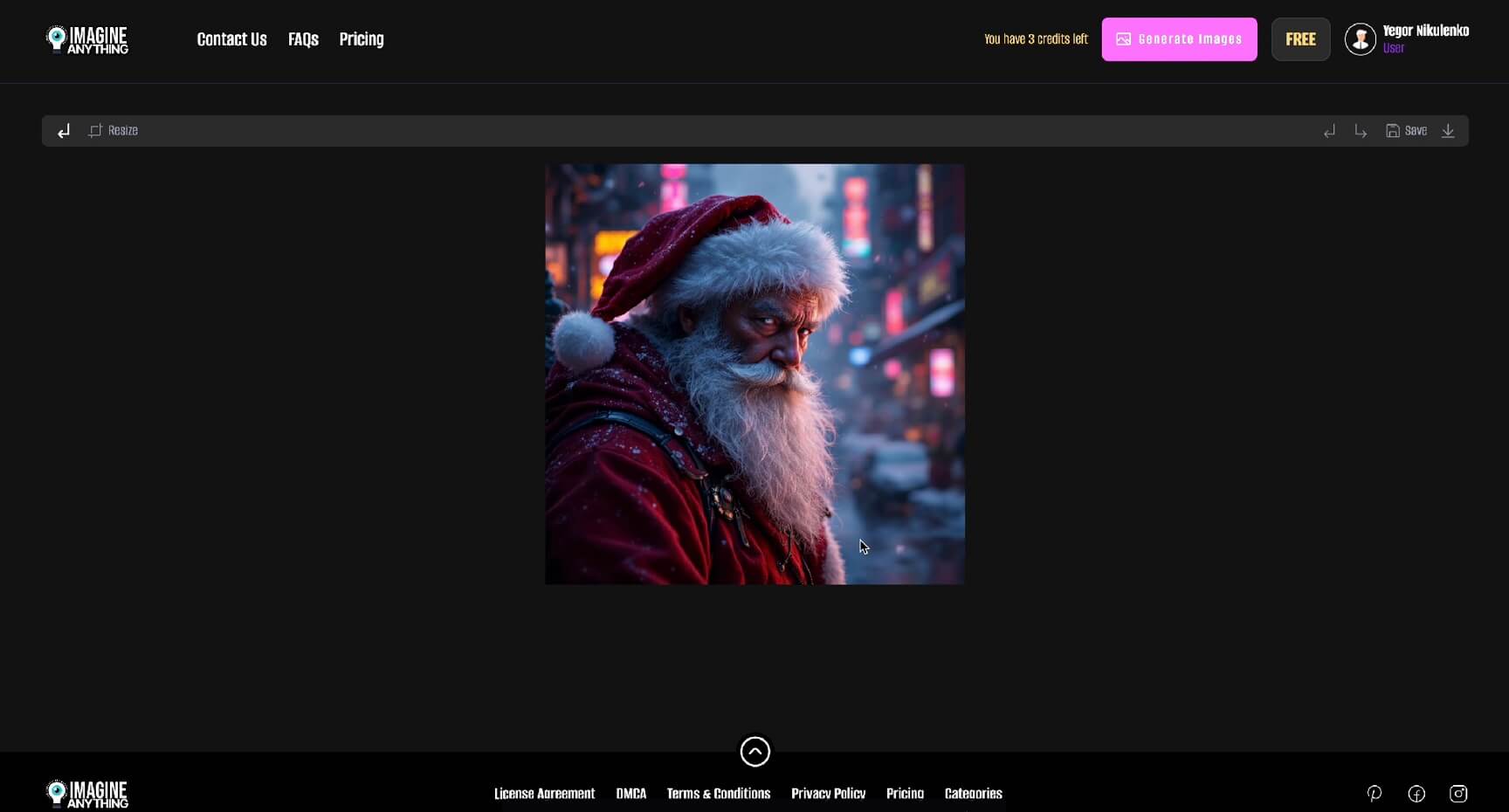
The first step was to sign up, and here we signed up with our Google account. The website directed us to the library page, and to start with the tool, we clicked on the “Generate Images" button.
⬇️Write a Prompt
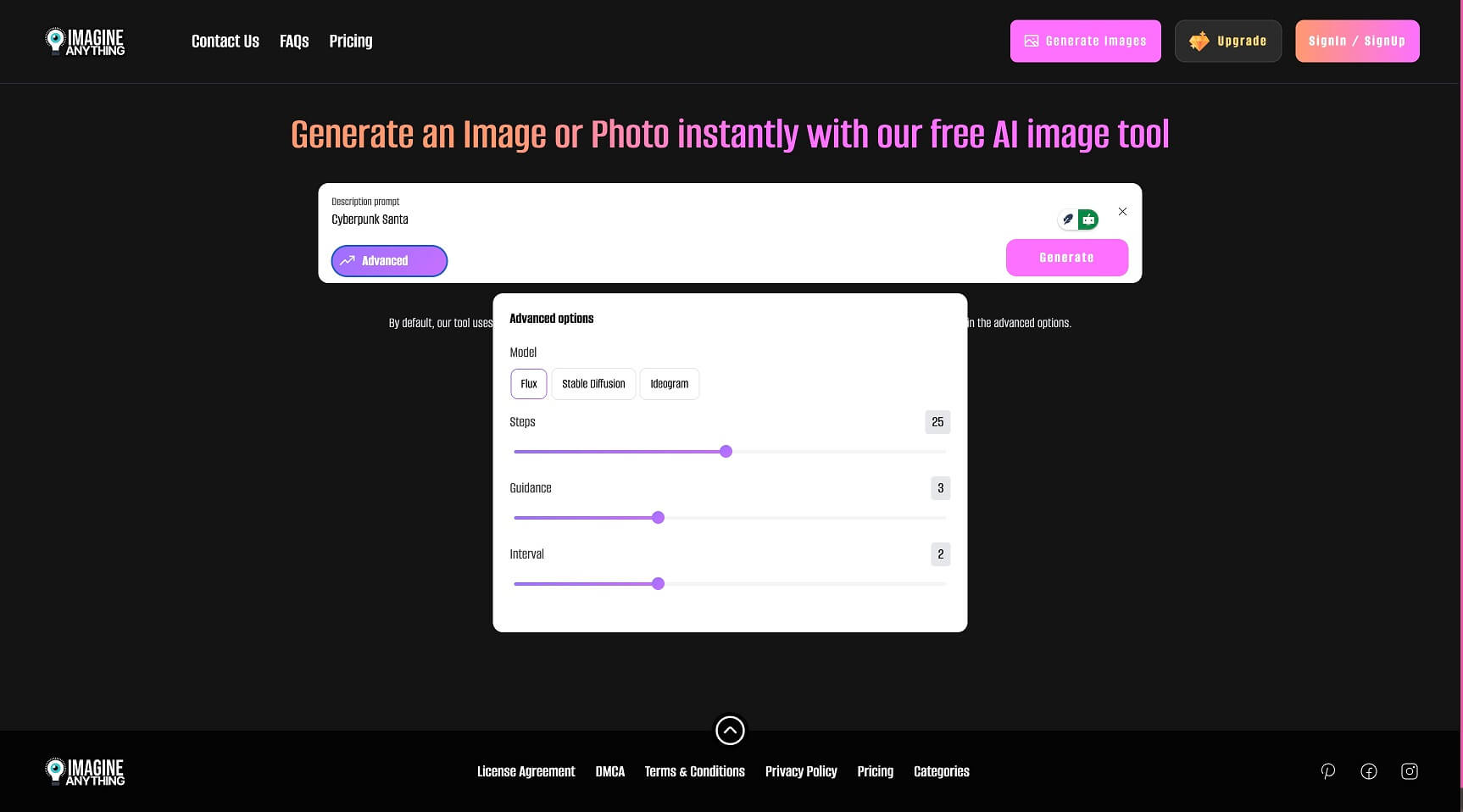
Then we entered a prompt into the text box for our future picture. By clicking on the “Advanced” button, we could select one of the available AI models and customize some settings for them. We left them default for this test.
⬇️Generate and Export
Then, just one click on the “Generate” button, some seconds later, our picture was ready to export. We downloaded it by clicking on the download button right on the image.