Featured Video
Key Features
Real-time Transcription
Generates accurate meeting transcripts instantly during live meetings or from recordings, supporting 58 languages.
AI-Powered Meeting Summaries
Creates concise summaries capturing key decisions, action items, and customer insights with a single click.
Collaboration and Sharing
Allows seamless sharing of notes and summaries via Slack, email, or other platforms to keep all stakeholders aligned.
Clip Feature
Enables users to extract and share essential meeting highlights as clips for efficient communication.
Export Options
Supports exporting notes in multiple formats including TXT, Word, PDF, and SRT for versatile use.
Integrations
Connects with popular apps like Slack, Salesforce, and hundreds more through Zapier to fit into existing workflows.
High Accuracy
Achieves up to 98.86% transcription accuracy under optimal conditions, ensuring reliable meeting records.
Security and Compliance
Employs enterprise-grade security measures including SOC-2 and GDPR compliance to protect user data.
Who It's For
How to Use
Sign Up and Log In
Create a free account on Notta's website and log in to access the dashboard.
Start Recording or Upload Audio
Begin a live meeting transcription or upload pre-recorded audio/video files for transcription.
View Real-Time Transcription
Watch the transcription appear in real time, with the ability to edit and highlight key points.
Generate AI Summary
Click the summary button to automatically create a concise meeting summary with decisions and action items.
Share and Export Notes
Share the notes via Slack or email, or export them in your preferred format for further use.
Pricing
Pricing details are gathered from the official Notta website and are provided for reference only. Always confirm the latest information directly with the vendor.
| Plan | Price | Highlights |
|---|---|---|
| Free Plan | $0 | 120 minutes of AI transcription per month
|
| Pro Plan | $15 | Increased transcription minutes
|
| Business Plan | Contact Sales | Custom transcription volume
|
Pros & Cons
Pros
- Saves up to 50% time in creating meeting minutes with automation.
- Supports a wide range of 58 languages for global use.
- Easy to implement and use via web browser without complex setup.
- Provides actionable insights and summaries to improve meeting follow-ups.
- Integrates with many popular business tools to streamline workflows.
Cons
- No explicit detailed pricing plans publicly available, requiring contact for full pricing info.
- Accuracy may vary depending on audio quality and environment.
- Limited free transcription minutes (120 minutes per month) may not suffice for heavy users.
- Some advanced features might require paid subscription.
- No mobile app details provided, primarily web-based.
Our Test
Hands-on notes from our editorial team.
✅ Our Test
⬇️ Getting Started
We signed up using a Google account. After signing in, we skipped the required onboarding questions and went straight to the dashboard.The free plan provided120 minutesof transcription time.
⬇️ Testing the Transcription Feature
We decided to transcribe a short video from Siteefy's YouTube channel titled_"How to Upload a Theme to a WordPress Website,"_which is under 2 minutes long.We clicked onUpload & Transcribe, where it's possible to drag and drop files, browse from the computer, or paste a URL from YouTube, Dropbox, or Google Drive. We pasted the YouTube URL and clickedNextto begin the transcription process.
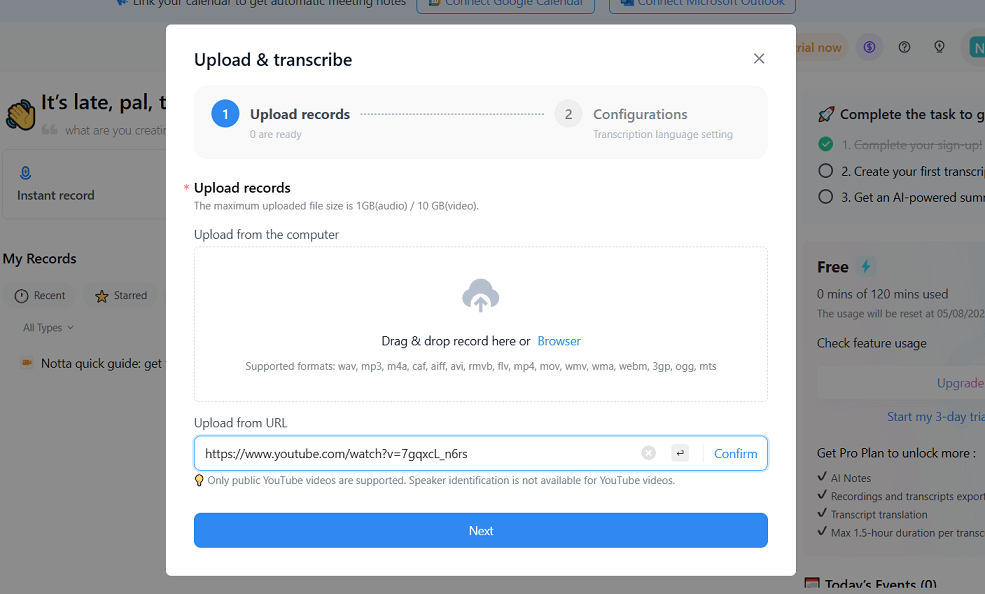 Then, we chose English (monolingual) as the transcription language and clicked
Upload & Transcribe
. The bilingual transcription option was shown, but it’s only available with a paid plan.
Then, we chose English (monolingual) as the transcription language and clicked
Upload & Transcribe
. The bilingual transcription option was shown, but it’s only available with a paid plan.
⬇️ Transcription Output
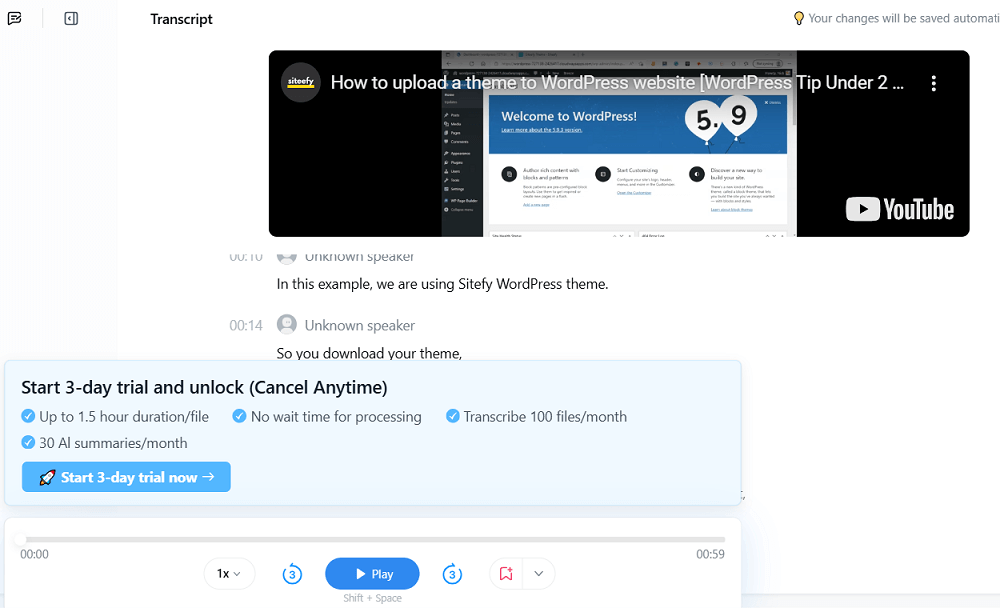
The transcript was generated quickly and was mostly accurate. The text appeared below the video, but due to banners and trial notices, scrolling was necessary to see everything clearly on the screen.

Use Cases
Explore tools grouped by use case so you can keep researching without losing momentum.
Frequently Asked Questions
Alternatives
Compare other vetted products our editors see buyers evaluate alongside Notta.