OnlineQRCode
Create personalized, dynamic QR codes effortlessly with AI-powered customization and real-time analytics.
Overview
OnlineQRCode is a versatile QR code generator platform that enables users to create, customize, and manage both static and dynamic QR codes for personal and professional use. It offers advanced features such as AI-driven design, real-time content updates, and comprehensive analytics to optimize marketing campaigns and digital interactions. The platform prioritizes security and privacy, ensuring encrypted data handling and compliance with international standards.
Key Features
Dynamic QR Codes
Create versatile QR codes that can be updated in real-time without changing the code itself, allowing flexible content management.
AI-Driven QR Code Design
Use AI to generate unique and captivating QR code designs based on your descriptions, enhancing visual appeal and brand identity.
Customization Options
Personalize QR codes with custom colors, shapes, and logos to align with your brand and marketing materials.
Comprehensive Analytics
Track when, where, and how often your QR codes are scanned to monitor campaign performance and user engagement.
Multiple Content Types
Generate QR codes for URLs, vCards, social media, events, Wi-Fi access, PDFs, images, videos, and more.
Secure and Private
Ensures data encryption, does not store generated QR codes on servers, and complies with FTC and GDPR regulations.
Multi-Device Access and Editing
Edit and update your QR codes from any device via user dashboard, maintaining control over your content.
Easy QR Code Creation Process
Simple three-step workflow: select QR code type, input content, customize design, and download.
Use Cases
Marketing Campaigns
Create dynamic QR codes to promote websites, social media, and products, and track engagement analytics to refine strategies.
Contact Sharing
Generate vCard QR codes to share contact details digitally, replacing traditional business cards.
Event Promotion
Distribute event QR codes that allow guests to RSVP and add events to their calendars easily.
Digital Menus and Documents
Use QR codes to link to PDFs, menus, brochures, or other documents for easy access without printing.
Wi-Fi Access Sharing
Create QR codes that allow users to connect to Wi-Fi networks instantly without typing passwords.
How to Use
Select QR Code Type
Choose the type of QR code you want to create based on your content or campaign goal, such as URL, vCard, event, or Wi-Fi.
Enter Content Details
Fill in the required information for your selected QR code type, including links, text, images, or contact info.
Customize Design
Personalize your QR code by selecting colors, shapes, and adding logos to match your branding.
Generate and Download
Create your QR code and download it in the desired format for use in your marketing materials or sharing.
Manage and Update
Use your OnlineQRCode dashboard to edit dynamic QR codes and monitor scan analytics in real-time.
Pricing
Pricing details are gathered from the official OnlineQRCode website and are provided for reference only. Always confirm the latest information directly with the vendor.
| Plan | Price | Highlights |
|---|---|---|
| 7-Day Limited Access | $0.79 | Access to various QR code types
|
| 7-Day Full Access | $0.99 | Unlimited QR codes and scans
|
| Yearly Unlimited | $143.30 | Unlimited QR codes and scans
|
Pros & Cons
Pros
- Supports both static and dynamic QR codes with real-time content updates.
- AI-powered design generation for unique and branded QR codes.
- Comprehensive analytics to track user interactions and optimize marketing campaigns.
- High security and privacy standards with encrypted data handling and no QR code storage.
- Wide variety of QR code types supported for diverse use cases.
Cons
- Advanced features require paid subscription plans.
- Limited information on API or integration capabilities for developers.
- Customization options may be basic compared to specialized graphic design software.
- No explicit mention of offline QR code management or bulk generation features.
- Customer support hours limited to weekdays, potentially slower response on weekends.
Our Test
Hands-on notes from our editorial team.
✅ Our Test
⬇️ Getting Started
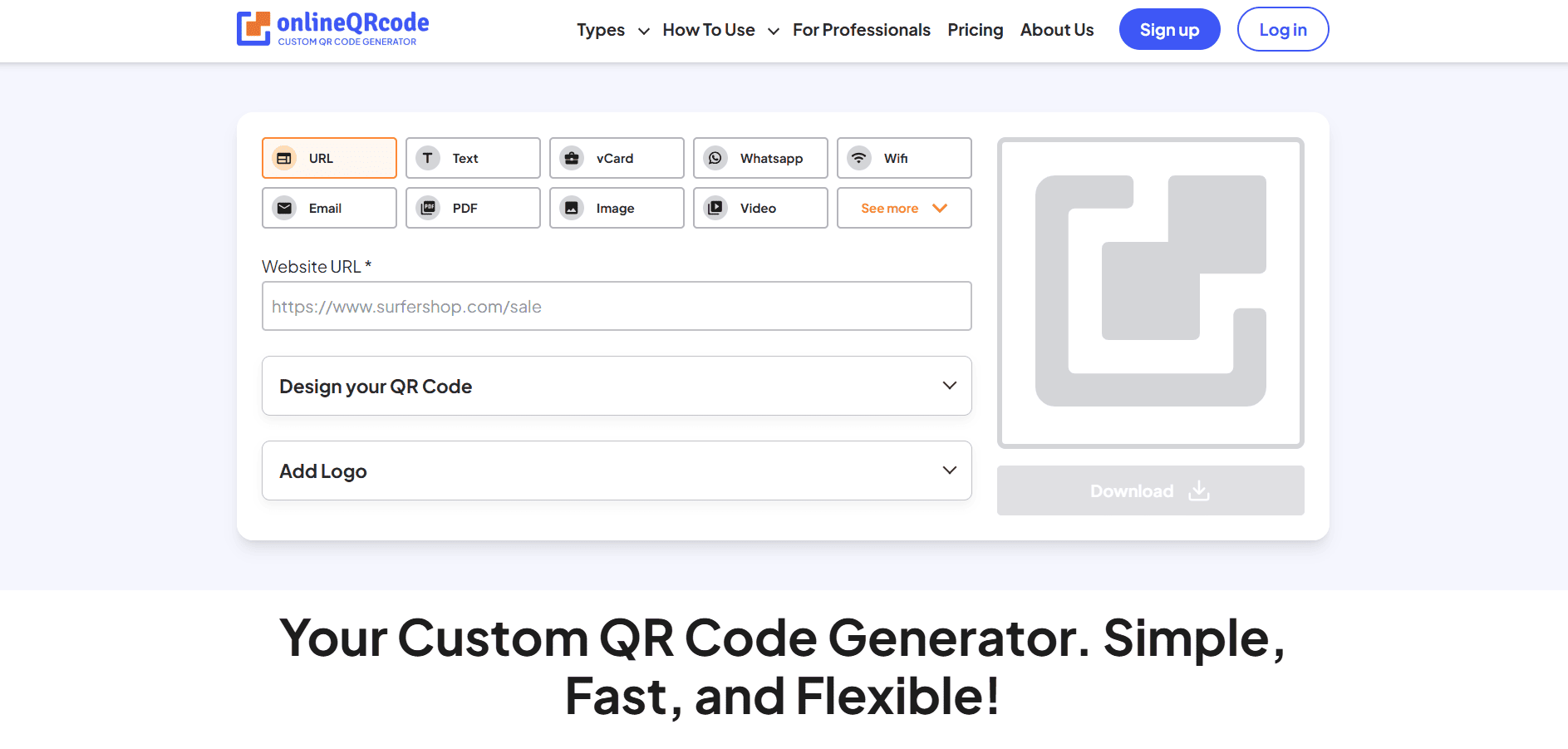
We visited the homepage and selected theURLoption to create a QR code for our website,siteefy.com. No sign-up was required to begin. We simply entered the link into the form field.
 <img decoding="async" class="alignnone size-full wp-image-62323" src="https://siteefy.com/wp-content/uploads/2025/06/OnlineQRCode-Homepage_.png" alt="OnlineQRCode Homepage" width="1887" height="901" srcset="https://siteefy.com/wp-content/uploads/2025/06/OnlineQRCode-Homepage_.png 1887w, https://siteefy.com/wp-content/uploads/2025/06/OnlineQRCode-Homepage_-768x367.png 768w, https://siteefy.com/wp-content/uploads/2025/06/OnlineQRCode-Homepage_-1536x733.png 1536w" sizes="(max-width: 1887px) 100vw, 1887px" />
⬇️ Customizing the Design
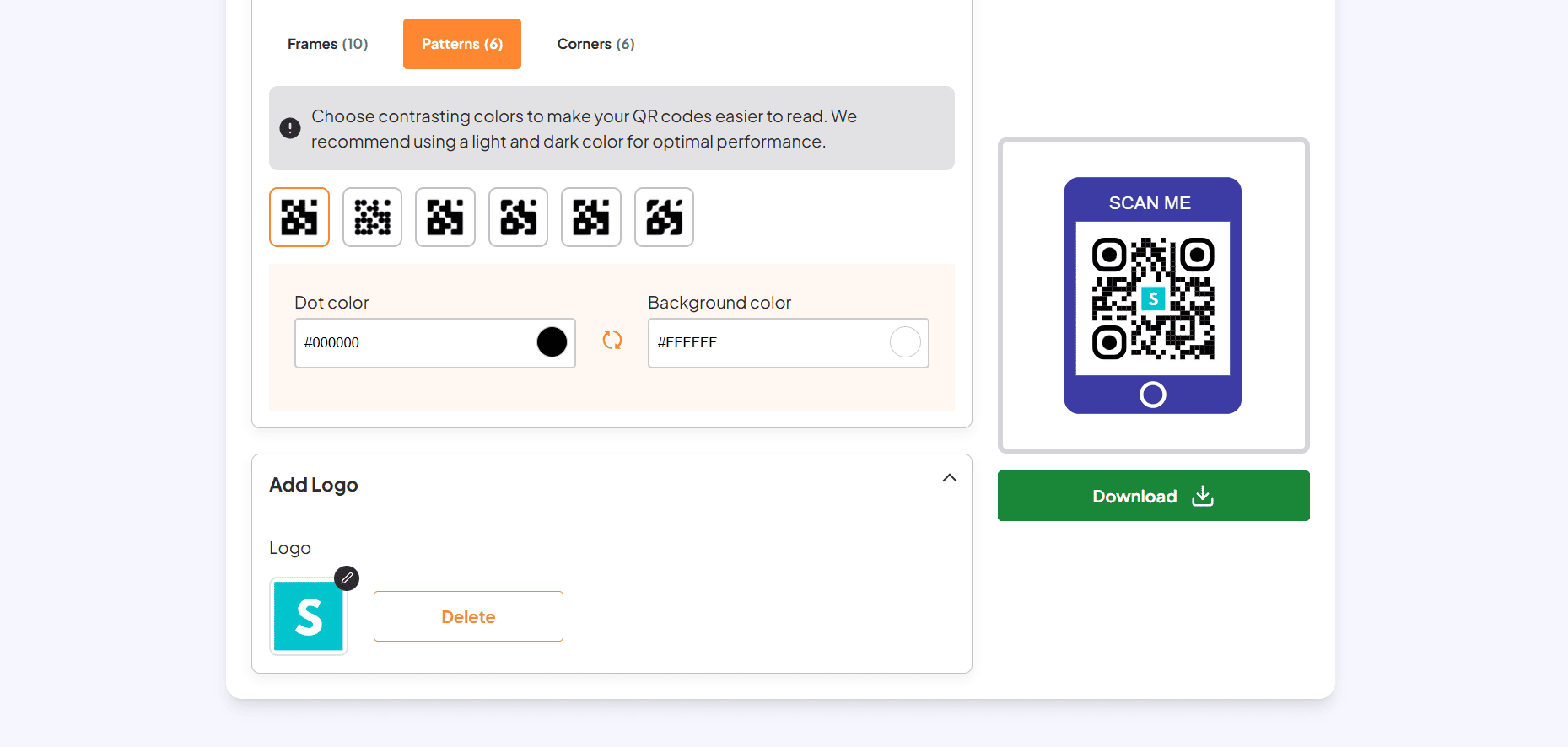
Next, we customized the QR code. We browsed through frame options, changed the corner style, and chose a pattern that matched our brand. We also added our logo for a more professional look. All changes were reflected instantly in the live preview.
⬇️ Downloading the QR Code
Once satisfied with the design, we clicked theDownloadbutton. We signed in using a Google account—this step was quick and didn’t require extra verification.
 <img decoding="async" class="alignnone size-full wp-image-62324" src="https://siteefy.com/wp-content/uploads/2025/06/OnlineQRCode-Customize.png" alt="OnlineQRCode Customize" width="1859" height="886" srcset="https://siteefy.com/wp-content/uploads/2025/06/OnlineQRCode-Customize.png 1859w, https://siteefy.com/wp-content/uploads/2025/06/OnlineQRCode-Customize-768x366.png 768w, https://siteefy.com/wp-content/uploads/2025/06/OnlineQRCode-Customize-1536x732.png 1536w" sizes="(max-width: 1859px) 100vw, 1859px" />
⬇️ Final Result
The QR code was generated in seconds and downloaded successfully in high quality. The process was simple and responsive.
Frequently Asked Questions
Ratings & reviews
Ratings & reviews
No reviews yet. Be the first to share your experience.
Share your experience
Sign in to rate this tool and help the community understand how it fits into their workflow.