Customer service doesn’t have to be slow, repetitive, or overwhelming.
With the right AI tools, you can answer questions faster, help more people at once, and keep customers happy — without burning out your team.
In this guide, we’ll explore AI tools to help you respond faster, work smarter, and improve your customers’ experience.
Chatbots & Virtual Assistants
One of the most visible and widely adopted applications of AI in customer service is the use of chatbots and virtual assistants.
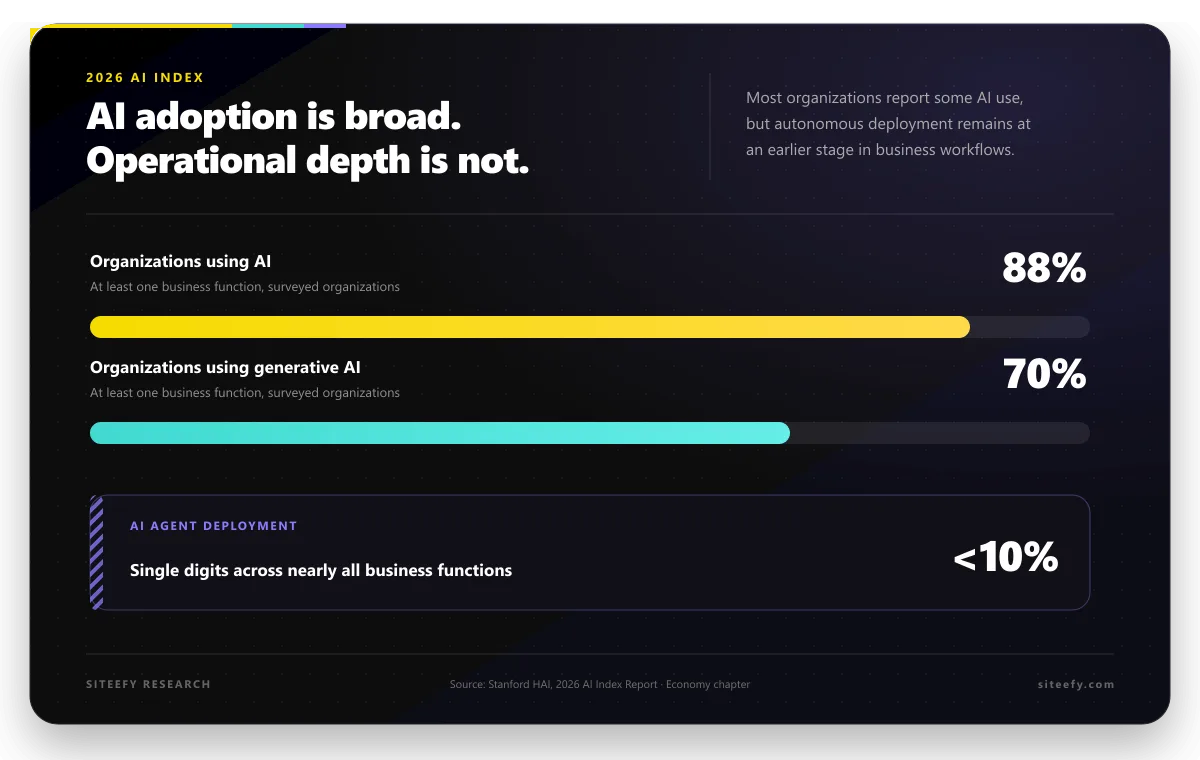
According to Gartner, 54% of customer service organizations already use chatbots or other conversational AI platforms, and by 2027, these tools are expected to become the primary service channel for roughly a quarter of organizations.
Let’s look at how they deliver value in practice.
24/7 Live Support
Your customers don’t stick to business hours, so why should your support?
These tools can provide round-the-clock support, answering common questions at any hour without the need for human intervention. Whether a customer is checking an order status at midnight or needs help resetting a password during the weekend, AI-powered chatbots ensure that assistance is always available.
For example, an e-commerce customer in a different timezone wants to check their order status at 3 AM your local time. Your chatbot instantly pulls up tracking information and shipping updates, giving them immediate answers instead of making them wait hours for your team to come online.
FAQ Handling
Most customer questions fall into predictable categories – return policies, shipping info, account problems, and basic troubleshooting. Modern chatbots understand the intent behind questions, even when customers phrase them differently.
If someone asks, “Can I return this?” or “What if this doesn’t fit?” the bot recognizes both as return policy questions and responds accordingly. For instance: “I’d be happy to help with a return! You’re within our 30-day window, so you’re all set. Would you like a prepaid return label sent to your email?”
Smart Ticket Creation
When issues are too complex for automated resolution, chatbots seamlessly create support tickets with all the context your human agents need. Tools like Intercom or Zendesk help integrate this handoff process smoothly. Instead of customers repeating their story, agents receive tickets that include the full conversation history, customer details from your CRM, and initial issue categorization.
 Intercom
 Zendesk
Example: A customer chats about a billing discrepancy. The bot gathers their account number, specific charges in question, and billing period, then creates a detailed ticket. When your billing specialist picks it up, they have everything needed to jump straight into problem-solving.
Real-World Success
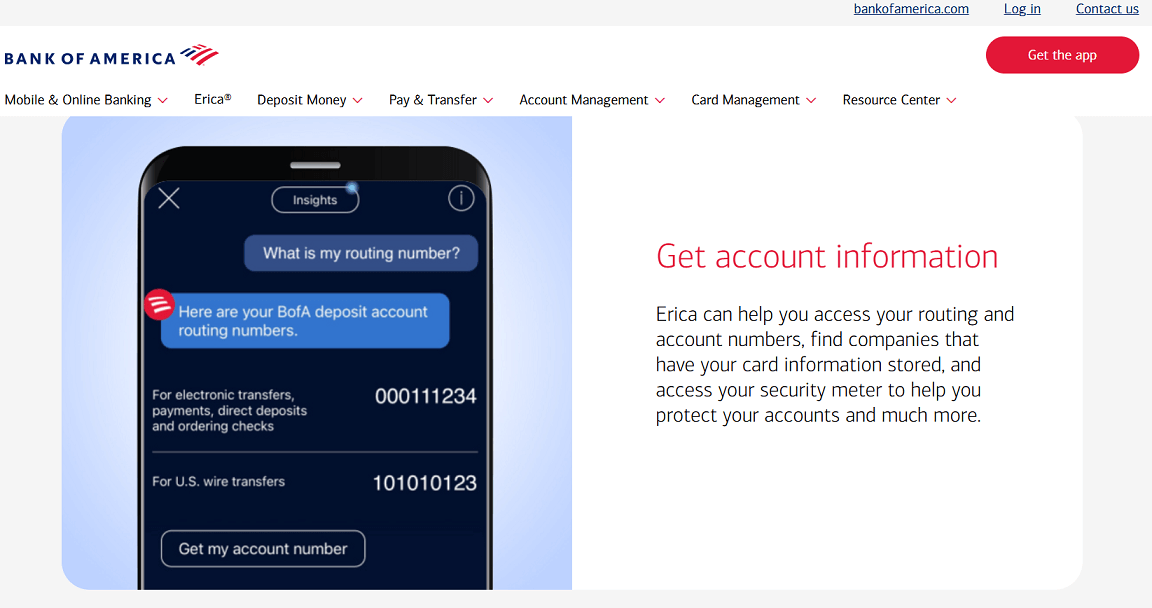
Companies like Bank of America use their virtual assistant “Erica” to handle millions of routine banking requests monthly. These tools don’t replace human agents – they make them more effective by handling routine tasks automatically.
Note: Not all AI chatbots are the same. Popular AI tools like ChatGPT, Claude, or Google Gemini are general-purpose assistants — they can be adapted for customer service, but they don’t automatically integrate with your helpdesk or CRM.
Customer service chatbots (e.g., Intercom Fin, Zendesk Answer Bot, Tidio) are purpose-built for handling support queries, answering FAQs, and routing tickets, often with direct integration into your existing systems.
Voice AI in Customer Service
Voice AI now plays a role in both handling incoming calls and sending outbound messages, making customer communication faster, more efficient, and more personal.
It can guide a customer through a smartphone menu, understand natural speech, and also send tailored messages directly to a voicemail inbox.
Inbound: IVR Systems and Speech Recognition
Modern AI-powered IVR systems go beyond the old “press 1 for sales” style menus. Customers can speak naturally, and the system understands what they need. A caller might say, “I’d like to change my appointment,” and the IVR will route them to the scheduling team or even reschedule automatically.
Speech recognition can capture key information such as booking dates, account numbers, or tracking codes without forcing the caller to repeat details multiple times.
Tools like Five9 IVA and Amazon Connect provide these capabilities, combining natural language processing with integration into CRM or ticketing systems. This ensures the agent already has the caller’s details when they answer, reducing hold time and avoiding repeated questions.
For example, a customer calling about a delivery could simply say their tracking number, and the system would instantly pull up the order information for the agent handling the call.
Outbound: Voice Messaging & Automation
Voice AI can also be used when the business needs to reach customers directly. Voice cloning makes it possible to create a natural, authentic recording once and adapt it for each recipient with details such as their name, appointment date, or account information.
You can use voice cloning to send ringless voicemail and messages to customers with tools like DropCowboy. These tools replicate your voice, eliminating the need to record a new message each time, and can tailor the content for every client at scale without losing personalization.
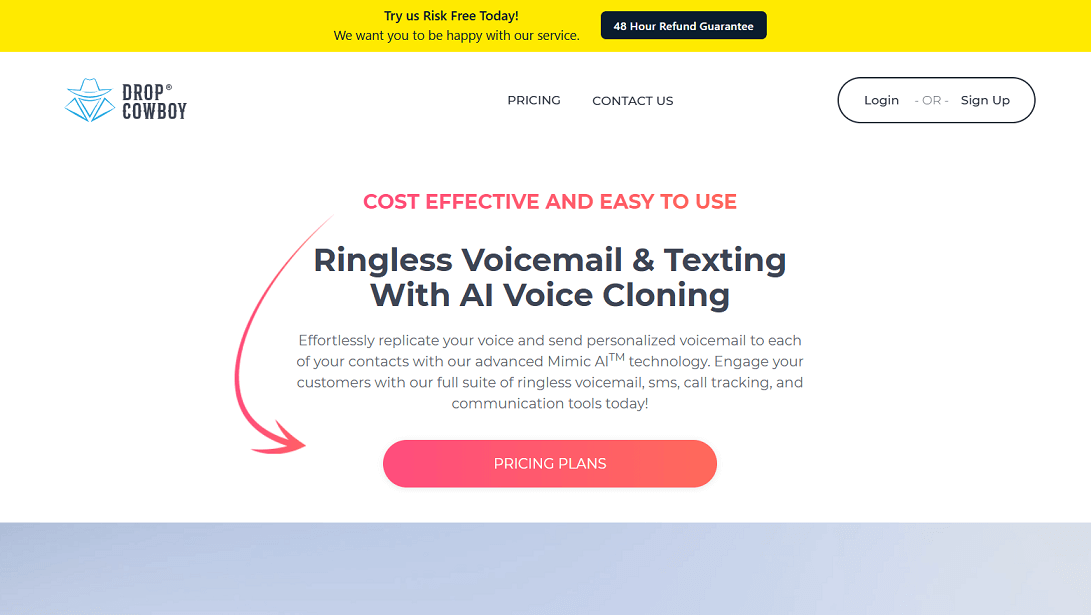
When combined with ringless voicemail technology, these personalized messages go straight to a customer’s voicemail inbox without their phone ringing. A clinic could confirm appointments in the doctor’s voice, a retailer could thank recent buyers, and a property manager could update tenants about upcoming maintenance.
AI-Powered Email & Ticket Routing
High-volume support teams can’t afford to waste time sorting through every incoming message. AI tools scan each email or ticket, understand its topic, measure urgency, and send it straight to the right person or department.
The system reads each message as it arrives, understands the topic, measures urgency, and decides where it should go. A billing dispute moves to the finance team. A password reset request joins the IT queue. A high-priority complaint from a key client jumps to a senior agent. Every request reaches the right desk without bottlenecks.
This process also gives agents a head start. Along with the ticket, AI can attach the customer’s account details, past conversations, and relevant product or service information. The agent begins with full context instead of searching through records.
According to Microsoft, organizations using automated case routing in Dynamics 365 have reduced case resolution times by up to 30%, thanks to AI-based classification and prioritization.
For example, imagine a customer writes in about a failed payment for their subscription. The AI instantly tags the request as “urgent billing,” sends it to the right specialist, and includes the last payment attempts from the CRM. The specialist can respond in minutes, not hours.
Platforms such as Zendesk, Freshdesk, and Salesforce Service Cloud offer these capabilities out of the box. The impact is clear: shorter wait times, fewer mistakes in ticket handling, and a smoother experience for customers and agents alike.
 Freshdesk
Sentiment Analysis Tools
AI-powered sentiment analysis helps businesses understand how customers feel during interactions by detecting tone, emotion, and intent in messages, emails, chats, and voice calls. By reading the language used and, in the case of calls, analyzing vocal cues, these tools can determine whether a customer is satisfied, frustrated, or neutral.
This understanding allows support teams to adapt their approach in real time. A system might flag a chat conversation where the customer’s tone suggests irritation, prompting the agent to offer an immediate resolution or escalate to a specialist. In voice calls, live sentiment tracking can guide agents to adjust their pace, word choice, and empathy level to improve the outcome.
Sentiment analysis is also valuable for reviewing past interactions. Managers can spot patterns in customer mood across thousands of messages, helping to identify recurring problems, evaluate agent performance, and prioritize training needs.
Examples of tools in this space include:
- Lexalytics: Specializes in text analytics and natural language processing for use cases such as social listening, survey analysis, and customer feedback monitoring.
- Qualtrics XM Platform: Provides sentiment and experience analytics as part of a broader customer experience management suite, helping organizations optimize both service quality and team performance.
- Azure Text Analytics: A Microsoft service that applies sentiment scoring to text in multiple languages, enabling businesses to assess customer mood across channels.
Predictive Customer Support
Predictive customer support uses AI to anticipate issues before customers contact the service team. These tools examine patterns in behavior, past interactions, and product usage data to spot early warning signs and trigger proactive action.
For example, a telecom provider might detect that a customer’s internet connection has been unstable for several days. Instead of waiting for a complaint, the system alerts the support team to reach out with troubleshooting steps or schedule a technician visit. In e-commerce, predictive systems can identify orders likely to be returned and send tailored advice to help customers avoid common issues.
Companies are already applying this approach. Macquarie uses predictive AI to unify its data for clear, actionable insights that remove service roadblocks. Papa John’s uses AI to anticipate customer orders and personalize offers, an approach that can be adapted to predict service needs. Even smaller businesses can use similar tools to forecast support demand ahead of seasonal spikes.
Examples include:
- Helpshift: Monitors user behavior in apps, flags potential problems, and triggers outreach before the customer seeks help.
- Forethought Solve: Predicts customer intent and recommends proactive solutions based on historical ticket data and behavior patterns.
- Gladly: Uses AI to anticipate service needs and help agents engage with customers before issues escalate.
Final Words
We’ve explored several categories of AI tools that can make customer service faster, smarter, and more personal. Now it’s your turn — which of these would you put to work in your team, and what other tools have you found helpful?
If you’re ready to explore even more options for different business needs, visit Siteefy and browse a wide variety of AI tools to spark your next big improvement.