
Overview

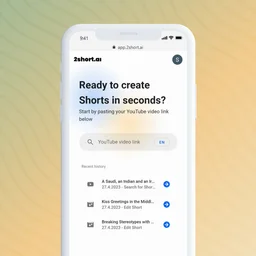
Meet 2short.ai, an AI tool for repurposing long YouTube video content into shorter videos. Explore 2short.ai functionality, features, pricing, and more! Key capabilities: AI-Powered Speaker Framing, Instant Animated Captions, Unlimited High-Quality Exports. Pricing snapshot: Starter Plan — Free, includes 30 minutes of AI video analysis per month.

Pricing Model
freemium
Last Updated
2025-02-17T09:37:04+00:00

Key Features

1

AI-Powered Speaker Framing

Keeps active speakers centered using AI facial tracking.

2

Instant Animated Captions

Adds engaging animated subtitles with a single click.

3

Unlimited High-Quality Exports

Provides 1080p exports without watermarks.

4

Flexible Video Formats

Supports vertical, square, and horizontal formats for different platforms.

5

Advanced Editing Tools

Offers manual editing and cropping for greater control.

6

Brand Presets

Allows adding logos and overlays for a consistent brand identity.

Use Cases

#1

Content Creators & Influencers

: Automatically generate engaging short-form videos with facial tracking and animated subtitles to maximize audience engagement.

#2

Marketing Teams & Brands

: Maintain brand consistency with custom overlays, logos, and aspect ratios for different social media platforms.

#3

Educators & Online Coaches

: Improve video tutorials with animated subtitles and high-quality exports for better student comprehension.

#4

Podcasters & Interviewers

: Keep speakers in focus with AI facial tracking for a professional and polished look.

#5

Social Media Managers

: Optimize content for multiple platforms with versatile aspect ratios and advanced editing tools.

#6

E-commerce & Product Showcases

: Create eye-catching promotional videos with brand presets and high-quality exports to boost conversions.

How to Use

1

First, go to the 2short

First, go to the 2short.ai website and log in using your Gmail account.

2

Next, provide a link from Google Drive or a public URL to the content you want to edit

Next, provide a link from Google Drive or a public URL to the content you want to edit.

3

Then, choose your preferred aspect ratio to optimize for different platforms

Then, choose your preferred aspect ratio to optimize for different platforms.

4

After that, enable AI facial tracking to keep speakers centered effortlessly

After that, enable AI facial tracking to keep speakers centered effortlessly.

5

Add animated subtitles with a single click to make your video more engaging

Add animated subtitles with a single click to make your video more engaging.

6

To personalize your video further, customize it with brand logos, overlays, and advanced editing tools

To personalize your video further, customize it with brand logos, overlays, and advanced editing tools.

7

Finally, export your polished video in high-quality 1080p without watermarks

Finally, export your polished video in high-quality 1080p without watermarks.

Pricing

Pricing details are gathered from the official 2short.ai website and are provided for reference only. Always confirm the latest information directly with the vendor.

PlanPriceHighlights
Starter PlanFree, includes 30 minutes of AI video analysis per month.No additional details
Lite Plan$9.90 /monthNo additional details
Pro Plan$19.90 /monthNo additional details
Premium Plan$49.90 /monthNo additional details
Found a change in pricing? We welcome corrections. Reach out so we can keep this listing accurate.

Pros & Cons

Pros

  • Simple and quick to use, even for beginners.
  • Exports videos without watermarks.
  • Automates video editing, reducing the need for manual effort.
  • Produces videos with high-quality resolution (up to 1080p).

Cons

  • Works best with videos that already have captions.
  • Lacks some advanced editing tools.
  • The free plan includes only 30 minutes of AI-powered analysis per month.

Frequently Asked Questions

Ratings & reviews

Ratings & reviews

No reviews yet. Be the first to share your experience.

Share your experience

Sign in to rate this tool and help the community understand how it fits into their workflow.

Community reviews (0)

No reviews yet. Be the first to share your experience.