
 ElevenLabs

Vexub
PaidCreate unique faceless AI videos from text and other media effortlessly to maximize your revenue.
Verified

Meet aicut, an AI tool for creating short videos for your faceless channel.
Meet aicut, an AI tool for creating short videos for your faceless channel. Explore aicut functionality, features, pricing, and more! Key capabilities: PDF to Brainrot, Fake Text Story, Video Example Showcase. Pricing snapshot: Free Plan — Free to sign up and access basic features, but creating videos costs $0.60 per token.
Updated Oct 15, 2026
No written reviews yet. Be the first to share your experience.
Pick a story format that already pulls millions of plays. aicut writes the script, casts the characters, records the voices and renders every scene. You post it, or it posts itself.
Free to sign up. You see the token cost before you generate.
30 formats, ranked by what creators generate right now. Each card shows the play count of the clips it is built from. Pick one, type one line, done.
Choose one that is already going viral. Or paste a TikTok link and recreate it as your own.
A format, a voice and a schedule. It generates and publishes without you opening the app.
Ask Claude or ChatGPT for a video.
Make the same episode for viewers in other markets.
Freemium. Paid plans start at $19.99 per month.
$0
$19.99
per month
$39.99
per month
Connect once, no API key. It prices the job before it spends anything.
Hands-on notes from our editorial team.
✅ Our Test
We signed up using a Google account with the free plan and then proceeded to the dashboard. The dashboard provides multiple content creation options such as_Fake Text, AI Image, Reddit, PDF to Brainrot, and Captivating Background_.
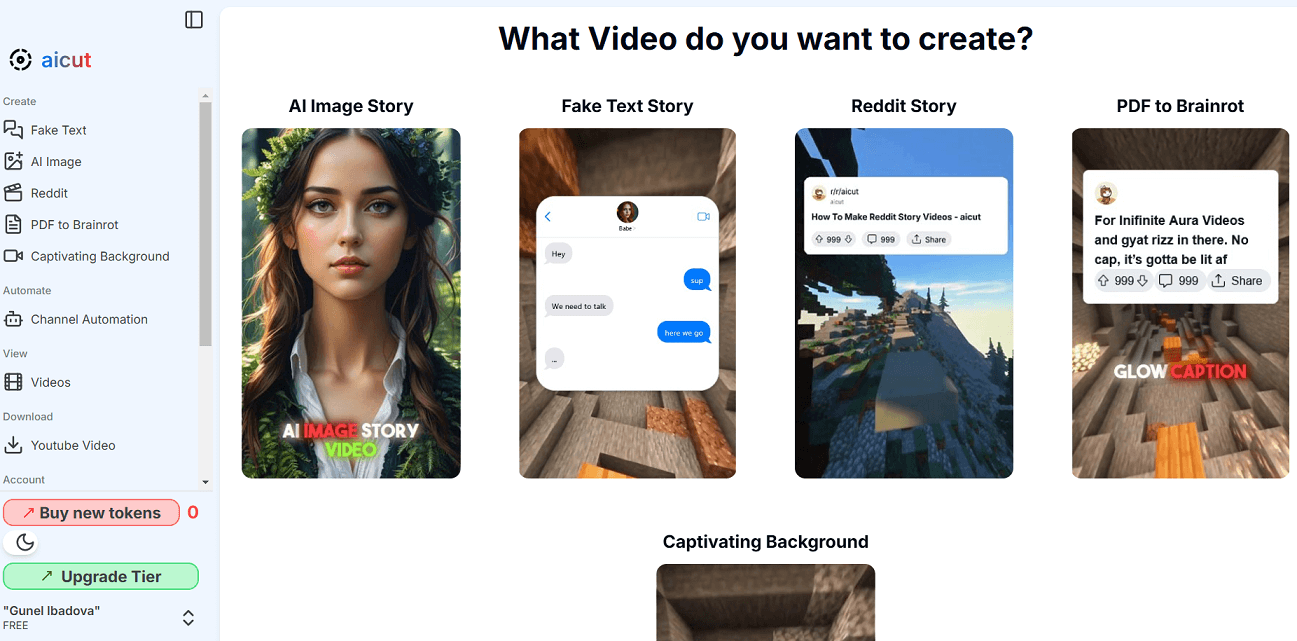
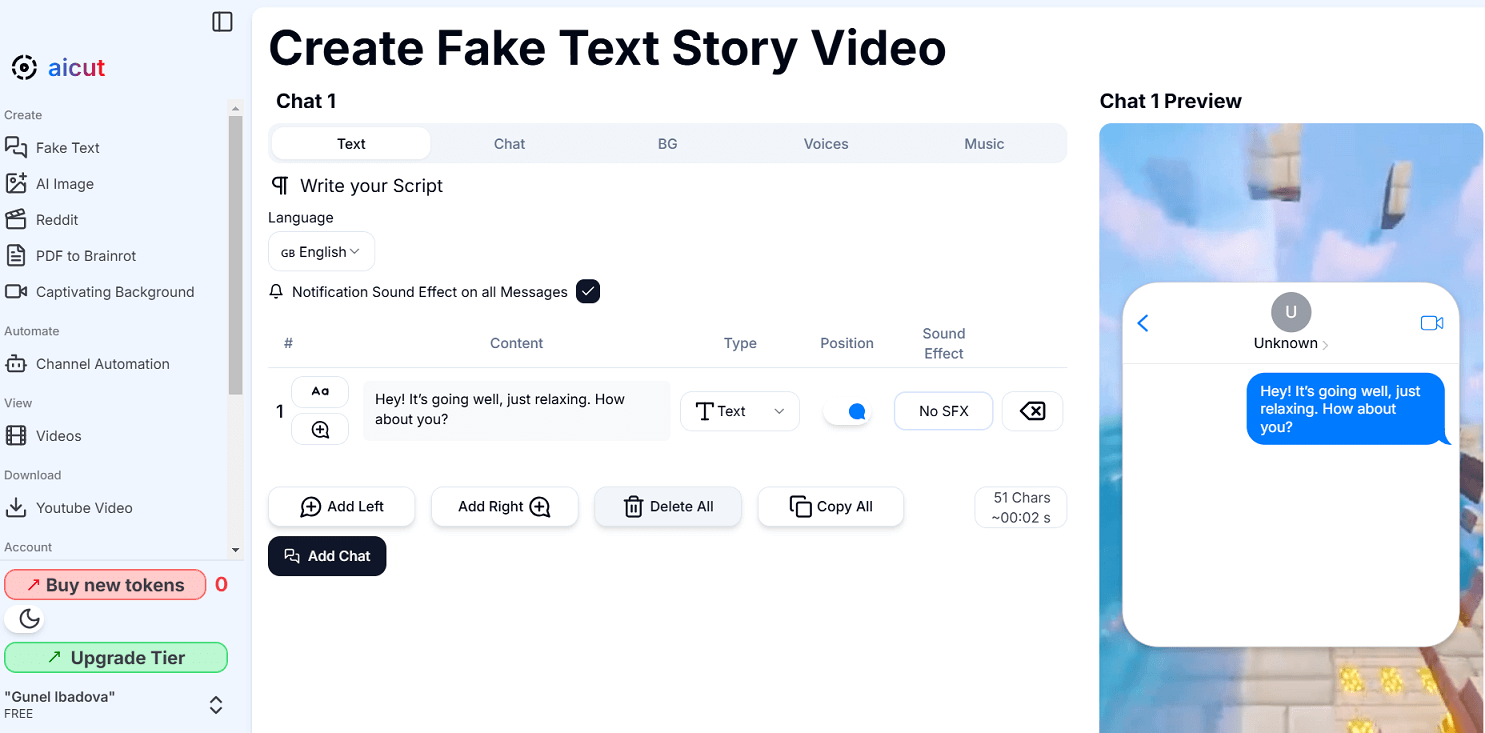
We selected Fake Text to test the tool. The dashboard includes sections for_Text, Video, Background, Voice, and Music_. We entered a simple text: "Hey! It’s going well, just relaxing. How about you?" From here, it is possible to choose the text type, select from over 25 languages, and adjust the message position.
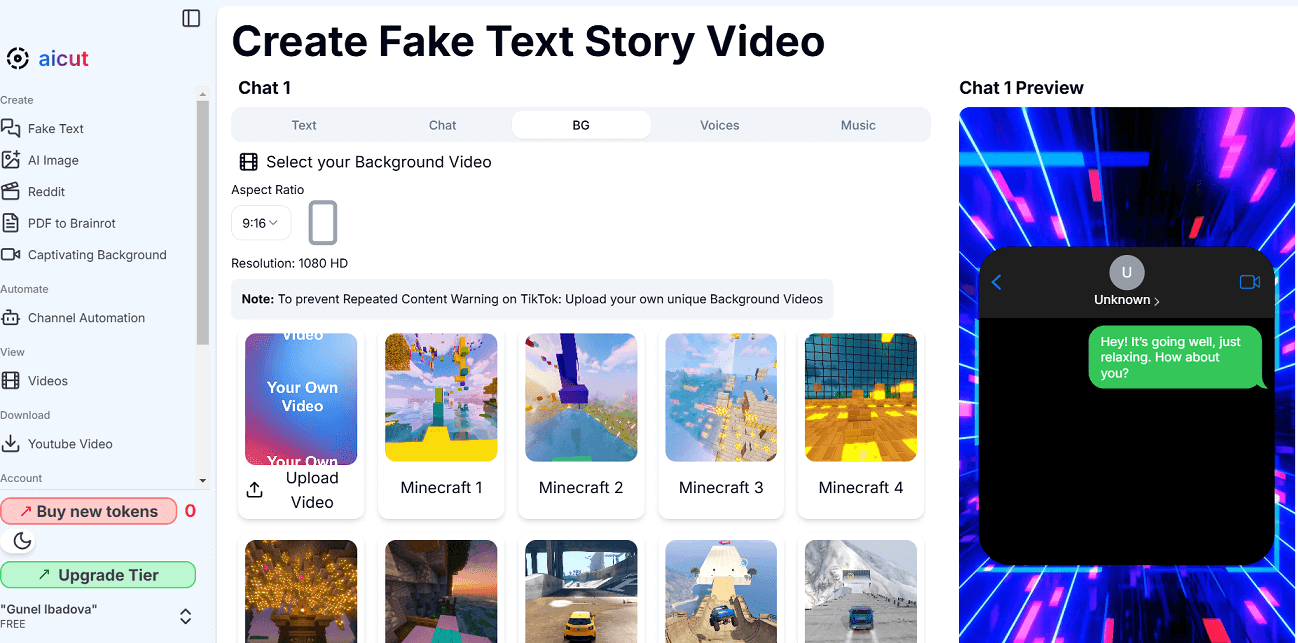
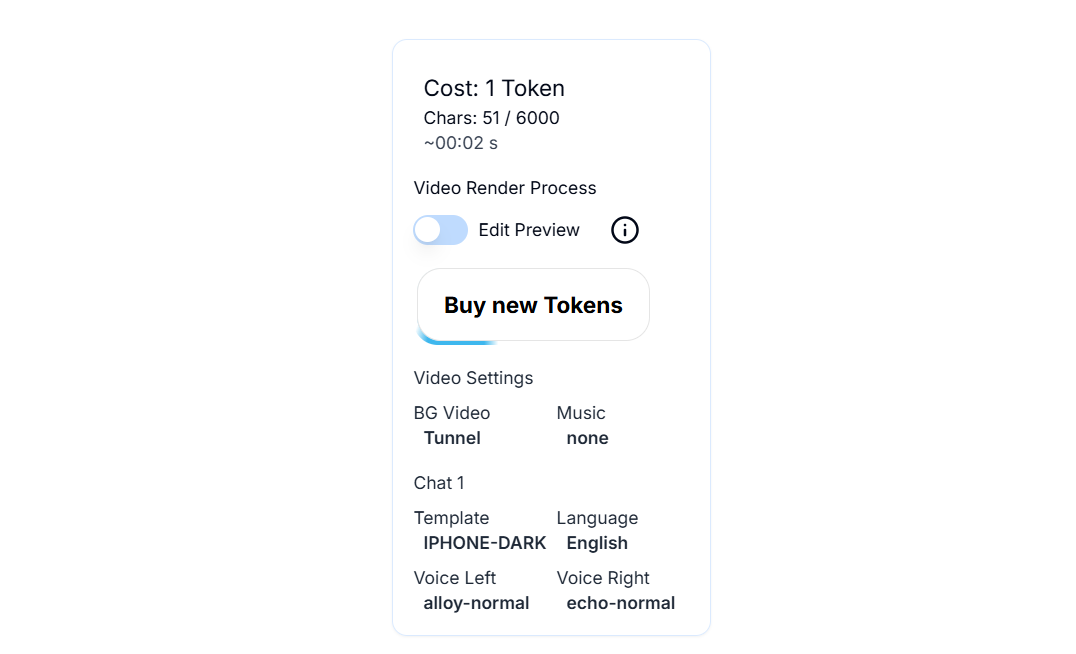
We selected the Chat Template: iPhone (Dark). In the BG (Background) section, you can choose from 20 background templates or upload a custom background. We chose Tunnel.
In the voice section, we had the option to choose from_OpenAI, ElevenLabs, Custom, and Amazon_voice providers. We selected Alloy Young as the speaker's voice, with an option to add background music. All changes were immediately visible on the right side of the dashboard. However, the free version only allowed previewing and generating a final video required purchasing tokens.
Compare other vetted products our editors see buyers evaluate alongside aicut.
| Tool | Rating | Pricing | Platforms |
|---|---|---|---|
 aicutThis tool | Freemium | Not listed | |
| Freemium | Android |
No written reviews yet. Be the first to share your experience.
Top rated tools from the same category.
View all AI Video Generators tools
Create unique faceless AI videos from text and other media effortlessly to maximize your revenue.

AI-powered platform for generating creator-style UGC video ads for DTC brands without filming or creators.

Transform static images into dynamic, high-quality videos effortlessly with AI-powered generation.

Video-first AI generator with image support, powered by top models

Meet AI Studios (by DeepBrain), an AI tool for generating videos and AI avatars.

Seedance 2.5 is an AI video generator producing native 4K videos up to 30 seconds with multimodal input and synchronized audio.