

Spicrawl
FreeWeb scraping API and hosted MCP server for AI agents and RAG pipelines

No-code AI-powered web scraping and monitoring platform for reliable data extraction at scale.
Browse AI is a leading AI-driven web scraping and monitoring platform that enables users to extract, monitor, and integrate data from virtually any website without coding. It offers point-and-click robot creation, dynamic content capture, and automatic adaptation to website changes, making data extraction easy, reliable, and scalable. The platform supports integrations with thousands of apps and provides managed enterprise-grade web scraping services with strong security and compliance.
Updated Oct 17, 2026
No written reviews yet. Be the first to share your experience.
Point it at any webpage and the AI agent extracts, scrapes, and monitors the data you need.
AI web scraper and monitoring tool that alerts you to website changes and automatically adapts so the code doesn't break.
AI website scraper with dynamic content capture, built-in bot evasion, proxy management, automatic retries, and rate limiting.
Extract and monitor the data you need reliability with automated site layout monitoring, human behavior emulation, and geo-based data extraction.
Create your first web scraper or web monitor in minutes on a platform designed to capture billions of data records.
Automate data extraction from pages and subpages with workflows and automations.
Schedule data extraction, web scrapers, and webpage monitors to run hourly, daily, weekly, or monthly to check for changes.
Mimics human actions on the page to scrape dynamic content including drop downs, search bars, form fills, and more.
Your robot can scrape data behind login-protected webpages, too.
Browse AI quickly understands how to handle paginations like numbered pages, load more & infinite scrolling.
If you need to scrape data on an ongoing basis or schedule, you can set up your robot with different triggers, including a specific time or a repeatable flexible schedule.
Freemium. Paid plans start at $48 per month.
$0
$48
per month
$87
per month
Using our public API, you can integrate Browse AI with your custom software without a hassle.
Hands-on notes from our editorial team.
✅ Our Test
We visited the Browse AI website and signed up using a Google account. The platform also allows registration via email.
On the dashboard, we selected the option to create a new robot. Browse AI allows users to build custom robots or use prebuilt ones designed for specific websites and tasks.
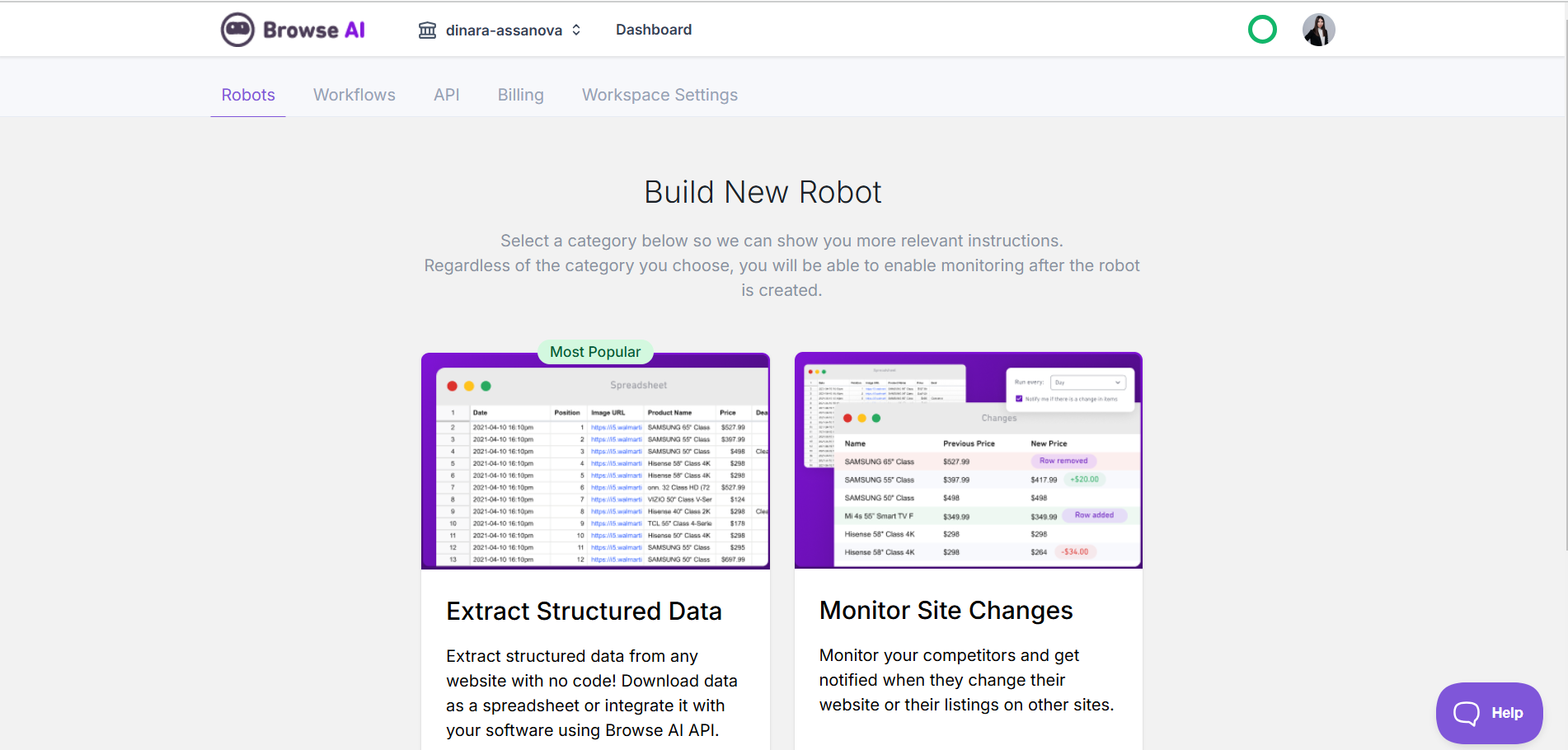
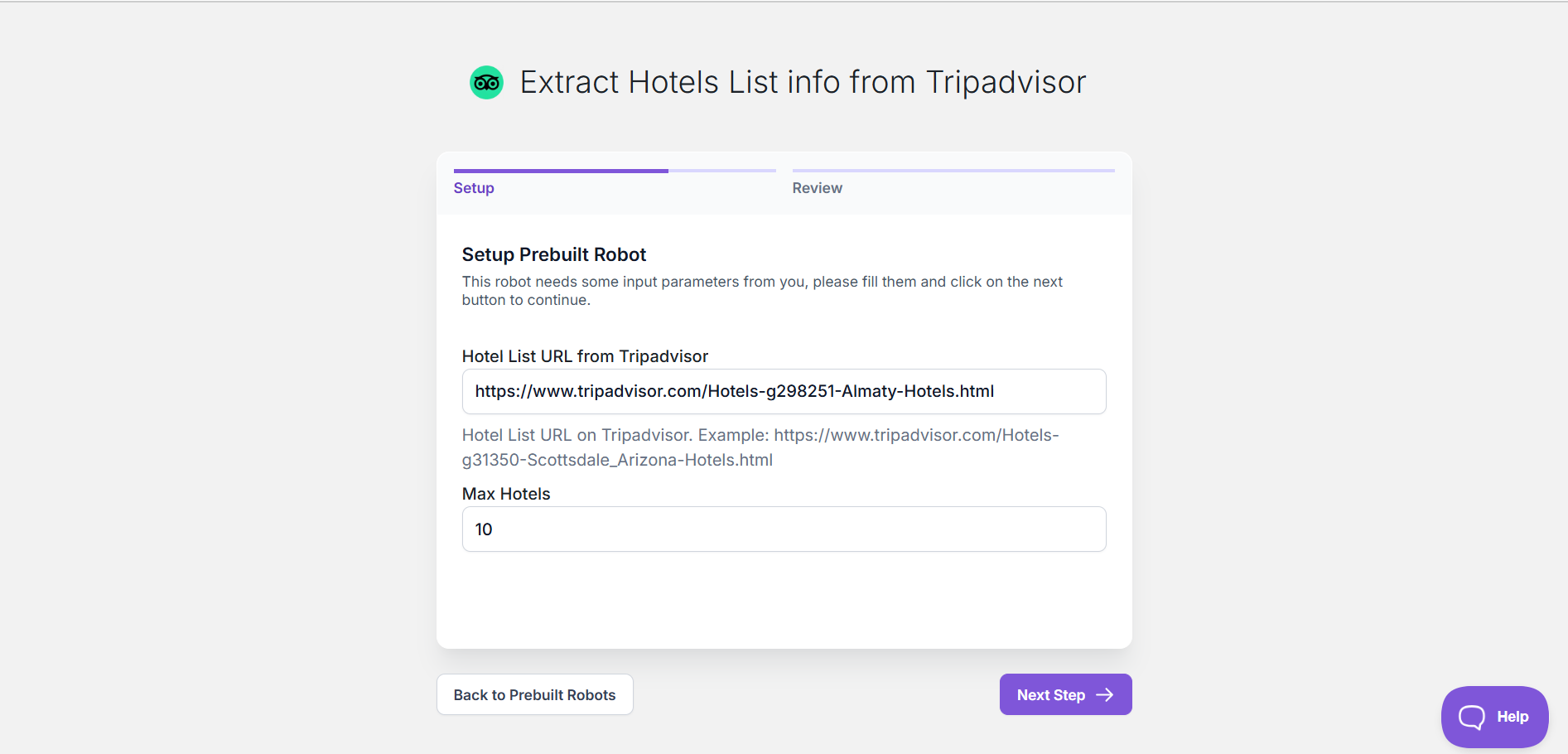
We chose to extract structured data from a website. The platform guided us through the setup process, allowing us to define the type of data we wanted to collect. We pasted the Tripadvisor URL into the input field. Browse AI detected two prebuilt robots for this site. We selected "Extract Hotels List Info from Tripadvisor", designed to scrape hotel listings and automate data collection.
The robot required some input parameters, such as the number of listings to extract. We entered the necessary details and clicked
Next Step
to proceed.
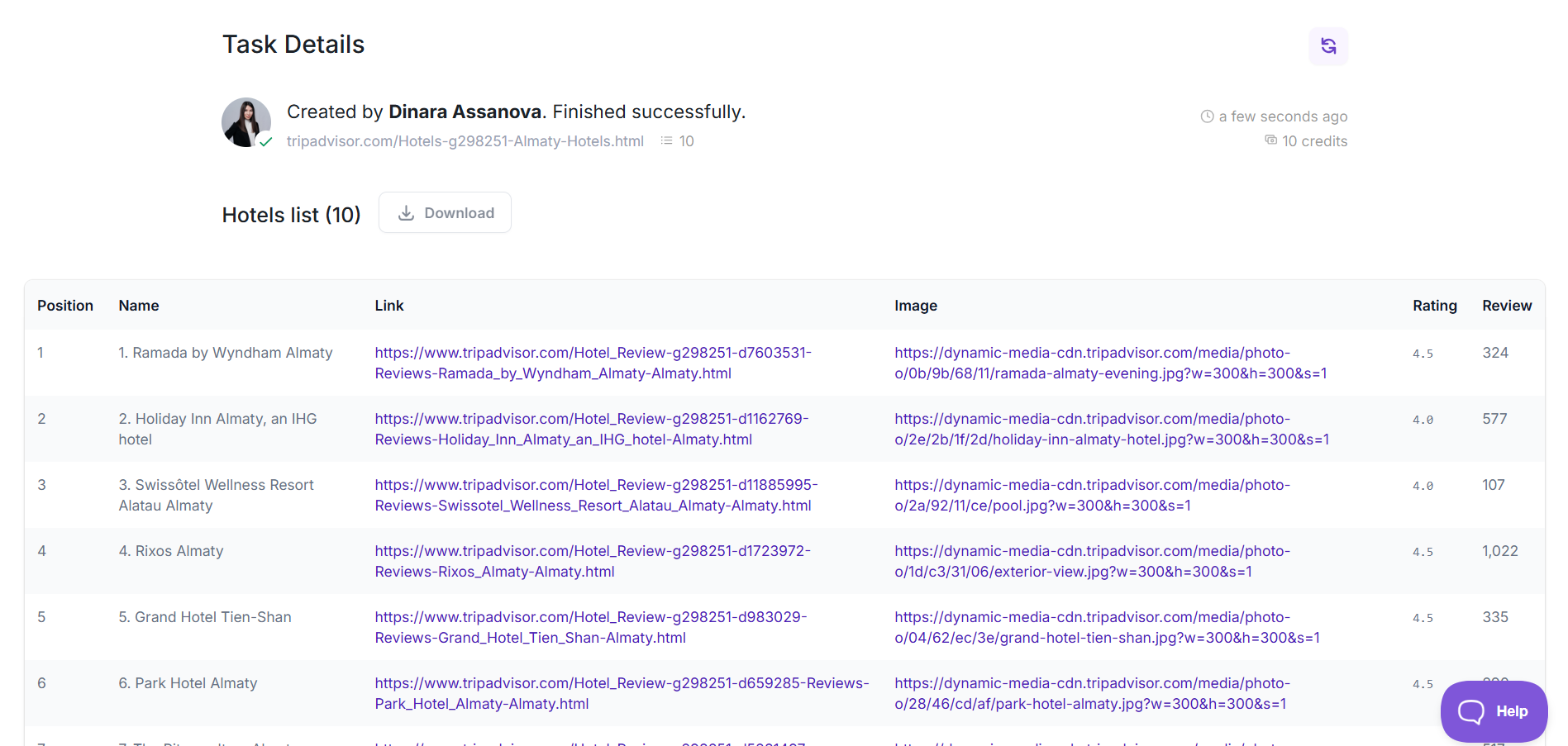
We reviewed the robot’s configuration and launched the extraction. The robot navigated the page, capturing hotel names, ratings, and prices in real time.
Once extraction was complete, the data appeared in the dashboard. We checked the results and exported the data as a CSV file. Browse AI also provided automation options and integrations with tools like Google Sheets.
No written reviews yet. Be the first to share your experience.
Top rated tools from the same category.
View all Data Extraction tools
Web scraping API and hosted MCP server for AI agents and RAG pipelines

A privacy-first tool for extracting PDF highlights, comments, and notes locally in the browser.

A Google Cloud service for parsing, processing, and extracting structured data from documents using AI.
Meet Apify Website Content Crawler, an AI tool for extracting structured data.

AI-powered agents for automating complex enterprise data processing workflows.

Enterprise AI platform specializing in intelligent document processing with high accuracy and scalability.