
 ChatGPT
Humanizer AI
PaidTurn stiff AI-written text into natural, readable copy in seconds

Convert AI-generated text into natural, human-like content that bypasses leading AI detectors effortlessly.
AI Humanizer PRO is a sophisticated AI-powered platform designed to transform AI-generated text into natural, original, and human-like content. It preserves the original meaning while improving tone and flow, helping users bypass popular AI detection tools. The tool supports multiple languages and offers various humanizing modes to suit different content needs, making it ideal for writers, marketers, SEO experts, freelancers, and business professionals.
Updated Oct 17, 2026
No written reviews yet. Be the first to share your experience.
HumanizerPRO is a free tool to humanize AI text , converting machine-generated text into natural, human-sounding writing.
Unlike everyday paraphrasers, it examines the structure and flow of each sentence and reassembles it the way humans truly write, rather than simply swapping in synonyms, so the output reads as if a real person wrote it.
Understands meaning before rewriting, preserving intent, nuance, and factual depth across every sentence.
Your original message stays the same. The humanizer only changes the phrasing and flow, never the facts or intent behind your words.
Convert AI-generated drafts in an instant with zero queues. No need to wait - just paste, click, and receive quality content straightaway.
Designed to generate undetectable material that will pass Turnitin, GPTZero, Copyleaks, Originality.ai, and others.
Trained on massive collections of human writing, HumanizerPRO re-creates natural wording while leaving your facts, tone, and meaning completely untouched.
You can select from Basic, Standard, and Advanced modes to vary the amount of rewriting that's performed; all are completely free.
AI text typically adheres to repetitive structural patterns. HumanizerPRO restructures these into natural language with varied rhythm, sentence flow, and context-appropriate phrasing.
Use the AI text humanizer in 8+ languages, such as English, Spanish, French, German, Italian, Portuguese, Dutch, and Russian, which makes it a truly global humanizer tool.
Custom
on request
Hands-on notes from our editorial team.
✅ Our Test
For the test, we signed up on a website with a Google account to get a free 500-word limit. Then we were directed to the main page where the main features were available.
We asked ChatGPT to generate us a quick article with about 150 words about AI.After AI submitted a text we passed it directly to theYour Contentfield and setModetoBasic.
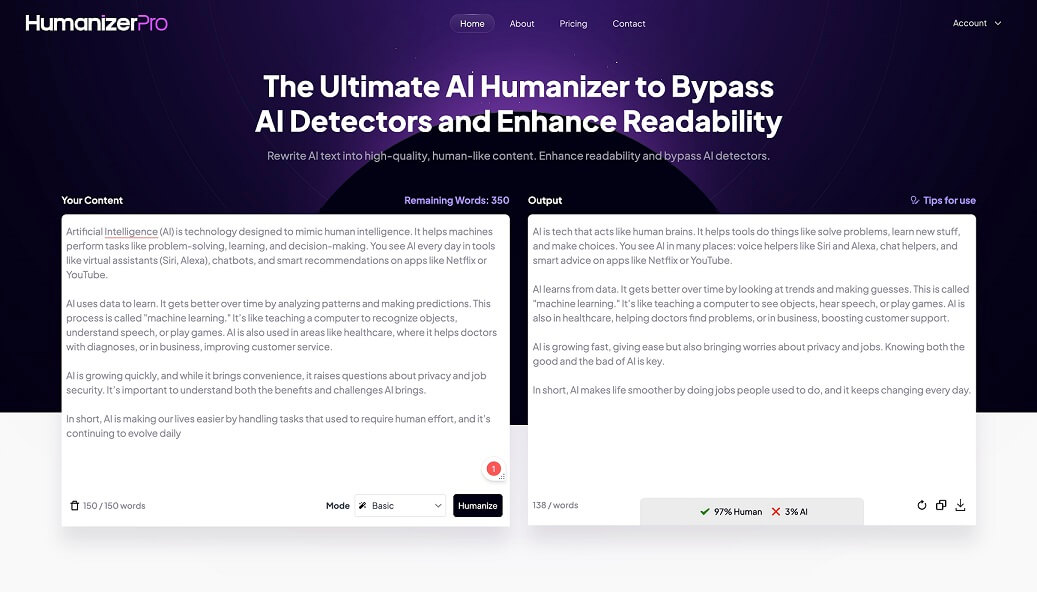 Clicking the buttonHumanizeAI transformed our text in less than 10 seconds.You can also view how the tool evaluates transformed content in percentages right under the text.
After getting our humanized text we decided to test it at a popular AI detector- ZeroGPT.We passed their text that was humanized both in Basic and Advanced modes. To our surprise, Basic’s results were even lower than Advanced ones. We think that happened because Advanced mode saves a little bit of native-scientific tone.
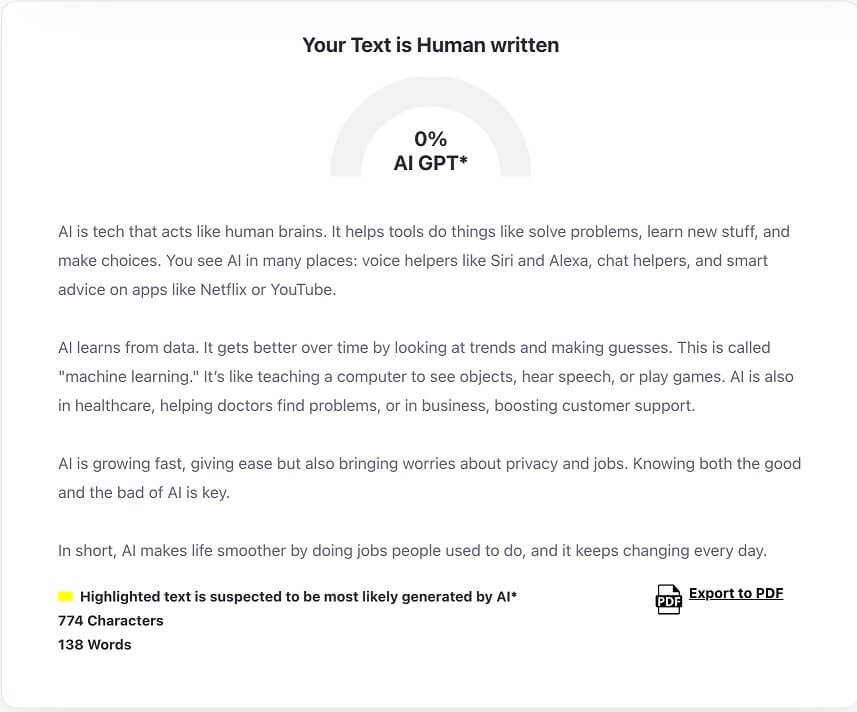
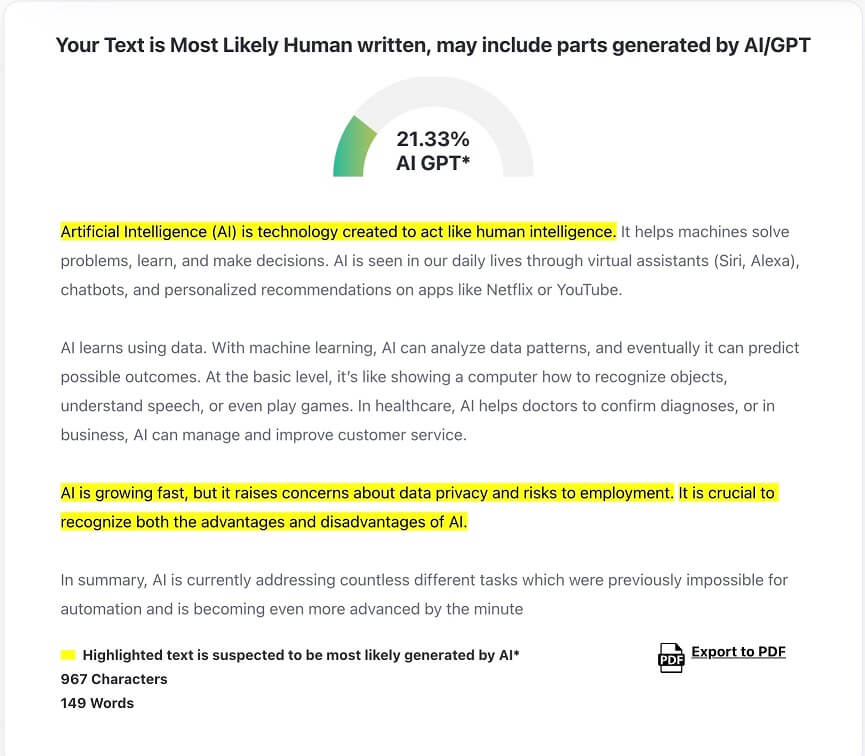 By the way, the original ChatGPT text test showed over 85% AI detection.
No written reviews yet. Be the first to share your experience.
Top rated tools from the same category.
Turn stiff AI-written text into natural, readable copy in seconds

Create SEO-optimized articles in seconds with powerful AI writing and editing capabilities.
Edit AI-written drafts into more natural text
An AI writing toolkit for humanizing, detecting, paraphrasing, and checking text.

Lynote is an AI writing workspace that humanizes AI-generated text and detects AI content to produce natural, clear writing.
A tool that rewrites AI-generated text to produce natural, human-like content while preserving original meaning.