GunAiLegend5/5
Recommends this tool
A solid choice for high-speed brainstorming. Definitely worth trying if you’re looking for a wide variety of logo directions and the ability to tweak the details on the fly.


AI-powered logo creator for distinctive, custom branding.
Logopony is an AI-driven logo creation platform that generates thousands of unique logo designs tailored to specific industries. It offers extensive customization options and advanced editing tools, enabling users to craft logos that align perfectly with their brand identity. The platform provides a freemium model where users can generate unlimited logo ideas for free but must purchase a plan to download final assets.
Last updated: Mar 3, 2026
Average rating
Share your experience
Help others decide, your insights matter
A solid choice for high-speed brainstorming. Definitely worth trying if you’re looking for a wide variety of logo directions and the ability to tweak the details on the fly.
Average rating
Share your experience
Help others decide, your insights matter
A solid choice for high-speed brainstorming. Definitely worth trying if you’re looking for a wide variety of logo directions and the ability to tweak the details on the fly.
Generates thousands of unique and customized logo designs using advanced artificial intelligence algorithms.
Offers a database of top logo elements including layouts, colors, icons, and fonts to guide logo creation based on successful design strategies.
Uses data analysis to tailor logo designs that align with specific sector needs, enhancing logo relevance and appeal.
Provides a comprehensive editing platform allowing users to fine-tune every detail such as color schemes, font styles, and layouts.
Allows users to make unlimited modifications and re-download their logos without restrictions after purchase.
Includes social media kits and business card designs to support consistent brand identity across multiple channels.
Intuitive and easy-to-use editor designed for users with any level of design experience.
Purchasing a plan grants lifetime access with unlimited edits and downloads, with no recurring fees.
| Plan | Price | Highlights |
|---|---|---|
| Free Plan | $0 | Generate unlimited logo ideas
|
| Basic Plan | $20 | One non-transparent logo file
|
| Premium Plan | $85 | Multiple high-resolution, resizable, and print-ready file types
|
Hands-on notes from our editorial team.
✅ Our Test
There is no need to have an account to start creating a new logo. To begin, we entered our company name into the designated field on Logopony's homepage. This information serves as the foundation for generating logo ideas.
After we submitted the brand name, Logopony's AI produced a variety of logo designs based on our input. After exploring several generated logos, we saved the designs we liked.
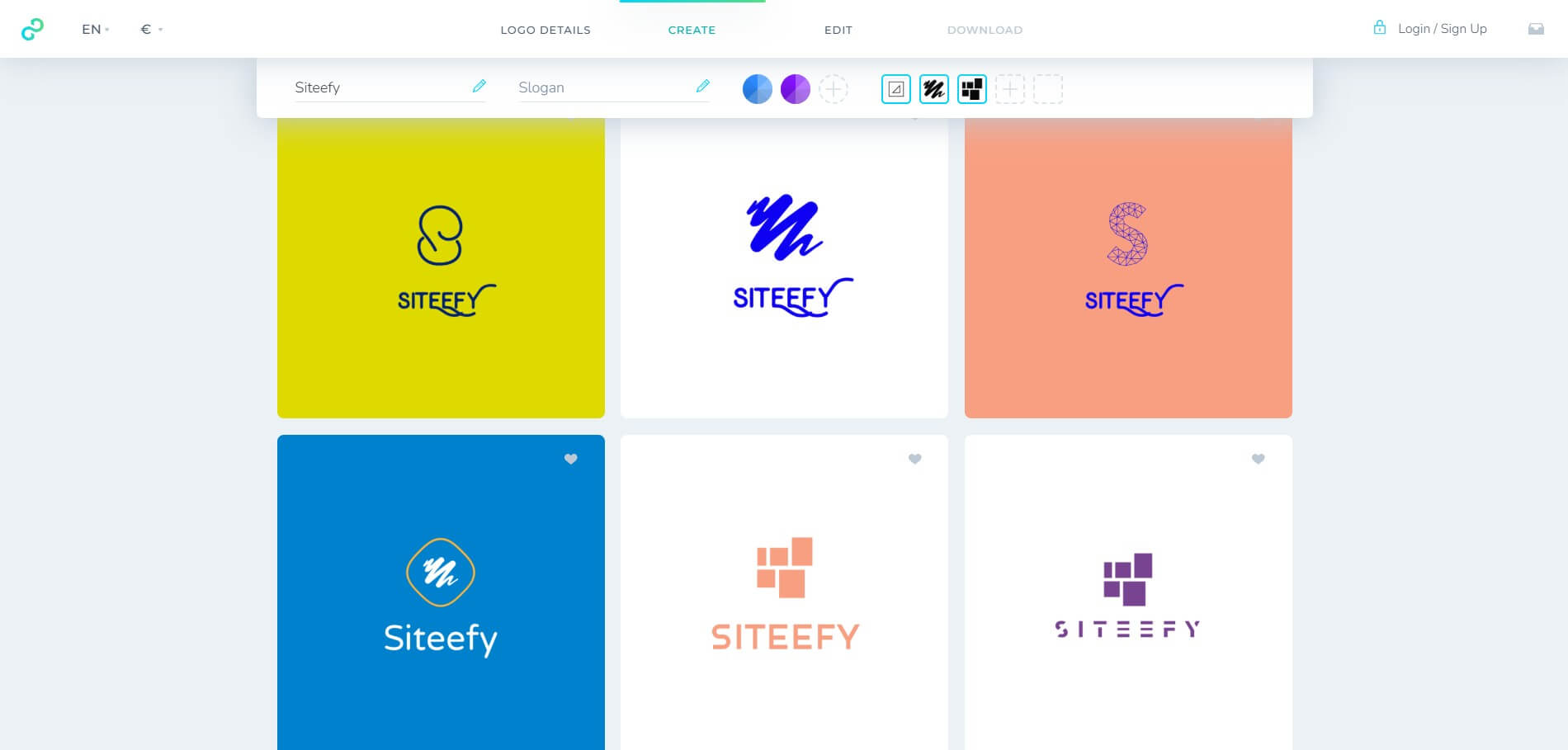
Once we’ve chosen a design, we used Logopony's editor to make adjustments. This includes modifying colors, fonts, and other design elements to better align with the brand's aesthetics.
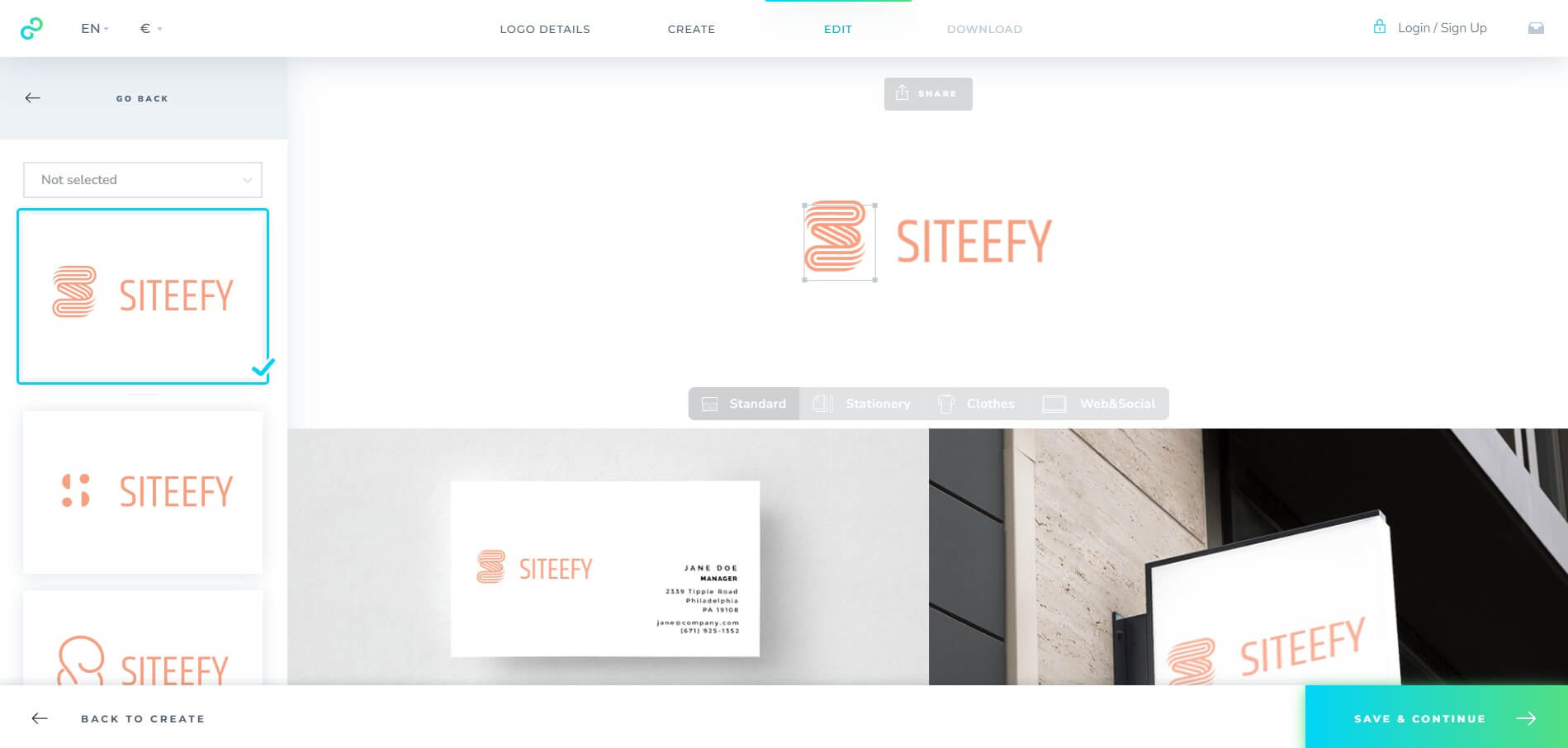
To access the final assets, users are required to create an account and purchase a plan. We liked Logopony's intuitive interface, and the whole process was clear and straightforward. However, some users have reported issues post-purchase, such as difficulties in downloading the final logo files and unresponsive customer support. We advise reviewing recent user feedback and consider these factors when deciding to use the service
Top rated tools from the same category.
The Collaborative Interface Design Tool that empowers teams to design, prototype, and ship products together.

Canva offers AI-powered text, image, video, and audio generation and editing integrated within a graphic design platfor…

AI-powered UI design made easy for product teams to create, iterate, and prototype digital products quickly.
Create high-converting, engaging, branded content faster with an AI-powered interactive design platform.
The super fast color palettes generator for designers and creators.

Generate editable multi-screen UI prototypes from text and images with AI.