Eric OfficialExpert5/5
Recommends this tool
This website helped me a lot by generating images that are best for my website.


Enhance, remove backgrounds, and generate AI art effortlessly with PicPicAI's all-in-one photo editing suite.
PicPicAI is a comprehensive AI-driven image editing platform offering a wide range of tools including photo enhancement, background removal, object removal, old photo restoration, and AI-generated portraits and hairstyles. It caters to both beginners and professionals by providing easy-to-use, affordable, and fast AI photo editing solutions that deliver professional-quality results. With over 350,000 users worldwide and millions of images processed, PicPicAI streamlines creative workflows for social media managers, marketers, content creators, and e-commerce sellers.
Last updated: Mar 3, 2026
Average rating
Share your experience
Help others decide, your insights matter
This website helped me a lot by generating images that are best for my website.
PicPicAI has been a game-changer for my workflow! The AI-powered tools like upscaling, background removal, and retouching have automated so many tedious tasks, allowing me to focus more on the creative aspects of my work. I especially appreciate that some features like SDXL AI art creation, photo colorization, and basic photo compression are available for free. While advanced tools require credits, the time and effort saved make it well worth it. The overall experience has been incredibly smooth, and PicPicAI has brought tremendous convenience to my work. I highly recommend other users to try PicPicAI – it’s an excellent way to boost your productivity and streamline your image processing tasks!
I registered last month, but didn’t use it immediately. I used it a few days ago to enhance the image, and I was quite satisfied.
PicPicAI is an awesome and powerful all-in-one AI photo editor. Go give it a try!
Average rating
Share your experience
Help others decide, your insights matter
This website helped me a lot by generating images that are best for my website.
PicPicAI has been a game-changer for my workflow! The AI-powered tools like upscaling, background removal, and retouching have automated so many tedious tasks, allowing me to focus more on the creative aspects of my work. I especially appreciate that some features like SDXL AI art creation, photo colorization, and basic photo compression are available for free. While advanced tools require credits, the time and effort saved make it well worth it. The overall experience has been incredibly smooth, and PicPicAI has brought tremendous convenience to my work. I highly recommend other users to try PicPicAI – it’s an excellent way to boost your productivity and streamline your image processing tasks!
I registered last month, but didn’t use it immediately. I used it a few days ago to enhance the image, and I was quite satisfied.
PicPicAI is an awesome and powerful all-in-one AI photo editor. Go give it a try!
Enhances image quality by improving clarity, adjusting colors, and bringing out fine details in photos.
Removes backgrounds from images to create transparent or customized backgrounds with a single click.
Restores and enhances old or blurry face photos using AI to bring them back to life.
Specifically enhances portraits by unblurring faces and improving facial details.
Upscales images creatively by adding new details and increasing resolution without losing quality.
Seamlessly extends photos beyond their original borders using AI to create wider images.
Generates artistic renditions of portraits including sketches, paintings, anime-style images, and cartoon avatars.
Erases unwanted objects from photos quickly and effortlessly to improve composition.
| Plan | Price | Highlights |
|---|---|---|
| Credit Packs | Varies | Credits used as virtual tokens to access all AI photo tools
|
| Free Registration Reward | Free | 5 free credits upon registration to try out the tools |
Hands-on notes from our editorial team.
✅ Our Test
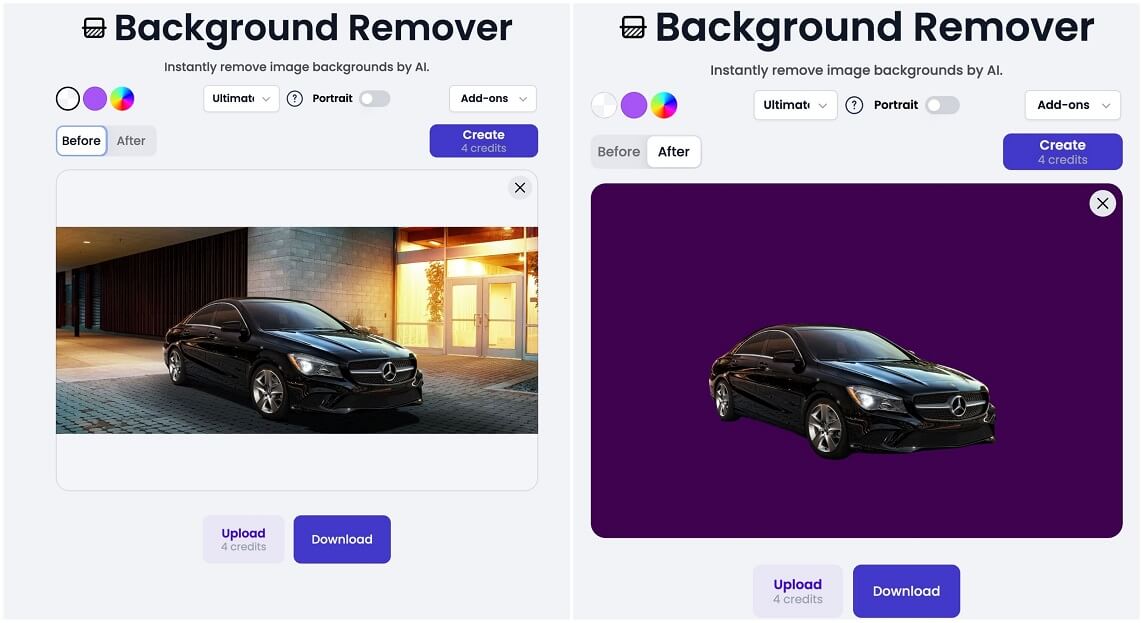
We signed up on the website with our Google account. Then we choose some interesting AI features to perform tests with real existing images. Our choice fell to them:Objects Remover, Photo Colorizer, AI Photo Restoration, and AI Background Remover.
For Remove Objects we uploaded one famous picture. Uploading cost us 1 credit and then we highlighted 3 objects we want to remove with brush. After highlighting we clicked the Remove button, which also cost us another 1 credit and AI removed those objects for us. Here are the before/after results:
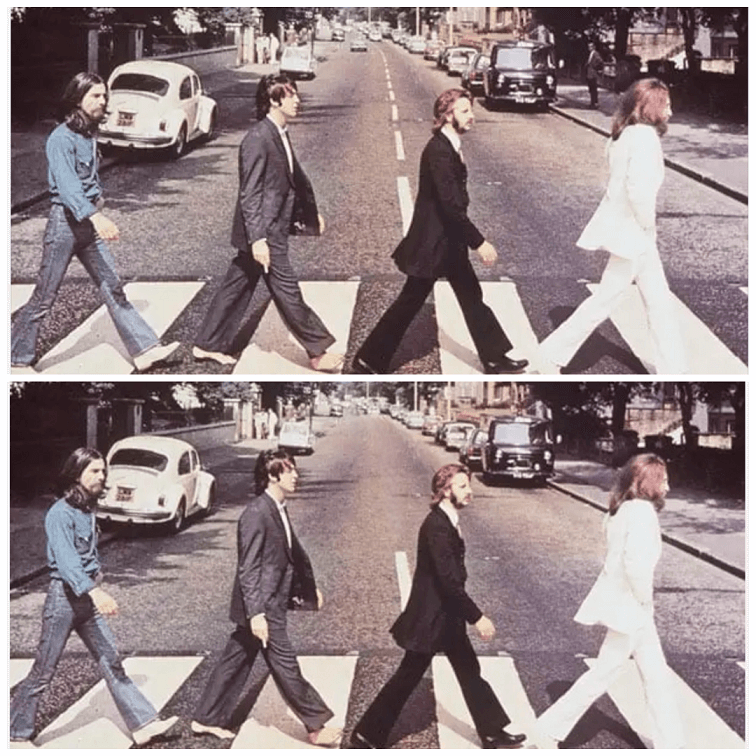 As you can see AI removed road markings, cars in the background road, and even a human from shadows on the right side of the picture.
Then we tested another feature—Photo Colorizer. We directed to its page and set add-ons to none for this tool. Only after setting the right settings, we uploaded the black/white-styled image, and AI automatically proceeded with it. View the results:
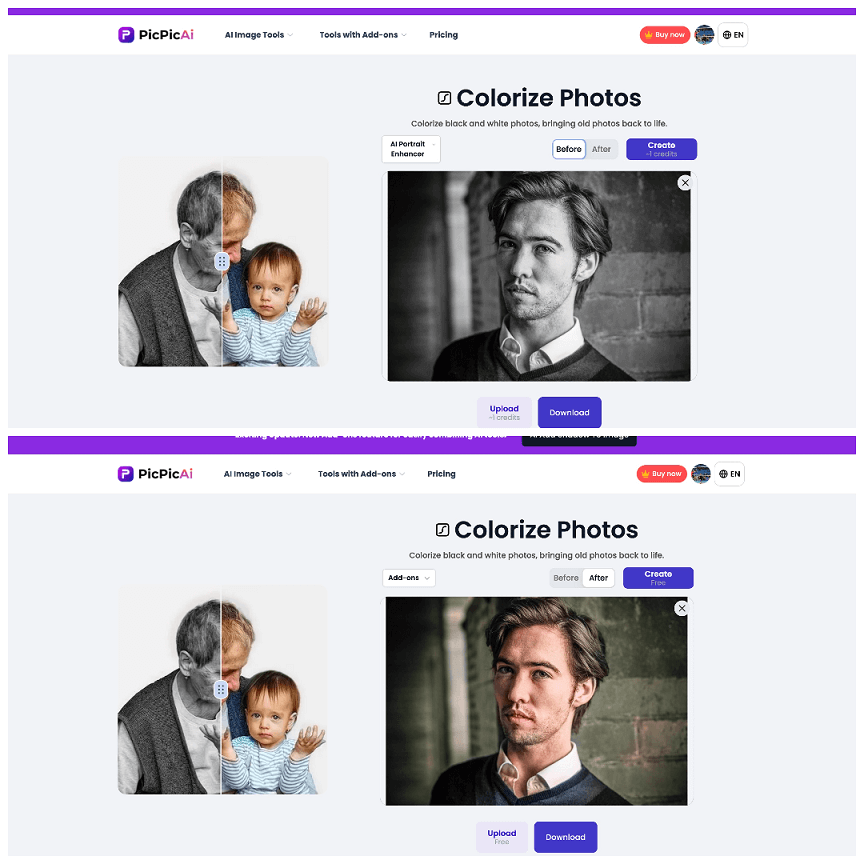 If you want to restart you can click Create once, or you can export results by clicking on the Download button.
Same easy steps with another feature-AI Photo Restoration: here we again set add-ons to none and uploaded one blurry face photo. After 20 seconds AI generated these results:
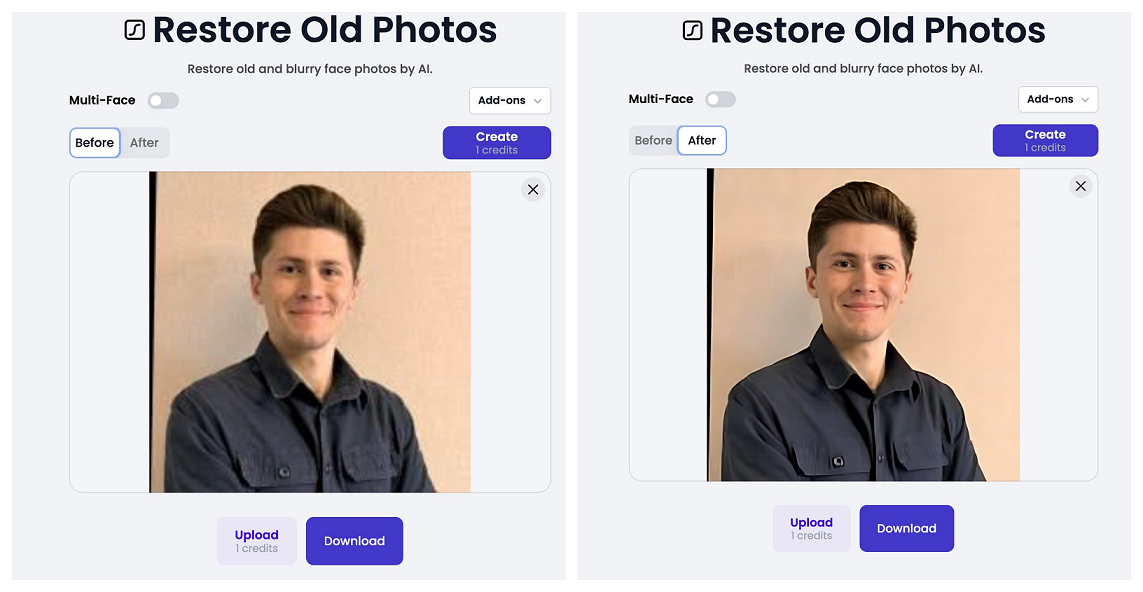
The last feature we tested wasAI Background Remover. We uploaded the image and after AI proceeded it, we exchanged background colors. You can also export it as a transparent clipart.
Top rated tools from the same category.

An AI-powered tool for automatic image background removal and background generation.
Nana Banana: Advanced AI Image Editor

AI-powered photo editor and listing studio that transforms product photos into visuals that sell.
Transform low-quality photos and videos into stunning HD with AI-powered enhancement.
Next-generation AI image editor for professional photo enhancement and intelligent retouching.

AI-powered image enhancement and upscaling for professional-quality photos and prints.