


Canva offers AI-powered text, image, video, and audio generation and editing integrated within a graphic design platform.
Free plan
from $144 per year
The order comes from 15 reader votes. 40 have a free way in.
Artificial intelligence image-to-image generation turns an existing picture into a new version. You can change its style, remove a background, or edit parts with simple instructions. It helps you reuse a photo or idea instead of starting from scratch.
Missing a tool?
Ranked by readers. Your vote moves a tool up this list. Press it on any row. No account needed.
Tell us which one you use4 comments
What do you need to do?
Canva offers AI-powered text, image, video, and audio generation and editing integrated within a graphic design platform.
Free plan
from $144 per year
Create stunning animated videos from photos and text instantly with advanced AI.
Free plan
Nana Banana: Advanced AI Image Editor
Free plan
All-in-one AI-powered photo editor and creative design platform for effortless image and video enhancement.
Free plan
Runway is an AI-powered creative platform for video editing and generation.
Free plan
Create stunning graphics, videos, and web pages effortlessly with Adobe's all-in-one creative platform.
Free plan
from $9.99/mo
An AI-powered image transformation tool that morphs, stylizes, and recreates images based on user prompts and reference photos.
Free plan
from $108 per year
AI-powered tool for generating realistic images from text prompts.
Paid
Transform static images into cinematic AI videos instantly.
Free plan
AI-powered image editor for seamless retouching and object manipulation
Paid
AI Image Styles is an image-to-image AI generator that transforms photos using curated visual style templates without requiring prompt
Paid
from $190 per year
Free online AI-powered image and video generator for creative media from text prompts.
Free plan
Automate any workflow with AI to make your team 10x more efficient without coding.
Paid
An AI creative studio for generating images, videos, photoshoots, photo edits, and voiceovers.
Free plan
from $9 per month
Google's everyday AI assistant for creative image generation and editing with advanced control and professional features.
abrush abrush“I love Nano Banana Pro since it is the best in quality”Free plan
Create unique AI-generated images and artwork effortlessly.
Free plan
from $5.99/mo
Transform your sketches into photorealistic images with AI-powered sketch-to-image conversion.
Free plan
Custom pricing
Harness AI to morph, stylize, and recreate any image effortlessly.
Free plan
Create stunning, photorealistic images instantly from text prompts with diverse styles and unlimited creativity.
Free plan
An AI platform integrating chat, image, and video generation with leading AI models under a single account.
Free plan
from $70.80 per year
All-in-one AI platform for image and video generation, editing, and collaboration.
Paid
A generative AI creative platform for image, video, and motion asset creation and editing.
Free plan
Custom pricing
AI-powered platform for instant product photo background replacement and customizable AI product photography.
Free plan
from $13 per month
Create and edit professional AI-generated images, videos, music, voiceovers, and sound effects using natural language.
Free plan
from $29.99/mo
A free online platform offering over 50 AI-powered tools for photo and video editing directly in the browser.
Free plan
The most powerful AI suite for creatives to generate, enhance, and edit images, videos, and 3D objects with ease.
Free plan
from $9 per month
AI-powered visual content platform for effortless photo and video editing and generation.
Free plan
AI Imagine is an AI-powered platform for image generation, editing, and enhancement tailored for digital media creation.
Paid
from $29.99 per month
Take full control of your visuals with CGDream's AI image generator, creating stunning images with text, images, and 3D models.
Free plan
Generate high-quality, customizable images instantly with AI-powered creativity.
Free plan
AI-powered generative media platform for creating high-quality images and designs from text prompts.
Free plan
Custom pricing
Adobe Firefly is an AI‑driven creative studio for generating visual assets.
Paid
Custom pricing
AIGPTS offers a centralized suite of AI tools for generating and editing videos, images, music, and chat interactions.
Paid
from $16.65 per month
An AI tool that converts photos into anime-style artwork with multiple style options and instant processing.
Free plan
GPT Image 2-style tool for generating and editing images from text or reference uploads in the browser.
Free plan
AI-powered tool for generating and editing videos, images, and music with various input types and styles.
Free plan
World's fastest AI generator for images, videos, and AI characters.
Free plan
Fast Image AI is a browser-based AI image generator that creates high-quality images in multiple styles from text prompts or uploaded
Free plan
Create and explore unique AI-generated images by blending and evolving art with ease.
Paid
BestPhotos.ai is an online AI-powered image generator and photo creator.
Free plan
Meet Botika, an AI tool for fashion model generation.
Paid
AI-powered photo transformation tool that applies iced-out hip-hop aesthetics including diamond grills, luxury watches, and retro VHS
Paid
Professional AI character training for consistent face photos and video generation.
Paid
Redesign any space instantly with AI, no design skills needed.
Paid
from $24 per month
AI design software for creators, designers, businesses and people selling products.
Free plan
An AI-powered tool for creating custom face models, transforming portraits, and generating consistent characters from photos.
Paid
An AI creative workspace for generating product images, videos, and campaign visuals from a single product image.
Paid
Create AI images, edit photos, and make videos.
Paid
from $99 per year
AI-powered platform for anime‑style storytelling and image generation.
Paid
An AI creative platform for generating and editing images, videos, audio, and 3D environments.
Free plan
All-in-One AI Super App integrating multiple advanced AI models for smarter conversations and creative tasks.
Free plan
from $90 per year
An AI image generator that creates and edits pictures from text prompts and photos without design skills.
Free plan
from $100 per year
AI-powered bulk product image generator for ecommerce sellers to create consistent product photos at scale.
Paid
from $14 per month
Online AI-powered photo editor and image generator accessible via web and apps.
Free plan
from $2.49 per month
AI-powered tool for generating photorealistic portraits, lifestyle images, and videos from a single photo using curated templates.
Paid
AI-powered platform to create stunning, high-converting product images and videos from a single photo.
Free plan
from $14.50 per month
An AI-powered generator that creates custom t-shirt graphics from text prompts or reference images with live previews and print-ready
Free plan
from $19 per month
AI-powered tattoo cover-up design generator using image-to-image technology.
Paid
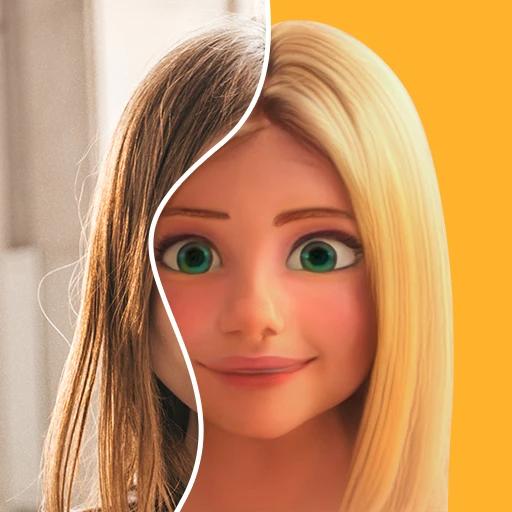
ToonMe is an AI-powered app for turning photos into cartoon-style portraits and avatars.
Free plan
Custom pricing
AI video and image generator creating cinematic videos and polished images from text, images, clips, and references.
Paid
AI tool for generating videos, images, and audio from text, images, or video inputs.
Paid
An AI tool that generates pet-focused photorealistic images and short videos from a single pet photo.
Paid
An AI-powered home design platform for generating photorealistic interior and exterior renders with virtual staging and multiple
Free plan
from $9.99 one-time
Showing 1 to 10 of 63, ranked by 15 reader votes
Know one that belongs on this list?
How do you get AI Image-to-Image Generation done?
I love Nano Banana Pro since it is the best in quality
Flux and GPT image
I use ChatGPT for image generation. In my experience, the results are superior.
Join the discussion
Takes a minute. No account needed.
+10 points a postStart with a tool from the list:
Your choice depends on the kind of change you want to make. Start with the finished result in mind, then pick a tool focused on that job.
For fresh artwork from an existing picture, tools that also handle AI image generation can keep the creative process in one place. AI style transfer is more useful when you want to preserve the subject but change its visual look.
Many everyday jobs fall closer to image editing or photo editing than making new art. Background removal also matters when preparing clean product pictures, portraits, or ads.
A still image can also become the starting point for AI video generation. This route fits social clips, ads, and other projects that need motion after the first image is ready.
It uses an existing image as the starting point and creates a changed version based on your instructions or a reference style.
Yes.
Tools with image inpainting can replace or repair a selected area while leaving the rest of the picture in place.
Yes.
Nana Banana, Editaimg, and Dezgo include background removal.
Several listed tools state that commercial use rights are available, including Nana Banana, Image to Image AI, Editaimg, AI Image Styles, Dezgo, MagicShot AI, and NightCafe.
Check the current terms before publishing or selling your work.