Transform static images into dynamic, high-quality videos effortlessly with AI-powered generation.
Free plan
The order comes from 202 reader votes. 92 have a free way in.
Artificial intelligence video generation turns your words, images, or other content into video. It can help you make a product clip from a photo or turn a script into a training video. This saves time when you need content for lessons, ads, or social media.
Missing a tool?
Ranked by readers. Your vote moves a tool up this list. Press it on any row. No account needed.
Tell us which one you use15 comments
What do you need to do?
Transform static images into dynamic, high-quality videos effortlessly with AI-powered generation.
Free plan
Create stunning animated videos from photos and text instantly with advanced AI.
Free plan
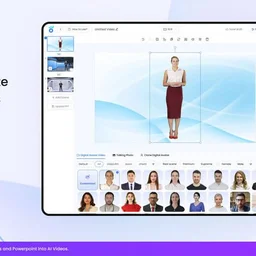
Create lifelike AI-generated videos and digital avatars to transform digital communication and engagement.
Free plan
Transform static images into cinematic AI videos instantly.
Free plan
Meet AI Studios (by DeepBrain), an AI tool for generating videos and AI avatars.
Free plan
from $24 per month
Video-first AI generator with image support, powered by top models
Free plan
Meet Akool, a platform for creating and customizing AI-powered videos and avatars.
Paid
Custom pricing
Create stunning AI-generated videos from text, images, or videos with ease and no technical skills.
Paid
from $120 per year
Create professional videos instantly with AI-powered video generation and editing.
Paid
Custom pricing
Meet aicut, an AI tool for creating short videos for your faceless channel.
Free plan
from $19.99 per month
An AI-powered creative productivity platform for generating images, videos, sound, and effects.
John Brooks“I get AI Video Generation done with Runway, Kling AI, and CapCut because they make it easier to create engaging videos without spending hours on manual editing.”Paid
Custom pricing
AI-powered platform for generating creator-style UGC video ads for DTC brands without filming or creators.
Free plan
from $29 per month
All-in-One AI Image and Video Creation Platform with Super AI Agent Capabilities
Free plan
An AI-powered platform for creating AI-generated videos and automating creative workflows.
Free plan
from $10 per month
Generate celebrity AI voices and videos with ease.
Free plan
Custom pricing
AI-powered visual content platform for effortless photo and video editing and generation.
Free plan
AI-powered video creation and editing tool integrated with Google Workspace for collaborative work video storytelling.
Paid
BHuman creates personalized AI-generated videos at scale for business outreach, marketing, and customer engagement.
Free plan
from $39 per month
Free online AI-powered image and video generator for creative media from text prompts.
Free plan
DreamFlow transforms Google Street View images into AI-generated cinematic aerial videos using advanced AI models.
Paid
from $10 one-time
AI-powered video creation platform for generating product and marketing videos using AI avatars and stock media.
Paid
All-in-One AI Platform to Work Smarter, Create Faster, and Achieve More Without Tech Skills.
Free plan
Custom pricing
AI-driven platform for generating and editing branded product photos and videos for e-commerce.
Free plan
from $38 per month
Loview AI offers the Nano Banana AI image generator with multiple model versions for text-to-image and video generation in one platform.
Paid
from $118.80 per year
AI-powered video maker that transforms text content into engaging videos online.
Free plan
An AI creative studio for generating images, videos, photoshoots, photo edits, and voiceovers.
Free plan
from $9 per month
An AI creative workspace for generating product images, videos, and campaign visuals from a single product image.
Paid
An AI creative platform for generating and editing images, videos, audio, and 3D environments.
Free plan
Multi-model AI video creation platform with an AI director agent for scripting, storyboarding, and generating videos.
Paid
from $19.90 per month
Create viral videos in minutes with AI-powered video generation optimized for TikTok, Instagram, and YouTube.
Free plan
from $39 per month
Runway is an AI-powered creative platform for video editing and generation.
John Brooks +2“I get AI Video Generation done with Runway, Kling AI, and CapCut because they make it easier to create engaging videos without spending hours on manual editing.”Free plan
Create unique AI-generated images and artwork effortlessly.
Free plan
from $5.99/mo
Grok is xAI's assistant for real-time answers, research, reasoning, coding, and AI image and video creation.
Free plan
Create Viral Product Ads with AI for TikTok, Reels & Shorts
Paid
An AI platform for creating images, videos, and interactive character chats with community sharing.
Free plan
Create unique faceless AI videos from text and other media effortlessly to maximize your revenue.
Paid
All-In-One AI Platform for Image, Video, Voice, Writing & Chat to Accelerate Creative Workflows
Free plan
Create lifelike AI videos instantly with customizable avatars and multilingual voiceovers.
Free plan
AI Image, Video and Music Generator
Free plan
Seedance 2.5 is an AI video generator producing native 4K videos up to 30 seconds with multimodal input and synchronized audio.
Paid
An AI platform integrating chat, image, and video generation with leading AI models under a single account.
Free plan
from $70.80 per year
All-in-one AI platform for image and video generation, editing, and collaboration.
Paid
Turn text or images into cinematic 1080p AI video
Paid
from $299.90 per year
Generates cinematic videos from single images using AI-driven motion prediction models.
Free plan
Create more content in less time with Kapwing's collaborative and AI-powered video creation platform.
Free plan
Custom pricing
An AI video production platform for storyboarding, generating, and editing films and ads.
Free plan
from $15 per month
Create stunning AI-generated videos with lifelike avatars and voices in minutes.
Free plan
Custom pricing
A generative AI creative platform for image, video, and motion asset creation and editing.
Free plan
Custom pricing
Create and edit professional AI-generated images, videos, music, voiceovers, and sound effects using natural language.
Free plan
from $29.99/mo
Create AI videos, images, and voiceovers with 20+ top models in one workspace.
Free plan
from $120 per year
The most powerful AI suite for creatives to generate, enhance, and edit images, videos, and 3D objects with ease.
Free plan
from $9 per month
Create Amazing AI Videos and AI Images in Seconds.
Paid
Create and edit pro-level videos faster with AI-powered tools in your browser.
Free plan
Custom pricing
AI image to video generator with text prompt control. Convert photos to professional MP4 videos.
Paid
AIGPTS offers a centralized suite of AI tools for generating and editing videos, images, music, and chat interactions.
Paid
from $16.65 per month
Meet Augie, an AI tool that simplifies video editing and creation.
Free plan
from $40
AI-powered tool for generating and editing videos, images, and music with various input types and styles.
Free plan
World's fastest AI generator for images, videos, and AI characters.
Free plan
AI-powered avatar-led video creation for eCommerce and app marketing.
Free plan
API platform for integrating Midjourney AI image and video generation into applications without requiring a Discord account.
Paid
AI video generator producing continuous 30-second 4K clips from text or images with sound and reference inputs.
Paid
Senzia is an AI-powered tool for generating videos, images, and audio from text and image inputs.
Free plan
Turn ideas into viral TikTok, Instagram, and YouTube short videos effortlessly with AI-powered video creation.
Free plan
from $30 per month
#1 AI Video Platform for Business
Free plan
from $29 per month
TalkPix generates AI-driven talking photo videos, product photos, and video ads from user-uploaded images and scripts without subscriptions.
Paid
AI Fruit generates short-form AI videos featuring fruit characters for social media content creation.
Free plan
from $15 per month
Create faceless AI videos on autopilot
Paid
from ₹1799 per month
AI-Powered Animation Maker for Effortless Studio-Quality Videos
Free plan
Custom pricing
Unified API access to over 400 AI models for image, video, audio, and chat generation.
Free plan
Turn text into engaging videos with ultra-realistic AI voices and avatars.
Free plan
Custom pricing
Create cinematic AI videos with synchronized native audio from text or images.
Paid
from $29 per month
AI tool for generating native-audio videos from text prompts or images with flexible duration and resolution.
Free plan
from $29 per month
An AI creative studio for generating images, videos, and prompt templates with community-shared FX.
Paid
from $10 per month
Heyo is an AI-powered tool that adds animated effects to photos to create short videos.
Free plan
AI-powered all-in-one video editor that simplifies video creation with smart automation and creative assets.
Free plan
A browser-based AI tool that converts still images into short videos with motion prompts and daily free previews.
Free plan
Custom pricing
An Infinite Canvas for the Imagination combining AI-powered image, video, and sound creation in one seamless interface.
Free plan
Custom pricing
All-in-One AI platform for free and unlimited AI chat, image, and video generation.
Paid
Create AI images, edit photos, and make videos.
Paid
from $99 per year
All-in-One AI Super App integrating multiple advanced AI models for smarter conversations and creative tasks.
Free plan
from $90 per year
Browser-based AI tools for creating commercial-ready images, videos, and audio for business use.
Free plan
from $19 per month
AI-powered product photo and image editing platform for ecommerce visuals.
Free plan
Online AI-powered photo editor and image generator accessible via web and apps.
Free plan
from $2.49 per month
Animated video maker for teams and educational institutions.
Free plan
Custom pricing
Ray 3.2 is an AI video generator that creates controlled cinematic videos from text, images, or existing footage with frame-level direction.
Paid
AI-powered tool for generating viral TikTok, Instagram Reels, and Shorts slideshows with scripts, images, and voiceovers.
Paid
from $19 per month
User-friendly AI Image & Video generator
Paid
from $12.99 per month
AI rewriting for people who want clearer, more concise drafts.
Free plan
from $29 per month
An AI video generator that creates short videos with synchronized sound, dialogue, and camera direction from text or image inputs.
Free plan
from $14 per month
AI-powered platform to create stunning, high-converting product images and videos from a single photo.
Free plan
from $14.50 per month
Create viral short videos effortlessly from long-form content using AI.
Paid
from $30 per month
Turn any photo into a living, moving HD video in minutes.
Free plan
AI-powered script writing and YouTube content automation for creators.
Free plan
from $99 per month
Tavus provides AI humans that see, hear, understand, and interact with emotional intelligence in real-time conversational video and audio.
Free plan
from $20 per month
Create cinematic 8-second AI-generated videos with native audio from simple text prompts.
Paid
from $29.90/mo
AI video and image generator creating cinematic videos and polished images from text, images, clips, and references.
Paid
An AI-powered video creation and editing platform that transforms text, audio, documents, and recordings into polished videos and short
Free plan
AI tool for generating videos, images, and audio from text, images, or video inputs.
Paid
An AI video generation tool by Alibaba that creates up to 15-second 1080p HD videos from text or images with lip-sync and cinematic
Paid
from $10 one-time
An AI tool that generates pet-focused photorealistic images and short videos from a single pet photo.
Paid
Canva offers AI-powered text, image, video, and audio generation and editing integrated within a graphic design platform.
Free plan
from $144 per year
Google Gemini is your everyday AI assistant for web and mobile, designed to enhance productivity and creativity.
Free plan
AI-powered online video and photo editor for creating stunning content effortlessly.
Chloe Bennett +1“I get short AI Video Generation done with CapCut's text-to-video and templates: for a two or three second loop for a hairstyle guide, I start from a template, swap the text and colours, and take one still frame as a poster image.”Free plan
from $12.49 per month
The most realistic AI voice platform for expressive speech, voice agents, and audio creation.
Free plan
Custom pricing
AI-powered camera control and creative suite for filmmakers and content creators.
Mohsin Anwar +2“For me, Higgsfield follows visual movement prompts best, and Claude helps me clean up the prompt structure before I paste it.”Free plan
Meet 2short, an AI-powered video repurposing tool that transforms long-form YouTube videos into short-form content.
Free plan
from $9.90 per month
A tool that transforms static images into cinematic AI-generated videos with motion and camera control.
Paid
from $29.90 per month
Build full-stack web applications effortlessly through natural language conversation.
Paid
An AI-powered social video studio that transforms product images and footage into viral UGC-style videos optimized for social media
Free plan
An AI Expert Team for Entertainment Creation that transforms ideas into images, videos, characters, and stories.
Paid
All-in-one AI workspace for research, content, code, and creative work.
Paid
Create unique logos and build your full brand identity instantly with AI-powered design.
Paid
from $29 per month
AI image and video creation for creators, teams, and developers.
Paid
A free online platform offering over 50 AI-powered tools for photo and video editing directly in the browser.
Free plan
Smart AI design platform for rapid, scalable visual creation
Paid
from $11.99 per month
Meet AI Song Maker, an AI-powered platform for generating songs and music.
Free plan
AI visual workspace for canvas-based thinking, multimodal creation, and autonomous agent workflows.
Free plan
Generate high-quality, customizable images instantly with AI-powered creativity.
Free plan
Edit videos like a pro with powerful AI-driven tools and an intuitive interface.
Free plan
from $49.99 per year
Adobe Firefly is an AI‑driven creative studio for generating visual assets.
Paid
Custom pricing
AI image, video, character, avatar, and face swap creation in one workspace.
Free plan
AI video generator for turning text and images into short videos with controllable motion.
Free plan
The #1 AI video clipping and editing tool that turns long videos into viral shorts in one click.
Free plan
Custom pricing
Transform product photos into professional fashion imagery with AI-powered virtual mannequins.
Paid
from $14 per month
AI-powered video generator creating up to 30-second cinematic videos from text, images, video, and audio references.
Paid
Meet AdCreative.
Paid
from $39 per month
AI Video Editor is a prompt-based AI tool for editing video clips by changing visual styles, removing objects, recoloring products, and
Paid
from $178.80 per year
Arcade is an AI-powered tool for creating branded product videos, interactive demos, and visuals quickly.
Free plan
Custom pricing
AI video creation for small teams and startups.
Free plan
CinLink is a natural-language AI media workspace for video generation, editing, subtitle translation, dubbing, and content repurposing.
Free plan
from $19 per month
Short video maker for people turning long recordings into social clips.
Paid
Professional AI character training for consistent face photos and video generation.
Paid
AI video and course creation for training teams and individual content creators.
Free plan
Custom pricing
AI image, video, and audio creation for creators, designers, marketers, and creative teams.
Paid
from $39.99 per month
An AI-powered platform for automating short-form social media content creation, posting, and management across TikTok and Instagram.
Free plan
Guided AI video creation for creators, marketers, ecommerce teams, agencies and production teams.
Paid
from $19 per month
All-in-One AI Fashion Design Platform
Paid
AI video production workspace for creators making films, music videos, and ads.
Paid
AI video creation and editing on macOS for storytellers working with agents and media.
Free plan
AI image, video and audio creation for teams producing branded creative work.
Free plan
Add depth and camera motion to still photos.
Free plan
from $4.99 per month
Automate any workflow with AI to make your team 10x more efficient without coding.
Paid
An AI work agent for people who want to research, create, and automate tasks in one workspace.
Free plan
from $17 per month
An AI-powered tool for creating custom face models, transforming portraits, and generating consistent characters from photos.
Paid
An online AI media studio for creators and teams making videos, images and music.
Free plan
AI-powered tool for generating photorealistic portraits, lifestyle images, and videos from a single photo using curated templates.
Paid
AI song and music video creation for content creators, filmmakers, advertisers, and game developers.
Free plan
An online tool for creating professional animated videos and presentations with templates and AI-powered automation.
Free plan
from $59 per month
Showing 1 to 10 of 148, ranked by 202 reader votes
Know one that belongs on this list?
How do you get AI Video Generation done?
I get short AI Video Generation done with CapCut's text-to-video and templates: for a two or three second loop for a hairstyle guide, I start from a template, swap the text and colours, and take one still frame as a poster image. For anything a person appears in, I use stock footage rather than a generated face, because AI faces still look off on close inspection.
I get AI Video Generation done with Runway, Kling AI, and CapCut because they make it easier to create engaging videos without spending hours on manual editing. Runway helps generate creative visuals and cinematic clips, while Kling AI is useful for turning text prompts and images into realistic video sequences. I use CapCut to combine clips, add captions, transitions, sound effects, and background music. This workflow helps me produce short-form videos, social media content, and promotional videos faster while maintaining good visual quality.
I get it done with AI video generation tools by writing clear prompts, describing the scenes and movements, and choosing the right visual style. I focus on short, engaging videos because good prompts help produce more consistent and creative results.
 Siteefy Team
Yes! True, prompt quality makes the biggest difference. And which tool do you find follows your prompts best?
Good question! For me, Higgsfield follows visual movement prompts best, and Claude helps me clean up the prompt structure before I paste it. The combination gives me the most consistent short videos. @Safiyya
Higgsfield and Claude
CreaturoAi studio
I've been using Remotion for video generation, for it easy for simple animations
runway and heygen
I use Fetra SI for AI Video Generation because a text prompt or image becomes a 4K video with audio, and I can revise the clip by chatting with AI Director.
I’d go with Runway for AI video generation. It’s great for turning ideas into visuals without needing loads of editing experience, and there’s plenty of room to experiment with different styles. The results can take a few attempts to get right, but it’s a really useful tool for creative projects and social media content.
I've been exploring AI video generation for creating visual content without having to film everything myself. I find it useful for turning ideas and text prompts into short video clips, especially when I need visuals for social media posts. The results can vary a lot depending on how specific the prompt is, so I've learned to describe the subject, camera movement, lighting, and overall style rather than just writing a short sentence. AI-generated videos still need some tweaking, but they're a useful starting point when you don't have the footage you need.
I use Higgsfield for AI video generation because it has a bunch of models in one place so I don't need 5 different subscriptions. mostly use it for short promo clips for my side projects. results are not perfect every time, sometimes takes 2 or 3 tries, but way faster than editing stuff myself
Cara poto menjadikan vidio
Join the discussion
Takes a minute. No account needed.
+20 points a postStart with a tool from the list:
Start with the kind of video you want to make. A script, image, product, or avatar can lead you toward a different tool, while your need for support or workflow connections can narrow the choice further.
For text-to-video generation, look at tools that can build a clip from written input. When a still picture is your starting point, image-to-video gives it movement.
Digital presenters can help you deliver lessons, training, or other spoken content. Connections to tools you already use may make publishing easier.
Short-form content may call for social media creation and automation, while campaigns often need AI ad creatives. Product-focused tools can also turn store items into video.
Yes.
FixArt AI, aicut, CreateNew AI Video Generator, and UgcAd AI can generate video from text.
Yes.
FixArt AI, CreateNew AI Video Generator, and Pika support image-to-video creation.
Yes. aicut, AI Studios (by DeepBrain AI), CreateNew AI Video Generator, and UgcAd AI each have a free plan.