Natalie5/5
Recommends this tool
Nice
Easy to use, fun, fast

Create unique AI-generated images and artwork effortlessly.
NightCafe is an AI-powered platform that enables users to generate unique images and artwork from text prompts, sketches, and other inputs. It offers a variety of AI models and creative modes such as Text to Image, Depth to Image, and Selfie Generator, catering to artists, content creators, and educators. With a freemium pricing model, NightCafe provides free welcome credits and subscription plans for enhanced features and higher-resolution outputs.
Last updated: Dec 2, 2025
Average rating
Share your experience
Help others decide, your insights matter
Easy to use, fun, fast
Don’t waste your time. Your artwork will not be shown to other users. Even if you don’t publish your work, the Machiavellian moderators will deem your work NSFW if it’s any more risque than a Norman Rockwell painting (I mean showing shoulders is considered NSFW) and will ban your account. You will lose all your pictures and will NOT be given a refund
NightCafe makes AI art super fun and approachable. You just type in an idea, and boom—you’ve got a unique piece of digital art in seconds.
Average rating
Share your experience
Help others decide, your insights matter
Easy to use, fun, fast
Don’t waste your time. Your artwork will not be shown to other users. Even if you don’t publish your work, the Machiavellian moderators will deem your work NSFW if it’s any more risque than a Norman Rockwell painting (I mean showing shoulders is considered NSFW) and will ban your account. You will lose all your pictures and will NOT be given a refund
NightCafe makes AI art super fun and approachable. You just type in an idea, and boom—you’ve got a unique piece of digital art in seconds.
Generate visuals from detailed text prompts, allowing users to create images from any idea or concept.
Modify the structure and composition of existing images to create fresh, unique artwork.
Produce realistic AI-generated selfies without requiring additional tuning or input.
Transform sketches, line drawings, or children's art into polished digital artwork.
Design images featuring people in specific poses defined by the user.
Edit or remove parts of an image by masking areas and regenerating them with AI based on new prompts.
Access to various AI algorithms including Stable Diffusion and DALL-E 3 for diverse creative outputs.
Engage with an active user community through challenges and chat rooms to share and inspire creativity.
| Plan | Price | Highlights |
|---|---|---|
| Free Plan | $0 | 5 free welcome credits
|
| AI Beginner Plan | $5.99 | Additional credits for image generation
|
| AI Hobbyist Plan | $9.99 | More credits per month
|
| AI Enthusiast Plan | $19.99 | Large monthly credit allowance
|
| AI Artist Plan | $49.99 | Unlimited credits
|
Hands-on notes from our editorial team.
✅ Our Test
For signing up we received 5 free welcome credits.
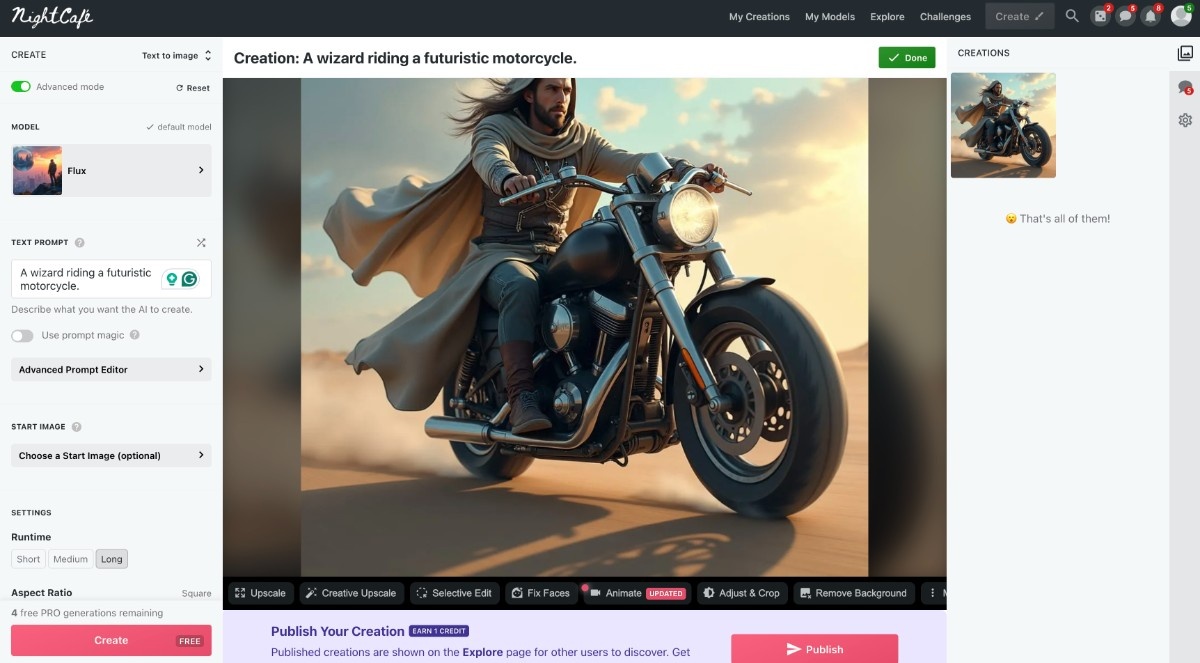
Then we tested the main feature of the website, the text-to-image generator. We just clicked the “Generate” button and then “Text to image”. There we selected an AI model, inserted a prompt into the text box, and adjusted some additional settings like image count, runtime, and prompt weight. After those steps, just one click on the “Create” button, and in a few seconds, the tool makes a picture.
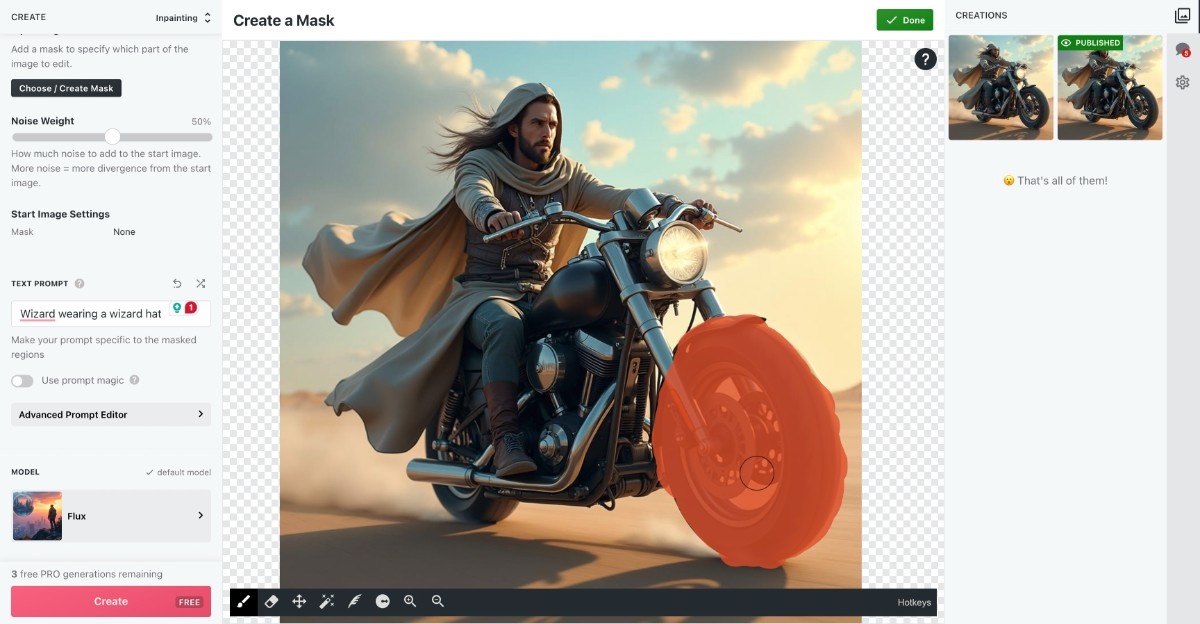
We Clicked "Choose/Create Mask" and then used the brush tool to draw a mask over the region we wanted to edit. Then we wrote a prompt to edit the marked area and clicked “Create”. The tool regenerated the marked area based on our new prompt for it.
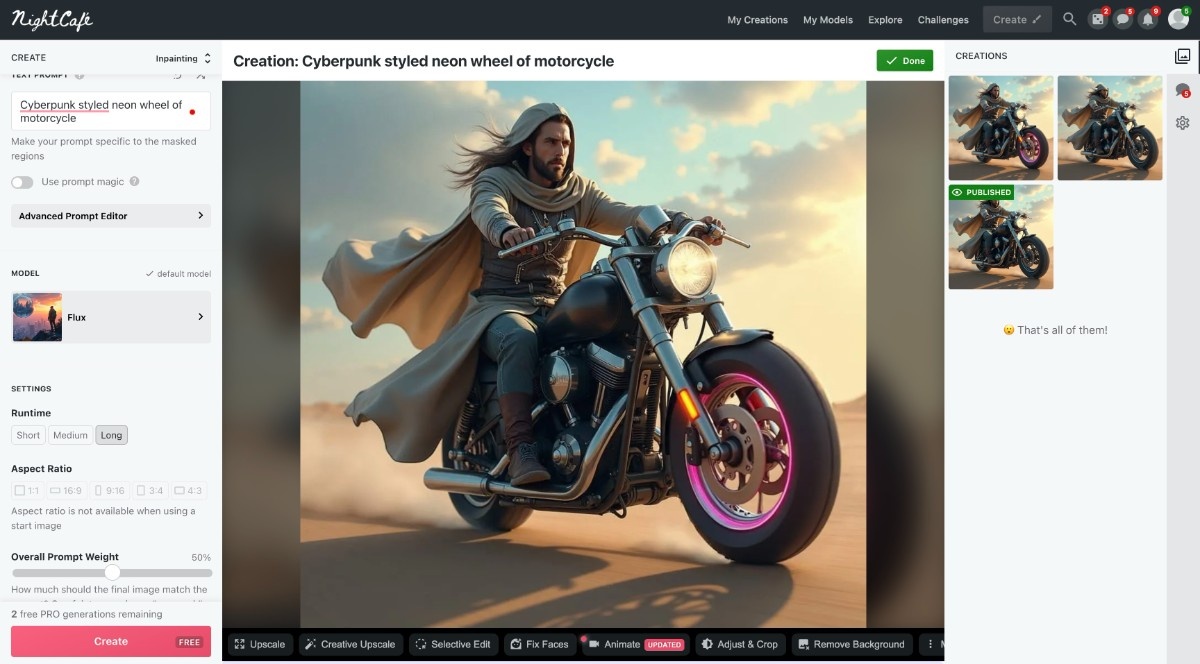
When the results were ready, we accessed the “My Creations” page, and downloaded pictures one by one after icon-click on them and then “Download”.
Top rated tools from the same category.
Google's everyday AI assistant for creative image generation and editing with advanced control and professional feature…
Transform your sketches into photorealistic images with AI-powered sketch-to-image conversion.
Harness AI to morph, stylize, and recreate any image effortlessly.

Create stunning, photorealistic images instantly from text prompts with diverse styles and unlimited creativity.
Take full control of your visuals with CGDream's AI image generator, creating stunning images with text, images, and 3D…
An AI-powered image transformation tool that morphs, stylizes, and recreates images based on user prompts and reference…