
You are here151 tools

151 AI Image Generation tools, ranked by readers

The order comes from 190 reader votes. 87 have a free way in.

Artificial intelligence image generation turns your ideas into pictures. You can create art, ads, portraits, or characters from a simple prompt or another image. For example, make a product scene or turn a photo into a cartoon. This saves time when you need a visual but do not want to start from scratch.

Missing a tool?

190 reader votes

All 151 tools

Ranked by readers. Your vote moves a tool up this list. Press it on any row. No account needed.

What do you need to do?

All-in-one AI platform for image and video generation, editing, and collaboration.

Paid

5.0(1)

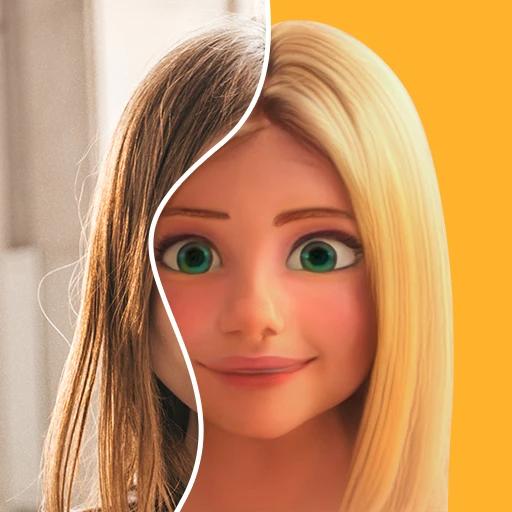
ToonMe is an AI-powered app for turning photos into cartoon-style portraits and avatars.

Free plan
Custom pricing

No reviews yet

One-Stop AI Original Content Creation Platform with Free Face Swap for Photos and Videos

Free plan
Custom pricing

4.2(22)
Save

Create stunning graphics, videos, and web pages effortlessly with Adobe's all-in-one creative platform.

Free plan

from $9.99/mo

4.0(3)

Create unique AI-generated images and artwork effortlessly.

Free plan

from $5.99/mo

3.7(3)

Showing 1 to 10 of 151, ranked by 190 reader votes

Know one that belongs on this list?

9 posts

Community Discussion

How do you get AI Image Generation done?

You?
Newcomer
Nikita

For AI image generation, I haven't explored too many tools because I think the "best" result is ultimately based on personal taste and preferences. For my day-to-day needs, my go-to tools are ChatGPT and Gemini. I've also used Midjourney, but I find it a bit more complex to use, so I usually only use it when I need more advanced or highly customized image generation.

Score 5Reply
Newcomer
SI QIOwner ofGbyte Recovery+2

e use Midjourney for most AI image generation work. It produces high-quality stylized visuals for our social media posts on TikTok, Discord and Reddit. The image styles fit well for our product promotional materials, and it’s easy for the growth team to iterate quickly on artwork concepts.

Score 1Reply
Rising Star
pngmerge tool

My MergePNG use case for AI Image Generation work: I generate grids of concept images, then combine the best ones into a single comparison sheet. MergePNG does this instantly in the browser - no upload, no account, no watermark. For rapid prompt iteration where you export dozens of variants, having a zero-friction merger saves real time every session.

Score 1Reply
Legend
Gunay

I love to have options, therefore, I often use several tools and then choose the best suitable outcome for me, because unfortunately, even though AI image generation has progresed tremendously, it still lacks some detailing especially with multilingual text and image refining. My go-to tools currently are Gemini, Chat Gpt, Canva and sometimes Gencraft.

Score 1Reply
Show 5 more posts
Rising Star
Spydra Marketing

i found this tool is good to me and my team

Score 0Reply
Expert
OrbitronappOwner ofOrbitronapp

Why I voted for Nano Banana (Google): I voted for Google's Nano Banana because I've used it inside Adobe Firefly and consistently got great results! Realistic photos, marketing mockups, posters, product shots, and complex layouts, with native support for aspect ratios like 16:9, 9:16, and 2:1. The accuracy rate ~95% on text strings under 10 words and Supports 1K, 2K, and 4K output.

Score 0Reply
Rising Star
abrush abrushOwner ofABrush

Honestly, I’ve been using AI image generators for a few months now, mostly for quick concepts and social media visuals, and they’ve saved me a ton of time. Midjourney gives the most “artistic” results in my experience, while tools like DALL·E or Firefly are easier when you just need something clean and simple without fighting with prompts. The biggest downside for me is consistency. Getting the same character or style across several images still takes a lot of trial and error, and hands and text are still hit or miss. You also have to be careful with licensing if you’re using images commercially. My advice: try a couple of tools on their free tiers before paying for anything, because each one has its own “feel.” For brainstorming and mood boards, they’re amazing. For final production work, I still treat them as a starting point, not the finished product.

Score 0Reply
Rising Star
funice toys

I use Fetra SI for AI Image Generation because the same workspace that makes videos also creates images, so a still and the clip can come from one prompt.

Score 0Reply
Rising Star
ilyasOwner ofSaaSOffers

ChatGPT mostly, honestly just because I already pay for it lol. it's really good now at following the prompt and putting actual readable text in images, which I need for blog covers and social graphics. for more artsy stuff I'd probably go Midjourney but for marketing visuals it does the job

Score 0Reply

Join the discussion

Takes a minute. No account needed.

+10 points a post

Start with a tool from the list:

3 decisions

How to choose AI Image Generation tools

Start with the kind of picture you want to make and what you plan to do with it afterward. A focused tool can suit portraits or editing, while a broader creative space can carry the same idea into video, marketing, or team projects.
  1. 01 of 03

    Create and reshape images

    For more control over an existing picture, look for image editing or AI image-to-image generation. This works well when you want to change a style, expand a scene, or edit with written instructions.

    • Image to Image AI is a strong pick for changing a reference image, transferring its style, or turning a photo into a cartoon.
    • Fotor suits people who want image generation and photo editing in one place.
    • getimg.ai works well for filling in parts of images, removing backgrounds, and connecting image generation through its API.
    • Image to Image AIfreemium
    • Fotorfreemium
    • getimg.aipaid
  2. 02 of 03

    Build broader creative projects

    A picture may be only one part of a campaign, class project, or short film. AI video generation can carry the idea further, while image-to-video can turn a still visual into moving content.

    • Canva helps teams create images with stock media, brand tools, and live collaboration.
    • DramaPixel fits creative work that joins generated images with ads, music, short films, and product videos.
    • AIGenTools brings images, storyboards, scripts, and video generation into one creative setup.
    • Canvafreemium
    • DramaPixelfreemium
    • AIGenToolsfreemium
  3. 03 of 03

    Make people and characters

    Portrait-focused choices are useful when faces or recurring characters matter most. They cover personal-style images, character art, and consistent identities across multiple creations.

    • NightCafe suits people who want to create art and characters within an AI art community.
    • Midjourney is a practical choice for creative image ideas, character illustrations, and expanding scenes.
    • NightCafefreemium
    • Midjourneypaid
4 questions

Common questions

Can I use an existing image as a starting point?

Yes.

Many listed tools support AI image-to-image generation, and several also offer style transfer, editing, or scene expansion.

Can these tools also edit photos?

Yes.

Image to Image AI, Fotor, and NightCafe support image or photo editing, while getimg.ai can fill selected areas and remove backgrounds.

Can I generate video as well as images?

Yes.

Canva, getimg.ai, NightCafe, PXZ AI, DramaPixel, and AIGenTools also support AI video generation.

Which tools allow commercial use?

Image to Image AI, getimg.ai, NightCafe, PXZ AI, and DramaPixel list commercial use rights.