SeaArt

SeaArt

An AI creativity community offering AI-powered art, video generation, and personalized AI character chat experiences.

Freemium·
1.0(2)

Overview

SeaArt AI is a comprehensive platform that combines AI-generated art, video, and chat functionalities to empower creators and enthusiasts. It features advanced AI models for text-to-image, video generation, and interactive AI character chats, enabling users to bring their creative ideas to life and engage with personalized AI personas. The platform supports diverse creative workflows including anime-style image generation, AI video creation, and AI character interaction with customizable dialogue and memory settings.

Pricing Model
freemium
Last Updated
2025-12-02

Featured Video

Video via YouTubeWatch on YouTube

Key Features

1

AI Character Chat

Engage in personalized conversations with AI-generated characters featuring unique personalities, backgrounds, and interactive dialogue designed to build trust and explore character depth.

2

Text-to-Image Generation

Generate high-quality anime-style and other artistic images from text prompts using advanced AI models like FLUX.2 and Nano Banana Pro.

3

AI Video Generation

Create synchronized HD videos with sound from AI-generated content, enabling users to bring ideas and characters to life in video format.

4

Prompt Generator Assistant

A powerful assistant designed for Gemini 3 that generates and optimizes prompts for various creative and professional use cases including writing, data analysis, and code generation.

5

Multi-Style Image Collections

Access exclusive multi-style AI-generated image collections and character designs, including flat anime and retro sci-fi styles.

6

Virtual Try-On and Photo Editing

Features AI-powered virtual try-on for clothes and AI filters that transform photos into artistic works, enhancing user creativity.

7

Memory and Dialogue Customization

Set talk modes and memory lengths for AI chats to tailor conversation style and continuity, improving user experience and engagement.

8

Community and Collaboration

A community-driven platform where users can share creations, follow AI characters, and participate in collaborative projects like building a 'Video Universe.'

Use Cases

#1

Creative Art Generation

Artists and creators can generate anime-style images and multi-style collections from text prompts to inspire and enhance their artwork.

#2

AI-Powered Video Creation

Users can produce HD videos with synchronized sound from AI-generated content, useful for storytelling, marketing, or entertainment.

#3

Interactive AI Character Chat

Engage with AI characters for entertainment, roleplay, or companionship, with personalized dialogue and memory features.

#4

Prompt Optimization

Writers, analysts, and developers can use the Gemini 3 prompt generator assistant to create effective prompts for various AI applications.

#5

Virtual Fashion Try-On

Users can virtually try on clothes and apply AI filters to photos, aiding fashion design and personal styling.

How to Use

1

Access the SeaArt AI Platform

Visit the SeaArt AI website and sign up or log in to start using the creative tools and AI chat features.

2

Choose Your Creative Tool

Select from AI character chat, text-to-image generation, or AI video generation based on your creative needs.

3

Customize Settings

For AI chats, set talk mode and memory length; for image or video generation, input your text prompts or select styles.

4

Generate Content

Initiate the AI process to create images, videos, or start conversations with AI characters.

5

Save and Share

Save your creations or chat logs and share them within the SeaArt community or externally.

Pricing

Pricing details are gathered from the official SeaArt website and are provided for reference only. Always confirm the latest information directly with the vendor.

PlanPriceHighlights
Free Plan$0

Access to AI character chats with limited free chat times

  • Basic text-to-image and video generation capabilities
  • Community features and sharing
  • Prompt generator assistant for Gemini 3
SVIP Master PlanContact Sales

Unlimited AI character chat and creation

  • Exclusive multi-style image collections and video generation
  • Priority access to new features and updates
  • Enhanced customization and memory settings
Found a change in pricing? We welcome corrections. Reach out so we can keep this listing accurate.

Pros & Cons

Pros

  • Offers a diverse range of AI creative tools including art, video, and chat in one platform.
  • Free access to AI character chats and content generation with optional premium features.
  • Supports high-quality anime-style image and video generation with synchronized sound.
  • Customizable AI chat parameters such as memory length and talk modes enhance personalization.
  • Includes a prompt generation assistant to optimize creative and professional workflows.

Cons

  • Limited explicit pricing information beyond free usage, which may restrict understanding of premium features.
  • Interface and content heavily focused on anime and Japanese-style art, which may not appeal to all users.
  • Some advanced features appear exclusive to SVIP Master Plan users, limiting access for free users.
  • Lack of detailed documentation or tutorials on usage and feature integration.
  • Primarily a creative community platform, may not suit users seeking standalone AI chatbot or video generation tools.
OT

Our Test

Hands-on notes from our editorial team.

✅ Our Test

⬇️ Sign Up

We signed up for the free plan with our Google account. Right after that, we received free daily 150 credits (stamina points).

⬇️Select the Tool

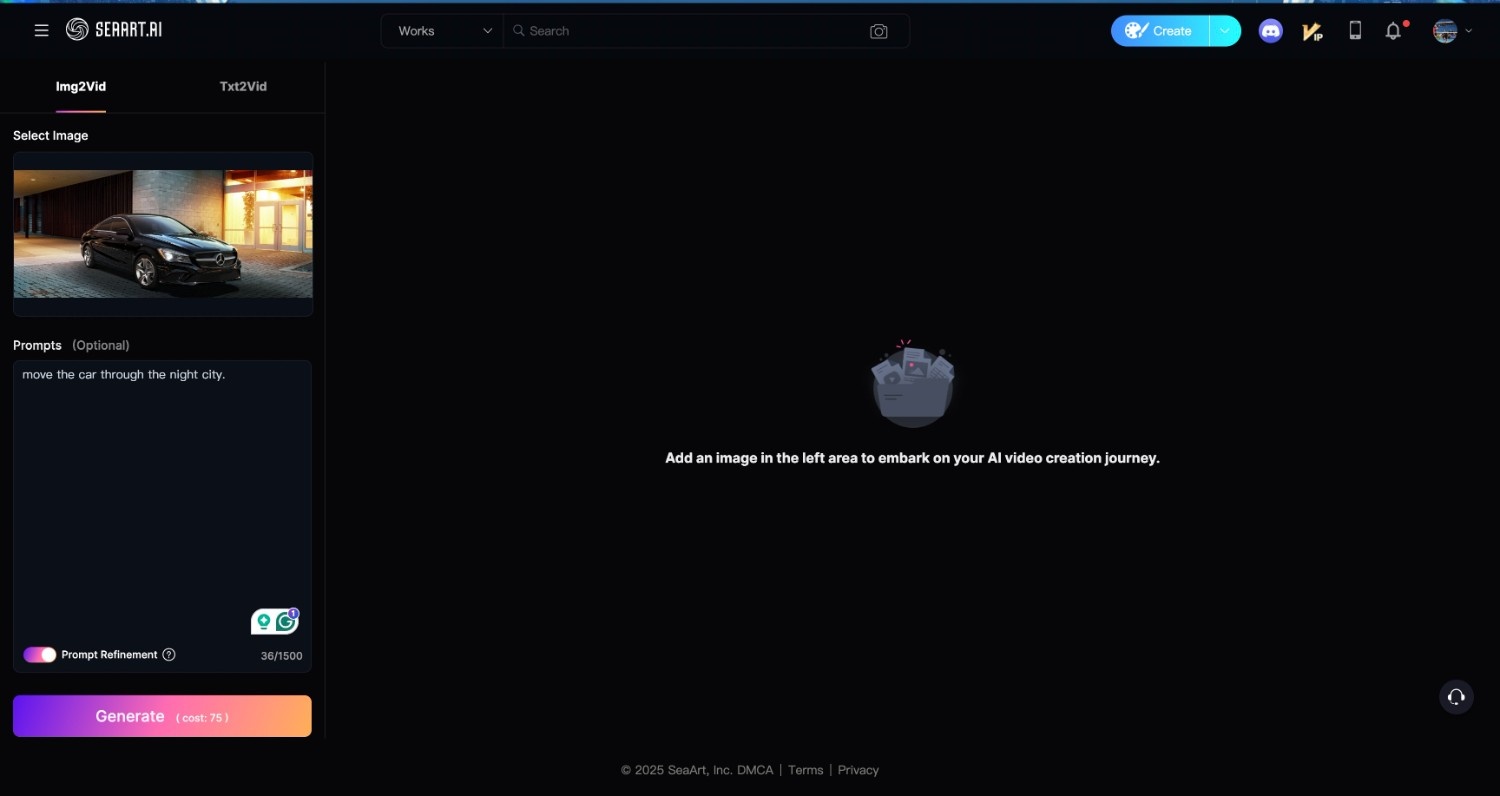
Then we selected a tool to use for this test, and our choice was an “Image to Video” generator. We accessed it after clicking on the “Create” button and then on the tool’s icon button. As a first step to start with the tool, we uploaded an image we wanted to transform into a video. SeaArt selecting tool

⬇️ Write a Prompt and Generate

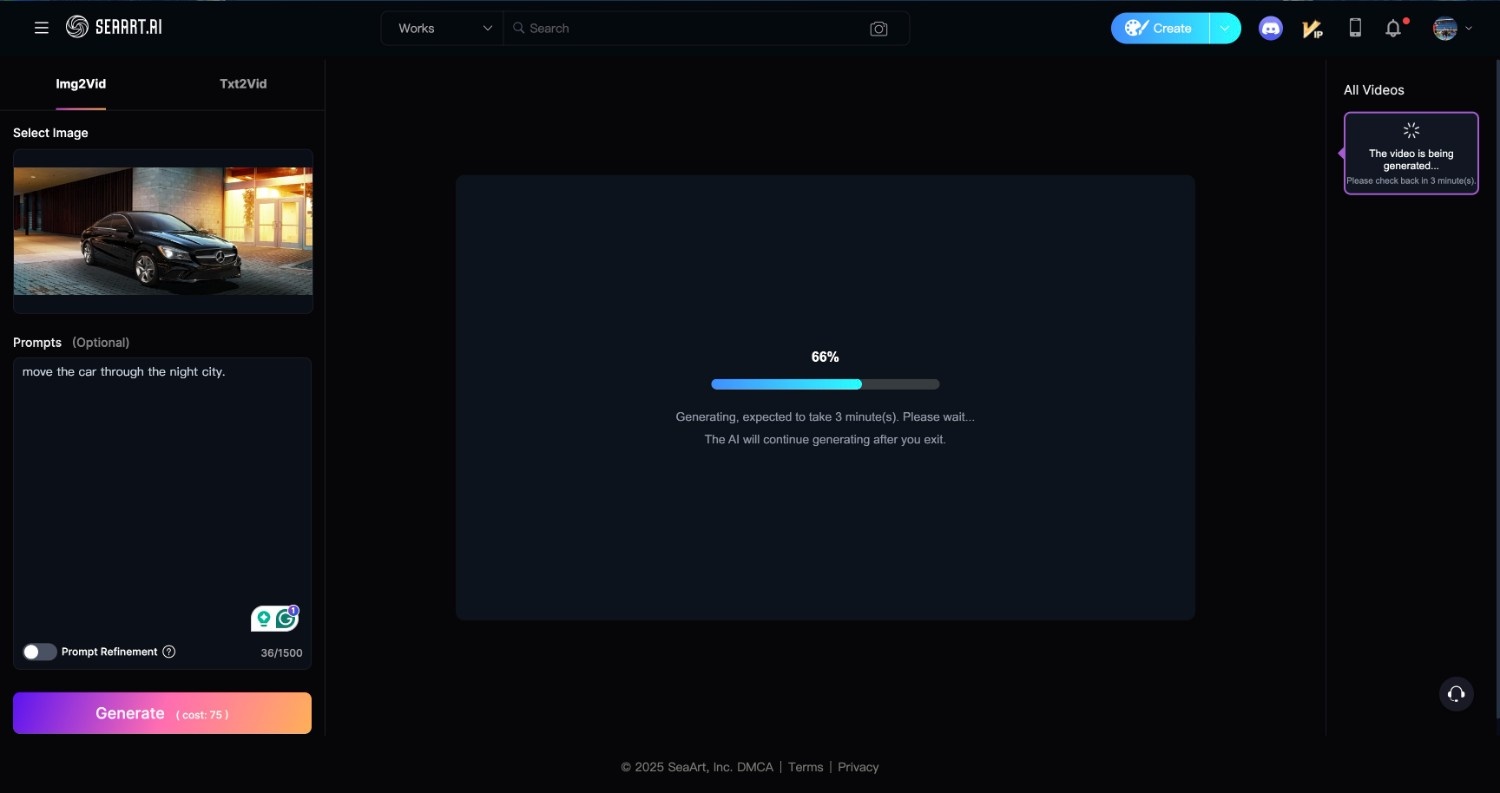
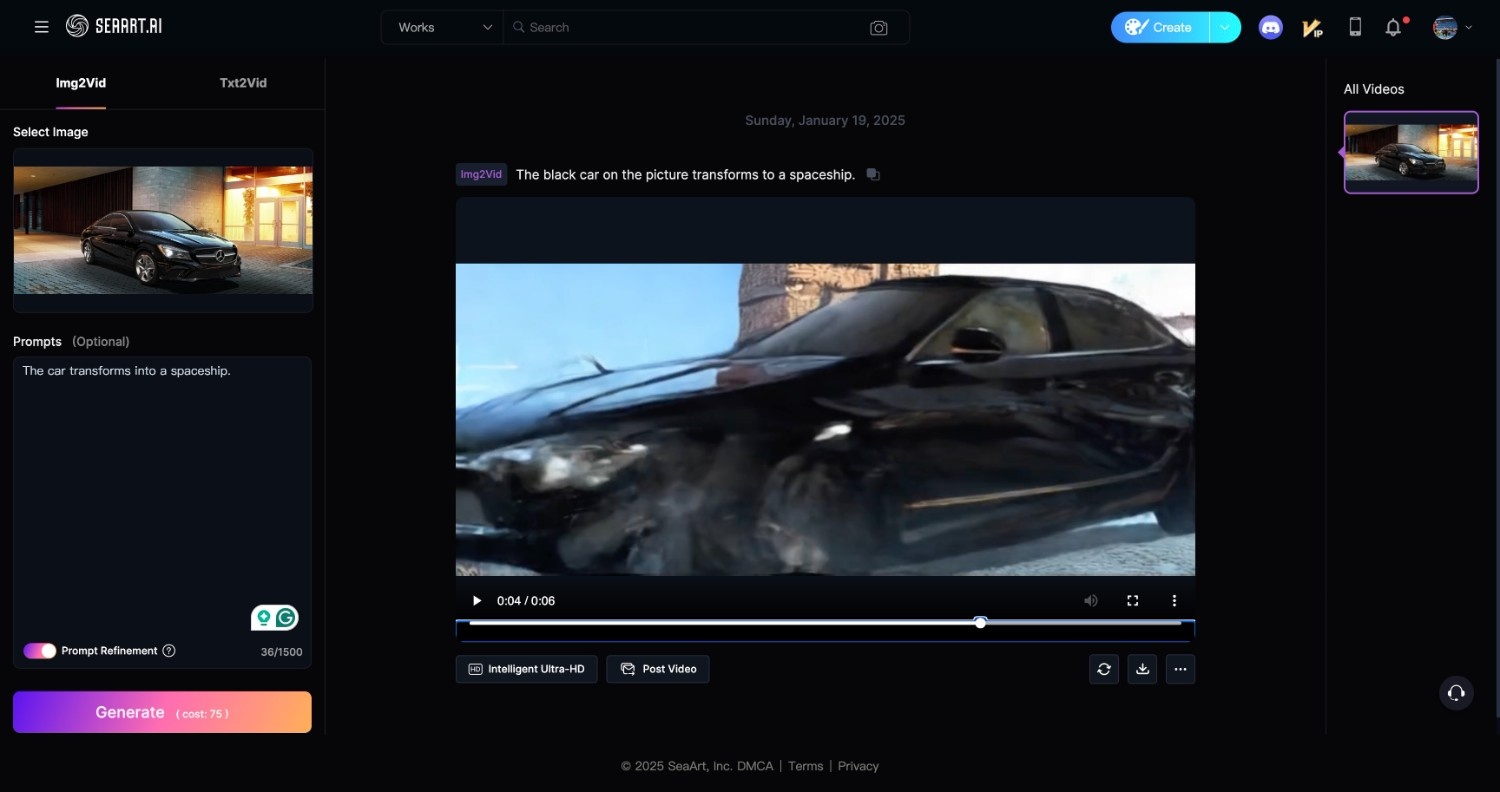
Then, we inserted a small prompt into the text box located under the image we uploaded and clicked a “Generate” button. It took 75 stamina points and about 3 minutes to generate a 6s video (you can adjust the length in the left settings menu) SeaArt rendering video SeaArt video results

⬇️Export

When the final version of the video was ready, we exported it with the help of the “downloading” icon button.

Frequently Asked Questions

Ratings & reviews

Average Rating

0.0

2 reviews

5
0%
4
0%
3
0%
2
0%
1
100%

Share your experience

Sign in to rate this tool and help the community understand how it fits into their workflow.

Community reviews (2)

Mattsea

Nov 22, 2024

Does not recommend

No free plan

They offer no free plan, you have to give CC details.

Akash

May 6, 2025

Does not recommend

Unexpected Charge in Third Month and No Way to Cancel

First two month of vip plan subscription is fine but in third month they withdraw my money from credit card so I have to block and can’t cancel plan subscription 😞 !!!.