
Judy Kelly
Rising Star
4.0Recommends this tool
I use QuillBot whenever I need help rephrasing my writing. It saves me a lot of time, but I still make a few edits because some suggestions don't always sound as natural as I'd like.
A cross-platform writing tool for people who want their work to sound professional.
QuillBot works across apps and websites, letting you write professionally wherever you work. You can use its apps on iOS, Android, macOS and Windows.
Updated Oct 21, 2026
I use QuillBot whenever I need help rephrasing my writing. It saves me a lot of time, but I still make a few edits because some suggestions don't always sound as natural as I'd like.
QuillBot is a total lifesaver for quickly cleaning up messy sentences and getting past writer’s block, though the free version's word limit can be a bit of a deal breaker if you're working on a long paper.
I use QuillBot whenever I need help rephrasing my writing. It saves me a lot of time, but I still make a few edits because some suggestions don't always sound as natural as I'd like.
QuillBot is a total lifesaver for quickly cleaning up messy sentences and getting past writer’s block, though the free version's word limit can be a bit of a deal breaker if you're working on a long paper.
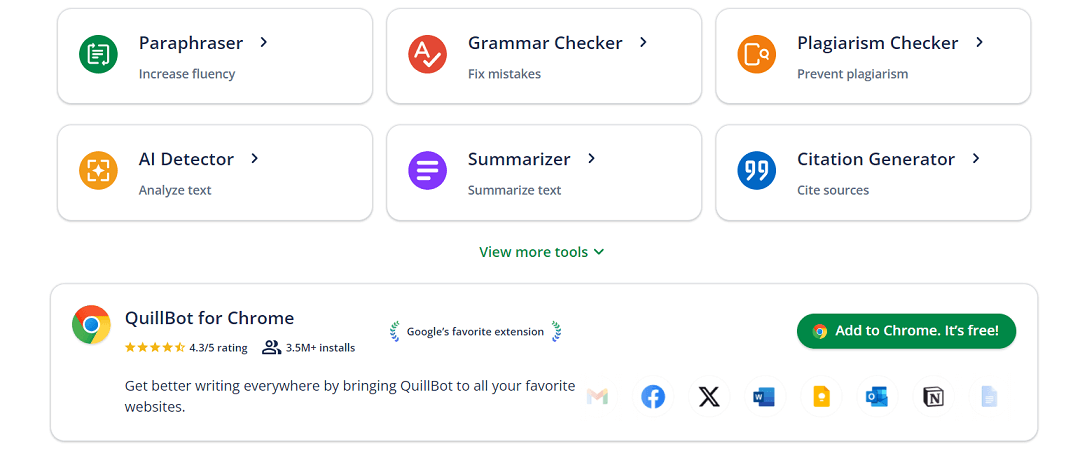
Quillbot works across all of your favorite apps and websites, so you can write professionally on every platform.

 You?
You?Hands-on notes from our editorial team.
✅ Our Test
First of all, we signed up to a website with a Google account. The website offered us to choose which tool we wanted to start with.Here we selected a Grammar Checker.
We had an option to upload a file or document, this was a perfect chance to check one of our resumes. After uploading the resume file, the tool automatically converted it to the text format and analyzed it for mistakes. All grammar mistakes were underlined with red.
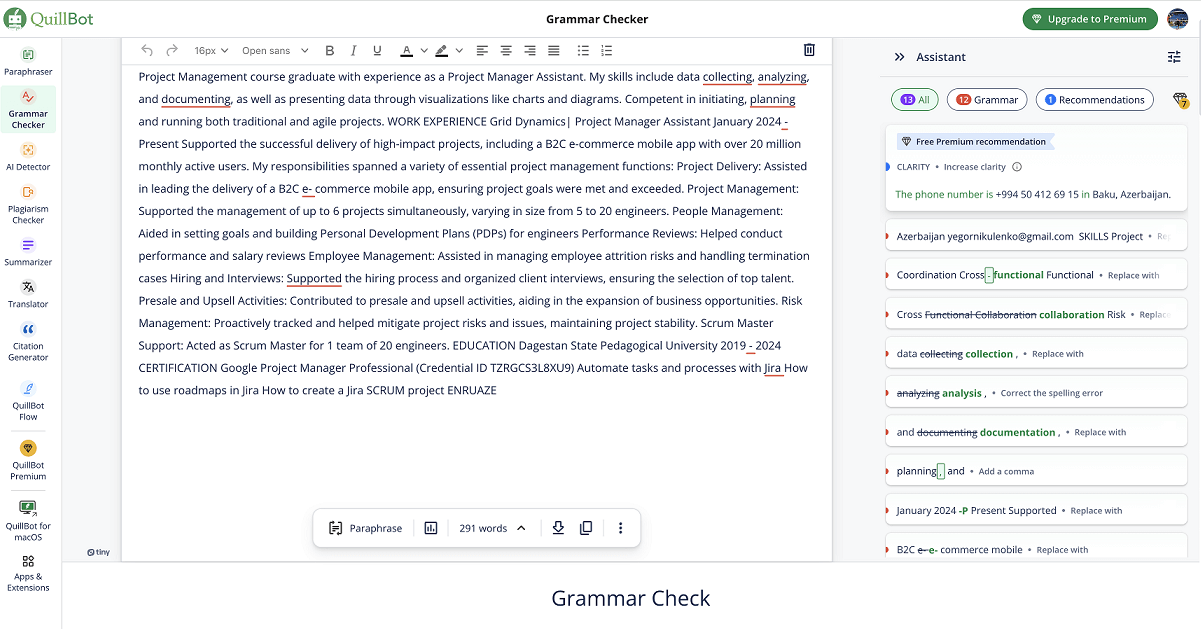
The tool offered us a number of suggestions, which we accepted by pressing on the “Accept suggestions” button. Then we got a fully grammatically updated text for our resume and copied it by clicking on the “Copy Text” button.
That wasn't enough for us, and we decided to check our resume for AI. We used the original version of our resume.After entering another tool window we noticed that there were 4 languages available:**English, Spanish, German, and French.**Here We selected English.
Like in the previous feature testing, we upload an existing resume file. With just one click of the "Analyze" button, the tool detected AI content in the resume.
QuillBot helps you write professionally while working across your apps and websites.
Yes. QuillBot has apps for iOS and Android, so you can use it on mobile devices.
Yes. QuillBot has desktop apps for macOS and Windows, as well as its other apps.
Yes. QuillBot offers a Microsoft Word add-in for using it while working on documents.
Top rated tools from the same category.
Paste any long text and get a clear, short summary in seconds. Free, no sign-up, any language.
AI-powered platform to generate SEO-optimized, long-form content and auto-post to WordPress in one click.

Detect, humanize, rewrite, and check AI-generated content with confidence in one easy-to-use platform.

Express yourself with confidence using AI-powered writing assistance.

Simplify essay generation with AI-powered assistance for writing, proofreading, and citation.

Smart answers and writing assistance designed to clarify complex ideas and improve your projects.