

ScribeToAny
FreemiumTranscripts and subtitles from audio or video in about 98 languages
AI audio and video transcription for people working with recordings in 98+ languages.
TurboScribe turns audio and video files into text. It handles multilingual recordings, offers optional speaker labels and can turn recordings in any language into English. TurboScribe lets you download transcripts as documents, text, data files, captions or subtitles. Built-in audio restoration helps with poor recordings, while clear audio produces better results.
Updated Oct 21, 2026
No written reviews yet. Be the first to share your experience.
TurboScribe is an AI transcription service that provides unlimited audio and video transcription. TurboScribe converts audio and video files to text in 98+ languages with extremely high accuracy.
Yes. Your transcripts, uploaded files, and account information are encrypted and only you can access them. You can delete them at any time. We use Stripe to securely process payments and we don't store your credit card number.
Yes! Transcripts can be downloaded in the following formats: PDF, DOCX, captions and subtitles (SRT/VTT), CSV, and TXT.
You can also export multiple files at the same time with Bulk Actions .
While clean and clear audio produces the best results, TurboScribe generally does well with accents, background noise, and lower audio quality.
If you're transcribing files with very poor audio quality, TurboScribe has a built-in audio restoration tool.
Speaker recognition can be enabled via the "Speaker Recognition" checkbox (under "More Settings") when uploading files. It will take an extra minute or two (per hour of audio) to create a transcript labeled with speakers.
You can also transcribe audio or video files (in any language) directly to English by selecting "Transcribe to English" under "More Settings" when uploading files.
Free
Hands-on notes from our editorial team.
✅ Our Test
We signed in with a Google account, which gave us access to 3 free daily transcriptions. For our test, we selected our YouTube video,How to Upload a Theme to a WordPress Website.
We clicked "Upload Video and Audio Files," then "Transcribe Files."
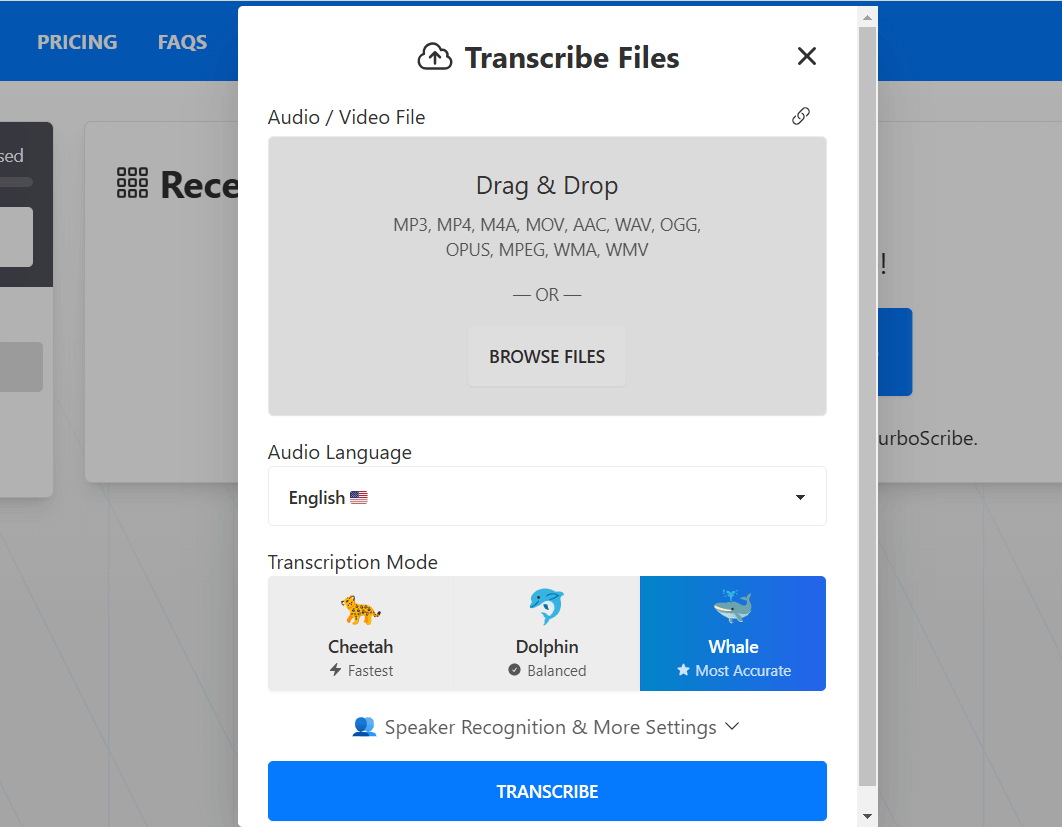
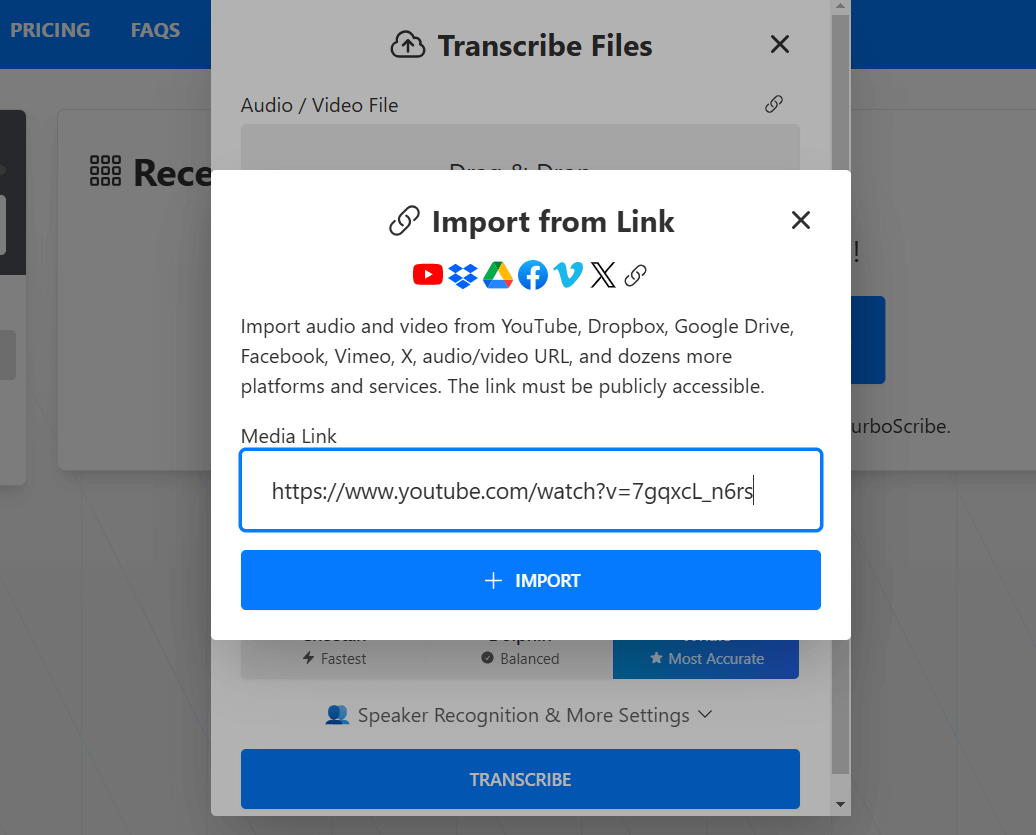
From there, we chose the URL icon and pasted our YouTube video link. TurboScribe also offers options for language selection, speaker recognition, and translation, but we skipped these and clicked "Transcribe.".
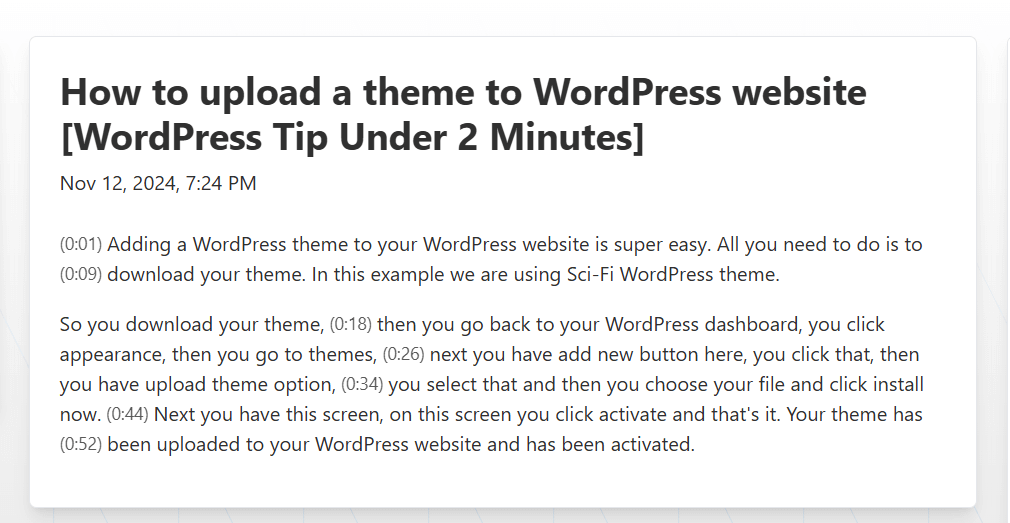
TurboScribe transcribed our video accurately and quickly, taking about 10-15 seconds. After transcription, you can share the file, export it in multiple formats, and access all your transcriptions in one place. Here’s the result of our test!
TurboScribe converts audio and video files into text in 98+ languages. It can also transcribe recordings in any language directly into English.
Yes. You can enable speaker recognition when uploading a file. It adds an extra minute or two per hour of audio and labels speakers in the transcript.
You can download TurboScribe transcripts as PDF, DOCX, SRT, VTT, CSV and TXT files.
Yes. TurboScribe has a built-in restoration tool for very poor audio. It generally handles accents, background noise and lower-quality recordings, though clear audio produces better results.
No. Overall usage has no cap, and customers regularly transcribe hundreds of hours per month. You cannot share your login or account with others.
No written reviews yet. Be the first to share your experience.
Top rated tools from the same category.
View all AI Transcription and Subtitling Platforms tools
Transcripts and subtitles from audio or video in about 98 languages

Automatically generate transcript, translation and subtitles

AI Video Localization & Dubbing Platform with Emotion & Voice Preservation.


The fastest way to get a transcript from any video. 99% accuracy, 100+ languages, speaker labels — no signup needed.

AI-powered transcription, translation, and analysis with 99% accuracy in 53+ languages.