Videostew

Videostew

AI-powered online video editor that simplifies professional video creation with automation and collaboration.

Paid·No reviews yet

Overview

VideoStew is a cloud-based online video editor that leverages AI to automate video draft creation from text, blog URLs, or voice inputs, enabling users to produce professional-quality videos easily without complex software or high-end hardware. It offers a hybrid AI-human editing workflow, a vast asset library with copyright-free media, voice cloning, customizable templates, and team collaboration features, making it suitable for marketers, educators, news organizations, and businesses seeking efficient video production.

Pricing Model
paid
Last Updated
2025-12-02

Featured Video

Video via YouTubeWatch on YouTube

Key Features

1

AI Video Draft Creation

Automatically generate video drafts from text, blog URLs, or voice inputs using AI to quickly start video projects without manual editing.

2

Easy and Powerful Editing Interface

User-friendly editing environment similar to PowerPoint with drag-and-drop simplicity and real-time cloud-based preview and rendering.

3

Extensive Copyright-Free Asset Library

Access millions of free stock videos, images, music, and fonts with AI recommendations to enhance video content without copyright concerns.

4

AI Voice Cloning and Generation

Create unique voice narrations by cloning trainer or presenter voices from short audio samples for consistent and personalized narration.

5

Customizable Brand Templates

Maintain brand consistency by creating and reusing custom templates aligned with corporate identity, colors, and fonts.

6

Team Collaboration and Workspace Management

Invite collaborators, manage projects in shared workspaces, and maximize productivity with real-time collaboration features.

7

Magic Resizing and Multi-Platform Export

Automatically resize videos to fit different social media platforms and export in various aspect ratios with a single click.

8

Auto Captioning and Subtitle Generation

Generate accurate subtitles from any audio or video file instantly to improve accessibility and engagement.

Use Cases

#1

Content Marketing Video Creation

Convert blog posts, articles, or text content into engaging videos for YouTube, Instagram, and other social media platforms to boost audience engagement.

#2

Corporate Training and Onboarding

Transform internal manuals, FAQs, and training documents into interactive video content with voice cloning to improve employee learning and retention.

#3

News and Media Video Production

Quickly generate news summary videos or YouTube Shorts from news article URLs, easing the workload for small or understaffed newsrooms.

#4

Educational Video Content

Create educational videos from scripts or text content optimized for YouTube and other platforms, supporting educators and content creators.

#5

Brand and Advertising Videos

Use customizable templates and AI-powered editing to produce consistent branding and advertising videos efficiently across multiple campaigns.

How to Use

1

Start a New Project

Begin by inputting your content as text, a blog URL, or voice recording to let AI generate an initial video draft.

2

Edit and Customize

Use the intuitive editing interface to adjust scenes, add narration, select assets from the library, and apply brand templates.

3

Add Voice and Captions

Utilize AI voice cloning for narration and enable auto captioning to generate subtitles automatically.

4

Resize and Format

Apply magic resizing to adapt your video to different social media platform requirements with one click.

5

Collaborate and Finalize

Invite team members to review and edit the video in shared workspaces, then render and export the final video.

Pricing

Pricing details are gathered from the official Videostew website and are provided for reference only. Always confirm the latest information directly with the vendor.

PlanPriceHighlights
Individual Light$7

30 minutes video rendering

  • Max 5 minutes video per project
  • Up to 3GB storage
  • Up to Full HD resolution
  • Create up to 1 workspace
  • Voice cloning
  • Inviting collaborators
  • Workspace templates
  • 24/365 customer service
  • Resale license
Personal$21

100 minutes video rendering

  • Max 10 minutes video per project
  • Up to 10GB storage
  • Up to Full HD resolution
  • Create up to 1 workspace
  • Voice cloning
  • Inviting collaborators
  • Workspace templates
  • 24/365 customer service
  • Resale license
Pro$34

200 minutes video rendering

  • Max 10 minutes video per project
  • Up to 20GB storage
  • Up to Full HD resolution
  • Create up to 1 workspace
  • Voice cloning
  • Inviting collaborators
  • Unlimited workspace creation
  • 24/365 customer service
  • Resale license
Creator$53

300 minutes video rendering

  • Max 15 minutes video per project
  • Up to 50GB storage
  • Up to Full HD resolution
  • Create up to 10 workspaces
  • Voice cloning
  • Inviting collaborators (approx. 2 seats)
  • Workspace templates
  • 24/365 customer service
  • Resale license
Brand$107

Unlimited video rendering

  • Max 20 minutes video per project
  • Up to 100GB storage
  • Up to Full HD resolution
  • Create up to 1 workspace
  • Voice cloning
  • Inviting collaborators (approx. 10 seats)
  • Unlimited workspace creation
  • 24/365 customer service
  • Resale license
Agency$306

Unlimited video rendering

  • Max 20 minutes video per project
  • Up to 300GB storage
  • Up to Full HD resolution
  • Create up to 1 workspace
  • Voice cloning
  • Inviting collaborators (approx. 10 seats)
  • Unlimited workspace creation
  • 24/365 customer service
  • Resale license
Found a change in pricing? We welcome corrections. Reach out so we can keep this listing accurate.

Pros & Cons

Pros

  • Intuitive interface with minimal learning curve, suitable for beginners and professionals alike.
  • Hybrid AI-human editing ensures high-quality video output with automation and expert refinement.
  • Comprehensive asset library with copyright-free media reduces content sourcing time and legal risks.
  • Flexible pricing plans catering to individuals, creators, and large organizations with scalable features.
  • Supports bulk video production with custom brand templates and secure handling of sensitive documents.

Cons

  • Maximum video length limits per plan may restrict longer video projects.
  • AI voice cloning requires an audio sample, which may not suit all users.
  • Some advanced features like unlimited workspace creation are limited to higher-tier plans.
  • Currently supports up to Full HD resolution; no 4K or higher resolution options mentioned.
  • Bulk video production service is a separate offering and may involve additional costs.
OT

Our Test

Hands-on notes from our editorial team.

✅ Our Test

⬇️ Get an Idea and Start

For our test, we decided to create a short video from one of our blog articles-Why is WordPress So Hard To Use?.We signed up on the website using our Google account. Then the website showed us a quick introduction to the home screen. After the introduction, we clicked on the Create New Project button.

⬇️Let AI Create a Project

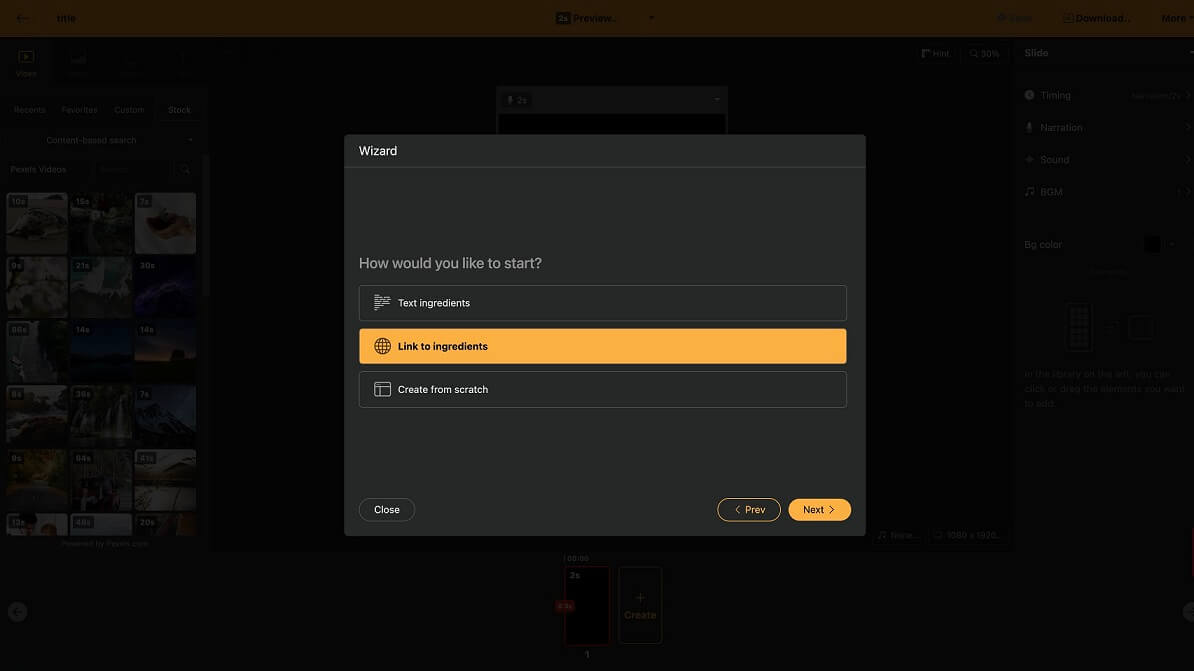
Here tool allowed us to write a project title and select “ingredients” for our future content. We inserted the link to our blog article for this. We reached the symbol count limit, and the tool offered us to shorten it using an in-built AI assistant. Then we set up our preferences like subtitles, narration, background music, text style, format size, and else. After submitting all of the preferences, the tool generated a layout for future videos.

⬇️ Edit Your Project

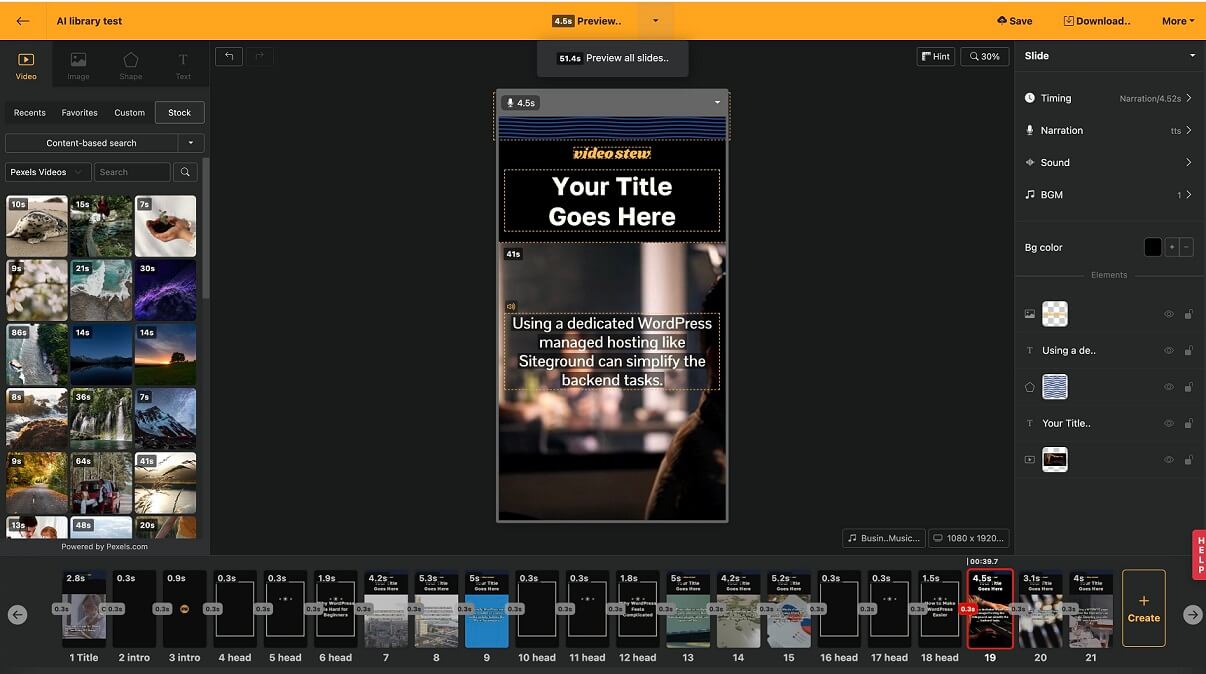
The website showed us another introductory navigation, but now for a project lab. We highly recommend viewing this step-typed navigation for better interface understanding. Then we relocated and changed a couple of slide titles, clicking on each slide we wanted to edit.

⬇️Save and Share

After completing manual customization, we clicked on the Save button on the upper right corner of the project lab page. The tool rendered our video for about a minute, and then we just downloaded it in the resolution we chose.

Frequently Asked Questions

Ratings & reviews

Ratings & reviews

No reviews yet. Be the first to share your experience.

Share your experience

Sign in to rate this tool and help the community understand how it fits into their workflow.

Community reviews (0)

No reviews yet. Be the first to share your experience.