Featured Video
Key Features
Super Brain Knowledge Bases
Organize all your files, notes, and recordings into multiple searchable AI brains tailored for different topics or projects.
Multi-Format Data Integration
Supports over 20 file formats including PDFs, Word, Excel, Notion pages, Apple Notes, Zoom transcripts, Markdown, YouTube videos, and audio recordings.
Natural Language Q&A
Ask complex questions and get precise answers with source citations from your own data, eliminating AI hallucinations.
System-wide AI Access on Mac
Use a custom keyboard shortcut to access your AI knowledge base from any Mac app, including email clients, chat platforms, and browsers.
AI-Powered Content Creation
Generate and refine documents, emails, reports, and proposals directly within your notes or supported apps using built-in AI models.
Smart Email Replies
Create personalized, context-aware email responses quickly with seamless integration into Apple Mail and other clients.
Workflow Automation
Build custom multi-step AI workflows to automate repetitive tasks across applications with pre-built templates for common use cases.
Offline Mode and Privacy
Run Elephas fully offline with local data storage ensuring complete privacy and control over your information without cloud dependency.
Who It's For
How to Use
Install and Launch Elephas
Download the DMG file, install the app on your Mac, and open it using the app launcher.
Create Your Super Brain
Import your files, notes, and recordings by dragging and dropping or connecting to services like Notion, Apple Notes, or Zoom.
Organize and Sync Data
Automatically organize your knowledge into multiple brains and enable auto-sync for continuous updates.
Ask Questions and Generate Content
Use the system-wide keyboard shortcut to query your data or create documents, emails, and summaries powered by AI.
Automate Workflows
Set up custom AI commands and multi-step workflows to automate repetitive tasks across your applications.
Pricing
Pricing details are gathered from the official Elephas website and are provided for reference only. Always confirm the latest information directly with the vendor.
| Plan | Price | Highlights |
|---|---|---|
| Free | $0 | Unlimited files
|
| Standard | $9.99 | 1 macOS device
|
| Pro | $19.99 | Up to 3 devices (Mac, iPhone, iPad)
|
| Pro+ | $29.99 | All Pro features
|
Pros & Cons
Pros
- Deep integration with Mac and Apple ecosystem apps for seamless workflow.
- Supports a wide range of file formats and data sources including Notion, Zoom, and Obsidian.
- Offers offline mode ensuring data privacy and local control.
- Multiple AI engines supported including OpenAI, Claude, and Gemini for flexibility.
- Powerful automation features with custom workflows and reusable AI commands.
Cons
- Primarily Mac-centric, limiting use on other platforms.
- Some advanced features require paid subscription plans.
- Setup of multiple 'Brains' may have a learning curve for new users.
- Offline AI capabilities may be limited compared to cloud models.
- Monthly credit limits on usage in paid plans may restrict heavy users.
Our Test
Hands-on notes from our editorial team.
✅ Our Test
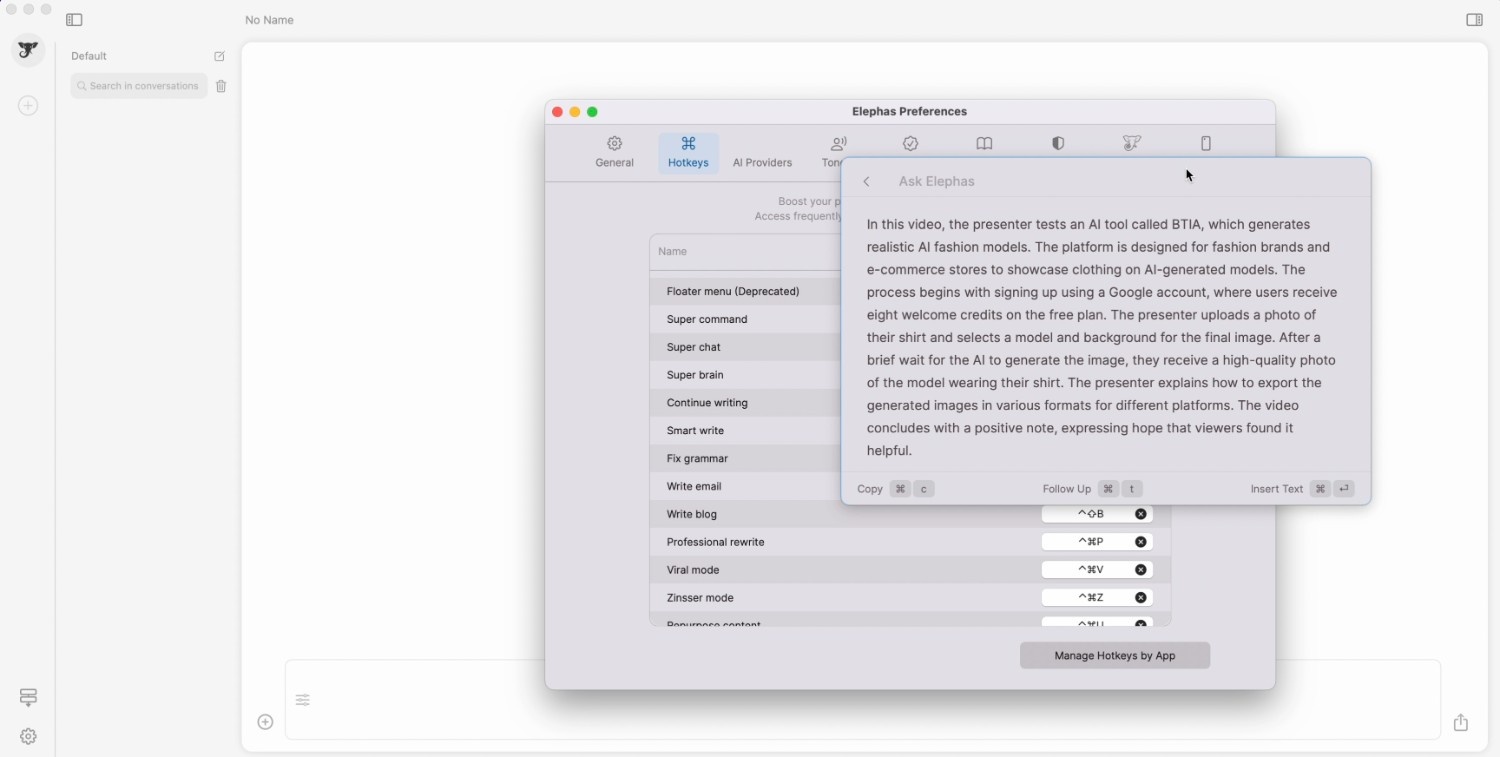
⬇️ Download and Install the App First, we downloaded an app from the official website. Then, we installed a DMG file into our applications. During this process, we received a free license key to start with a Free Plan. ### ⬇️Use Hotkeys After that, in the app's main menu, we clicked on the “Preferences” button, and the preferences window appeared. There, on the hotkeys page, we learned some hotkeys and performed some of them on the prepared earlier text.We just highlighted the text and performed the “Continue writing”, “Fix grammar” and “Repurpose content” hotkeys. The last one allowed us to transform our text style to better fit social platforms such as Twitter and LinkedIn. 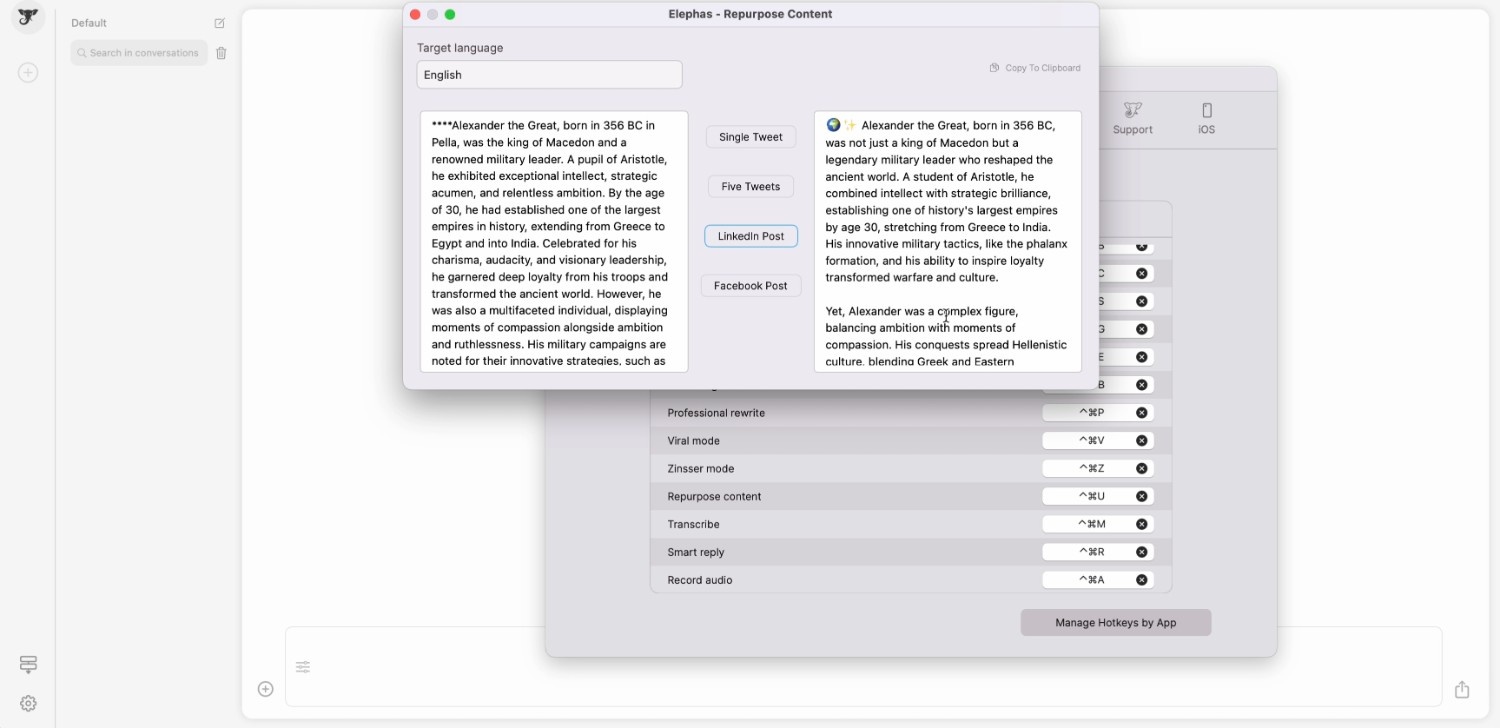 ### ⬇️ “Ask Elephas” Then, we asked Elephas to perform a command. To test this feature, we entered the web page of one of our YouTube videos. On this page, we called the floater menu using one more hotkey, and there was a suggested command, “Summarize YouTube video”. We clicked on it, and Elephas generated an accurate video summary.
  ### ⬇️Use Workflows The last feature we tested was a new feature named “Workflows”. It allowed us to utilize an algorithm of actions. We selected the simplest default one, the “Web Search” workflow (Made of 2 action agents).To start with this workflow, we triggered it through the super-chat’s textbox using the “@” symbol followed by a workflow name. Then, we wrote a topic and sent the entire message. Superchat made two actions: performed a web search and remembered information so we could ask tailored questions and get accurate insights.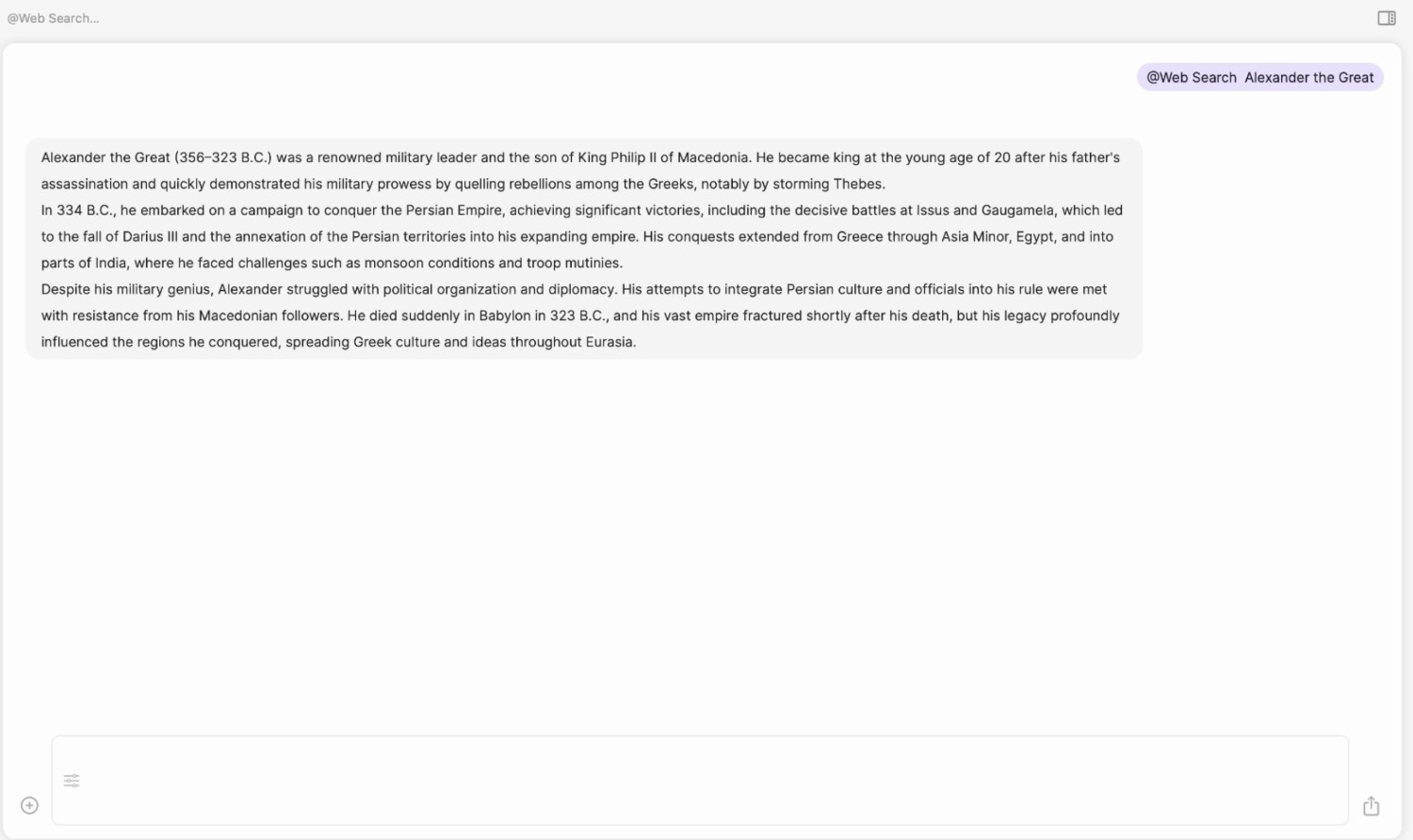
Use Cases
Explore tools grouped by use case so you can keep researching without losing momentum.
Frequently Asked Questions
Alternatives
Compare other vetted products our editors see buyers evaluate alongside Elephas.