Traveling while working remotely gives digital nomads freedom, but public Wi Fi networks can expose personal and work data to security risks. Staying safe online requires careful browsing habits and the right security tools.
This article explains practical ways digital nomads can protect devices on public Wi Fi and reduce risks while working from different locations.
Why Public Wi-Fi Can Be Risky for Digital Nomads
Public Wi Fi networks are not always secure, which can make it easier for hackers to access your data. Digital nomads who work from cafes, airports, hotels, or co-working spaces should be careful when using public internet connections.
Some common risks include:
- Fake Wi Fi networks that look like real cafe or airport connections
- Hackers, stealing passwords, emails, or payment details
- Malware spreading through unsafe public networks
- People spying on unprotected internet activity
- Unsafe logins to banking or work accounts
These risks make it important for digital nomads to stay careful when using public Wi Fi and take extra steps to protect personal and work related data.
Tips To Protect Your Devices on Public Wi-Fi
| Security Risk | How To Reduce It |
|---|---|
| Outdated software | Install the latest system and app updates |
| Weak account security | Enable two-factor authentication |
| Unsafe website connections | Use websites with HTTPS |
| Risks on public Wi Fi networks | Use a VPN for encrypted browsing |
| Sensitive logins on public Wi Fi | Avoid banking or work logins on public networks |
| Device visibility on networks | Turn off sharing and enable firewalls |
| Unsecured public internet | Use a mobile hotspot when possible |
| Online tracking | Rotate your IP address regularly |
Here are some simple ways digital nomads can protect their devices and personal data when using public Wi Fi.
1. Keep Your Software and Operating System Up to Date
Outdated software can leave security gaps that hackers may exploit on public Wi Fi networks. Keeping your devices updated helps fix known vulnerabilities and adds newer security protections.
To reduce these risks:
- Install the latest Windows or macOS updates to fix known security vulnerabilities
- Keep browsers and work apps on the latest version
- Update work apps, banking apps, and cloud storage tools to reduce security risks
- Install antivirus and security patches quickly to improve protection against malware
- Turn on automatic updates when possible
2. Enable Two Factor Authentication on Important Accounts
Two-factor authentication, also called 2FA, adds an extra security step when logging into your accounts. Instead of relying only on a password, you also need to confirm your identity using a code, an authentication app, a fingerprint, or login approval on another device.
This can help protect your accounts if your password is exposed while using public Wi Fi. Even if a hacker steals your login details, they usually still cannot access the account without the second verification step.
Many services commonly used by digital nomads support 2FA, including Gmail, Google Drive, PayPal, Dropbox, Slack and banking apps. Most platforms allow you to enable this feature in the account security settings.
 Google Drive
 PayPal
 Dropbox
 Slack
SlackApps like Google Authenticator and Microsoft Authenticator can be installed on your phone to generate secure login codes for your accounts.
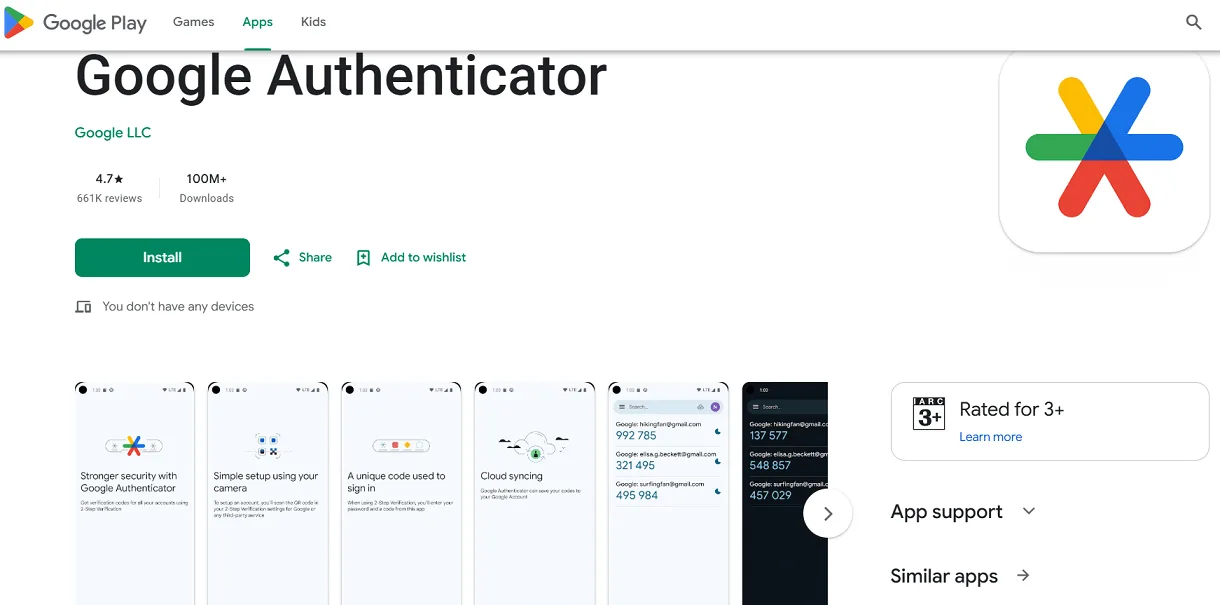
Google Authenticator app on Google Play Store
These apps are often safer than SMS codes because text messages can sometimes be intercepted or delayed while traveling internationally. Saving backup recovery codes is also helpful in case you lose access to your phone during a trip.
3. Use Secure Websites with HTTPS
When using public Wi Fi, avoid entering passwords or payment details on websites that only use HTTP. Websites with HTTPS encrypt your connection, which helps protect your information from being intercepted by other people on the network.
You can usually identify secure websites by checking the address bar in your browser:
- https://mail.google.com
- https://www.paypal.com
- https://www.amazon.com
These websites use HTTPS and normally display a padlock icon near the URL, showing that the connection is encrypted.
If a website starts with http:// instead of https://, the connection is less secure because the data is not fully encrypted. For example:
-
http://example.com
Before logging in or entering payment details, always check that the website uses HTTPS, especially when connected to public Wi Fi networks.
4. Avoid Accessing Sensitive Information on Public Networks
Try to avoid logging into banking accounts, payment platforms, work dashboards, or other sensitive websites while connected to public Wi Fi. Networks in cafes, airports, hotels, and coworking spaces are not always secure, which can increase the risk of someone intercepting your personal or business data.
Even if the Wi Fi network looks legitimate, hackers may still monitor unprotected connections or create fake hotspots that copy real network names. Entering passwords, payment details, or confidential work information on these networks can expose your accounts to security risks.
If you need to access important accounts while traveling, using a VPN can help encrypt your connection and add more privacy on public Wi Fi.
When choosing a VPN, look for features like strong encryption and apps that work across different devices. This can be useful for digital nomads who often rely on a laptop for work and a smartphone for communication, banking, navigation, and other tasks while traveling.
Many VPN providers, like CyberGhost, offer apps for Windows, macOS, Android, and iPhone. For example, you can download the Windows version from CyberGhost's website for your laptop and use the same VPN service on your phone as well.
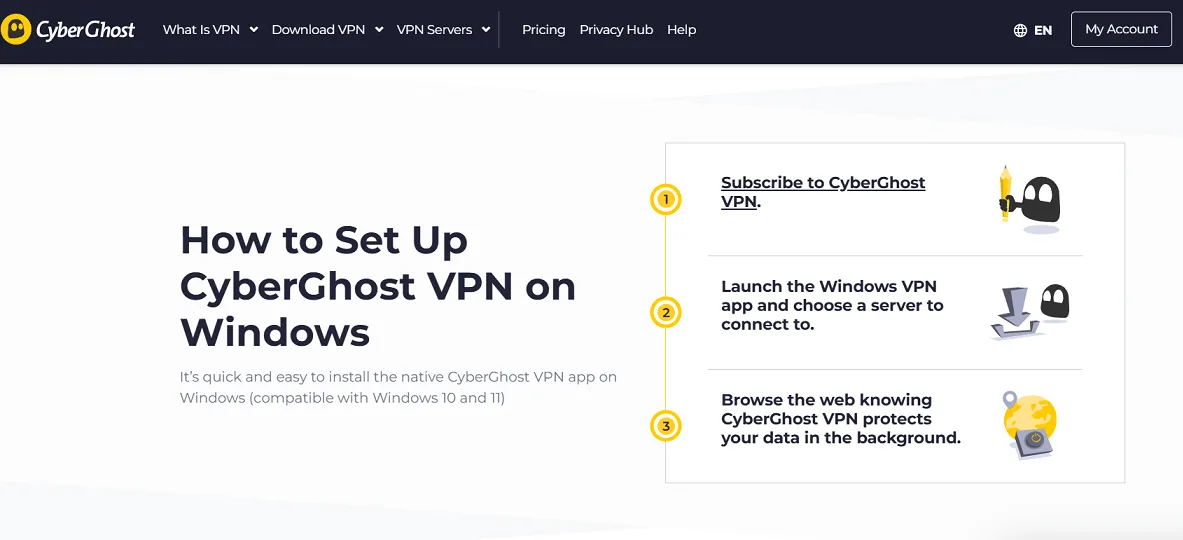
CyberGhost VPN for Windows page
5. Turn Off Sharing and Enable Firewalls
Public Wi Fi networks can sometimes allow other devices on the same network to detect your laptop or phone. Features like file sharing, printer sharing, and network discovery may expose your device to unwanted access if they stay enabled in public places.
To reduce these risks, disable sharing features when connecting to public Wi Fi in cafes, airports, hotels, or coworking spaces. Most Windows and macOS devices include these settings in the network or privacy section.
A firewall can provide extra protection against suspicious or unauthorized connections. Many devices already include built-in options such as Windows Defender Firewall on Windows or Firewall settings on macOS. Keeping these protections enabled can help reduce security risks while working remotely.
6. Use a Mobile Hotspot When Possible
A mobile hotspot uses your phone’s cellular data instead of public Wi Fi, which can reduce security risks while working remotely or traveling. This option works well for accessing banking accounts, work dashboards, cloud storage, or other sensitive information.
Most Android and iPhone devices include a personal hotspot feature in the mobile or network settings. Mobile hotspots may use more battery and data, but they can provide a more private and controlled internet connection for important tasks.
7. Rotate Your IP Address Regularly
Your IP address can reveal general information about your location and online activity while browsing the internet. Using the same IP address for long periods may make it easier for websites, advertisers, or attackers to track browsing behavior across different networks.
Changing or rotating your IP address regularly can add more privacy while working remotely or traveling. Many VPN services include automatic IP rotation features that assign a different IP address after a certain period of time.
Some digital nomads also switch between different networks or reconnect to their VPN to receive a new IP address manually. This can help reduce tracking, targeted advertising, and unwanted monitoring while using public internet connections.
Security Tools Every Digital Nomad Should Have
|
Tool |
Purpose |
Key Features |
Suitability for Digital Nomads |
|
CyberGhost VPN |
Secure online browsing |
Military-grade encryption, 7000+ servers, Windows-compatible app |
Suitable for securing public Wi-Fi connections globally |
|
LastPass or Bitwarden |
Password management |
Encrypted storage, autofill, multi-device sync |
Essential for managing numerous accounts on the go |
|
Malwarebytes Antivirus |
Malware detection & removal |
Real-time protection, light system impact |
Great for protecting devices from threats while traveling |
|
1Password |
Two-factor authentication app |
Store codes securely, supports multiple platforms |
Recommended for managing 2FA tokens on the move |
 LastPass
Final Thoughts: Staying Secure While Savoring the Freedom
Being a digital nomad means balancing the thrill of exploring new places with the responsibility of protecting your digital life. How digital nomads can protect devices on public Wi-Fi comes down to vigilance and preparation.
Using solutions like a strong VPN, updating software, enabling two-factor authentication, and staying alert to common threats helps you surf safely wherever you go. Remember, security is ongoing; adapting to new threats and updating your approach is as vital as using the right tools.