For many businesses, a custom mobile app can help connect with customers, offer services more easily, and increase brand visibility.
But how do you actually build one?
This guide will walk you through how to build a custom mobile app for your business, no matter your technical background.
Why Build a Mobile App for Your Business?
Before getting into the "how," let's quickly nail down the “why.” Custom mobile apps offer several benefits for businesses of all sizes:
- Direct customer engagement: Push notifications, loyalty features, and personalized content help keep your customers coming back.
- Brand differentiation: Having an app designed for your brand can help you stand out from competitors that rely only on websites or social media.
- Improved customer experience: Mobile apps can be faster and more intuitive than mobile websites, increasing satisfaction and conversions.
- Data collection and insights: Apps enable businesses to collect user behavior data for smarter marketing and product improvements.
How To Create a Mobile App for Your Business
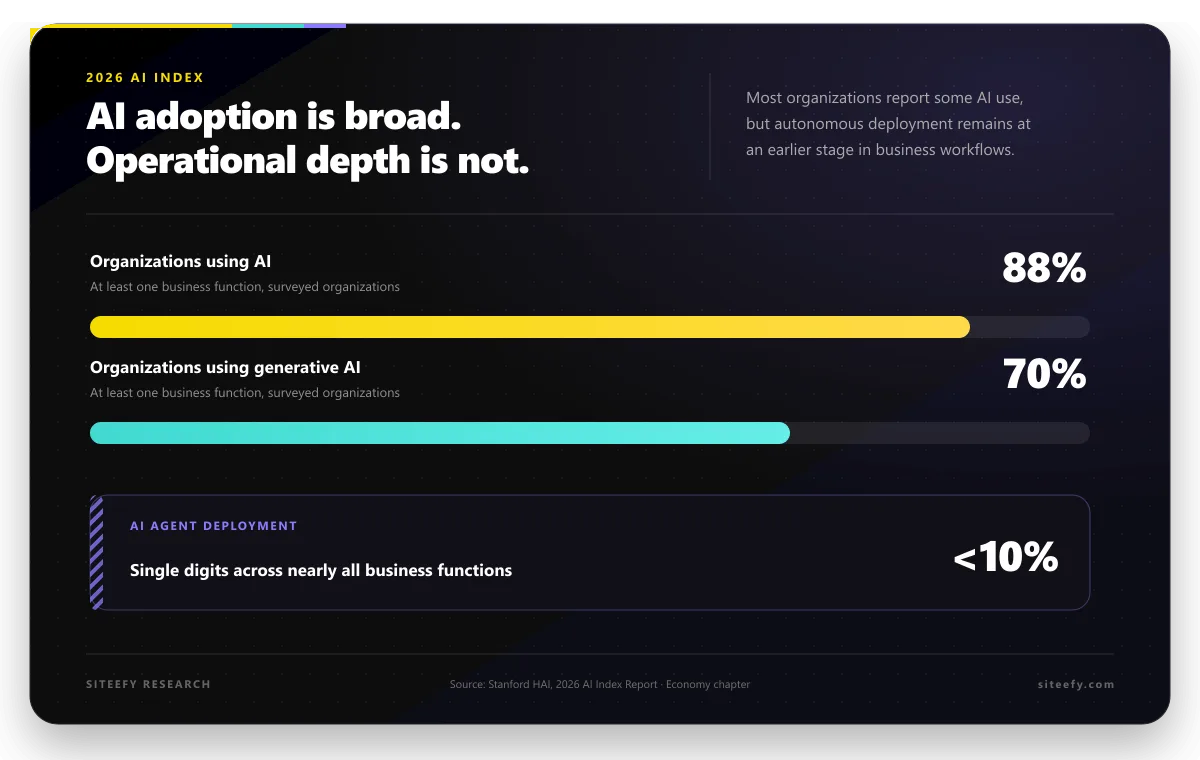
Mobile app usage continues to grow, with more than 112 billion app downloads worldwide in 2025, highlighting the ongoing opportunity for businesses to reach customers through mobile devices.
With these benefits in mind, here’s a step-by-step guide to building a custom mobile app for your business.
Step 1: Define Your App’s Purpose and Goals
Start with a clear idea of what you want your mobile app to do. For example, you may want to increase sales, offer a service, or keep customers engaged with content or loyalty programs. Clear goals will help you make decisions throughout the development process.
Tips:
- List your main goals and decide how you will measure success, such as app downloads, user engagement, or revenue.
- Think about your target audience and the features they would find most useful.
- Review your website and other digital channels to see where a mobile app could be helpful.
Step 2: Choose the Right App Type
One of the first technical choices to make is the type of app to build:
|
App Type |
Description |
Pros |
Cons |
|
Native App |
Built specifically for iOS or Android platforms using their native languages (Swift, Kotlin) |
Best performance, access to device features, top user experience |
Costly to develop and maintain separate iOS and Android apps |
|
Cross-Platform App |
Built with one codebase using frameworks such as Flutter or React Native. |
Faster development, lower costs, and support for both iOS and Android. |
Some advanced features may require platform-specific code. |
|
Progressive Web App (PWA) |
Web-based app that works on any device through a browser |
No app store needed, easy updates, lightweight |
Limited access to device features, less discoverable on app stores |
 React Native
Step 3: Plan Your App Features and User Experience
Create a simple wireframe or flowchart to outline your app’s layout and main features. Focus on how users will move through the app and make sure navigation is clear and easy to use.
Key feature ideas depending on business type:
-
Retail/E-commerce: Product search, shopping cart, payment gateway, order tracking, push notifications for deals
-
Service-based: Appointment booking, service catalog, user profiles, in-app chat
-
Content creators: Media galleries, social sharing, push alerts for new content
Keep the first version of your app simple. Start with a minimum viable product (MVP) that includes only the most important features, then add more based on user feedback.
Step 4: Choose the Right Development Approach
There are several ways to build a mobile app. The best option depends on your budget, timeline, technical skills, and the level of customization you need.
No-Code and Low-Code Builders
No-code and low-code platforms such as AppMySite and GoodBarber let you create native iOS and Android apps using drag-and-drop tools instead of writing code.
They often include ready-made templates, push notifications, analytics, and integrations with platforms like WordPress and WooCommerce. This approach is a practical option for small businesses that want to launch a mobile app quickly and keep development costs lower.
 WordPress
 WooCommerce
Convert Existing Websites
If you already have a functional website, platforms like MobiLoud can turn it into native iOS and Android apps. This approach reuses your existing website content, design, and features, such as product pages, blog posts, and checkout functionality.
It is often a good option for e-commerce stores, publishers, and service businesses that want a mobile app without rebuilding everything from scratch. Since most of the work is based on your current website, development time and costs are usually lower than with a fully custom app.
Build a More Custom App with No-Code Tools
Platforms such as Bubble and Google AppSheet let you build more advanced apps without traditional coding. They support custom workflows, automation, databases, and integrations with tools such as Google Sheets, CRM systems, and payment platforms.
For example, Google AppSheet can turn data from Google Sheets and Forms into mobile and web apps, which makes it a practical option for businesses that already use Google Workspace. These platforms are a good fit for businesses that need internal dashboards, approval processes, customer portals, or other data-driven applications.
Comparison of Popular No-Code App Builders
|
Tool |
Platform Support |
Key Features |
|
iOS, Android, PWA |
No-code builder, native apps, easy integration with WordPress and WooCommerce |
|
|
iOS, Android, PWA |
AI-enhanced design, extensive customization, push notifications |
|
|
iOS, Android |
Converts websites to native apps, branded app stores, and presence |
|
|
Web and mobile apps |
Drag and drop UI, API integrations, customizable workflows |
|
|
Web and mobile apps |
Data-driven apps, automation, Google Workspace integration |
 AppMySite
 GoodBarber
 MobiLoud
 Bubble
 Google AppSheet
Use AI-Powered Vibe Coding Tools
AI-powered vibe coding tools such as Lovable, Replit, and Bolt.new let you build apps using simple text prompts.
You describe the features and functionality you need, and the platform generates the interface, code, database structure, and core logic. This approach works well for prototypes, MVPs, and internal business applications, especially when you want more flexibility than traditional no-code builders offer. Vibe coding has become a popular way to turn ideas into working software much faster than traditional development.
Hire a Mobile App Development Company
A professional development company can build a fully custom mobile app based on your business requirements. Their services typically include strategy, UI/UX design, development, testing, and app store submission.
When comparing agencies, look for teams that have experience in your industry and in the market you want to target. For example, if you are building a real estate app for the US market, reviewing real estate app developers in the US can help you identify agencies that have worked on similar projects.
Working with a development company usually requires a larger budget and a longer timeline, but it gives you the most flexibility and control over the final product.
Step 5: Design Your App UI/UX
Once you have chosen how your app will be built, the next step is to focus on its design. A well-designed app is easier to use and can encourage users to return.
- Consistent branding (colors, fonts, logos)
- Easy navigation with clear labels and buttons
- Readable typography and touch-friendly controls
- Performance optimization to minimize loading times
Many app builders provide templates and AI-powered design features to speed this up, such as GoodBarber, which uses AI-enhanced design capabilities.
Step 6: Develop, Test, and Iterate
Development may take weeks or months, depending on complexity. Plan several rounds of testing to catch bugs and usability issues before launch.
Testing tips:
- Test on multiple devices and screen sizes
- Use both manual testers and automated testing tools
- Collect feedback from early users or beta testers
Iterate quickly to fix issues and improve user experience. The goal is a smooth, reliable app that functions as intended.
Step 7: Launch and Promote Your App
Launching the app on app stores requires meeting their guidelines and submitting your app for review. Create a launch marketing plan that includes:
- Social media announcements and promotions
- Email campaigns to existing customers
- Incentives like discounts or loyalty bonuses for early adopters
- Encourage app reviews to boost visibility
After launch, use analytics tools to track performance, user behavior, and engagement regularly.
Step 8: Maintain and Update Your App
Your app launch is just the beginning. Regular maintenance and updates are critical to keep your app running well and meeting evolving user needs.
- Fix bugs and compatibility issues promptly
- Add new features based on user feedback
- Update content and refresh design to stay relevant
- Monitor app ratings and respond to user reviews
Final Thoughts
Each development approach has its own advantages, and the right choice depends on your specific business needs. The important part is to choose a solution that supports your goals and gives you room to grow over time.
Once that decision is made, you can focus on designing an app that provides a smooth and intuitive user experience.