A tool advertised at $5 a month can require $60 today. A plan priced per person can charge a four-person team for five seats. Neither figure tells you what the tool will cost to do your work.
Compare the full cost of the same workload over the same period. Include the plan you actually need, the people who need access, usage charges, renewal terms and the cost of leaving. Keep the amount due now separate from the total you expect to spend.
This guide is for individuals and small teams choosing online software. The examples below illustrate different billing rules, not a ranking of the products. Prices and terms were checked on November 3 and 4, 2026; your currency, taxes, existing plan and checkout offer may differ.
Start with the work the price must cover
Before opening pricing pages, describe what you need to finish. For an automation tool, that might mean taking a form submission, creating a customer record and sending a confirmation. For a video tool, it means an approved, downloadable video with the resolution and usage rights your project needs.
That definition stops a cheap entry plan from winning a comparison even though it cannot complete the job. A missing integration or export option can force an upgrade. A second tool needed to finish the work belongs in the same budget.
Write down four inputs for every candidate:
- Workload: the jobs, files, contacts or other units you expect to process.
- Access: who must edit, approve or only view the work.
- Requirements: the features, integrations and output rights you cannot do without.
- Duration: a short project, a trial period or continuing use.
Use your recent activity to estimate an ordinary month and a busy month. When you have no history, keep the estimate visibly separate from measured usage and test it before committing to a long contract.
Separate the monthly rate from the commitment
Pricing pages can describe three different arrangements with a monthly figure:
- Month-to-month: you pay for each month and can stop future renewals under the cancellation terms.
- Annual, paid upfront: the displayed monthly rate is the yearly charge divided by twelve.
- Annual, paid monthly: payments arrive monthly, but the commitment lasts a year.
Compare the amount you commit to for the time you expect to use the product. Dividing an annual bill by twelve is useful for budgeting, but it does not make that bill cancellable after one month.
Find the month when annual billing pays off
Todoist Pro's published US prices are $7 monthly or $60 yearly. Six monthly payments total $42, below the annual charge. Nine total $63, so annual billing becomes cheaper during month nine. Over twelve months, the difference is $24.
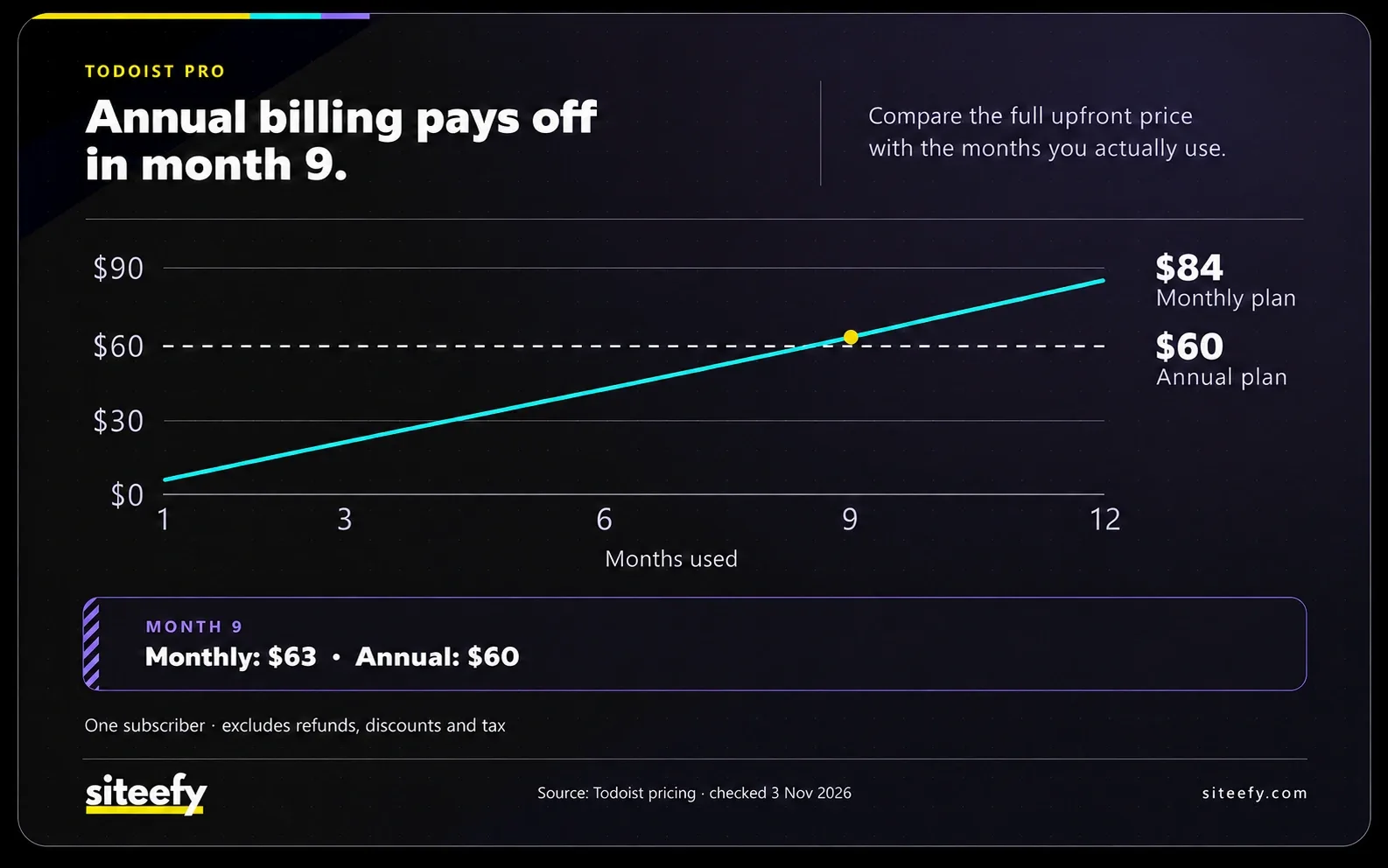

The annual discount only saves money if you keep using the tool long enough. For a new workflow, paying monthly while you test it can cost less than buying a year of a product you abandon. Once the workflow is established, the same annual offer may be the cheaper choice.
Count the seats you will pay for
A seat is usually an account with a particular level of access. Read the rules for members, guests and viewers before multiplying the advertised rate by your headcount. Those roles may have different permissions and charges.
monday.com's paid plans use seat groups: a minimum of three, followed by groups of five. Four members need five seats; six need ten. Guest rules are separate.
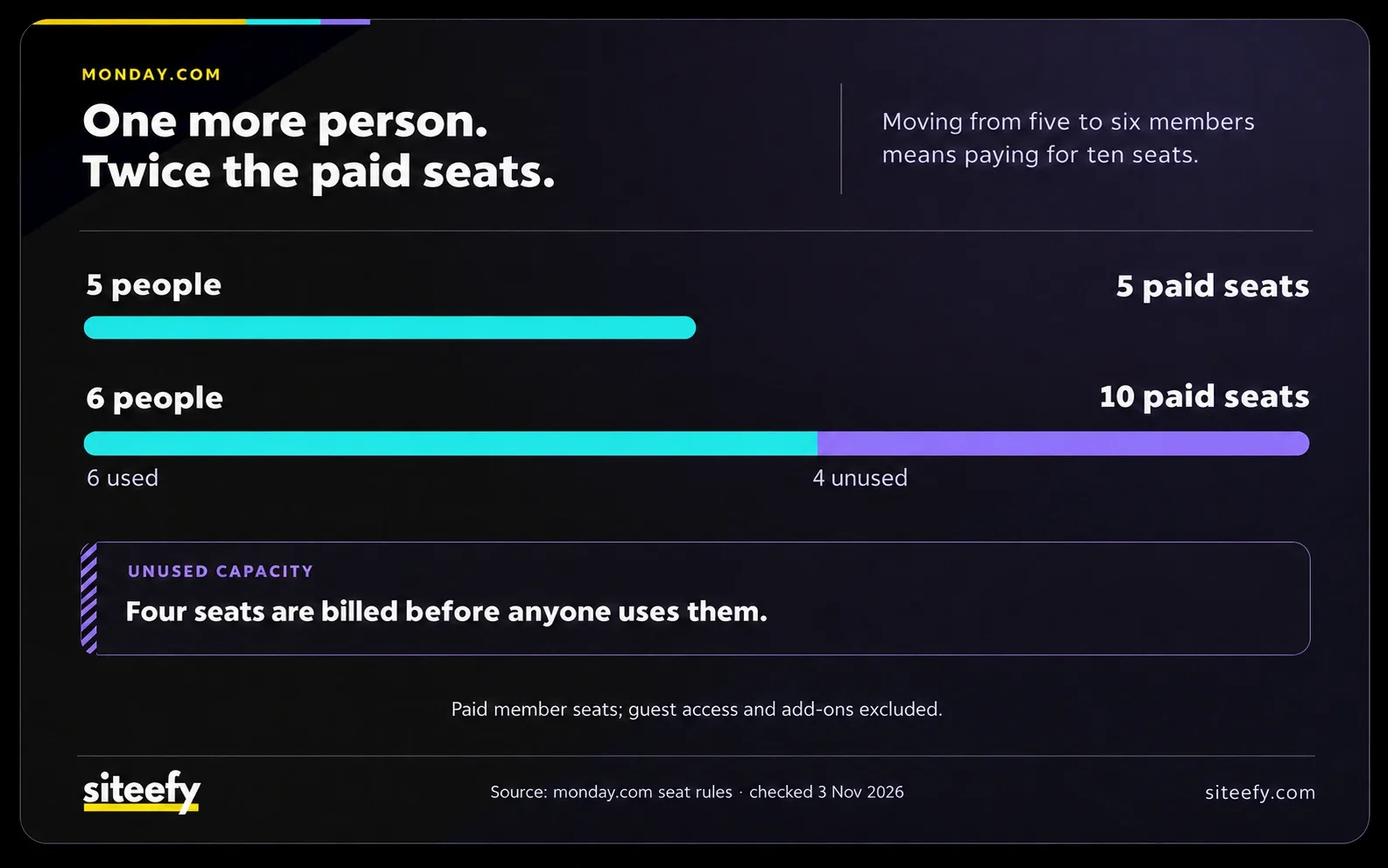
The consequence is easy to miss: moving from five members to six doubles the seat quantity, although the team grows by only one person. The final invoice can also include other charges. Check the next team size you expect to reach, as well as today's. A plan can be economical now and expensive at the next hiring step.
Find out what uses your allowance
A thousand credits in one tool need not buy the same work as a thousand credits in another. The useful comparison is the cost of a completed job at the quality you need.
For example, Zapier counts successful action steps as tasks in Classic Zaps. A workflow with three chargeable actions uses three tasks each time all three succeed. The trigger itself does not consume a task. Some built-in steps are exempt, and other Zapier products have their own rules, so count the actual steps you will run.

When comparing workflow automation tools, price the same end-to-end job in each one. Check the usage log during a trial instead of assuming that one completed workflow means one billable unit.
Check what happens at the limit
Look for whether work stops, continues at an extra charge, or requires a higher plan. Zapier's pay-per-task billing can keep eligible paid accounts running after the included allowance is used. The rate depends on the plan and billing cycle; the account's billing settings show the applicable amount.
Use the same scrutiny for AI tools. Record the model, output length or resolution, retries and exports you need, then check which of those consume credits. An allowance of generated clips does not tell you how many finished videos you will approve. Our AI video workflow explains the scene review and final editing work that sits between generation and a usable result.
Keep usage and labor separate. A retry may consume credits, your time, both or neither, depending on the product. Record what happened in your trial rather than attaching a made-up productivity saving to the subscription.
Check renewal and cancellation before buying
Record the introductory price, the period it covers and the next renewal amount. A discount for the first month or year is not a continuing rate. Compare your expected first-year spend and the following year's spend separately when you plan to keep the tool.
Then read the cancellation terms for the exact plan. Adobe's US terms for an annual plan paid monthly, for example, specify a fee of 50% of the remaining contract balance when cancelling after fourteen days. That is different from stopping a month-to-month subscription. It is a plan-specific example, not a rule for every product or country.
The US Federal Trade Commission's guidance on trials and auto-renewals recommends checking the terms and keeping cancellation records. For a software purchase, save the offer you accepted and set a reminder before the renewal deadline.
Also test how you would leave. Export a small piece of real work and check whether another tool can open it with the information you need. Documents, comments, attachments and automations do not necessarily move together. Include any overlap between subscriptions or work required to rebuild your setup.
Compare the cost of different payment methods
Once you’ve compared plans, usage limits and renewal terms, check the cost of paying as well. Conversion or transfer charges can affect the final total, even when the service’s price stays the same.
For instance, Namecheap lets customers add account credit by card, PayPal or cryptocurrency. Comparing these options means checking how much you would spend to receive the same amount of credit.
For crypto you already hold, that means calculating the payment’s current dollar value and including any separate transfer fee. A live price reference can help with this calculation. For example, Binance’s Ethereum price page provides the dollar rate for an ETH payment. You can then compare that estimate with the card or PayPal total to see which option costs less.

Run one complete job before committing
Take a representative job through each shortlisted product, from the original input to a result you would actually use. Test with the plan you intend to buy: a trial that unlocks a higher tier can hide the restrictions of a cheaper subscription.
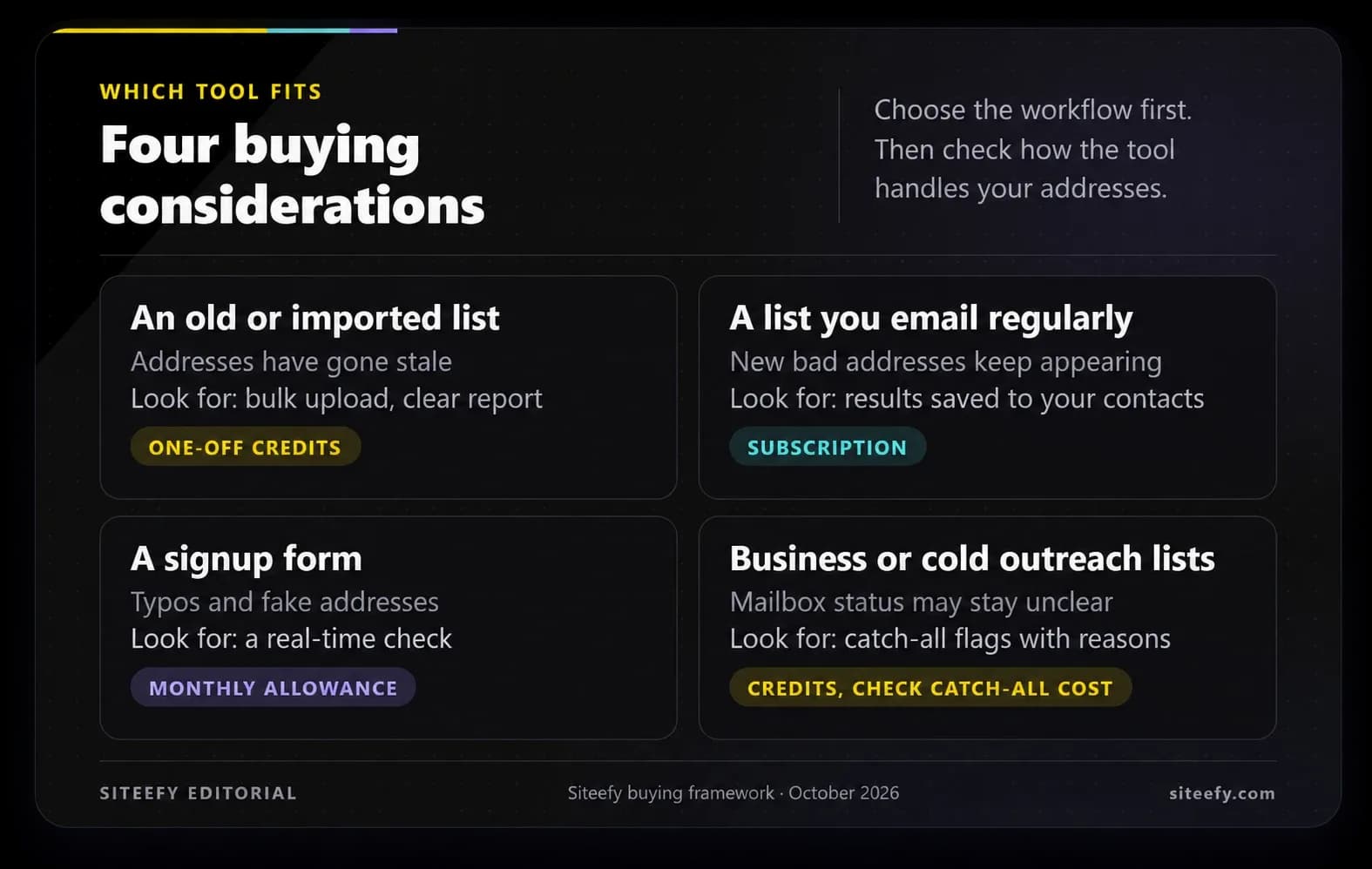
For list-cleaning software, for example, a large credit allowance is not enough if too many addresses remain unresolved. Our guide to choosing an email verification tool shows what to check in the results before paying for a larger run.
Use the following record for each candidate. Put measured trial results beside the quoted charges so you can see which parts of the comparison are known and which are estimates.
| Record | What to include |
|---|---|
| Amount due now | The actual checkout total, billing period and paid seat quantity. |
| Expected ongoing spend | Renewals, required add-ons and usage charges for your ordinary workload. |
| Busy-month exposure | The higher usage bill, forced upgrade or work that stops at the limit. |
| Cost of stopping | Any cancellation charge, subscription overlap and export or migration work. |
| Trial result | Accepted output, billable units consumed and time spent checking or fixing it. |
A cheap plan that cannot finish the job is not a cheaper way to get the result. Choose among the plans that pass your trial, using the full cost for your workload and the commitment you can justify. That gives you a buying decision you can explain, instead of a comparison of numbers that were never measuring the same thing.