
 photo
photo
Design & Architecture
Proto.io
A web-based prototyping tool for creating interactive, high-fidelity prototypes without coding.
Design & Architecture tools help you redesign a room, plan a renovation, visualize furniture in your space, or draw a full floor plan. Two broad groups cover most needs. AI Room Visualizer tools take a photo and show you a redesigned space. Floor plan tools let you draw and view layouts in 3D. The main question is whether you want to see a room transformed from a photo or build a plan from scratch.
Missing a tool?
Showing 13 to 24 of 36 tools
A web-based prototyping tool for creating interactive, high-fidelity prototypes without coding.

A software design tool for creating UX prototypes, specifications, and diagrams without coding.

A web-based tool for creating and collaborating on wireframes, mockups, diagrams, and prototypes.

An design platform for wireframing, prototyping, user testing, and design handoff.

Professional-grade 3D design software for architects, builders, and designers.

A multi-platform tool for creating, viewing, and exporting detailed floor plans with 3D visualization.

Cloud-based 3D home design software for residential building professionals.

An AI-powered tool for redesigning and visualizing home interiors, exteriors, gardens, and staging with photorealistic results.

An AI agent platform for automating AV designs, proposals, project management, and reporting via voice or chat commands.

AI-powered platform for managing design systems, documentation, and AI context for product teams.

Design system documentation and management platform that integrates design and development workflows with AI assistance.

Spoak is an online interior design software offering design, visualization, and project management tools for all skill levels.
3 decisions
Floor Plan Maker is the only completely free tool here and needs no login. Arcadium, Floor Plan Creator, and Cedreo all have free plans but limit you to one project each. On the AI redesign side, Interior AI, RoomGPT, and Paintit.ai are paid only. RoomGPT starts at $9.99 a month, Paintit.ai at $24.99 a month, and Interior AI at $60 a month. HomeDesignsAI publishes no price at all and asks you to contact sales.
AI redesign tools take one photo of your room and return a new look in under two minutes. Interior AI, RoomGPT, and Paintit.ai all work this way and cover furniture suggestions, room styling, and renovation previews. Arcadium takes a different approach: you draw the layout yourself and get a 3D walkthrough. Floor Plan Maker and Floor Plan Creator are also drawing tools, letting you build a 2D plan and flip it to 3D. If you have a room and want to see it differently fast, the photo tools get there first. If you are planning a new layout or a build, the drawing tools give you more control.
Floor Plan Maker costs nothing and asks for no login. Arcadium, Floor Plan Creator, and Cedreo let you start on a free plan, though each caps you at one project. RoomGPT offers a free trial with limited use before billing $9.99 a month. Paintit.ai charges $24.99 a month with no free plan. Interior AI charges $60 a month or $390 a year, also with no free plan. HomeDesignsAI and Cedreo's paid tiers name no price on the site; both require a sales call before you know what you will pay.
Some tools stop at the visual. RoomGPT and Interior AI show you a redesigned room but do not produce a floor plan or a furniture shopping list you can act on directly. Paintit.ai goes a step further by connecting furniture suggestions to a shopping step inside the same tool. Cedreo covers floor plans, 3D views, roof design, and site planning, which makes it the widest option here for anyone designing a whole house. HomeDesignsAI handles interiors, exteriors, gardens, and staging from one place, though none of its plan prices are public.
6 questions
Floor Plan Maker is the only tool here that costs nothing and requires no login. Arcadium and Floor Plan Creator each cap the free plan at one project. Cedreo also has a free plan at $0 a month but restricts it to basic drawing features and one project. RoomGPT offers a free trial with limited use, then bills $9.99 a month. Every other tool on the AI redesign side requires a paid plan from the start.
RoomGPT and Interior AI both take one photo and return a redesigned room quickly. RoomGPT starts at $9.99 a month and shows multiple style options. Interior AI starts at $60 a month and adds features like 3D walkthrough videos and outdoor design. Arcadium does this too on its free plan, though it is built around drawing a layout rather than uploading a photo.
Interior AI, RoomGPT, and Paintit.ai all suggest furniture as part of their redesign output. Paintit.ai connects the suggestion directly to a shopping step inside the tool, at $24.99 a month. Interior AI and RoomGPT show furniture in the redesigned image but do not link to a shopping step in the same way. All three are paid only.
Cedreo is the most complete option for a full house. It covers floor plans, 3D views, roof design, and site planning, though its paid tiers require a sales call for pricing. Floor Plan Maker is free and handles 2D and 3D layouts with no login needed. Arcadium's free plan covers one project and includes a 3D walkthrough, while Floor Plan Creator adds a symbol library and multi-floor support from $6.95 a month.
Zeplin, Proto.io, and Axure RP are listed here but are built for screen design and prototyping rather than rooms or buildings. Proto.io starts at $29 a month for creating interactive prototypes without coding. Axure RP also starts at $29 a month per user and adds diagrams and documentation. Neither is suited to interior or architectural work.
RoomGPT, Paintit.ai, Interior AI, Arcadium, Floor Plan Creator, Proto.io, and Axure RP all show prices on their sites. HomeDesignsAI lists no prices for any plan and asks you to contact sales. Cedreo shows a free plan at $0 but lists no price for its Personal, Pro, or Enterprise tiers. Knowing this before you apply saves time.
 Floor Plan Maker
 Arcadium
 Floor Plan Creator
 Cedreo
 Interior AI
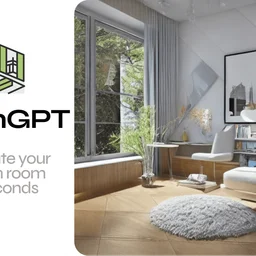 RoomGPT
 Paintit.ai
 HomeDesignsAI
 Zeplin
 Proto.io
 Axure RP