


Interior AI
PaidInstantly redesign and virtually stage interiors with AI-powered photorealistic rendering.
Revolutionize your space with AI-powered interior design and personalized furniture recommendations.
Paintit.ai is an AI-driven interior design platform that allows users to instantly visualize and customize room designs using AI-generated furniture placement, color adjustments, and style selections. It offers a seamless, intuitive interface that feels like browsing a music playlist, enabling real-time updates and personalized design guidance for homeowners, real estate agents, and professionals. The platform integrates shoppable designs, making it easy to discover, edit, and purchase furniture and decor in a single flow.
Updated Oct 18, 2026
No written reviews yet. Be the first to share your experience.
Paintit is an AI interior design tool built for professionals and homeowners who want to visualize rooms faster. Create interior, exterior and commercial designs, test ideas and refine layouts without complex software.
Create client-ready concepts faster, explore multiple directions and iterate in minutes instead of hours. Keep the workflow simple from first mood to final presentation —without losing control over details.
Produce listing visuals that help buyers see potential — quickly and consistently. Create variations for different audiences, update finishes and furniture, generate marketing-ready images for ads and portals.
Yes. With our targeted editing tools, you can keep your favorite existing furniture and change only the wall color or flooring. This precision allows you to perfect your home design without being forced to regenerate the entire image.
You can upload a high-quality photo from your phone, a professional floor plan, or even a rough hand-drawn sketch, and our AI interior design engine will transform it into a photorealistic space.
We support standard formats like JPG, PNG, WebP, and HEIC.
Private Mode helps keep your uploaded photos, chats, and generated designs out of public-facing galleries and is useful for personal projects, client work, real estate listings, and commercial interiors.
Hands-on notes from our editorial team.
✅ Our Test
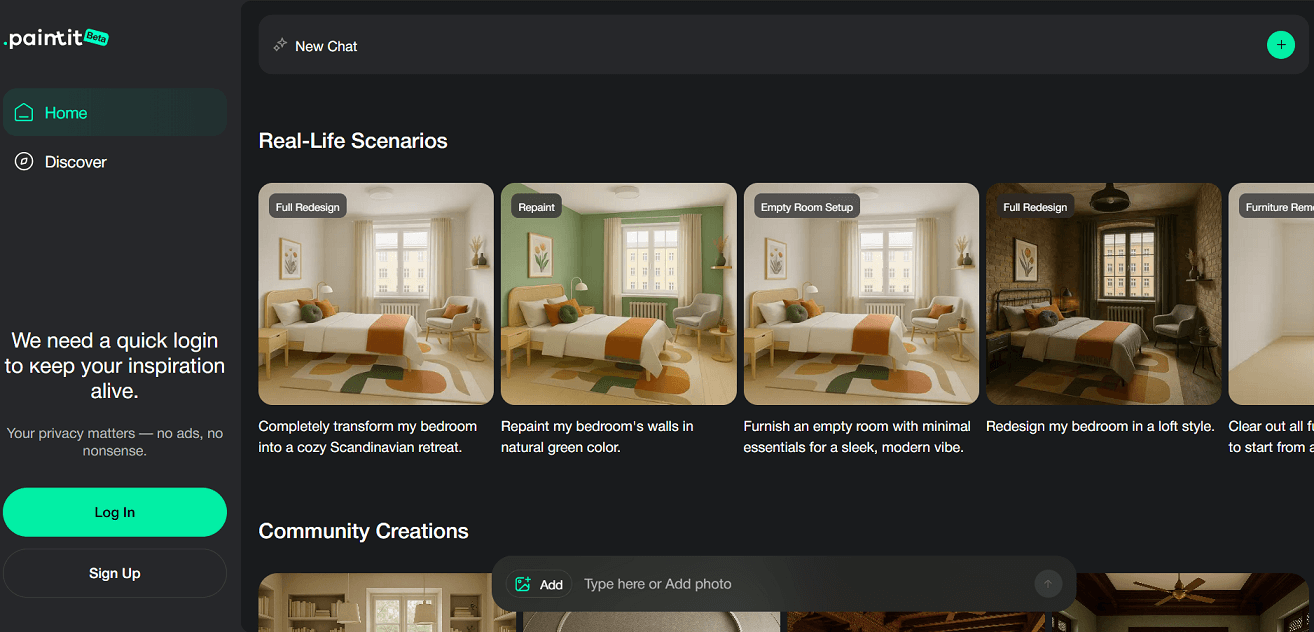
We clicked Start My Flow Now on the homepage, which redirected us to the dashboard. After signing up with a Google account, we were welcomed with visual examples such as Full Redesign, Repaint, and Empty Room Setup. These examples serve as inspiration to show what the platform can create.

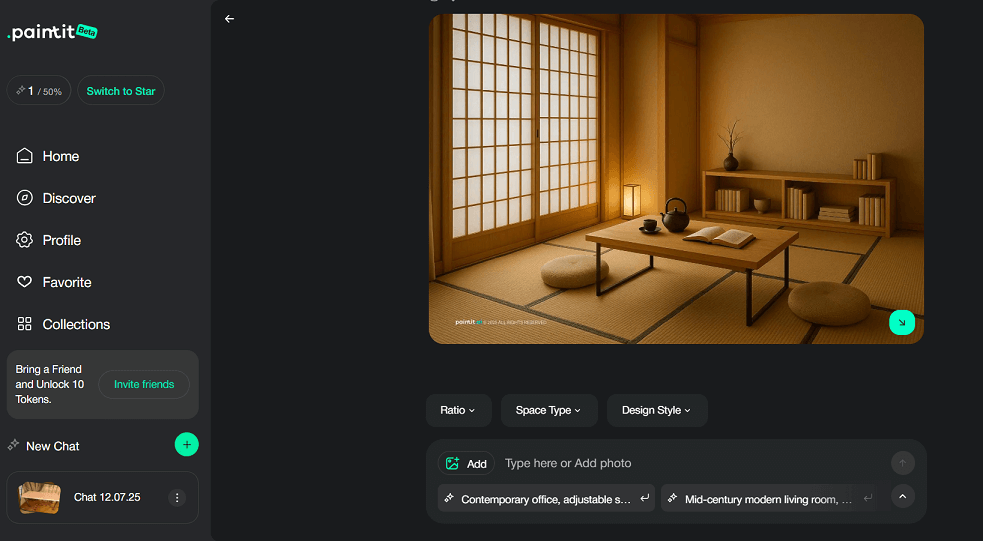
The main workspace displayed a welcome message along with filters for_Ratio, Space Type, and Design Style_. On the left-hand menu, we found navigation options like_Home, Discover, Profile, Favorites, and Collections_. A referral option also appeared, offering bonus tokens for inviting friends.
We clicked the + Add button to start a new design. After uploading a photo of a reading table, we selected Reading Room under space type and Japanese under design style. A prompt appeared asking whether to use the uploaded image as a reference or not. We chose to use it as a reference so the AI could generate a design based on the real space.
The AI chat helped guide the next steps, making the experience more interactive and smooth. The platform generated our design in less than a minute, delivering a complete Japanese-style reading room based on the photo and style we selected.

No written reviews yet. Be the first to share your experience.
Top rated tools from the same category.
View all Interior Design Software tools
Instantly redesign and virtually stage interiors with AI-powered photorealistic rendering.
DecorMatters is a home design app using augmented reality and artificial intelligence to enable room design, AI-powered makeovers, and
Planner 5D is an AI-powered home design software for creating 2D floor plans and 3D interior and exterior visualizations.
An AI-powered home design platform for generating photorealistic interior and exterior renders with virtual staging and multiple
Coohom is a cloud-based 3D home design software for creating floor plans, interior layouts, and photorealistic visualizations.
Spoak is an online interior design software offering design, visualization, and project management tools for all skill levels.
