

P

Palette FM

Transform your black & white photos into vibrant, realistic color images instantly.

Freemium·No reviews yet

Overview

Palette FM is an AI-powered photo colorization platform that enables users to upload black and white photos and apply over 21 unique color filters to transform them into lifelike, vibrant images. It offers simple customization with keyword-based color adjustments and supports high-resolution downloads up to 5000x5000 pixels. Trusted by over 2.8 million users, Palette FM provides both free and subscription-based plans with watermark-free, full-resolution outputs and efficient batch processing.

Pricing Model
freemium
Last Updated
2025-12-02

Key Features

1

AI-Powered Colorization

Automatically colorizes black and white photos with realistic and vibrant colors using advanced AI algorithms.

2

21+ Color Filters

Offers a wide variety of unique color filters to customize the look and feel of your photos.

3

High-Resolution Output

Download colorized photos in high resolution up to 5000x5000 pixels without watermarks on paid plans.

4

Free Plan with Unlimited Previews

Try unlimited color previews for free with images resized to 500x500 pixels and a watermark for evaluation.

5

Keyword-Based Color Customization

Fine-tune colors by adjusting keywords to achieve precise and personalized colorization results.

6

Batch Upload and Processing

Upload multiple photos at once to colorize them efficiently in a single session.

7

One-Time Payment Options

Offers flexible payment options including subscriptions and one-time credit purchases for colorizations.

8

Pro Features and Workflow Enhancements

Includes features like pinning favorite filters, organizing them, and making copies for streamlined editing.

Use Cases

#1

Restoring Old Photographs

Bring vintage black and white family photos to life with realistic colorization for preservation and sharing.

#2

Creative Photo Enhancement

Apply unique color filters to black and white photos for artistic projects or social media content.

#3

Professional Photo Production

Use high-resolution, watermark-free colorizations in media productions, documentaries, and marketing materials.

#4

Batch Colorization for Photographers

Efficiently colorize large collections of photos for clients or archives with batch upload and processing.

#5

Educational and Historical Projects

Enhance historical images with accurate colors to improve engagement and understanding in educational contexts.

How to Use

1

Upload Your Photo

Click the 'Upload image' button or drag and drop your black and white photos to the platform.

2

Select a Color Filter

Browse through over 21 color filters and choose the one that best suits your photo's style.

3

Customize Colors (Optional)

Adjust color keywords to fine-tune the colorization for more personalized and accurate results.

4

Preview Colorization

View the colorized photo preview with the selected filter and adjustments.

5

Download Your Photo

Download the colorized photo in either low resolution with watermark for free or high resolution without watermark using credits or subscription.

Pricing

Pricing details are gathered from the official Palette FM website and are provided for reference only. Always confirm the latest information directly with the vendor.

PlanPriceHighlights
Free Plan$0

Unlimited color previews at 500x500 pixels

  • Palette logo watermark on previews
  • Access to all color filters
  • No credits required
Subscription Plan$72

480 credits per year for high-resolution colorizations

  • Watermark-free downloads
  • Credits roll over up to 5x monthly amount
  • Batch upload and pro features
  • Cancel anytime
One-Time Credit PacksStarting at $49

Purchase credits for individual colorizations

  • Credits valid for 2 years
  • High-resolution, watermark-free downloads
  • No recurring payments
Found a change in pricing? We welcome corrections. Reach out so we can keep this listing accurate.

Pros & Cons

Pros

  • Highly realistic and accurate AI colorization results.
  • User-friendly interface with simple upload and filter selection.
  • Flexible pricing with free previews and multiple paid plans.
  • Supports batch processing for multiple photos at once.
  • High-resolution downloads without watermarks on paid plans.

Cons

  • Free plan outputs are limited to low resolution with watermarks.
  • Requires credits for high-resolution, watermark-free downloads.
  • Customization may require some trial and error with keywords.
  • Subscription credits expire if subscription is canceled.
  • Limited to photo colorization; no other photo editing features.
OT

Our Test

Hands-on notes from our editorial team.

✅ Our Test

⬇️ Sign Up (to get your free credit)

Firstly, we signed up on the website using our Google account. For signing up, we got one free credit to colorize our photo in high resolution and without a watermark.

⬇️Upload Black & White

Then, clicking the “Colorize Photo” button, we uploaded one of the AI-generated black and white photos. The tool automatically processed our photo to the base color palette.
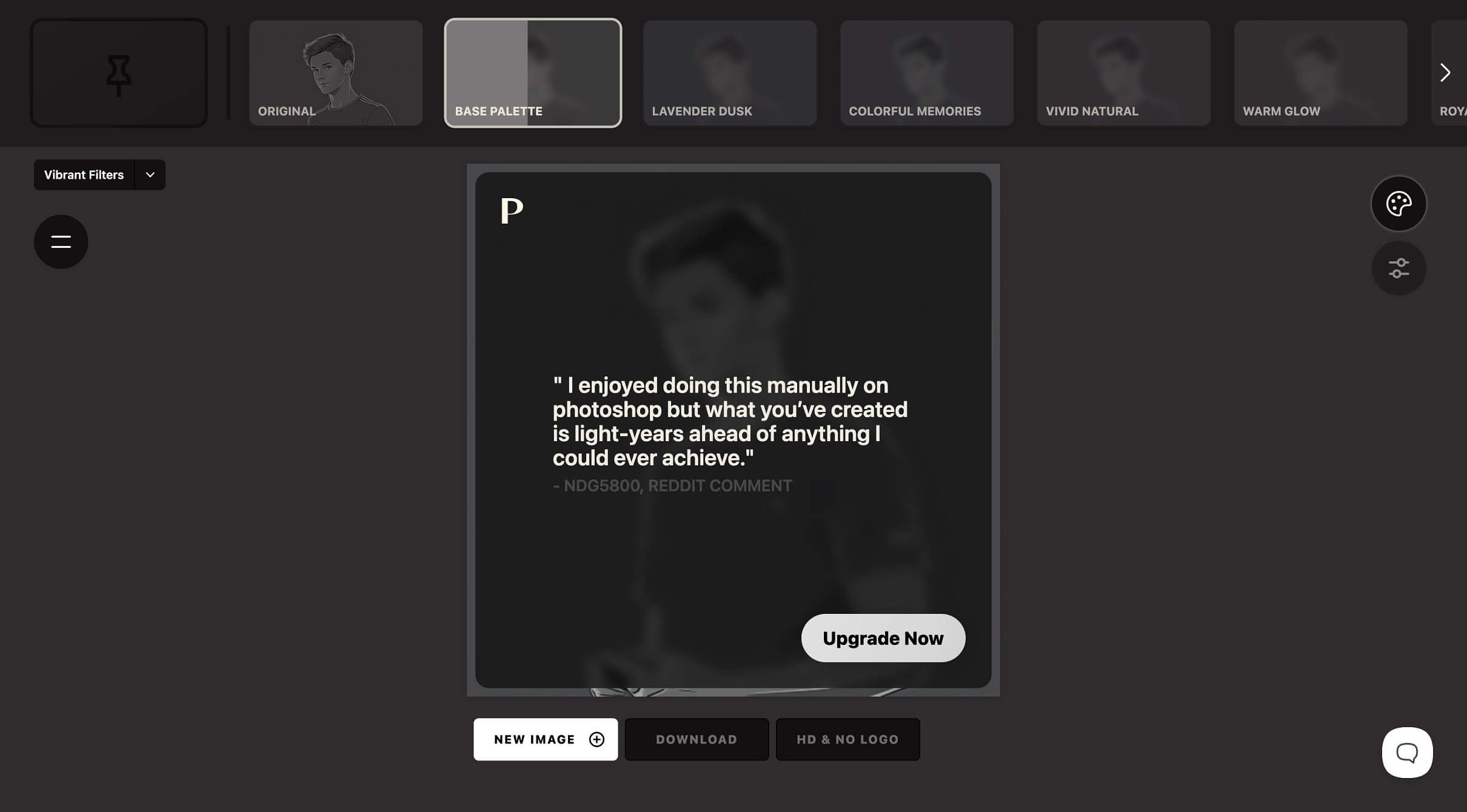
⬇️ Text Prompt for the Palette

During the test, we discovered an interesting button on the right side of the dashboard. Of course, we clicked it, and the text box popped up to insert a palette prompt there. We also used the "Surprise me" button below the text box to have the AI generate a prompt.
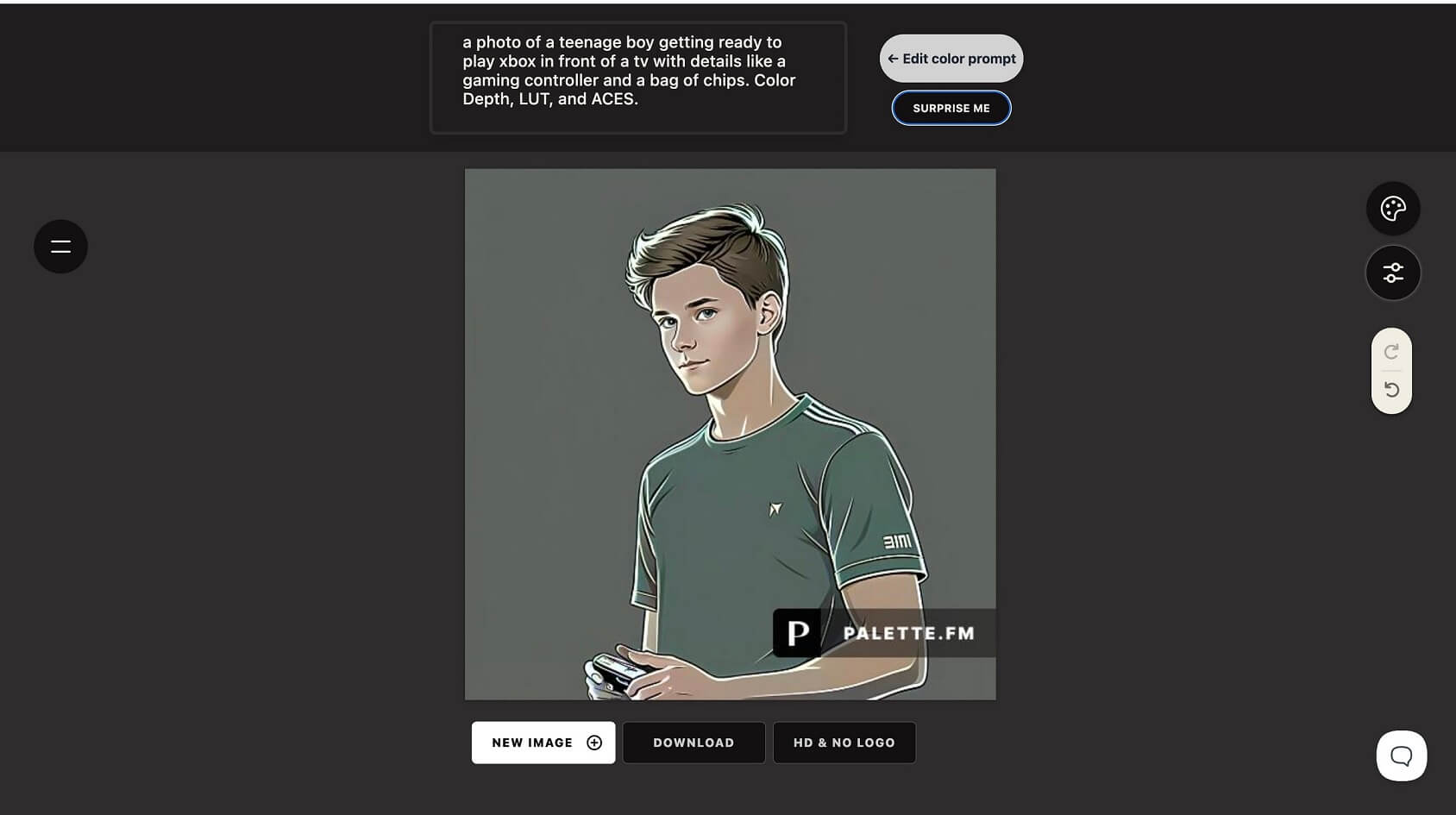
⬇️Export and Enjoy It in an HQ

After all, we exported a colorized photo in high resolution and without a watermark. That cost us 1 credit. Here is the result:

Frequently Asked Questions

Ratings & reviews

Ratings & reviews

No reviews yet. Be the first to share your experience.

Share your experience

Sign in to rate this tool and help the community understand how it fits into their workflow.

Community reviews (0)

No reviews yet. Be the first to share your experience.