

PDFTables
PaidA cloud-based service that converts PDF documents into Excel, CSV, XML, and HTML formats.

Free, easy-to-use online tools for PDF, image, video, and AI writing tasks to simplify your digital workflow.
TinyWow offers a comprehensive suite of over 250 free online tools designed to handle PDF conversions, image editing, video processing, and AI-powered writing assistance. With no sign-up required and a user-friendly interface, it empowers millions globally to accomplish complex digital tasks effortlessly and efficiently. The platform prioritizes privacy by deleting all files and text after one hour and provides premium options for ad-free, unlimited usage with faster processing.
Updated Oct 15, 2026
No written reviews yet. Be the first to share your experience.
Create a PDF quickly and easily with our free PDF creator
Use AI to remove unwanted objects, items, people from an image
Generate images from your imagination using AI
Edit an existing PDF and download with no sign-up required
Style your profile photo for social media
Create charts and download as an image
Create a Word Doc or Extract the text using OCR from a PDF
Convert PDF to JPG and download each page as an image
Split into one or multiple PDF files
Remove the password from a PDF file(requires the password)
Freemium. Paid plans start at $9 per month.
$9
per month
$15
per month
$20
per month
Hands-on notes from our editorial team.
✅ Our Test
We wanted to test TinyWow’s AI tools, so we tried the Paragraph Writer and the AI Image Generator.
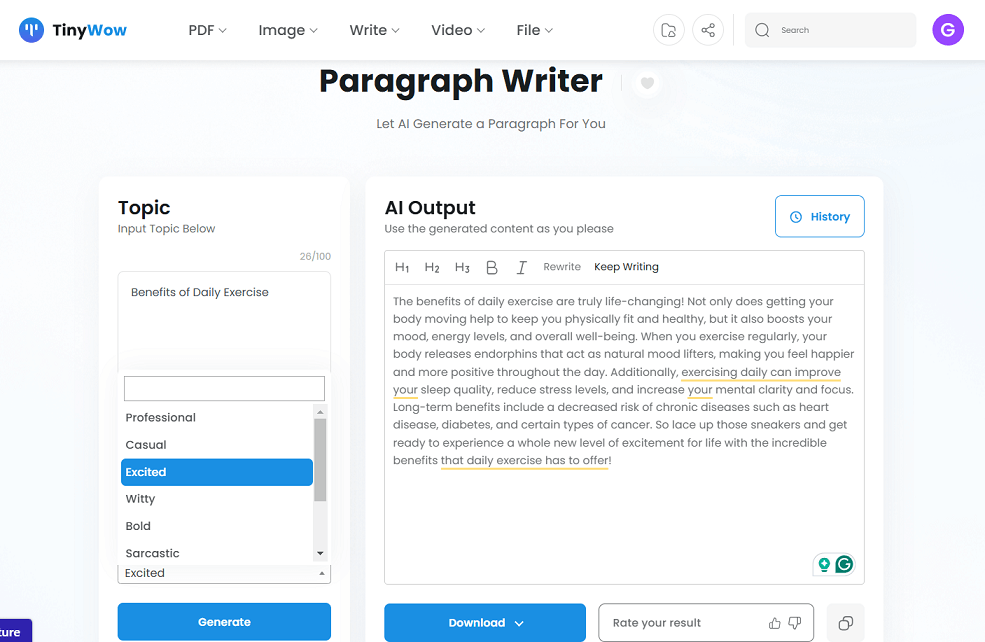
For the Paragraph Rewriter, we entered the topic “Benefits of Daily Exercise” and selected an “excited” tone. The AI generated a lively paragraph that we liked. You can download the result to your device or save it to your drive. There’s also a “History” option in the top-right corner where you can view past rewrites.
Next, we tried the AI Image Generator. We used the prompt: “A fluffy orange tabby kitten with green eyes, tangled in a ball of yellow yarn on a light gray rug, with a soft pastel pink background.” Unfortunately, the AI didn’t generate the image accurately—the cat’s eyes were blue instead of green, missing this simple detail.
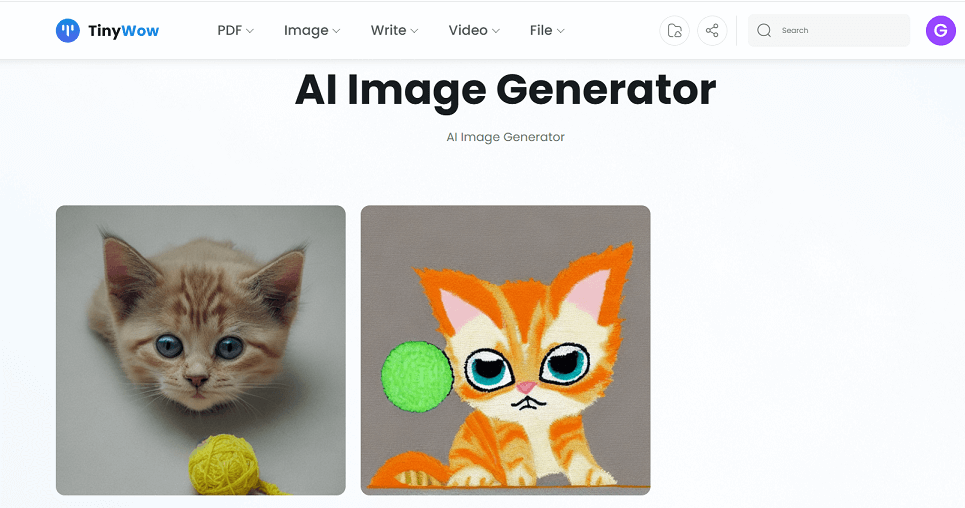 Before this, we tested two other prompts with similar results, as the AI struggled with accuracy in specific details. Although the images were cute, they didn’t fully match our descriptions.
No written reviews yet. Be the first to share your experience.
Top rated tools from the same category.
A cloud-based service that converts PDF documents into Excel, CSV, XML, and HTML formats.

Convert your files to any format quickly and securely in the cloud.
Convert documents, images, videos, and audio files easily with support for 1100+ formats.

Convert audio files to multiple formats quickly and easily online, with advanced customization options.
Online conversion tools for people working with text and Morse code.

Universal online file conversion with powerful API and high security.