Be first!
Unstability.AI
AI-powered image generation platform for creative and unique visuals.
Unstability.AI
AI-powered image generation platform for creative and unique visuals.
Paid
Categories
Overview
Unstable Diffusion is an AI-driven platform specializing in generating images from text prompts using advanced diffusion models. It enables users to create unique and creative visuals effortlessly, leveraging artificial intelligence to transform ideas into art. The tool is designed for artists, designers, and creators seeking innovative AI image generation capabilities.
Key Features
1
Text-to-Image Generation
Convert descriptive text prompts into high-quality, unique images using AI diffusion models.
2
Creative Visual Outputs
Produce diverse and artistic visuals tailored to user input for creative projects.
3
User-Friendly Interface
Simple and intuitive platform design allowing users to generate images without technical expertise.
4
Customizable Styles
Adjust parameters to influence the style and appearance of generated images for personalized results.
5
Fast Processing
Quick image generation enabling efficient creative workflows and rapid iteration.
6
AI Model Integration
Leverages state-of-the-art AI diffusion models to ensure cutting-edge image synthesis quality.
7
Support for Various Use Cases
Suitable for artists, designers, marketers, and content creators looking for AI-generated imagery.
8
Cloud-Based Access
Accessible online without the need for local hardware or software installations.
Who It's For
Audience 1#1
Graphic Design
Create unique visuals and artwork for marketing materials, websites, and branding projects.
Audience 2#2
Content Creation
Generate engaging images to enhance blog posts, social media, and digital content.
Audience 3#3
Artistic Exploration
Experiment with AI-generated art styles and concepts for inspiration and creative projects.
Audience 4#4
Advertising
Produce custom images for ad campaigns without the need for traditional photography or illustration.
Audience 5#5
Prototyping Visual Concepts
Quickly visualize ideas and concepts during the early stages of design and development.
How to Use
1
Access the Platform
Visit the Unstable Diffusion website and create an account or log in.
2
Enter Text Prompt
Input a descriptive text prompt that outlines the desired image content and style.
3
Customize Settings
Adjust any available parameters such as style, resolution, or color preferences.
4
Generate Image
Submit the prompt to the AI model and wait for the image to be created.
5
Review and Download
Preview the generated image and download it for use or further editing.
Pricing
Pricing details are gathered from the official Unstability.AI website and are provided for reference only. Always confirm the latest information directly with the vendor.
| Plan | Price | Highlights |
|---|---|---|
| Free Trial | $0 | Access to basic image generation features
|
| Pro Plan | Contact Sales | Unlimited image generations
|
Found a change in pricing? We welcome corrections. Reach out so we can keep this listing accurate.
Pros & Cons
Pros
- Generates high-quality, unique images from simple text prompts.
- Easy to use with a clean and intuitive interface.
- Supports creative customization for personalized image styles.
- Fast image generation speeds enhance productivity.
- Suitable for a wide range of creative and professional applications.
Cons
- No explicit pricing information publicly available, requiring contact for details.
- Limited information on advanced editing or post-processing features.
- Unclear if there is support for batch image generation or API access.
- Lack of detailed documentation or tutorials on the website.
- No visible community or user gallery to showcase generated content.
OT
Our Test
Hands-on notes from our editorial team.
✅ Our Test
⬇️ Sign Up
For our test, we signed up using our Google account and got 52 slow credits for the day. The tool is not available without signing up. We chose to generate a digital artwork of a tranquil forest landscape.
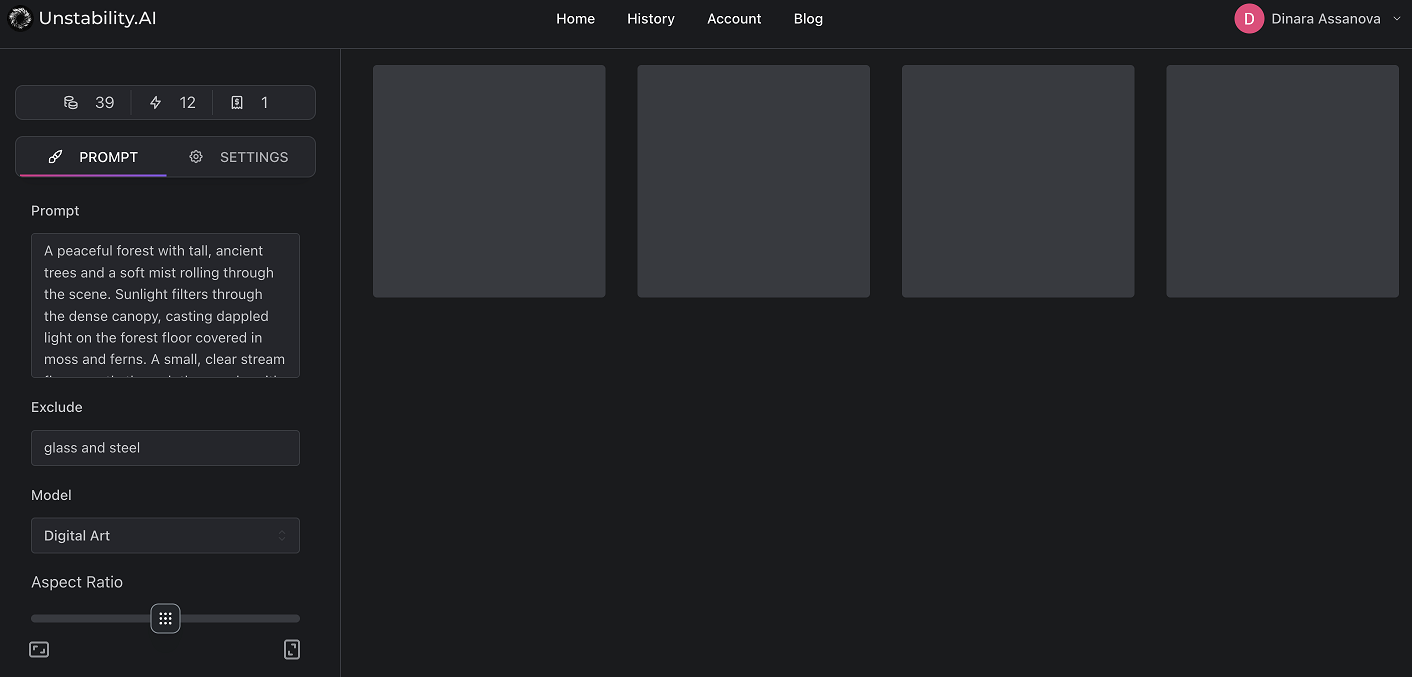
⬇️Write a Prompt
In this step, a detailed prompt was entered, making sure certain keywords were excluded. The image generation model and aspect ratio were chosen to fit the desired landscape format. The number of images was set based on user preference, and additional settings like the sampler, lighting color, saturation, and seed value were adjusted.
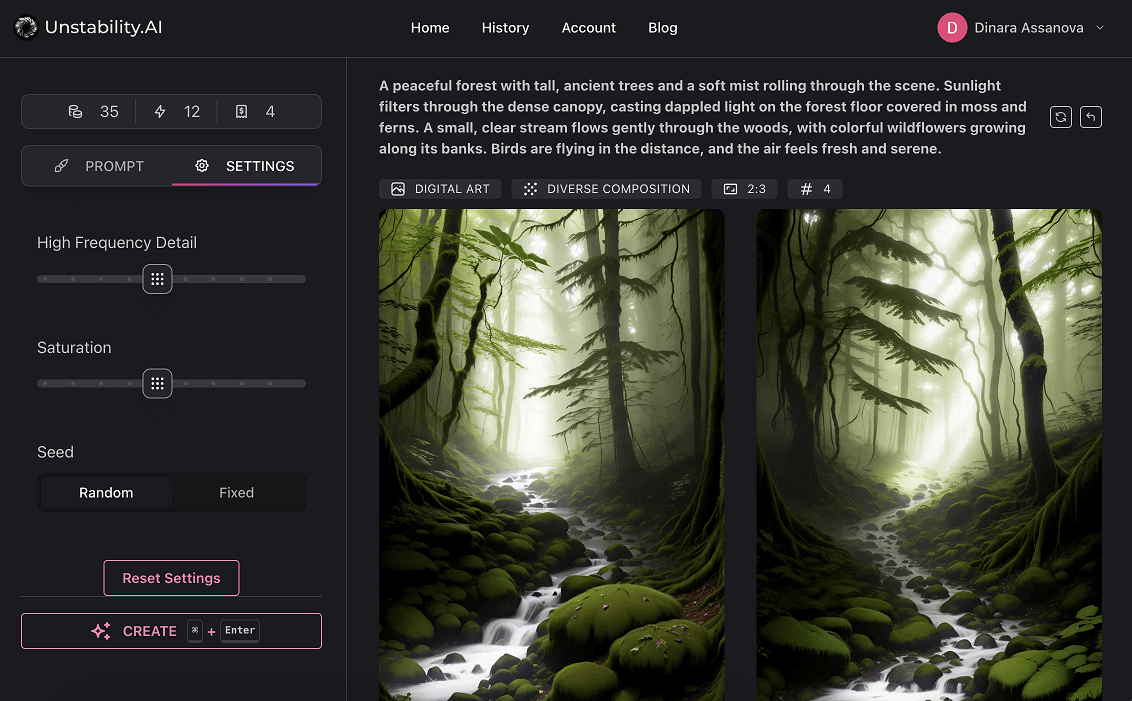
⬇️ Review Results
Images were generated based on the results of the request. If the outcome is not completely satisfactory, there is the option to regenerate the images or reuse parameters for another prompt.
 ⬇️Download or Share Images
Each generated image is available for download or sharing, allowing users to save the image to their device or directly share it on social media or other platforms.
⬇️Download or Share Images
Each generated image is available for download or sharing, allowing users to save the image to their device or directly share it on social media or other platforms.
Frequently Asked Questions
What is Unstable Diffusion?
Unstable Diffusion is an AI-powered platform that generates images from text prompts using advanced diffusion models.
How do I create images with Unstable Diffusion?
You enter a descriptive text prompt on the platform, customize settings if desired, and the AI generates an image based on your input.
Is there a free version available?
There is a free trial with limited usage, but for full access and advanced features, you need to contact sales for pricing details.
Can I use the images commercially?
Commercial usage rights are typically included in paid plans, but you should confirm the licensing terms with Unstable Diffusion.
Do I need technical skills to use Unstable Diffusion?
No, the platform is designed to be user-friendly and accessible without technical expertise.