
Website Builders
10Web
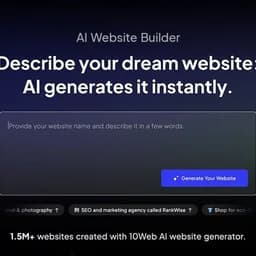
Meet 10Web, a powerful AI website builder for creating professional and personalized websites.
Website builder tools help you create Landing Pages, online stores, personal sites, and full business websites without writing code. Some hand the work to AI and produce a first draft in seconds, while others give you a drag-and-drop canvas and full control over every element. The main split is between tools that do the building for you and tools that let you build exactly what you picture.
Missing a tool?
Video review by Gunay
A short recorded note on what to compare before choosing a website builder.
Watch note on YouTube3 decisions
Joomla! is completely free with no licensing cost at all, and Framer offers a free plan alongside paid plans from $10 a month. Durable AI, Leadpages, and Instapage have no free tier: Leadpages starts at $99 a month on its top plan and Instapage at $99.79 a month. Oxygen skips the monthly bill entirely and sells a lifetime licence from $129. What separates these tools most is whether you pay before you publish and how much of the building the tool does for you.
Durable AI writes the copy, generates images, and publishes a site in under a minute with no design input from you. Elementor and Framer also use AI, but they assist a build you direct rather than replacing it. SeedProd adds AI site generation inside WordPress. If you want a first draft without making a single decision about layout, Durable AI is the only tool here that works that way. If you want AI as a helper while you stay in control, Elementor or Framer give you that on a free plan.
Joomla! costs nothing at all, forever. WordPress, Elementor, Framer, SeedProd, and Drupal all have free plans. Framer's paid plans start at $10 a month billed annually. SeedProd's paid plans are billed annually only, starting at $79 a year, with no monthly option. Durable AI, Oxygen, Leadpages, and Instapage have no free tier: you pay before anything goes live. Oxygen is the only tool here that charges once rather than monthly, with lifetime licences from $129.
Leadpages and Instapage are built around landing pages and lead capture: both include A/B testing, and Instapage adds content personalisation at scale. Leadpages starts at $99 a month on its top plan; Instapage at $99.79 a month on its entry plan. Elementor and SeedProd cover landing pages inside WordPress but also build full sites. Framer and WordPress handle personal sites, portfolios, and stores. For a single high-converting page, Leadpages or Instapage are the specialists here. For a full site that also needs landing pages, Elementor or WordPress cover both.
6 questions
Joomla! and Stitch cost nothing at all. WordPress, Elementor, Framer, SeedProd, and Drupal have free plans that let you start without paying, though some features require a paid upgrade. Durable AI, Oxygen, Leadpages, and Instapage have no free plan; you must pay before you can publish.
Durable AI. It generates copy, images, and a published site in under a minute with no design decisions from you. Elementor and Framer also offer AI assistance, but both expect you to guide the build. Durable AI's plans start at $15 a month, and there is no free tier.
Leadpages and Instapage both include A/B testing. Instapage also runs AI-powered experiments and starts at $99.79 a month. Leadpages starts at $99 a month on its top plan and adds automatic traffic routing between page variants. Both are paid only with no free plan beyond a trial period.
Yes. Oxygen sells lifetime licences: $129 for the Basic plan, $149 for WooCommerce support, $179 for the Advanced plan, and $199.50 for the full bundle. Every other tool here charges monthly or annually. Oxygen is a WordPress visual builder, so it suits people already working in WordPress who want to stop paying a recurring fee.
Elementor covers e-commerce inside WordPress, including WooCommerce support on higher plans. Oxygen also supports WooCommerce with its $149 lifetime licence. Durable AI includes invoicing and payment tools, though its store features are not detailed in full. For a straightforward store without WordPress, Framer handles product pages on its paid plans.
WordPress and Framer are both listed for personal sites. WordPress is free and open source with thousands of themes, though it needs separate hosting. Framer has a free plan and paid plans from $10 a month, and it converts designs directly into a published site without a developer. Framer suits designers who want a polished result quickly; WordPress suits anyone who wants full long-term control.

 Joomla!
 Framer
 Durable AI
 Leadpages
 Instapage
 Oxygen
 Elementor
 SeedProd
 WordPress
 Drupal
 Stitch
 WooCommerce