⬇️ Sign Up
The first step is usual for us; we signed up on the website using our Google account.
⬇️Record or Upload Something
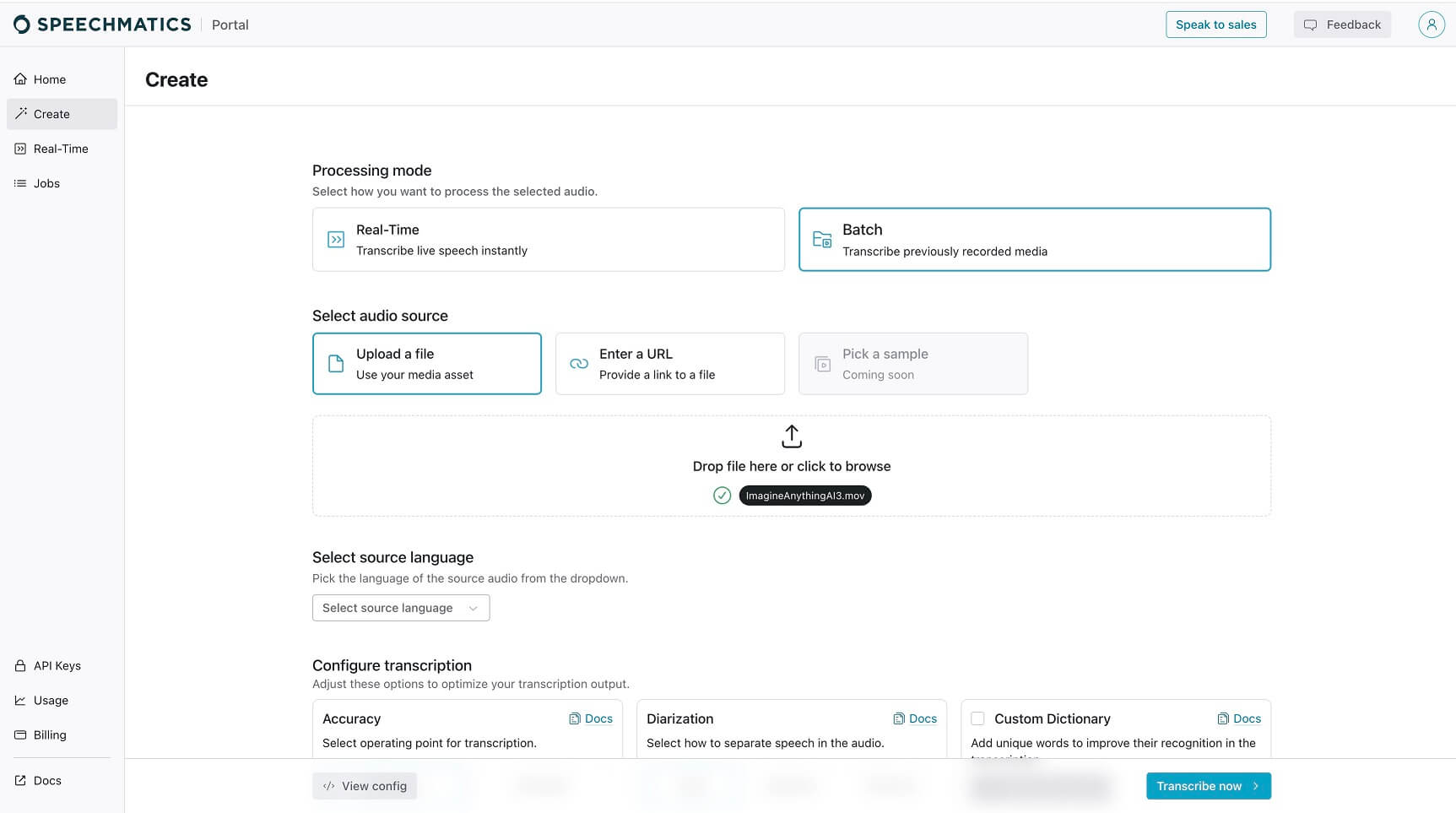
Then we clicked on the “Create” button on the main dashboard, and the website suggested choosing the way we like to input our audio. Here, our choice was to upload the video file.
⬇️ Customize Settings
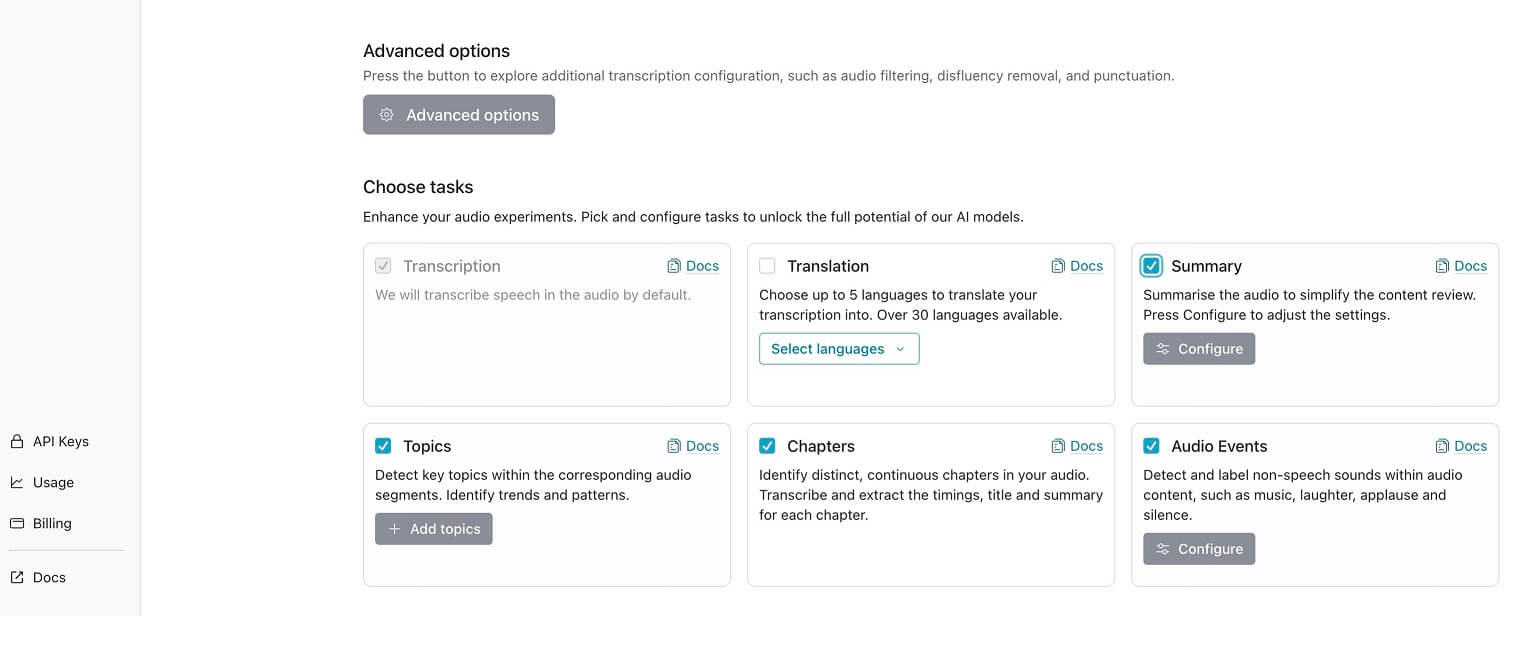
After that, we customized some settings, like the source language and output materials.
⬇️Click, Wait, View, Export!
Then just one click on the button in the lower right corner, the tool started uploading and proceeding with our file. It took some time because of connection speed, but we got the results pretty fast.
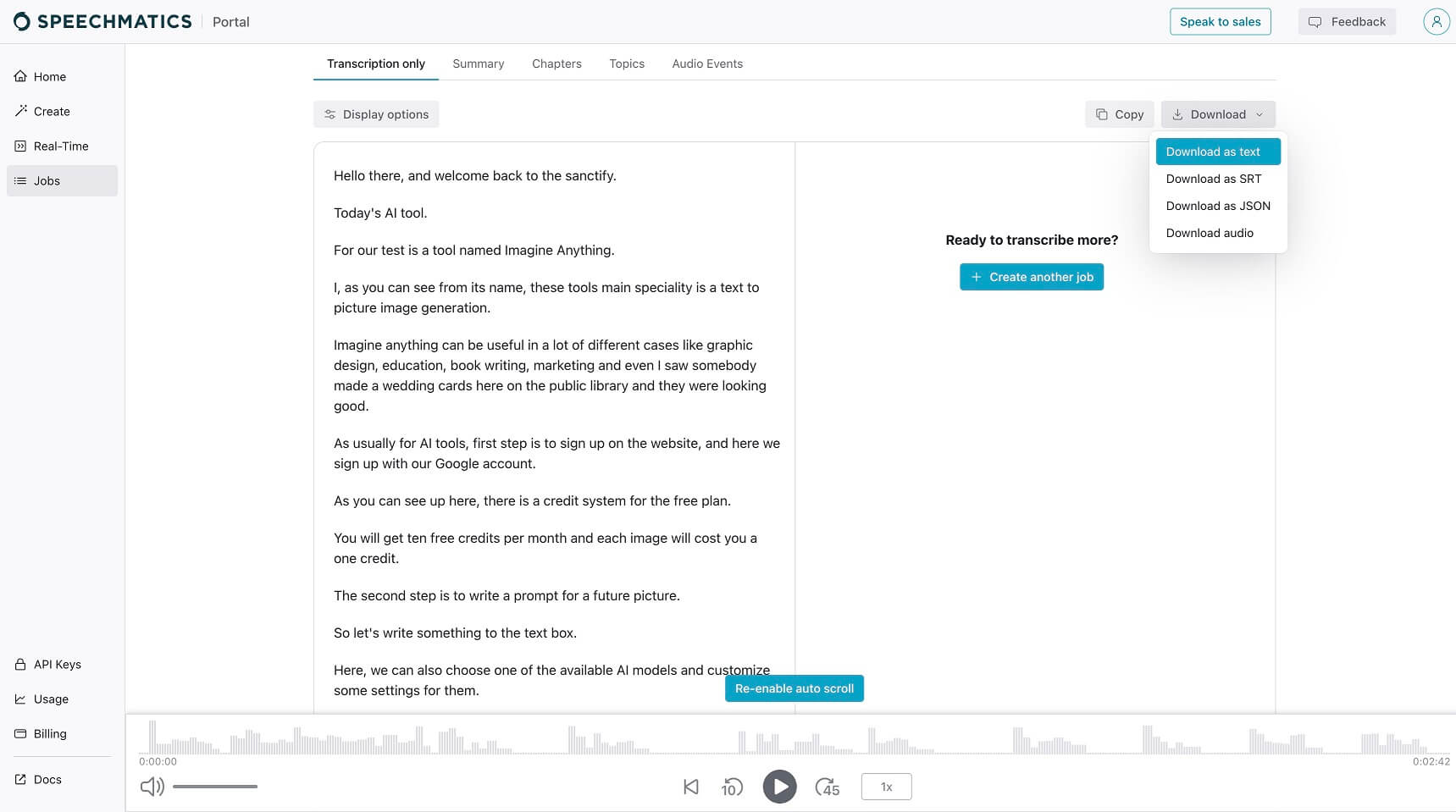 We viewed an accurate transcription of our video file and checked up on some information, like the summary and chapters. By clicking on the download button, we could download anything in available file formats.



