What Is an AI Agent
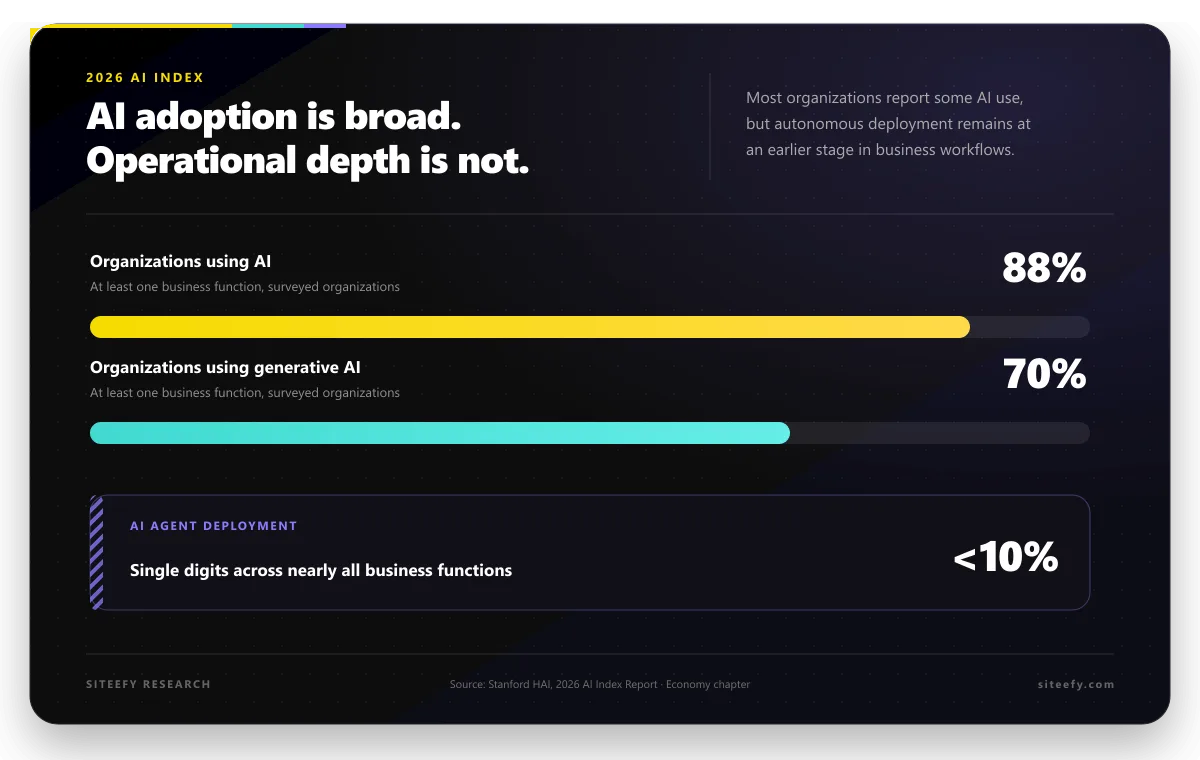
An AI agent is a system that can understand a task, make a decision, and take action to complete it. Unlike basic tools, it does not just respond. It can follow a process to achieve a specific goal.
In simple terms, an AI agent works like this:
- Understand the request
- Decide what should happen next
- Take action
For example, instead of only replying to a customer message, an AI agent can review the request, check relevant information, choose the right response, and complete the task automatically.
Where AI Agents Are Used
AI agents are currently used in many different areas to handle tasks that require both understanding and action.
Here are some common use cases:
- Customer support: Resolve tickets without human involvement, pull data from systems such as CRM or knowledge bases, and escalate only complex cases with full context.
- Sales and revenue workflows: Qualify and enrich leads, personalize outreach, manage follow-ups, and update CRM systems automatically.
- Marketing and growth: Generate and test ad creatives, run SEO workflows from research to content updates, and optimize campaigns based on performance data.
- Content and SEO operations: Research topics, generate and update content, monitor rankings, and suggest improvements.
- Software development and engineering: Build features, fix bugs, refactor code, run tests, and support development workflows using tools like GitHub Copilot, Cursor, and Devin.
- IT operations and internal support: Handle internal tickets, diagnose system issues, monitor infrastructure, and trigger fixes or escalate when needed.
- Data analysis and business intelligence: Collect data from multiple sources, analyze trends, generate reports, and trigger alerts.
- Finance and accounting: Process invoices, reconcile transactions, generate reports, and detect anomalies.
- HR and recruiting: Screen candidates, schedule interviews, support onboarding, and answer employee questions.
- Operations and back-office workflows: Manage approvals, coordinate tasks across teams, and automate repetitive administrative work.
- Supply chain and logistics: Forecast demand, manage inventory, coordinate shipments, and adjust operations in real time.
- Product and user experience: Analyze user behavior, summarize feedback, and support product improvements.
- Legal and compliance: Review contracts, extract key details, and monitor regulatory requirements.
- Security and risk: Detect threats, monitor activity, respond to incidents, and enforce policies.
- Executive and decision support: Prepare reports, monitor markets, and support strategic decision-making.
- Personal productivity: Manage communication, organize tasks, summarize information, and handle routine workflows.
- Multi-step workflows across tools: AI agents can read a goal, plan steps, use multiple tools such as CRMs or APIs, execute actions, and adjust based on results.
 GitHub Copilot
Steps To Get Started With AI Agents
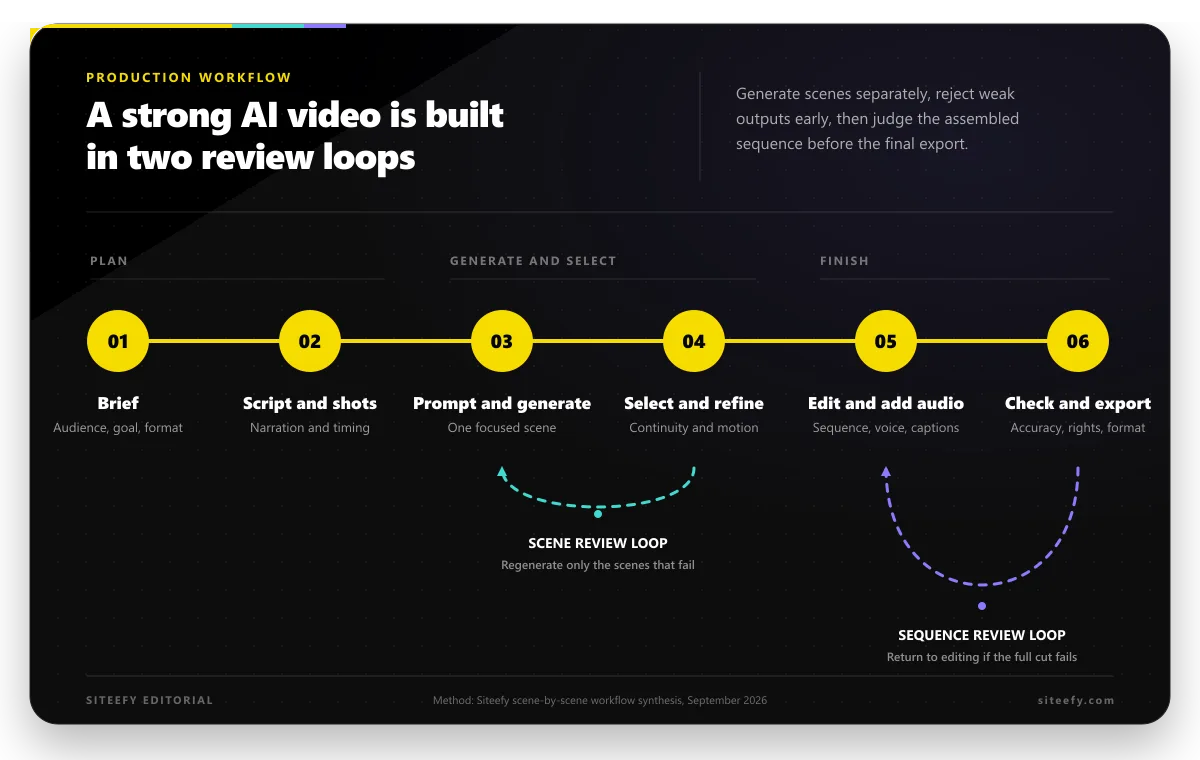
| Step | What to Do |
|---|---|
| Choose a Starting Point | Focus on one simple, repeatable, low-risk task where AI can bring clear value |
| Set Up a Simple Agent | Define the input, what the agent should decide, and the action it should take |
| Connect to Workflow | Place the agent into one specific step of your existing process |
| Test and Improve | Check results, adjust setup, and improve accuracy and consistency |
1. Choose a Clear Starting Point
Before you begin with AI agents, define a clear starting point. Many teams try to apply AI to several areas at once, which often leads to confusion and weak results. A better approach is to focus on one specific task where AI can bring clear value.
To choose the right starting point, ask:
- What task takes time but follows a simple pattern?
- What process repeats often?
- What task is low risk if something goes wrong?
For example, you can start with handling common customer questions, organizing incoming requests, or supporting simple internal tasks. These are easier to test and help you understand how AI performs in real situations.
Once you have a clear use case, it becomes easier to measure results. You can check if the task takes less time, if responses are accurate, and how much manual work is reduced. After that, you can move to more advanced use cases and expand step by step.
2. Start With a Simple Agent Setup
After you choose your first use case, set up a simple AI agent that can handle one task from start to finish. At this stage, focus on defining how the agent operates in a real situation.
To do this, you need to define a few key elements clearly.
- First, decide what input the agent will receive. This can be a message, a form submission, or a piece of data.
- Next, define what the agent should do with that input. This usually involves analyzing the content and making a decision.
- Finally, define what action the agent should take based on that decision, such as sending a response, updating a record, or routing the task.
For example, an agent that reviews incoming invoices receives a new invoice as input. It checks details such as amount, vendor, and required fields. Based on this, it either approves the invoice or sends it for manual review.
Another example is an agent that manages internal requests. It receives a request, evaluates its content, and assigns it to the correct team. If the request is urgent, it prioritizes it. Otherwise, it places it in the standard queue.
For a practical setup, AI agent builders like Zapier Agents allow you to create this type of workflow. You can define a trigger, use AI to process the input, and then set an action such as sending a response or updating a system. This makes it easier to build a simple agent without complex development.
As workflows become more complex and involve multiple systems, implementation shifts from a simple setup to engineering work.
At that stage, the decision is not only about cost but also about how well a development partner can work with your team, integrate with your systems, and support the project after launch. For companies building for the US market, it may be useful to compare AI agent development companies for US clients before choosing between a US-based vendor, a nearshore team, or developers in their own region.
3. Connect the Agent to Your Workflow
Once your agent is set up, place it into a real process where it can handle live inputs.
Choose one point in your workflow where the agent will operate. This can be where requests arrive or where decisions usually take place. The agent takes over that step and handles it within the process.
Keep this focused on one part of the workflow. A clear role makes it easier to manage and expand later. Once this works smoothly, you can introduce the agent into other parts of your operations.
4. Test and Improve
After your workflow is set up, check how it performs in practice. The goal is to see if the AI completes the task correctly and gives consistent results.
Start with a few examples from your workflow and review the output. Focus on:
- Accuracy and clarity of the response
- How results change with different inputs
If the results are not consistent, adjust your setup. This can include improving your instructions, refining the input, or simplifying the workflow.
Test again after each change and focus on improving one workflow until it works reliably. Once the results are stable, you can move to more complex tasks or add new use cases.
Common Mistakes To Avoid
Even with a clear setup, some mistakes can affect results and slow progress.
- Using unclear instructions: If the task is not described clearly, the output will be inconsistent or incorrect.
- Relying on one test case: A workflow may work for one example, but fail with different inputs.
- Ignoring edge cases: Unusual or unexpected inputs can break the process if not considered early.
- Scaling too early: Expanding before the workflow is stable can create more issues later.
Final Thoughts
AI agents are still evolving, and their role in everyday workflows is growing quickly. As tools improve, more tasks that once required manual effort can be handled more efficiently and with less setup.
For businesses, this means it is worth staying flexible and open to new possibilities. What seems complex today may become much easier to implement in the near future. Keeping an eye on how these tools develop can help you spot new opportunities and improve existing processes over time.