GenYOU
Verified
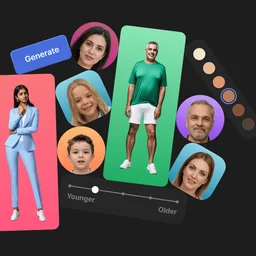
Create AI-generated portraits and full-body photos of yourself or anyone else with your own face.
Free plan
from $199 per year
Every listed tool supports AI Portrait Generator. No reader votes yet, so reviews and saves set the order. 7 have a free way in.
An artificial intelligence portrait generator creates portraits from your photos or instructions. It can help you make a polished profile picture, a professional headshot, or a character image. This saves time when you need a fresh portrait for work, social profiles, or a creative project.
Missing a tool?
No reader votes yet, so reviews and saves set the order. Your vote moves a tool up this list. Press it on any row. No account needed.
What do you need to do?
Create AI-generated portraits and full-body photos of yourself or anyone else with your own face.
Free plan
from $199 per year
Meet BetterPic, a tool that turns selfies into professional headshots.
Paid
Create and explore unique AI-generated images by blending and evolving art with ease.
Paid
BestPhotos.ai is an online AI-powered image generator and photo creator.
Free plan
Professional AI character training for consistent face photos and video generation.
Paid
Free browser image tools and credit-based AI editing
Free plan
Unique, worry-free AI-generated model photos for creative and machine learning projects.
Paid
from $199 per year
AI-powered professional headshots created effortlessly from your selfies.
Free plan
from $30 one-time
An AI-powered digital wedding visual studio generating ten core wedding assets in one workspace.
Paid
An AI creative studio for generating images, videos, photoshoots, photo edits, and voiceovers.
Free plan
from $9 per month
An AI-powered tool for creating custom face models, transforming portraits, and generating consistent characters from photos.
Paid
The Best AI Headshot Generator For Professionals
Paid
An AI image generator that creates and edits pictures from text prompts and photos without design skills.
Free plan
from $100 per year
Browser-based AI tools for creating commercial-ready images, videos, and audio for business use.
Free plan
from $19 per month
AI-powered tool for generating photorealistic portraits, lifestyle images, and videos from a single photo using curated templates.
Paid
#1 AI Headshot generator for Professionals delivering hundreds of studio-grade portraits in under an hour.
Paid
Create stunning professional portraits effortlessly with AI-powered headshots.
Paid
Showing 1 to 10 of 17
Know one that belongs on this list?
Which tool do you use for AI Portrait Generator, and why?
Join the discussion
Takes a minute. No account needed.
+20 points a postStart with a tool from the list:
Start with the kind of portrait you need. A work photo, a fictional character, and a wedding portrait call for different tools. Your choice may also depend on editing options, support, and commercial use rights.
A polished portrait can double as a professional headshot or profile image. AI photoshoot tools also give you more ways to create work-ready photos.
Creative projects may need anime art, fictional people, or a face that stays consistent across images. AI avatars and AI image-to-image generation are useful for this kind of work.
Portraits can also become part of ads, campaign visuals, videos, or wedding designs. Pick a tool shaped around the wider project rather than the portrait alone.
Yes, when the tool grants commercial use rights.
BetterPic, Generated Photos, MagicShot AI, PictureMaker, Pincel, and SceneYou.art list those rights.
Yes.
EasePaint and MagicShot AI have free plans, while Pincel offers its Starter plan for free.
BetterPic, PhotoPacks.AI, and Secta Labs are made for professional headshots as well as AI portraits.
Several tools include related editing tasks.
EasePaint can remove objects or backgrounds, Secta Labs can change clothes and upscale images, and Generated Photos supports photo editing.