
 photo
photoO
AI Art Generators
OC Maker
Create unique and customizable original characters effortlessly with AI-powered tools.
AI Image Generation tools range from simple text-to-image generators to tools that reshape or stylize a photo you already have. The main split is between tools that start from a written prompt and those that take a reference image and transform it. A second split is how much control you get: some tools offer one click and a result, others let you set the angle, style, material, or pose.
Missing a tool?
Showing 25 to 30 of 30 tools
Create unique and customizable original characters effortlessly with AI-powered tools.

Create and explore unique AI-generated images by blending and evolving art with ease.
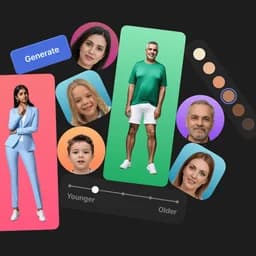
Unique, worry-free AI-generated model photos for creative and machine learning projects.
Free online AI-powered image and video generator for creative media from text prompts.
Generate unique AI art and images instantly from text prompts with no sign-up required.
3 decisions
BlueWillow is the only completely free tool here, with no plan required. NightCafe is freemium with plans from $5.99 a month and three community reviews to read. CGDream's free plan covers basic use but removes commercial rights, and its paid plans start at $8 a month. Image to Image AI is paid from the first generation, with no free tier at all.
Text-to-image tools take a written description and produce an image. NightCafe, Frosting AI, and BlueWillow all work this way. If you already have a photo and want to change its style or use it as a starting point, you need a tool that accepts an image as input. Anifun converts photos to anime with no sign-up required. CGDream goes further: it accepts text, images, and 3D models, and has more than 300 filters to shape the result. Image to Image AI (the paid tool) preserves the original structure of your photo while applying new styles or environments.
BlueWillow costs nothing and has no usage cap published. Anifun is also free per use with no sign-up. NightCafe's free plan exists but higher-resolution images and advanced features cost extra credits. NewArc.ai's free plan is capped at 10 generations a month, which runs out quickly. CGDream and Image to Image AI (the freemium one) both remove commercial rights on the free tier, so anything you plan to sell or publish needs a paid plan. Image to Image AI (the paid-only tool) has no free option at all, and unused monthly credits do not carry over.
Simple tools give you a prompt box and a result. More control means more inputs. NightCafe lets you work from a sketch, a pose, or a depth map in addition to text. NewArc.ai is built for turning sketches into photorealistic images and supports material and pattern references, which suits product and fashion work. CGDream adds a 3D viewer and lets you convert an image into a 3D model before generating. Decohere covers images, video, and character creation in one place. If you want a quick result without learning extra settings, BlueWillow or Anifun get you there fastest.
6 questions
BlueWillow is the only tool here with no cost at all. It generates images from text prompts and charges nothing. Anifun is also free per use and requires no sign-up, though it is focused on converting photos to anime rather than general image creation. Every other free plan here either caps generations, removes commercial rights, or requires a paid upgrade for full access.
Anifun converts photos to anime-style art instantly and needs no sign-up. CGDream accepts images alongside text and 3D models. Image to Image AI (the paid tool, from $9.99 a month) preserves your photo's structure while applying new styles. Chat Image AI lets you upload multiple reference images to guide the output. NightCafe also supports depth-to-image and pose-to-image inputs.
Yes. CGDream's free plan states no commercial use. Image to Image AI's free plan also lacks commercial usage rights. If you plan to sell or publish what you generate, you need a paid plan on those tools. BlueWillow and Anifun do not publish a commercial restriction on their free access, though BlueWillow shares no detailed plan terms beyond free use.
Decohere is built for character creation alongside image and video generation, with a free tier and paid plans from $7.99 a month billed yearly. BlueWillow also covers character creation and is completely free. Chat Image AI handles character portraits and lets you upload reference images to control how the character looks. NightCafe's selfie generator and pose-to-image feature can also shape character results.
CGDream offers the widest set of inputs: text, reference images, and 3D models, plus more than 300 filters. Its paid plans start at $8 a month. NightCafe adds sketch, pose, and depth inputs on top of standard text prompts. Nano Banana lets you set lighting, camera angle, and aspect ratio directly, with plans up to $249.99 a month for the highest tier. NewArc.ai focuses on sketch-to-image work with material and pattern references for product design.
Decohere covers video generation alongside images and character creation. It has a free plan and paid tiers from $7.99 a month. Video generation is one of the less common features among the tools here; most focus on still images. Nano Banana mentions video generation but notes that some of those features have geographic restrictions.
 BlueWillow
 CGDream
 Frosting AI
 Decohere
 Chat Image AI