AI Meeting Note Taker that transcribes, summarizes, and collaborates to boost productivity.
Notta is an AI-powered meeting note taker that automatically transcribes meetings, interviews, and recordings into searchable text. It offers real-time transcription, AI-generated summaries highlighting decisions and action items, and seamless collaboration features. Notta supports 58 languages and integrates with popular tools like Slack and Salesforce to streamline workflows and enhance team productivity.
Last updated: Dec 2, 2025
No reviews yet. Be the first to share your experience.
Share your experience
Help others decide, your insights matter
No reviews yet. Be the first to share your experience.
Generates accurate meeting transcripts instantly during live meetings or from recordings, supporting 58 languages.
Creates concise summaries capturing key decisions, action items, and customer insights with a single click.
Allows seamless sharing of notes and summaries via Slack, email, or other platforms to keep all stakeholders aligned.
Enables users to extract and share essential meeting highlights as clips for efficient communication.
Supports exporting notes in multiple formats including TXT, Word, PDF, and SRT for versatile use.
Connects with popular apps like Slack, Salesforce, and hundreds more through Zapier to fit into existing workflows.
Achieves up to 98.86% transcription accuracy under optimal conditions, ensuring reliable meeting records.
Employs enterprise-grade security measures including SOC-2 and GDPR compliance to protect user data.
| Plan | Price | Highlights |
|---|---|---|
| Free Plan | $0 | 120 minutes of AI transcription per month
|
| Pro Plan | $15 | Increased transcription minutes
|
| Business Plan | Contact Sales | Custom transcription volume
|
Hands-on notes from our editorial team.
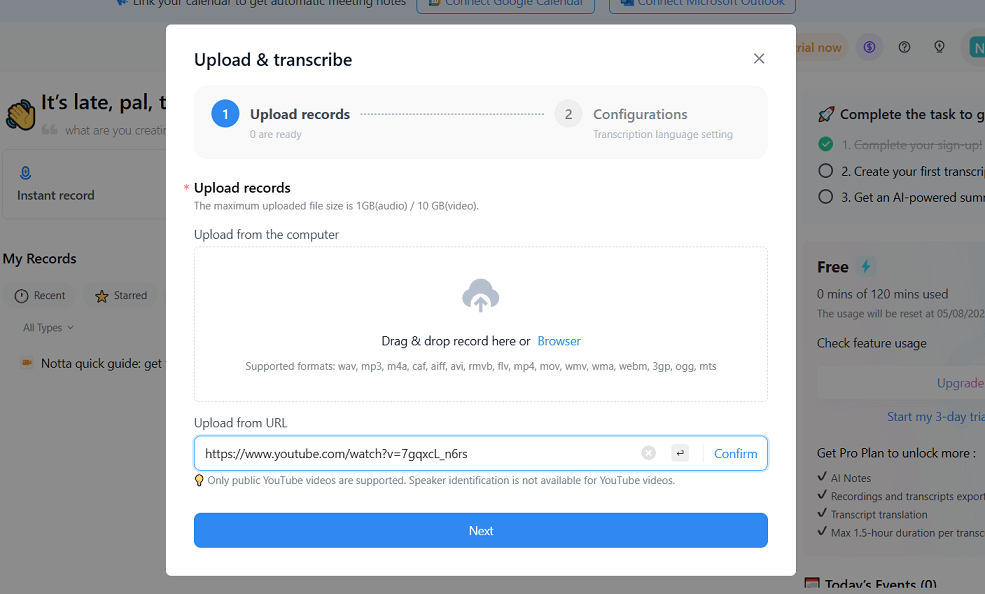
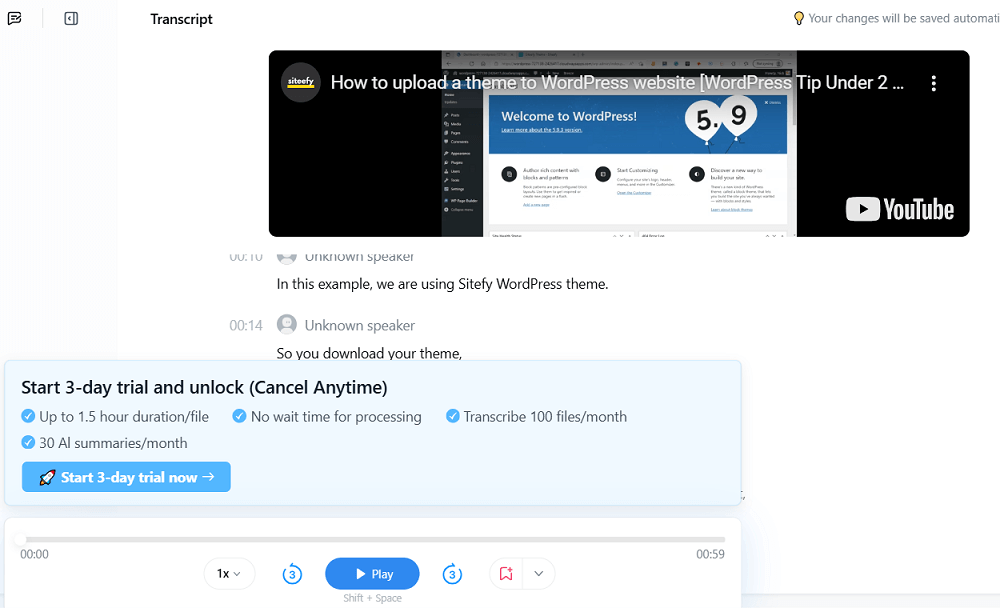
✅ Our Test ### ⬇️ Getting Started We signed up using a Google account. After signing in, we skipped the required onboarding questions and went straight to the dashboard.The free plan provided**120 minutes**of transcription time. ### ⬇️ Testing the Transcription Feature We decided to transcribe a short video from Siteefy's YouTube channel titled_"How to Upload a Theme to a WordPress Website,"_which is under 2 minutes long.We clicked on**Upload & Transcribe**, where it's possible to drag and drop files, browse from the computer, or paste a URL from YouTube, Dropbox, or Google Drive. We pasted the YouTube URL and clicked**Next**to begin the transcription process.  Then, we chose English (monolingual) as the transcription language and clicked Upload & Transcribe . The bilingual transcription option was shown, but it’s only available with a paid plan. ### ⬇️ Transcription Output The transcript was generated quickly and was mostly accurate. The text appeared below the video, but due to banners and trial notices, scrolling was necessary to see everything clearly on the screen. ### 



Compare other vetted products our editors see buyers evaluate alongside Notta.
No reviews yet. Be the first to share your experience.
Share your experience
Help others decide, your insights matter
No reviews yet. Be the first to share your experience.
Notta is also compared in Best Avoma alternatives, Best Bluedot alternatives, Best Fathom alternatives, Best Fellow alternatives, Best Fireflies AI alternatives and Best Jamie alternatives.
Top rated tools from the same category.
A to-do list app to organize your work and life with ease and clarity.
Your team's collective brain for smarter, faster work with people, apps, and AI at your side.
Microsoft OneDrive is a cloud storage service for storing, syncing, and sharing files online.
AI-powered calendar that automatically schedules your work, meetings, and life to maximize productivity and work-life b…
Block distracting apps and websites with an NFC card that makes ending a focus session intentional.
Cloud storage and collaboration platform for secure file sharing, organization, and productivity.